Essential Checklist for Testing GTA V Mods Safely and Effectively
After ScriptHookV's March 20, 2026 compatibility push for GTA V builds 3751 and 3788, patch week is the highest-risk window for mod stacks: here's how to triage fast.
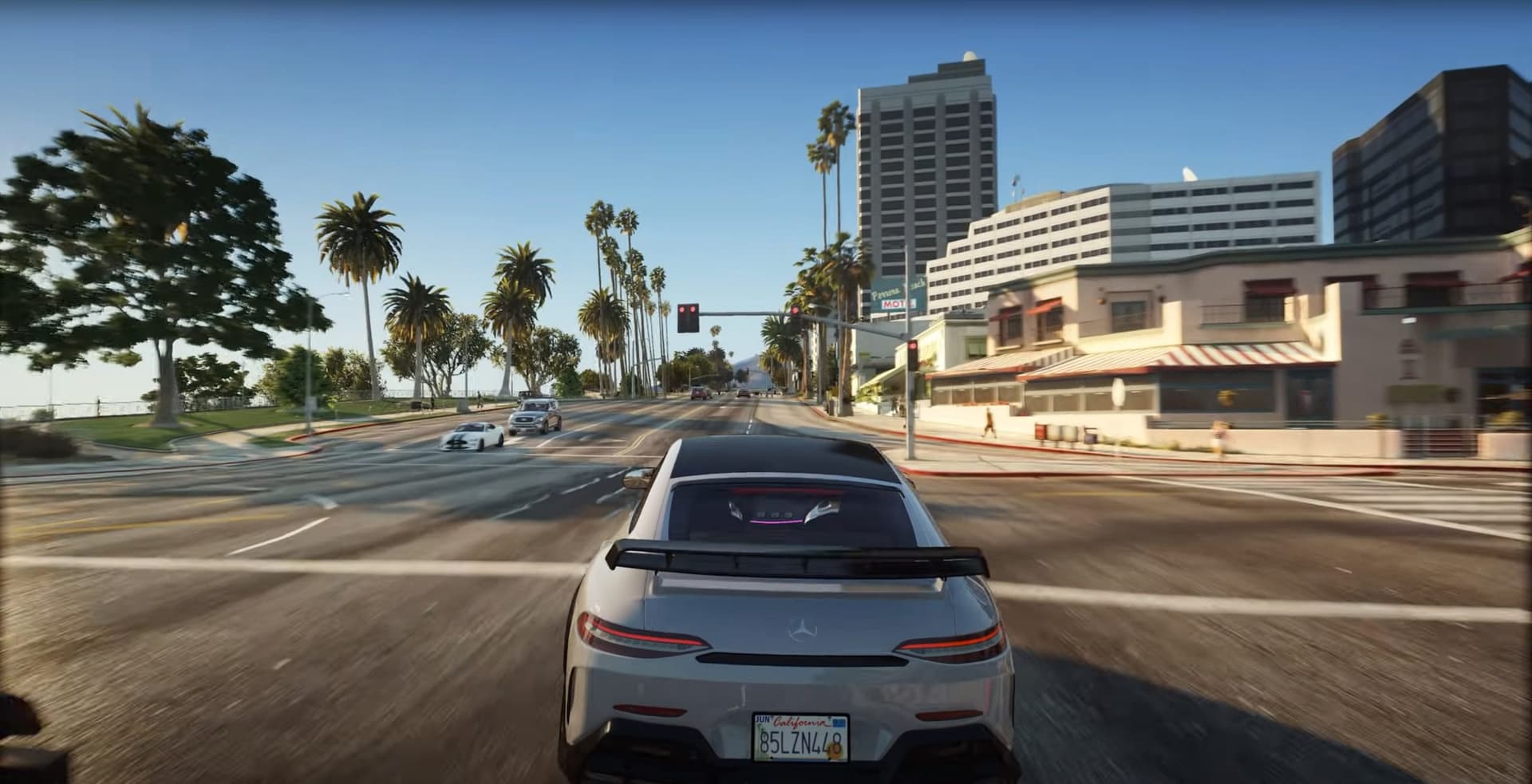
AB Software Development pushed a ScriptHookV compatibility update on March 20, 2026, restoring mod support across both Legacy and Enhanced editions of GTA V following the build 3751 and 3788 update cycle. If you're reading this mid-crisis, your mods are probably hitting one of three symptoms: a hard startup crash before the main menu loads, an infinite loading screen that never resolves, or missing textures and broken UI elements that make the game functionally unplayable. Every one of those failure modes follows the same pattern: something in your mod stack is mismatched with the current game build, and the fastest way through it is a structured triage checklist, not random reinstalls.
Here's how to work through it without losing your saves, your sanity, or your modding setup.
Before You Touch Anything: Back Up First
Seriously. Before a single file moves, copy your entire GTA V installation directory and your saved games folder to a safe location. On PC, that means your Steam or Rockstar Games\GTA V folder and the relevant profile saves under Documents. Mods can alter save structures or introduce crashes that corrupt progress in ways that aren't immediately obvious until two sessions later when the damage is already done. A full directory copy feels excessive until the one time it isn't.
This also means keeping a plain-text mod inventory file: mod name, version number, download URL, and where it lives in your install. That file is what makes a rollback take ten minutes instead of three hours.
Step One: Establish a Baseline Clean Launch
Strip the install back to vanilla and confirm the base game launches cleanly. This is your ground truth. If the clean launch fails, the problem is upstream (the game update itself, a corrupted install, or a platform-level issue) and no amount of mod troubleshooting will fix it. Once vanilla is confirmed stable, you have a reliable baseline to build from.
From there, reintroduce one major mod or mod package at a time. Running a single mod in isolation is the only way to confirm it works before introducing variables. Stacking everything back at once after a patch is exactly how people spend three days chasing a crash that turns out to be caused by a version-mismatched .asi loader.
Match Exact Tool Versions: No Approximations
This is where most patch-week crashes originate. If a mod lists a specific ScriptHookV version, ScriptHookVDotNet v3, or RAGE Plugin Hook build as a requirement, those aren't suggestions. Small behavioral changes in ASI loader behavior and native address tables between builds cause crashes and native mismatches that look like the mod is broken when the real issue is a version mismatch between the hook and the host.
ScriptHookVDotNet Enhanced is a community ASI plugin that extends SHVDN and allows mods to run on both GTA V Legacy and Enhanced simultaneously, which is increasingly important now that Rockstar has been issuing steady build updates across both editions. If you're running an LSPDFR stack, check the LCPDFR changelog directly: LSPDFR 0.4.9 (Build 9572) is the current release supporting GTA Build 3788, and each compatibility update bundles a matched version of RAGE Plugin Hook. Running a newer RPH build than your LSPDFR version expects is a common source of the infinite loading screen failure.
Read the Logs Before Posting Anywhere
ScriptHookV.log, RPH logs, and game crash dumps are the actual diagnostic record of what happened. When something breaks, open those files before touching any mod. They'll typically name the specific .asi or .dll that faulted, and that narrows a three-hour debugging session down to a targeted fix.
When you do need to report an issue to a mod author, include:

- The exact game build number (Legacy or Enhanced)
- A short list of installed mods with version numbers
- The relevant excerpt from ScriptHookV.log or the RPH log
- Whether the crash is reproducible and under what conditions
Maintainers can triage in minutes with concrete diagnostics. Without logs, troubleshooting collapses into guesswork on both sides.
Use Community QA Channels Before Filing a New Report
GTA5-Mods comment sections, GitHub issues pages, and LCPDFR forums are where mod authors publish required versions and known incompatibilities. Before posting a bug report, search those channels first. A duplicate report in an already-active thread doesn't help the maintainer and delays resolution for everyone. In most post-patch windows, someone has already identified the exact incompatibility you're hitting and either documented a workaround or is tracking a fix.
Nightlies Are a Bridge, Not a Destination
When a title update breaks a tool and a SHVDN nightly or small RPH patch surfaces that fixes your issue, it's tempting to stay on that nightly indefinitely. Treat it as a temporary fix. Note which nightly resolved the issue, notify the mod author and the tool maintainer, and then wait for a coordinated stable release. Nightlies exist to test fixes, not to run production mod setups indefinitely. Running a nightly long-term creates a dependency chain that becomes its own compatibility problem at the next update.
Stay Offline During Initial Testing
Initial mod testing belongs in single-player, offline. This isn't just a best practice for stability; it's account safety. ScriptHookV closes GTA V when a player enters multiplayer, but experimental trainers, mod menus, or unvetted scripts tested in or near online sessions carry real risk of account sanctions. Keep testing confined to offline single-player until a mod is confirmed stable and you understand exactly what it does.
Map Mods, MLOs, and Memory Pressure
If you're combining map mods or MLO interiors, memory management tools are non-negotiable. The Packfile Limit Adjuster, fwBoxStreamerVariable patches, and HeapAdjuster are the standard stack, and each has recommended values that mod authors specify for a reason. Don't just install them and leave settings at defaults. Match the values the mod author documents, then test specifically for texture pop-in and memory pressure. Missing textures and UI breakage in map-heavy setups are almost always a heap or packfile limit issue, not a script conflict.
The Standard for Sharing a Bug Report
When you've exhausted self-triage and need community help, the most useful thing you can do is provide reproducible steps. A clear repro sequence, an anonymized copy of your mod list, and the relevant log excerpt converts a support thread from a guessing game into a solvable problem. The modding community's collective ability to fix issues fast is entirely dependent on the quality of information flowing back to maintainers and fellow testers.
Every GTA V build update resets the compatibility clock for the whole mod stack. The modders keeping tools like LSPDFR and ScriptHookVDotNet Enhanced current are working fast, but the triage work between "game updated" and "stable again" still falls on each person running the stack. A clean baseline, version-matched tools, and a habit of reading the logs before reaching for the uninstall button is what compresses that window from days to hours.
This article was produced by Prism’s automated news system from verified source data, official records, and press releases, then run through automated quality and moderation checks before publishing. The system is built and supervised by the people who set the standards it runs under. Read our full AI policy.
Did this article answer your question?


