MenyooMapLoaderAuto streamlines GTA V map loading for modders
MenyooMapLoaderAuto kills the reload loop for GTA V map builders, streaming Menyoo XML scenes in and out as you move. It turns a tedious menu chore into a cleaner way to test big builds.
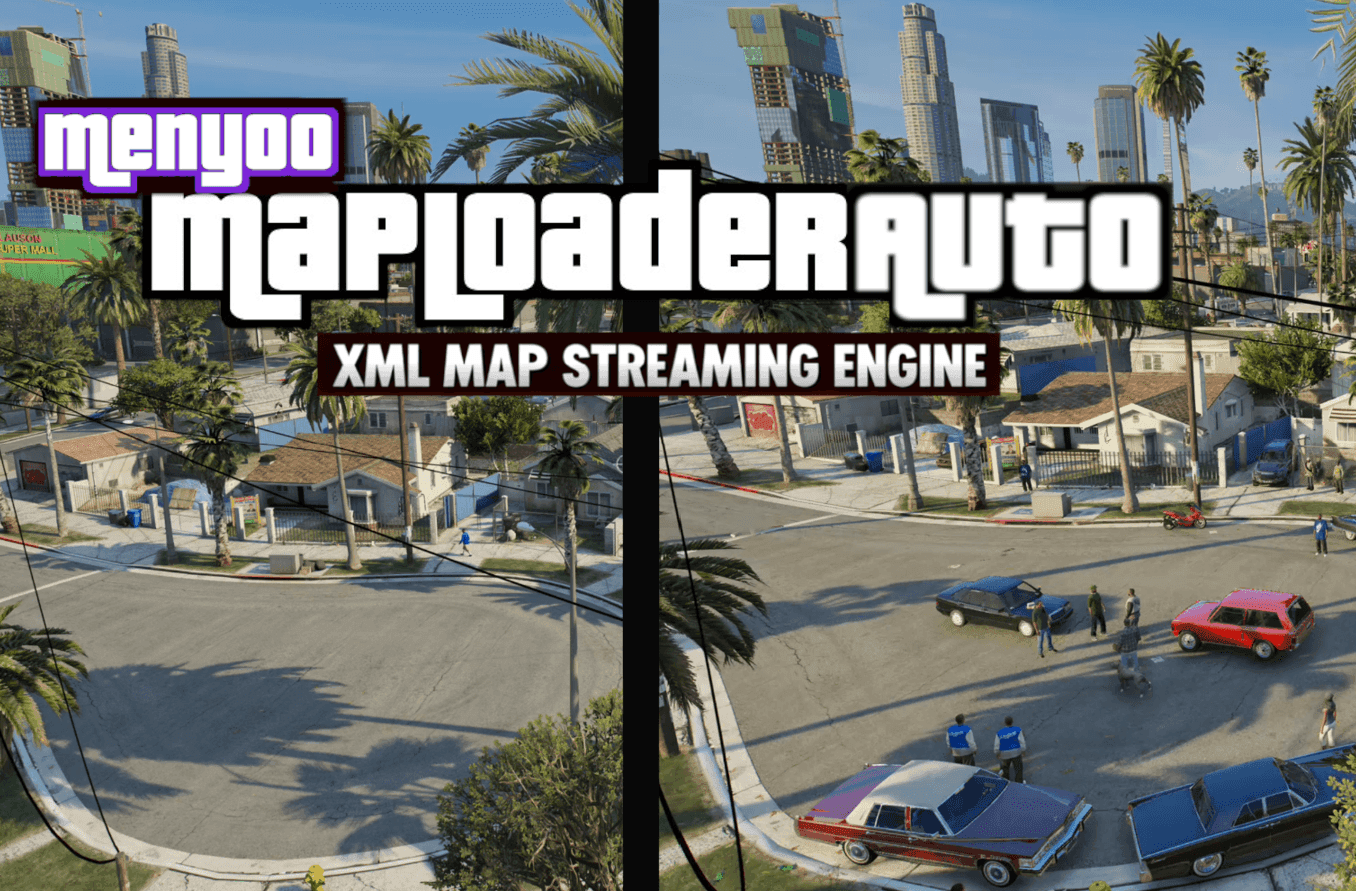
MenyooMapLoaderAuto does one job and does it well: it stops you from manually loading the same Menyoo XML map every time you want to test a build. ChargedKILO’s early release, pushed out due to demand, auto-streams a configured scene when you enter its zone and unloads it again when you leave, so Story Mode work feels less like menu babysitting and more like actual world building.
The response has been immediate. The mod page shows roughly 800 downloads, 31 likes, and a 4.72 out of 5 rating from 9 votes, which is a strong early signal for a utility that solves a very specific annoyance. For GTA V modders, that annoyance is familiar: place a scene, back out, reload, check a prop, reload again, move a camera, reload again. MenyooMapLoaderAuto cuts that repetition down to a one-time setup.
Who gets the biggest benefit
This is the kind of tool that matters most to people who live inside a test loop. Map builders are the obvious first group, especially anyone laying out layered story spaces or district-scale custom environments that need constant adjustments. Machinima creators benefit too, because the loader lets a scene appear only when the camera reaches the right place, which is cleaner for filming and easier on the player than digging through Menyoo every time a shot resets.
Screenshot users get a different kind of win. Instead of keeping every scene loaded all the time, you can set a frame-specific area and let the map appear only when you step into it. Large-build tinkerers gain the most practical relief of all, because the mod turns a pile of manual toggles into a defined boundary: enter the zone, the map arrives; leave it, and the scene drops away. After enough passes through the same test route, those saved menu steps stop feeling small.
The share-worthy part is how ordinary the pain point is. Anyone who has spent an afternoon opening Menyoo just to re-check the same XML scene knows how fast the workflow breaks down. This utility gives that time back, and it does it without asking you to redesign the whole project around a new toolchain.
How it works with Menyoo and MapLoaderAuto
MenyooMapLoaderAuto is not trying to replace MapLoaderAuto. It is an extension of that idea, built specifically for Menyoo XML content, while MapLoaderAuto continues to handle MapEditor XML files. That split matters because a lot of ambitious GTA V builds now mix tools rather than committing to one.
The useful part is that both loaders can run together in the same world. That means you can build a map with MapEditor in one section, stack Menyoo-made scenes somewhere else, and let each loader handle its own content without forcing the player to manually summon every layer. For creators assembling a bigger city block, a themed district, or a stitched-together showcase route, that creates a cleaner streamed world and a smoother presentation.
The script’s logic is straightforward. It watches a defined area, loads the Menyoo XML scene when the player enters that zone, and unloads it when the player leaves. That keeps the build focused on the active space instead of leaving the whole project sitting in memory all the time.
Setting it up without turning the project into a chore
The installation flow is creator-friendly, which is part of the appeal. You drop the DLL, the INI, and the support folder into the GTA V scripts directory, then place your Menyoo XML files inside the MenyooMapLoaderAuto folder. After that, you define the map zones in the configuration so the loader knows where each scene should wake up and where it should disappear.

The practical setup path
1. Copy the mod files into the GTA V scripts directory.
2. Put the Menyoo XML maps into the MenyooMapLoaderAuto folder.
3. Define the zone boundaries in the configuration file.
4. Test the border crossings in Story Mode to make sure the scene loads and unloads where you expect.
That is a short checklist, but it removes a long-term annoyance. Instead of manually managing each scene every time you return to a build, you set the boundaries once and keep moving. For creators who are testing on a loop, that is the difference between spending time on the map itself and spending time inside the menu.
Why this lands now
This utility is arriving into a modding niche that has already been moving in this direction. JayMontana36’s Map Loader & Manager, or MLAM, made the same core argument back in August 2023: too many large XML maps loaded at once can hurt framerate, invite crashes, and create stability problems. MLAM also supported both Map Editor and Menyoo XML maps, which shows that automatic loading and unloading was not some fringe idea. The community has clearly wanted background map management for a while.
Menyoo itself has also been evolving. In April 2026, the Menyoo 2.0 update notes pointed to a cleaner XML-driven system after map features moved away from a single 19,000-line file. That shift matters because it makes XML map work more organized, but it also increases the value of utilities that keep those scenes under control. When the map layer becomes more modular, a loader that respects zones becomes less of a luxury and more of a basic workflow tool.
ChargedKILO’s own comment-thread activity adds another useful detail: there were references to a beta MenyooMapLoaderAuto before the public upload. That lines up with the mod page’s “early release due to demand” framing and suggests this was built in response to people already asking for the fix.
Where the limits still are
MenyooMapLoaderAuto is a workflow improvement, not a magic performance cure. If you stack too many large XML maps into overlapping zones, you can still run into the same problems that MLAM warned about: lower framerate, instability, or a crash when the load gets too heavy. Automatic streaming helps you avoid having every scene active at once, but it does not erase the cost of dense maps.
That means the best results come from sensible zone planning. Use it for layered environments, scene transitions, and district-sized builds where only part of the world needs to exist at one time. If a project already struggles because the maps are too large or too numerous, the safer approach is still to trim the build rather than asking the loader to carry everything.
For modders who have been stuck manually summoning Menyoo scenes over and over, though, the value is immediate. MenyooMapLoaderAuto turns XML map handling into something closer to proper world streaming, and that is exactly the kind of small utility that quietly changes how big GTA V projects get built.
This article was produced by Prism’s automated news system from verified source data, official records, and press releases, then run through automated quality and moderation checks before publishing. The system is built and supervised by the people who set the standards it runs under. Read our full AI policy.
Did this article answer your question?


