BlitzWolf BW-KB1 Review: A Budget 60% Bluetooth Board With Arrow Keys
BlitzWolf's BW-KB1 squeezes 63 keys and Bluetooth 5.0 into a true 60% footprint — rare because it keeps dedicated arrow keys without compromise.

The BlitzWolf BW-KB1 lands in one of the trickiest corners of the compact keyboard market: the 60%-with-arrows niche. Pure 60% boards sacrifice dedicated arrow keys entirely, while 65% boards reclaim them at the cost of extra width. The BW-KB1 takes a third path, cramming 63 keys into a compact frame by tightening the right shift and shrinking the bottom-right modifiers, so the arrow cluster fits without expanding the case footprint. For laptop users, commuters, or anyone who genuinely cannot live without Up, Down, Left, Right, that tradeoff is immediately appealing.
What You Get in the Box
Unboxing the BW-KB1 is straightforward: the keyboard itself, a USB-C cable for wired or charging use, a keycap puller, and a manual. The inclusion of a USB-C port rather than a legacy Micro-USB connector is a practical choice that most buyers will appreciate. The board ships in black or white variants, and switch choice at purchase is a meaningful decision: Gateron Red (linear), Brown (tactile), or Blue (clicky) are available depending on SKU. Because the switches are plate-mounted rather than hot-swap, picking the right Gateron flavor upfront matters.
Build Quality and Layout
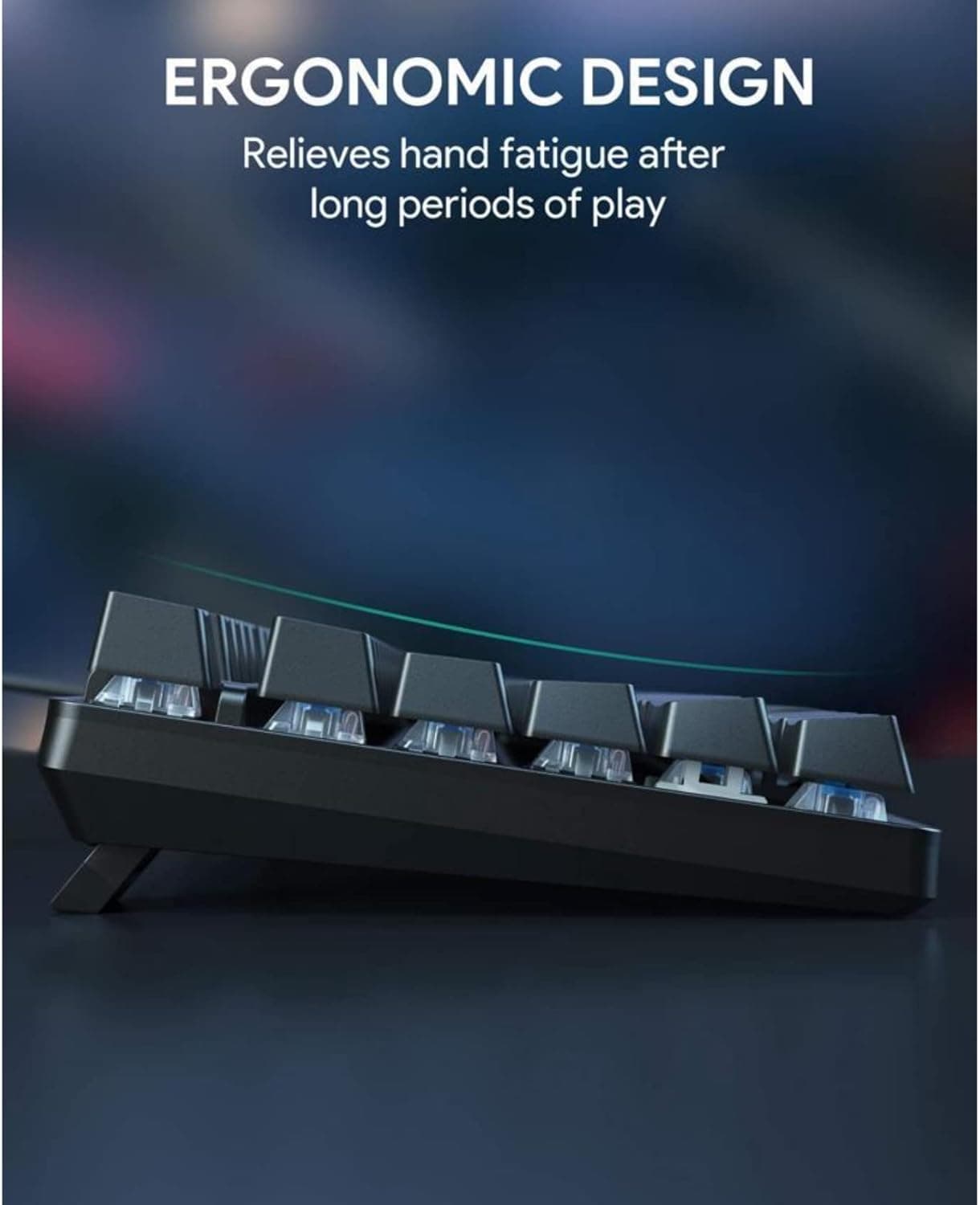
The case is all plastic, but BlitzWolf pairs it with a steel plate for switch mounting, which eliminates flex and adds noticeable heft for a board this size. Reviewers at Switch and Click note the overall feel is comparable to the Razer Huntsman Mini in terms of rigidity. The aluminum plate is white, which has an incidental bonus: RGB backlighting reflects off it and remains readable even in dim environments. Rubber pads at each corner and a foldable kickstand complete the practical ergonomic picture.
The 63-key layout does demand some re-learning. The right shift is smaller than standard, and the '/' key sits to the right of the up arrow rather than in its usual position, which catches touch-typists off guard initially. Most users report adapting within a few days, and BlitzWolf offers downloadable software from its website for deeper key remapping if the defaults do not suit you. For Mac users, FN+S switches the modifier behavior; FN+A returns it to Windows mode.
Connectivity: Tri-Mode with Bluetooth 5.0
The BW-KB1's wireless implementation is the headline spec. Bluetooth 5.0 supports fast pairing and device switching across up to five paired hosts, making it genuinely useful for desk setups that involve a laptop, a tablet, and a phone simultaneously. Switching between paired devices is handled through the FN layer. Wired mode via USB-C is available for zero-latency situations or when the battery runs low, and pressing FN+Tab toggles between Bluetooth and wired operation.
The built-in 1900mAh battery is adequate rather than class-leading. With RGB backlighting active, expect 18 to 20 hours of use; turn the lights off and runtime extends to around 10 days of typical daily use. A full charge takes approximately three hours via USB-C. For a board positioned as a laptop replacement or portable daily driver, that battery profile is workable, though heavy RGB fans will find themselves reaching for the cable more often than they might prefer.
Switches, Stabilizers, and the Modding Opportunity
Stock Gateron switches are a genuine highlight for a board at this price point. Gaterons are widely regarded as smoother out of the box than the Cherry MX clones found on many competing budget boards, and the Red and Brown variants in particular type well without modification. That said, the stabilizers are where the BW-KB1 shows its budget origins most clearly. The cherry-style plate-mounted stabilizers are functional, but multiple reviewers report rattle, particularly on longer keys. The spacebar is a notable exception, delivering a satisfying low-pitched thud in stock form.
The good news is that the BW-KB1's price point makes the standard modding stack genuinely attractive rather than over-engineering a cheap board:
- Lubing the stabilizer stems and wires reduces rattle significantly on the shift and enter keys.
- Clipping PCB-mount stabilizers is not applicable here (plate-mount design), but wire balancing helps.
- A thin layer of foam beneath the PCB can dampen the high-pitched resonance that ABS keycaps can introduce.
- Lubing the Gateron switches themselves, even a light coat on the stem legs and rails, pushes the linear variants noticeably closer to mid-tier feel.
None of these mods require expensive tools or materials, and they represent an ideal first modding project for anyone new to the hobby.
Keycaps: Functional, Not Premium
The BW-KB1 ships with ABS double-shot keycaps. They feel smooth to the touch and the legends are consistent in illumination, but ABS will develop shine with heavy use faster than PBT alternatives. The thin profile of the keycaps also amplifies the acoustic impact of any stabilizer rattle. Replacing the keycaps entirely is complicated by the non-standard layout: the smaller right shift and the arrow cluster arrangement mean not every aftermarket set will fit without gaps or missing keys. Buyers planning a full keycap swap should verify compatibility with the 63-key layout before purchasing.
Who the BW-KB1 Is Actually For
Switch and Click's review frames this clearly: the BW-KB1 is a compelling upgrade for anyone currently typing on a laptop keyboard who wants mechanical feel and Bluetooth flexibility without spending enthusiast money. It is not a gasket-mount build, does not feature boutique switches, and has no foam dampening from the factory. If your wishlist includes any of those things, the BW-KB1 is the wrong board.
For everyone else, particularly those who need arrow keys, want to connect to multiple devices wirelessly, and are curious about entry-level modding, the BW-KB1 delivers a credible, iteratable baseline. The budget end of the mechanical keyboard market is not standing still; boards like the BW-KB1 show that brands are actively engineering around real user needs, whether that means retaining arrow keys in a compact form factor or implementing Bluetooth 5.0 multi-host at a price that used to buy only basic wired boards. The result is an ecosystem where getting started costs less and compromises less than it did even a few years ago.
This article was produced by Prism’s automated news system from verified source data, official records, and press releases, then run through automated quality and moderation checks before publishing. The system is built and supervised by the people who set the standards it runs under. Read our full AI policy.
Did this article answer your question?