EPOMAKER G84 HE Delivers Hall-Effect Switches and Tri-Mode Wireless in 75% Form
Hall-effect switches meet gasket-mount flex in EPOMAKER's new G84 HE, which pushed one tester from a 73 WPM baseline to 79 WPM at 99% accuracy.

Hall-effect keyboards have carved out serious real estate in the budget-to-mid-range space, and EPOMAKER, known for cost-conscious builds that punch above their price class, is leaning fully into the trend with the G84 HE. This 84-key, 75% board pairs north-facing magnetic switches with a gasket-mount chassis, a polycarbonate plate, and tri-mode wireless, all in a package that weighs roughly 0.9 kg and measures 34.4 cm by 14.6 cm. MacSources published a full hands-on review on March 10, 2026, and the results across typing performance, connectivity, and acoustic feel were largely compelling, with one significant software asterisk for Mac users worth knowing about before you commit.
Design, Build, and What's Under the Hood
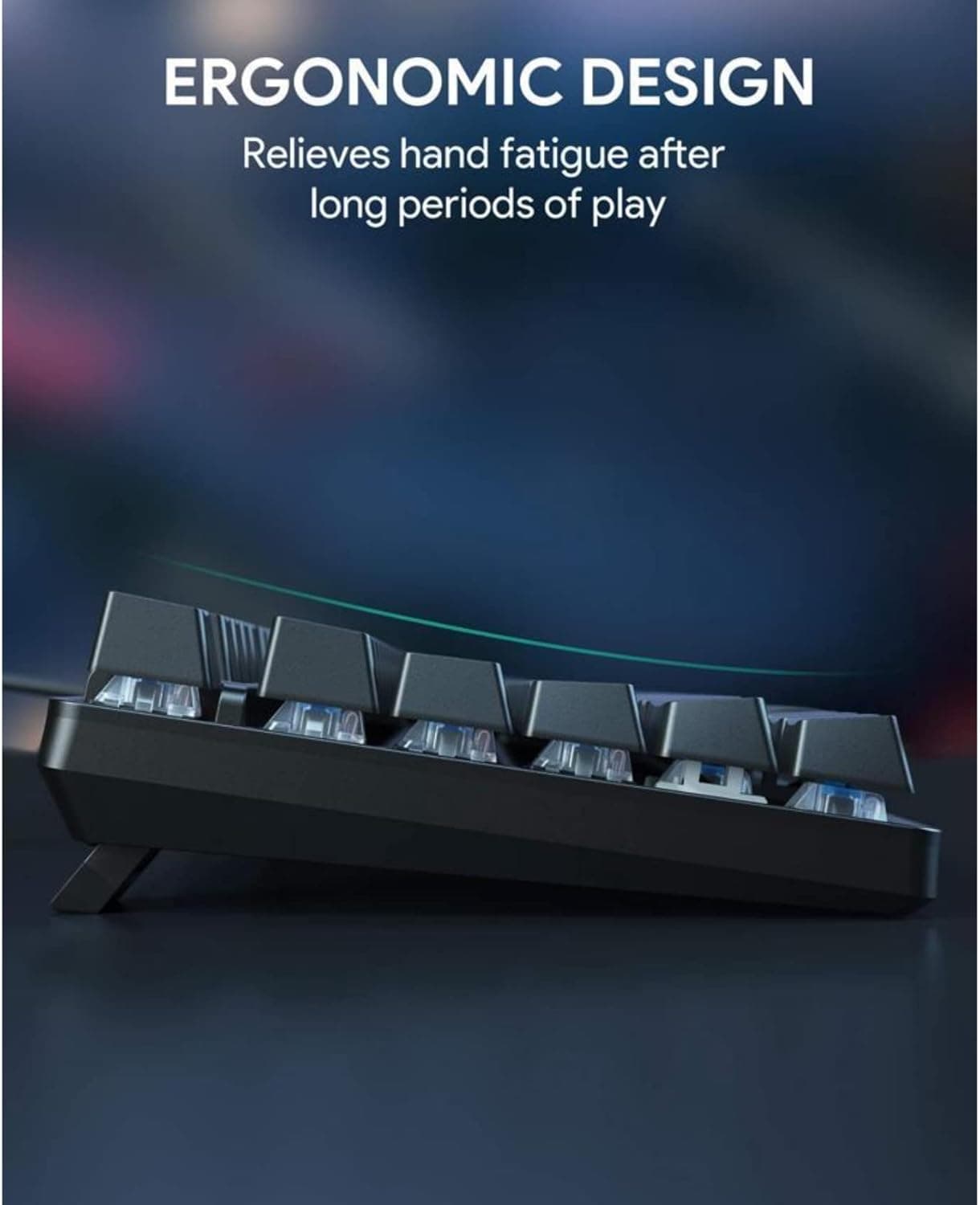
The exterior is ABS plastic rather than aluminum, which is a practical material choice rather than a flaw at this tier. What matters more to the typing experience is everything underneath: EPOMAKER's gasket-mount design sits on a polycarbonate plate, both of which are flex-cut to add give across the whole board. Sound dampening is taken seriously here, with a five-layer stack including Poron sandwich foam, an IXPE switch pad, a dedicated sound enhancement pad, a Poron switch socket pad, and a bottom silicone layer. As Games Gg put it, "EPOMAKER's gasket-mount design, paired with a polycarbonate plate and multiple layers of Poron foam, IXPE pads, and a silicone base layer, gives the board a premium internal structure even if the exterior materials remain practical rather than flashy." The keyboard stays planted at around one kilogram with no noticeable flex or creaking in use. Adjustable feet give you multiple typing angles, with the spacebar side sitting at 1.9 cm and the F1-F12 side reaching 3.3 cm, 4.0 cm, or 4.6 cm depending on your preference. Physical switches on the back handle OS mode and connection selection, which makes hopping between a work Mac and a gaming PC genuinely painless.
Switches and Keycaps
The G84 HE uses north-facing Hall-effect (magnetic) switches, hot-swappable with support for both 3-pin and 5-pin mechanical switches if you want to roll your own. Hall-effect switches use magnets rather than physical contact points to register keypresses, which gives you adjustable actuation out of the box without any modding required. EPOMAKER also built in Snap Key (SOCD) functionality, which handles simultaneous opposing directional inputs cleanly. Games Gg noted that "the adjustable actuation and Snap Key (SOCD) features are genuinely useful, allowing cleaner movement and faster directional changes." Sitting on top are Cherry-profile PBT double-shot keycaps with shine-through construction for the RGB. The board comes in at least two colorways: Epomaker Creamy Jade and Epomaker Transparent.
Connectivity: Three Modes, One Quirk
Tri-mode connectivity covers wired USB-C, a 2.4 GHz wireless dongle, and Bluetooth 5.0. The 2.4 GHz dongle stores neatly under one of the feet, and as the MacSources reviewer confirmed, plugging it into a computer or dock gets you immediate recognition with no fuss. Polling rate hits 1000 Hz over both USB and 2.4 GHz, with a 2 ms latency figure for each. Bluetooth 5.0 steps down to 125 Hz and 15 ms latency, which is standard for BT 5.0 at this price point. N-Key Rollover is on board across modes.
The Bluetooth pairing process is where things get unconventional. Most keyboards use FN + 1/2/3 for device slots. The G84 HE uses Q, W, and E instead. The pairing method requires a long-press of FN + Q, W, or E until the selected key flashes to confirm pairing, but because your finger is covering the key, you cannot see the flash while holding it. The MacSources reviewer found a practical workaround: "I watched my MacBook Pro's Bluetooth menu until the keyboard appeared and then I removed my finger. The Q was flashing and I selected the keyboard in the Bluetooth settings." Once paired, all three connection modes proved responsive. The reviewer's conclusion was clear: "I did try all three connection options. I thought they were all very responsive."
RGB and Onboard Controls
The per-key RGB uses south-facing LEDs. The lighting effects themselves are genuinely varied. The MacSources reviewer called them "very creative" and noted they "looked great with the darker keyboard design," though they also flagged that "the lighting effects don't get very bright," so if you want maximum showroom glow, manage expectations accordingly.
All lighting controls are handled onboard without needing software:
- FN + Up / Down adjusts lighting effect brightness
- FN + Left / Right changes backlight animation speed
- FN + Home toggles all lighting effects off or on
- FN + Backspace cycles through different effects
EPOMAKER ships a printed guide covering all key combinations, which is a small but genuinely useful inclusion for a board with this many onboard functions.
Typing Feel and Gaming Performance
The combination of gasket-mount flex, the five-layer dampening stack, and the Hall-effect switches makes for a noticeably quieter and more cushioned keystroke than you'd get from a typical budget board with a polycarbonate tray mount. The MacSources reviewer described the keys as feeling "smooth and responsive, offering just the right amount of tactile feedback, while the gasket-mounted case and sound-dampening layers made typing quieter and more satisfying."
The typing test results back that up concretely. Using Monkeytype, which the reviewer uses consistently to keep comparisons clean, they scored 79 WPM with 99% accuracy on the G84 HE. Their stated personal baseline is around 73 WPM. That is a six-WPM improvement above their own average, which suggests the board's feel actively supports rather than fights your natural rhythm.
For gaming, the adjustable actuation and SOCD support give the G84 HE more to offer than a standard mechanical keyboard. Games Gg's assessment placed the board comfortably in the capable range for most players, with one honest caveat: "Ultra-competitive esports players chasing the absolute lowest latency might find slightly faster options elsewhere, particularly in wireless mode. However, for the majority of gamers, the G84 HE feels more than capable and enjoyable to use."
Battery Life
The 4000 mAh battery is among the more generous capacities in this segment. With RGB on, you're looking at 15 hours of use. Turn the backlight off and that figure climbs to 400 hours, which means weeks of wireless use for anyone who types without needing the light show.
Packaging and Accessories
The G84 HE ships with a dust cover, a USB-C cable, two extra switches, and a combined keycap puller and switch puller. It is a functional accessory bundle rather than a deluxe one, but everything you need to get started and swap is in the box. Thephonograph rated accessories and packaging 4/5 and gave the board an overall grade of A.
The macOS Software Problem
This is the section Mac users need to read carefully. EPOMAKER does offer a macOS version of their keyboard configuration software, which is not a given for keyboards in this price range. However, the MacSources reviewer's experience with it was not smooth: "I was very excited that EPOMAKER included macOS in their keyboard software. Unfortunately, it did not seem to work well for me. I was able to select keys, but when I tried to change their function, the default option stayed programmed to the keyboard. After I investigated the software for about 10 minutes, the keyboard stopped working. The lights were still going, but my computer wasn't registering any key presses. I had to quit the app and unplug the keyboard for a few seconds. When I plugged it back in, it was working again."
This is one documented experience from one reviewer on one MacBook Pro, and no other tested source reported the same crash. It may be an edge case, a driver conflict, or something addressable via a firmware or software update. But it is a real data point that Mac users should go in aware of, particularly if per-key remapping is central to your workflow.
The Complete Spec Picture
For those who want the full picture at a glance, the G84 HE lands at 84 keys in a 75% ANSI layout with Cherry-profile PBT double-shot keycaps, a gasket-mount with flex-cut PC plate and PCB, plate-mount stabilizers, Hall-effect switches (hot-swappable 3/5-pin), south-facing per-key RGB, a 4000 mAh battery, and compatibility spanning Mac, Windows, Android, PS4, PS5, and Xbox. It is also worth noting that Thephonograph flagged the G84 as potentially the first entry in a new "GXX" naming family for EPOMAKER, similar to how the EA75 launched the EAXX series.
Games Gg's final take summarizes the board's positioning well: "The EPOMAKER G84 HE is a magnetic keyboard that prioritizes balance over hype. It combines excellent typing feel, pleasing acoustics, attractive design, and flexible performance into a compact 75% layout that works just as well for work as it does for gaming." If the macOS software matures and EPOMAKER irons out the remapping issues, the G84 HE has the bones to be one of the stronger all-rounders in the Hall-effect segment.
This article was produced by Prism’s automated news system from verified source data, official records, and press releases, then run through automated quality and moderation checks before publishing. The system is built and supervised by the people who set the standards it runs under. Read our full AI policy.
Did this article answer your question?