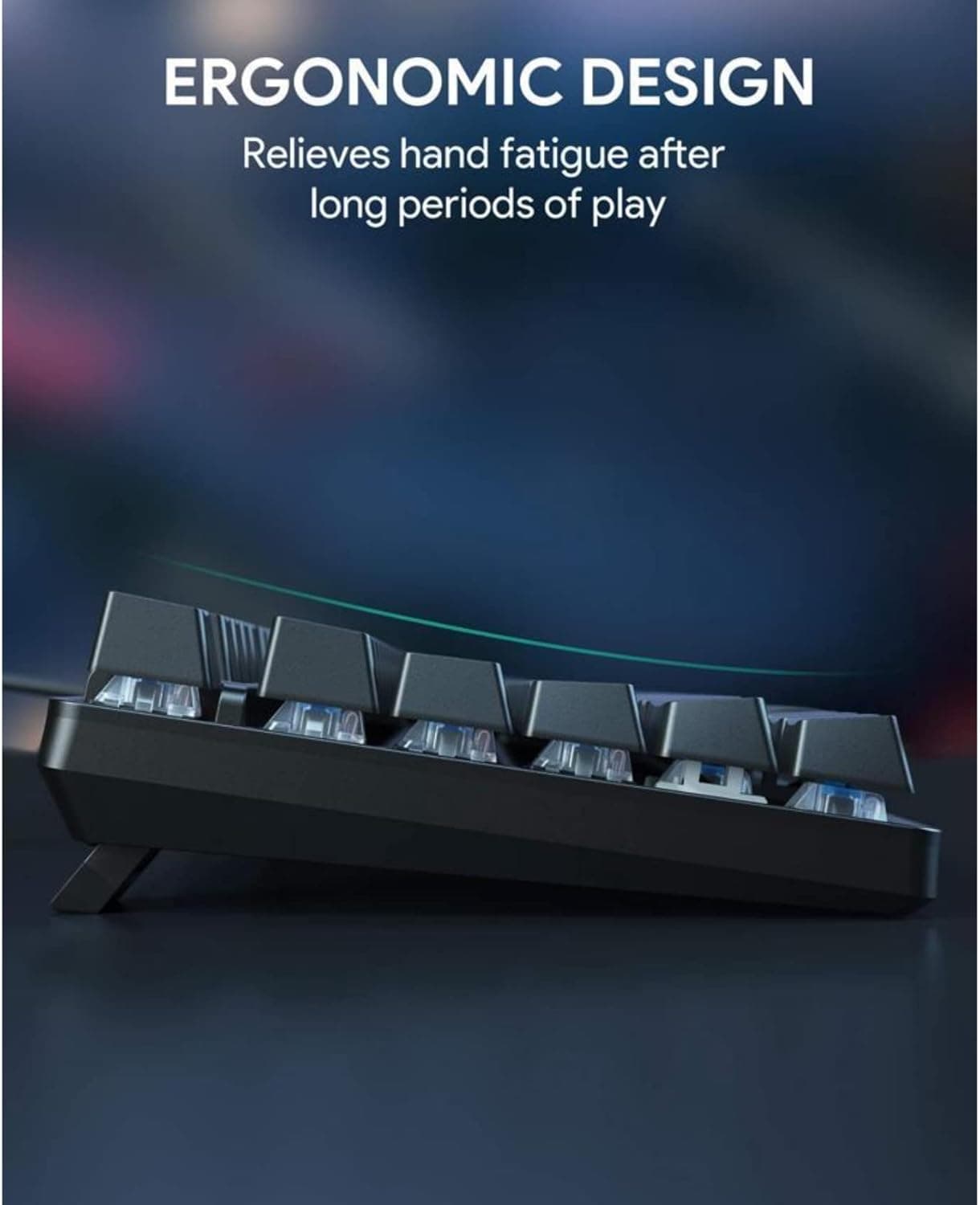
Low-Profile Keyboards and Negative Tilt Can Reduce Wrist Extension by 13 Degrees
Shifting a keyboard's slope from +15° to −15° cuts mean wrist extension by ~13°, and low-profile boards like the NuPhy Air60 HE make that tilt genuinely practical.
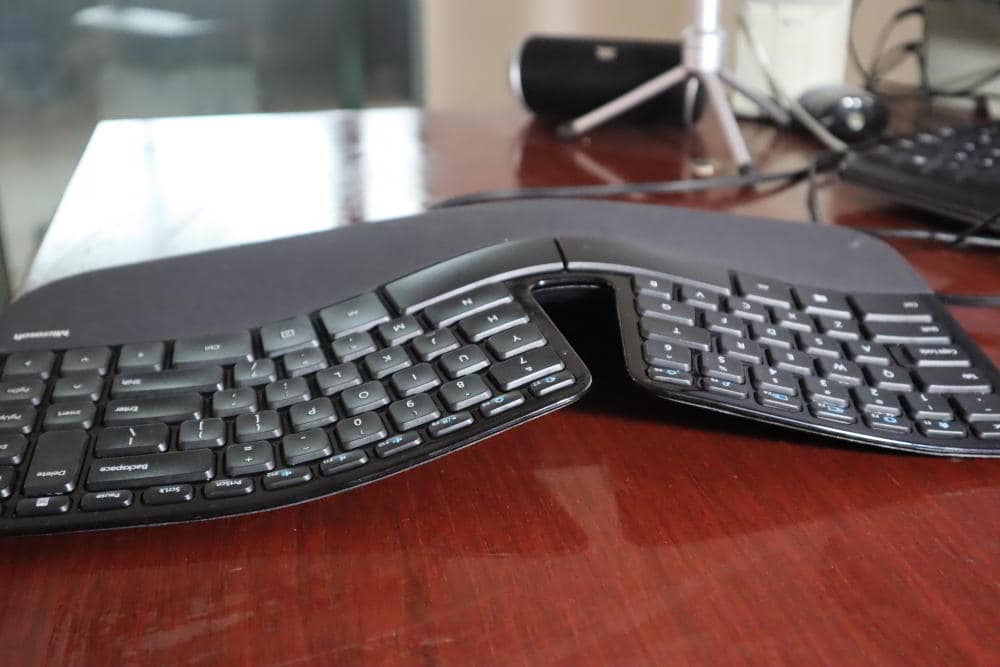
Thirteen degrees sounds modest until you understand what wrist extension costs you over an eight-hour session. Every degree your wrist bends upward to meet a raised keyboard increases tendon load, compresses the carpal tunnel, and nudges you closer to the kind of cumulative strain that sidelines typists for weeks. A body of controlled lab work, synthesized by the German statutory accident insurance institution DGUV and its research arm BGIA, found that shifting keyboard slope from a positive 15 degrees to a negative 15 degrees was associated with a mean reduction in wrist extension of approximately 13 degrees. For the mechanical keyboard community, where low-profile boards have been gaining ground alongside Hall-effect and TMR magnetic switch variants, that number lands differently than it does for a generic office-supply buyer: it means the hardware choices you're already drawn to for faster actuation and thinner profiles may carry a meaningful ergonomic dividend, provided you set them up correctly.
What Wrist Extension Actually Means
Wrist extension is the upward bend that happens when your forearms are parallel to the desk but the keyboard's front edge sits higher than its back edge, forcing your hands to angle upward to reach the keys. Most standard keyboards ship with a positive typing angle somewhere between 5 and 10 degrees, which is the opposite of what occupational research recommends. OSHA's computer workstation guidelines are explicit: wrists should remain straight and in line with forearms, not bent up, down, or to either side during keyboard use. Elbows should sit at roughly the same height as the keyboard surface. Departing from that neutral zone repeatedly over thousands of keystrokes is how repetitive strain injuries develop. According to figures compiled by occupational health researchers, close to 1.8 million U.S. workers suffer RSI-related conditions such as carpal tunnel syndrome and tendinitis each year, with an estimated 600,000 requiring time off to recover.
How Low-Profile Boards Change the Geometry
The connection between profile height and wrist posture is more mechanical than marketing. A keyboard's front height, measured in millimeters from desk surface to the top of the bottom row keycaps, directly controls how much your wrist must extend to reach the home row when the board sits flat. The NuPhy Air60 HE, one of the more discussed low-profile Hall-effect boards in the enthusiast space, ships with a front height of 13.2 mm. Compare that to full-size conventional boards that can sit 30 mm or higher at the front, and the geometry shift is substantial before you've even adjusted tilt.
Critically, a lower front height also makes slight negative tilt genuinely achievable without creating uncomfortable key angles. Flipping the rear feet down on a traditional board often doesn't drop the front enough to matter. On a low-profile board, tilting the back edge upward by a few degrees produces a meaningful slope change without the keys feeling recessed or awkward. That's the practical bridge between "thin keyboard" and "better posture": the geometry cooperates in a way that taller boards simply can't match as easily.
The Lab Evidence Behind the 13-Degree Figure
The DGUV and BGIA synthesized findings from controlled ergonomics trials specifically examining how keyboard slope affects wrist extension angle during typing tasks. Their work, alongside DIN EN ISO 9241-4 keyboard standards, forms the backbone of European occupational safety guidance on input device ergonomics. The headline result, a roughly 13-degree reduction in mean wrist extension when slope moves from +15° to −15°, represents an average across study participants. Individual variation exists based on forearm length, desk height, chair position, and natural wrist mobility. But the directionality is consistent: less positive slope and mild negative slope reduce extension across nearly all tested subjects.
OSHA's guidance reinforces the same principle from a prescriptive angle, recommending neutral wrist posture and workstation arrangements that allow elbows to hang comfortably at keyboard height. The research doesn't claim negative tilt is universally superior in all magnitudes; rather, it identifies small negative tilt values as a comfortable sweet spot for most users, which is exactly where the practical recommendation lands.
Negative Tilt: The Recommended Starting Point
If you've never experimented with negative tilt, the suggested entry point is approximately −7.5 degrees. That's enough to produce a measurable postural change without requiring a dramatic overhaul of your desk setup. You can achieve this with aftermarket tilt legs, a keyboard tray with adjustable pitch, or purpose-built stands designed for low-profile boards. The key is incremental change: adjust to −7.5°, type normally for several days to allow muscular adaptation, then assess whether wrist tension has decreased before pushing further.
The adaptation window matters. Negative tilt feels counterintuitive at first because it's the opposite of what factory keyboard stands train your muscle memory to expect. Rushing to steeper negative angles before your posture has adjusted tends to produce new tension patterns rather than resolving existing ones.

The Ulnar Deviation Trade-Off
Here's where the ergonomics story gets more nuanced than most product pages acknowledge. Negative tilt reduces wrist extension, but it can simultaneously increase ulnar deviation, the sideways bend that occurs when both hands angle inward toward a centrally positioned keyboard. If your typing setup already involves inward wrist deviation, adding negative tilt without addressing keyboard position compounds rather than solves the problem.
The practical mitigations are familiar to anyone who's spent time in the split keyboard corner of the hobby: outward splay angles the two halves of the board away from each other, reducing the inward hand angle; a true split layout takes that further by letting each half sit independently at whatever angle suits your shoulder width. For builders evaluating their next project, these aren't merely aesthetic or feel-based choices. They interact directly with the biomechanical variables that determine whether a low-profile negative-tilt setup is net positive or net neutral for a given user.
Hall-Effect and Magnetic Switches in the Ergonomics Conversation
The timing of this ergonomics analysis isn't coincidental. Low-profile boards have increasingly appeared alongside Hall-effect and TMR magnetic switch implementations, and the combination is reshaping what buyers expect from performance-oriented keyboards. Magnetic switches offer adjustable actuation points and rapid reset distances that appeal to competitive typists and gamers, but the platforms that house them, including boards like the NuPhy Air60 HE, tend toward the low front-height geometry that ergonomics research favors. The NuPhy Air60 HE's 13.2 mm front height and adjustable typing angles of 3.1°, 7.0°, and 10.0° represent the kind of measured product specification that makes ergonomic evaluation actually possible, unlike boards that list "low profile" as a marketing adjective without providing the millimeter figures that let you do the geometry yourself.
What to Actually Ask Before You Buy
The most important practical shift the ergonomics research supports is demanding front-height specifications from vendors rather than accepting "low profile" at face value. A front height number in millimeters, combined with the keyboard's slope options, gives you everything you need to estimate wrist extension before the board arrives. Cross-reference that against your desk height and elbow position to get a sense of whether the geometry will land close to neutral.
- Request front height in mm, not just "low profile" categorization.
- Confirm what slope angles are natively supported, and whether the board accepts aftermarket tilt solutions.
- Consider whether the layout centralizes the alphanumeric cluster in a way that worsens ulnar deviation at your shoulder width.
- Plan for A/B testing: use your current setup for a week as a baseline, then switch and track whether wrist tension changes over the following five to seven days.
- If ulnar deviation is already a concern, treat split or splay as a genuine ergonomic tool rather than an aesthetic novelty.
What This Means for the Custom and Vendor Scene
For small vendors and group-buy organizers, the DGUV/BGIA data provides a credible framework for ergonomic claims, but only when paired with measured front-height numbers and honest discussion of setup requirements. "Ergonomic" as a standalone adjective is marketing; front height at 13.2 mm combined with a recommended desk geometry and a cited negative-tilt range is a verifiable specification. The community has spent years demanding switch specs, PCB tolerances, and gasket durometer ratings; front height and slope range deserve the same treatment.
For builders, the implication is that the ergonomics conversation is no longer separate from the hardware conversation. Choosing a low-profile platform for magnetic switch performance may simultaneously be the correct ergonomic choice for your setup, but only if you pair it with intentional tilt adjustment and, where necessary, layout decisions that manage ulnar deviation. The 13-degree reduction in wrist extension isn't guaranteed by buying a thin keyboard. It's the ceiling of what careful setup can achieve.
This article was produced by Prism’s automated news system from verified source data, official records, and press releases, then run through automated quality and moderation checks before publishing. The system is built and supervised by the people who set the standards it runs under. Read our full AI policy.
Did this article answer your question?