Try-A-Dactyl brings parametric keywell design to split keyboards
Try-A-Dactyl turns Dactyl-style keywell design into an OpenSCAD workflow, so you can tune a split faster and get from idea to printable case with less CAD pain.
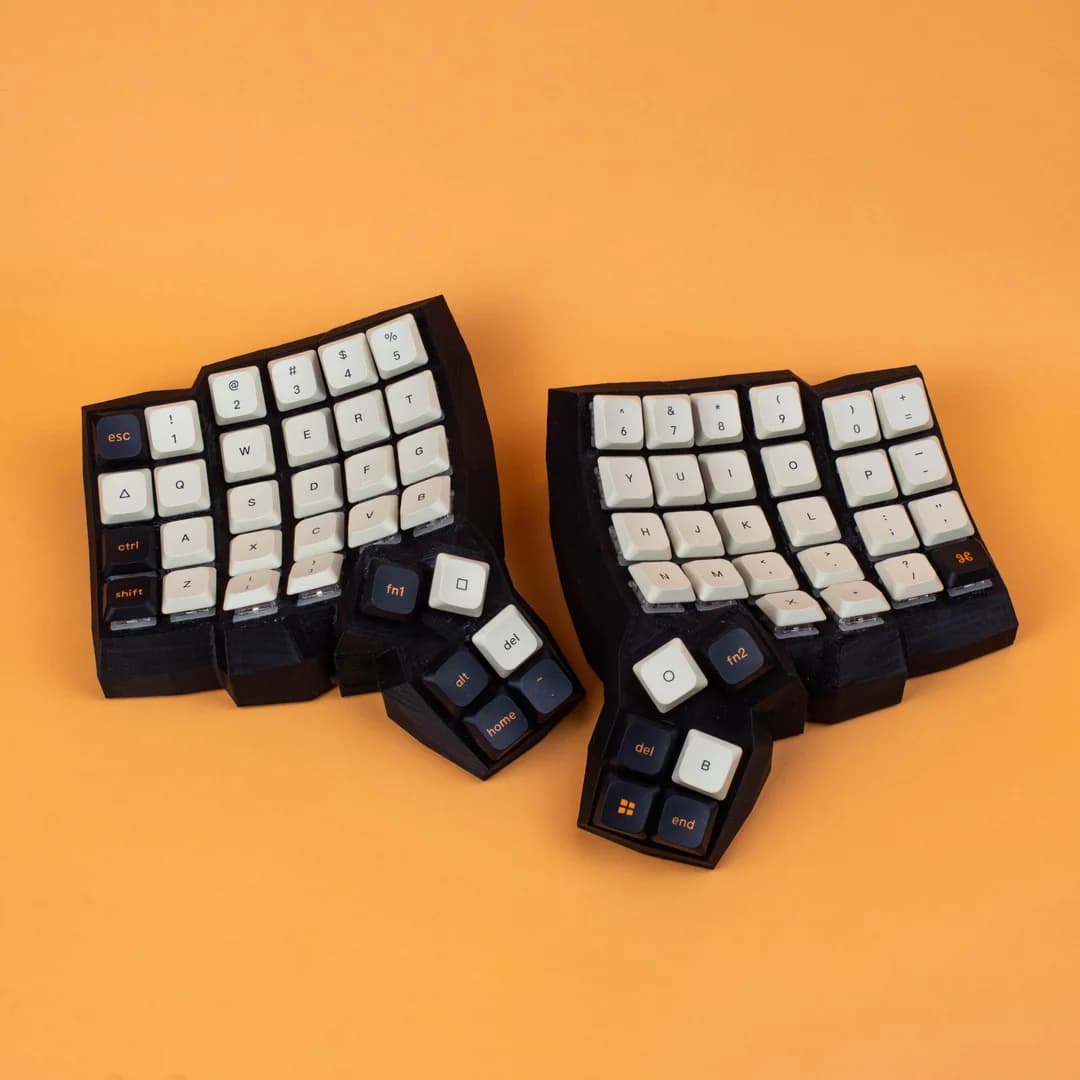
Try-A-Dactyl turns the Dactyl-style keywell into something you can tune instead of redraw from scratch. For anyone who likes the feel of a Dactyl-style board but does not want to wrestle every curve by hand, that changes the path from concept to a printable case.
Why a parametric keywell matters
A curved split is not just a split with extra sculpting. The keywell geometry, row curvature, column splay, and hand separation all affect comfort, reach, and whether the case can actually be built without surprises. Model those by hand and the process gets tedious fast, because one small change in angle or depth can ripple through the rest of the board.
Try-A-Dactyl addresses that problem with OpenSCAD, the programmer-oriented solid 3D CAD modeller that fits parametric design workflows so well. Instead of drawing a fixed shape, you define the keyboard with numbers and relationships, then regenerate the model as you change them. That is a much better fit for a hobby where the exact right shape often emerges only after a few rounds of testing.
What Try-A-Dactyl is, and who built it
The tool is tied to James Larkby-Lahet, who goes by wolfwood. Work on the repository dates to last September, the project was published in early May, and the repository sits under wolfwood/tryadactyl on GitHub.
Try-A-Dactyl lets you work in the parametric space that OpenSCAD is built for, so you can iterate on the shape, compare variants, and keep moving instead of getting stuck on geometry. The result is a lower barrier to entry for advanced ergonomic design, especially for people who already know they want a split with a keywell but have never modeled one before.

Where it helps most, and where the hand-tuning remains
The biggest win is speed of iteration. If you are trying to figure out how much curve your rows need, how much splay your columns can tolerate, or how far apart your hands should sit, a parametric model lets you test those ideas faster than a manual sculpting workflow.
It does not eliminate judgment. You still have to decide what “good” feels like for your own build, and you still need to think about the rest of the ecosystem around a custom split, from case materials to switch compatibility and firmware choices. Try-A-Dactyl reduces the pain of model generation, but the builder still has to tune the details that determine whether the board is merely printable or actually worth living with.
- It is best when you already know you want a Dactyl-style concave split.
- It is especially useful if you want to compare geometry options instead of committing to one fixed sculpt.
- It still rewards builders who can judge ergonomics by feel, because the model is only as good as the parameters you choose.
Why the Dactyl lineage makes this useful
The Dactyl family already has an established community of builders and reviewers. A November 2020 build log by Jacek Fedoryński shows a Dactyl Manuform in the 5x6 version, Ben Frain published a Dactyl Manuform review on January 1, 2023, and a YouTube review from November 12, 2022 covers a hand-built ergonomic keyboard that can be wireless or wired.
That broader ecosystem also shows how varied the family has become. The Dactyl Generator lets users fully customize a Dactyl keyboard from the browser, while BastardKB’s Dactyl page lists split ergonomic boards in 58, 42, or 36-key variants, with tents and per-key RGB options.
What you can realistically do with it
If your goal is to move from an idea to a printable model without deep CAD experience, Try-A-Dactyl can get you there. It gives you a structured way to think about a split’s geometry, and it makes the Dactyl keywell feel less like a secret art and more like a set of parameters you can control.
This article was produced by Prism’s automated news system from verified source data, official records, and press releases, then run through automated quality and moderation checks before publishing. The system is built and supervised by the people who set the standards it runs under. Read our full AI policy.
Did this article answer your question?