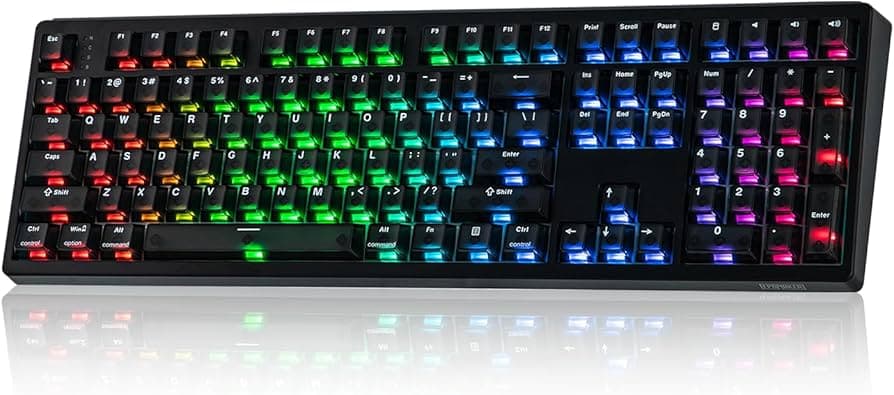
Wooting Two HE users report LED flicker and key repeats after updates
A Wooting Two HE owner reported LED flicker and repeating keystrokes after firmware attempts. Community troubleshooting points to Tachyon mode, cables, ports, and firmware versions.

A community thread over January 12–13, 2026 captured a Wooting Two HE owner dealing with intermittent LED flicker and repeated characters after attempting firmware updates. The issue began sporadic and grew more frequent immediately following the update attempts, prompting a line of hands-on troubleshooting and a wider technical discussion about Wooting’s Hall-Effect stack.
The poster walked through basic diagnostics: swapping USB cables, trying different host USB ports, and even testing the keyboard with a phone and an OTG adapter to rule out PC-side drivers or hub issues. Those steps are the practical first moves for anyone facing similar symptoms, since cable and port faults remain common culprits in flaky USB behavior.
Community responders flagged several likely vectors. Software-side interactions, especially with Tachyon mode and calibration routines inside Wootility, were a recurring hypothesis. Users reported that certain Tachyon configurations and newer utility builds can introduce edge-case behavior where the board emits extra key events or the LEDs flicker during rapid state changes. That pushed discussion toward firmware version control: rolling back to an earlier, known-stable firmware or using a proven stable build of the Wootility utility before concluding that the board itself is faulty.
For owners, the combination of Hall-Effect hardware and actively developed firmware means you can encounter subtle interactions when you flash experimental builds or toggle advanced modes. The practical takeaway from the thread is simple and actionable: test with multiple cables and ports, try a different host device (phone with OTG is low-effort), and revert to earlier firmware or utility builds if the problem started after an update. Also toggle calibration and Tachyon settings to see whether behavior changes, documenting each change so you can undo it.
Wooting’s firmware and utility pages remain the primary places to check for known issues and official updates; consult those pages before finalizing any rollback or reflash. If the problem persists after these steps, escalate with device logs and a clear description of what you tested so support can reproduce the fault.
Our two cents? Start with the easy stuff, cable, port, OTG test, then move methodically through firmware and Tachyon toggles. Keep calm, document changes, and you’ll save time and avoid unnecessary RMA drama.
This article was produced by Prism’s automated news system from verified source data, official records, and press releases, then run through automated quality and moderation checks before publishing. The system is built and supervised by the people who set the standards it runs under. Read our full AI policy.
Did this article answer your question?