Updated The Forge Roblox codes live today with mobile redemption guide
Three working The Forge codes are live, copy these exact, case‑sensitive strings and redeem in Settings > Codes on mobile for rerolls and an XP totem (active as checked Feb. 21–24).
- SORRYFORDELAYY, 10 Rerolls (marked NEW)
- CRIMSONSAKURA, 15 Rerolls (marked NEW)
- DELAYCOMPENSATION, 20 Rerolls and 1 XP Totem
1. TL;DR, active codes (copy/paste, case‑sensitive)
Get these exact codes into The Forge right now (tested by outlets between Feb. 21–24):
All three were confirmed in guide roundups across Frvr, Eurogamer, GamesRadar, BlueStacks and an IGN update; they were active at the time those sites checked between Feb. 21–24, 2026. Copy the strings directly (they are case‑sensitive) to avoid errors.
2. SORRYFORDELAYY, what you get and why it matters
SORRYFORDELAYY grants 10 rerolls, and Frvr labeled it “(NEW).” Rerolls let you re‑roll your Race free so you can chase better base stats or perks for your blacksmith, useful if your initial Race leaves you short on health, damage, or mining bonuses. Because rerolls are a direct way to change long‑term progression in The Forge, 10 free rerolls can meaningfully bump your early runs.
3. CRIMSONSAKURA, what you get and gameplay impact
CRIMSONSAKURA provides 15 rerolls and is also marked “(NEW)” in Frvr’s table. With 15 rerolls you have more chances to secure higher‑tier Race classes (human, goblin, dragonborn, and more), which the game notes carry perks that affect health, damage, attack power and other stats. That many rerolls smooths the RNG curve and increases the odds of landing a Race with complementary perks for your preferred build.
4. DELAYCOMPENSATION, the biggest bundle (rerolls + XP)
DELAYCOMPENSATION awards 20 rerolls plus 1 XP Totem, according to Frvr’s code table. Beyond rerolls for re‑rolling Race, the XP Totem speeds progression by granting bonus experience, handy when you’re trying to unlock gear tiers or level up crafting efficiency. Frvr includes this as part of the same working code set, so it’s the most valuable single string listed in the current snapshot.
5. Why rerolls and totems matter in The Forge
The Forge is a blacksmithing RPG on Roblox where you gather ore, forge and sell weapons and armor, mine caves with zombies and monsters, collect runes, and “roll a Race to get ahead.” Rerolls change your Race/class, examples listed by IGN include human, goblin, dragonborn, and those Races have unique perks affecting health, damage and other stats. Totems like Luck, Miner, and XP totems (the latter confirmed on DELAYCOMPENSATION) provide targeted boosts to specific systems such as drop rates, mining yields, or experience gain.
6. Where developers post codes (follow the channels that matter)
Developers typically drop codes on social channels; Eurogamer notes: “Codes are shared on Discord, and also on TikTok and the game's X account, but to save you time we've rounded up the latest codes below.” Games and guides sites consolidate those drops, but if you want the fastest heads‑up, follow the game’s Discord and short‑form channels listed. Frvr and other outlets also recommend redeeming quickly because codes can expire or be limited.
7. How often new codes arrive and why
New codes usually arrive for milestones, updates, or events, Frvr explicitly states: “Developers usually release new codes when the game hits milestones, during events, or to celebrate new updates.” That explains why guides checked repeatedly between Feb. 21 and Feb. 24 and why two codes were marked “NEW” in Frvr’s table. Because The Forge was noted as being in beta by BlueStacks, expect frequent small code drops and rapid turnover.
8. Mobile redemption, quick step‑by‑step (follow exactly)
8. First: Open The Forge in Roblox and locate Settings
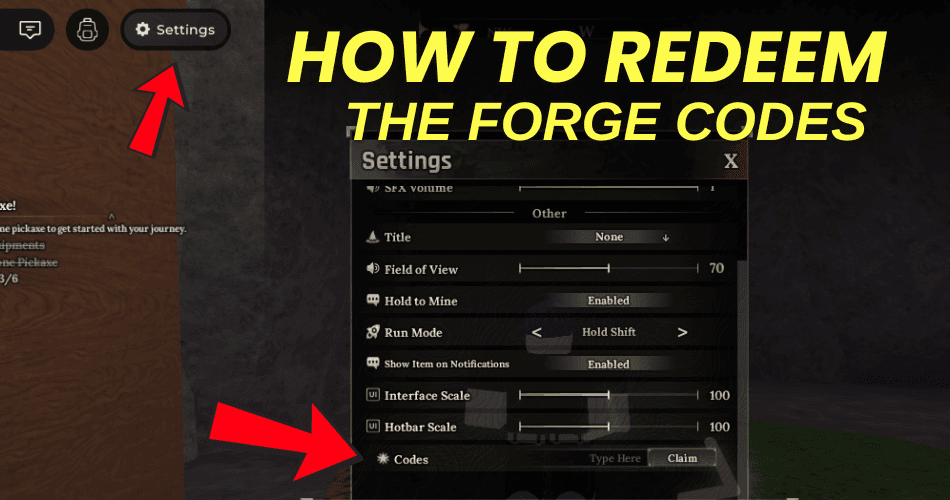
Open the in‑game menu and press the Settings button, screenshots used by multiple outlets show orange arrows pointing to the Settings icon, so look for that cog/menu entry in the UI. Tapping Settings is the gateway to the Codes field shown in the images.
9. Second: Open the Codes section inside Settings
In Settings, select the Codes section, Eurogamer and Frvr’s screenshots explicitly show an arrow pointing at the codes area of the settings menu that you need to open to redeem. The Codes panel is where you’ll paste or type a code.
10. Third: Paste the code into the “Type Here” box and submit
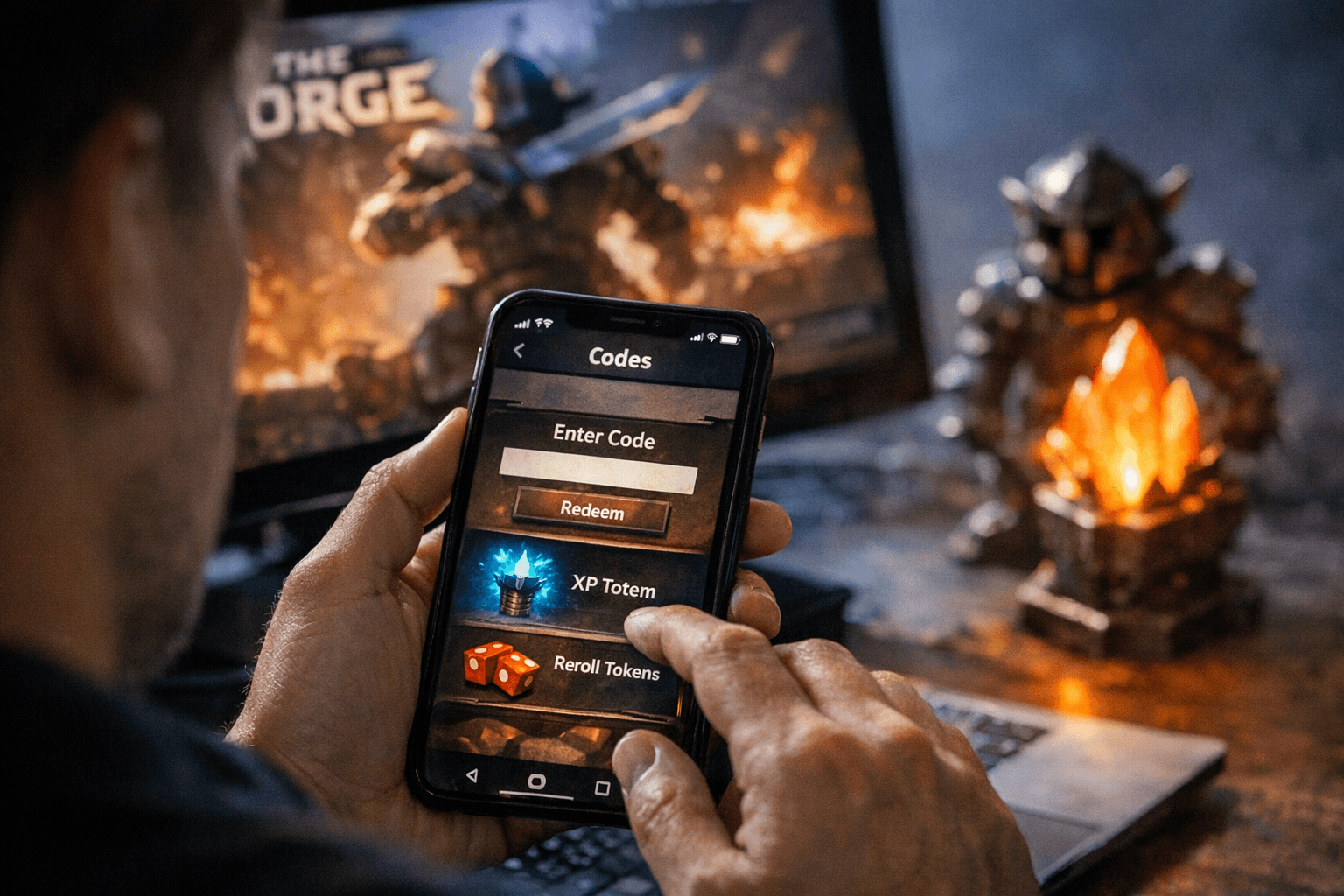
Paste the exact code string into the input box labeled “Type Here” (Frvr’s image caption uses that label). After pasting, submit the code. IGN’s guidance recommends copying codes directly from the article to avoid transcription errors.
11. Fourth: Watch for the confirmation message
If the code works you’ll see “Code redeemed successfully”; if it’s expired you’ll see “Code has expired”; if the entry is invalid you might get “Code doesn't exist.” Eurogamer reproduces these UI messages as the standard feedback you’ll receive after submission, so use that immediate response to verify success.
- Case sensitivity: IGN warns “Codes for Roblox experiences are typically case-sensitive, so the best way to ensure you've got a working code is to directly copy it from this article. We check all codes before we upload them, so you can guarantee they're working. Just double‑check that you haven't copied over an extra space!” Match capitalization exactly.
- Extra spaces: Copy/paste carefully, an extra leading or trailing space will cause failure. IGN explicitly advises double‑checking for stray spaces.
- “Code doesn't exist”: BlueStacks advises “If you see a message saying the code doesn’t exist, double‑check spelling and try again.” That covers typos and accidental character swaps.
- Expiry and claim limits: If the UI returns “Code has expired” the code is no longer redeemable; IGN flags expirations/claim limits in its guide, so assume limited windows or redemption caps may apply.
- Beta churn: BlueStacks notes the game is in beta, which can change code availability and UI placement quickly, if something looks different, check for an updated guide or a developer post.
12. Troubleshooting, common failures and fixes
13. Expired codes and how outlets handle them
Multiple guides include explicit “Expired The Forge Codes” sections and state expired codes “are no longer active and can no longer be redeemed.” The excerpts don’t list which codes are expired in those sections, so assume the three strings above were the live ones at time of checks between Feb. 21–24. IGN and Frvr both flag that pages are updated when codes change, so save the guide page or return often.
14. Cross‑site timing notes (why dates differ)
Outlets checked codes on slightly different dates: Eurogamer’s snapshot is dated Feb. 21, Frvr checked on Feb. 23 (“We have checked for updates on February 23, 2026.”), and IGN’s guide metadata shows an update flag and was referenced as updated on Feb. 24, 2026. Those small timing differences explain why a code might appear on one round‑up and not another, always treat the timestamp as the definitive check time.
15. BlueStacks aside: beta context and optional rewards route
BlueStacks calls out that “the game is still in beta,” which helps explain rapid code turnover and UI tweaks. BlueStacks also mentions an external perk: “you can also earn free Robux while playing on BlueStacks, since its nowRewards program lets you turn your in‑game progress into Roblox gift cards for players in the U.S.” That note is platform‑specific and separate from in‑game codes in The Forge.
- Copy one of the three code strings above exactly (case‑sensitive).
- Open The Forge on mobile, go Settings > Codes, paste into “Type Here,” and submit.
- Look for “Code redeemed successfully” to confirm the reward; if you see “Code has expired” or “Code doesn't exist” follow the troubleshooting checklist above.
16. What to do now (final practical checklist)
Do this quickly, Frvr warns: “Make sure to redeem them quickly before they expire!”
17. Final takeaway
These three codes (two labeled NEW) are the tested ways to stack rerolls and snag an XP Totem in The Forge as of the late‑February checks; because the game is in active beta and developers post codes on Discord, TikTok and X, expect fast turnover and keep an eye on those channels and guide updates for the next drop.
This article was produced by Prism’s automated news system from verified source data, official records, and press releases, then run through automated quality and moderation checks before publishing. The system is built and supervised by the people who set the standards it runs under. Read our full AI policy.
Did this article answer your question?


