Shuajota’s NBA 2K26 Realistic Lighting Reshade makes PC games look broadcast-ready
John’s NBA 2K26 lighting reshade gives PC games a cleaner broadcast look, with the biggest gains coming for players who already care about presentation.
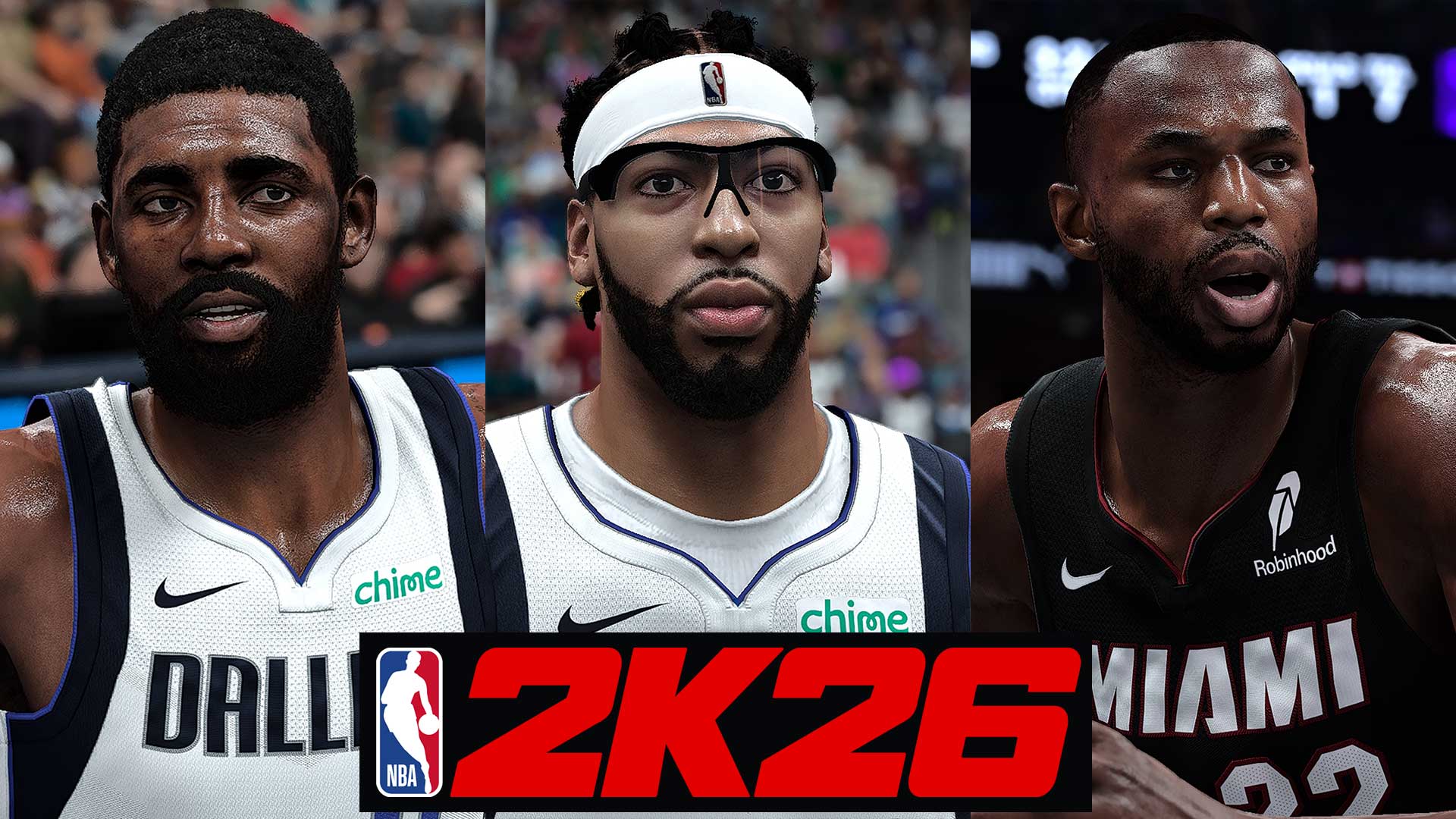
If your NBA 2K26 setup already plays smoothly on PC but still looks a little flat, John’s Realistic Lighting Reshade is the kind of mod that can change the feel of an entire game without touching a single rating. It is a presentation-first upgrade, built for players who want the floor, crowd, uniforms, and arena lighting to read more like a live broadcast than a standard game image.
What this reshade actually changes
Shuajota’s page is blunt about the goal: this mod adds a realistic lighting reshade to NBA 2K26 on PC. That means it does not alter player ratings, gameplay balance, or rosters. Instead, it changes the way light, shadow, and scene tone are rendered, which is exactly where NBA 2K can either look convincing or feel a little washed out.
That distinction matters. In a game where every possession is framed by camera cuts, reflections on the hardwood, and the way jerseys catch the light, presentation does real work. A good lighting pass can make player models feel less plastic, floor reflections feel less harsh, and crowd textures feel less like background noise.
Who should install it
This is the kind of mod that makes the most sense if you already care about the broadcast look of NBA 2K26 more than raw gameplay tweaks. If you build rosters, swap cyberfaces, use custom courts, or run scoreboard mods, this lighting reshade acts like the visual glue that helps all of those pieces feel like they belong in the same production.
It is also a smart fit if you are the type of PC player who notices when the base game feels flat or overly bright. If you have ever loaded into a game and thought the lighting made everything look a little too sterile, this mod is aimed squarely at that complaint. It will not give you an edge on the stick, but it can make every possession look better on screen.
Best-fit setups
- PC builds with enough headroom to handle visual mods cleanly
- Players already using roster, court, or scoreboard edits
- Users chasing a more televised, arena-style presentation
- Anyone who prefers realism in image tone over flashy effects
If your machine is already close to the edge, the value case gets thinner. NBA 2K26 has official PC system requirements and troubleshooting guidance through NBA 2K Support, which is a reminder that PC performance matters before you start layering on presentation mods. The reshade is easiest to recommend when your base game is already stable and you have room to appreciate the visual difference.
Why NBA 2K26 is a good match for this kind of mod
2K has pushed NBA 2K26 with a heavy realism pitch, including marketing around hyper realism and ProPLAY-powered authenticity. That makes a lighting reshade feel less like a random cosmetic add-on and more like a natural extension of the way the game is being sold. If the official message is about matching real basketball as closely as possible, then presentation mods are picking up that same thread from the community side.
The timing also helps. 2K said early access for the Superstar Edition and Leave No Doubt Edition began on August 29, 2025 for PlayStation 5, Xbox Series X|S, and PC via Steam. That means PC players are not tinkering with an old, dead ecosystem. They are working inside a live, current version of the game that already has an audience primed to care about visual authenticity.
How it fits into the wider PC mod scene
Shuajota’s NBA 2K26 mod index shows that this is not a one-off experiment. Around the same period, the site also listed presentation-oriented mods such as reshades, scoreboard mods, and arena or court mods. That tells you something useful: the community is not just changing gameplay sliders or chasing novelty. It is trying to recreate the full television package of an NBA night.
A March 30, 2026 post listing another NBA 2K26 lighting reshade makes the point even clearer. Interest in lighting and presentation has stayed active, which suggests this is one of the more durable types of PC mod because it solves a recurring visual issue rather than a one-time gimmick. The appeal is not loud. It is cumulative.
What to expect from the tradeoff
The upside is simple: better light, better tone, better atmosphere. The downside is just as simple: a reshade can never be invisible. Depending on your setup, you may notice a different color balance or a slightly altered mood in menus and gameplay scenes, because the whole point is to reframe the image.
That is why this sort of mod is best for players who want realism first and absolute stock presentation second. If you are sensitive to visual changes, or if you prefer the exact look 2K ships out of the box, you may not want to overhaul the image pipeline. But if you routinely use visual mods already, the tradeoff is usually worth it because the change is immediate and easy to appreciate the moment the ball tips off.
Why it is easy to recommend on PC
The install side matters here too. Because this is part of a standard PC mod ecosystem, it is a lower-risk enhancement than anything that touches game logic. You are not changing how the game plays, just how it looks. For many players, that is the sweet spot: enough of a visual upgrade to feel fresh, not so invasive that it starts to interfere with muscle memory or competitive rhythm.
That is the real decision point. If you are chasing a more broadcast-like NBA 2K26 experience on PC, and your system already supports the game comfortably, John’s Realistic Lighting Reshade is exactly the kind of mod that earns its keep. It will not change your box score, but it can make every possession look closer to the product you see on TV, and that is a meaningful upgrade for the players who care about presentation as much as performance.
This article was produced by Prism’s automated news system from verified source data, official records, and press releases, then run through automated quality and moderation checks before publishing. The system is built and supervised by the people who set the standards it runs under. Read our full AI policy.
Did this article answer your question?