USB Dolphin lets GameCube games load wirelessly over RetroNAS network
USB Dolphin gave GameCube fans a new way to pull ISOs from RetroNAS without Nintendo’s pricey Broadband Adapter, and Bob’s tests showed it can actually work.
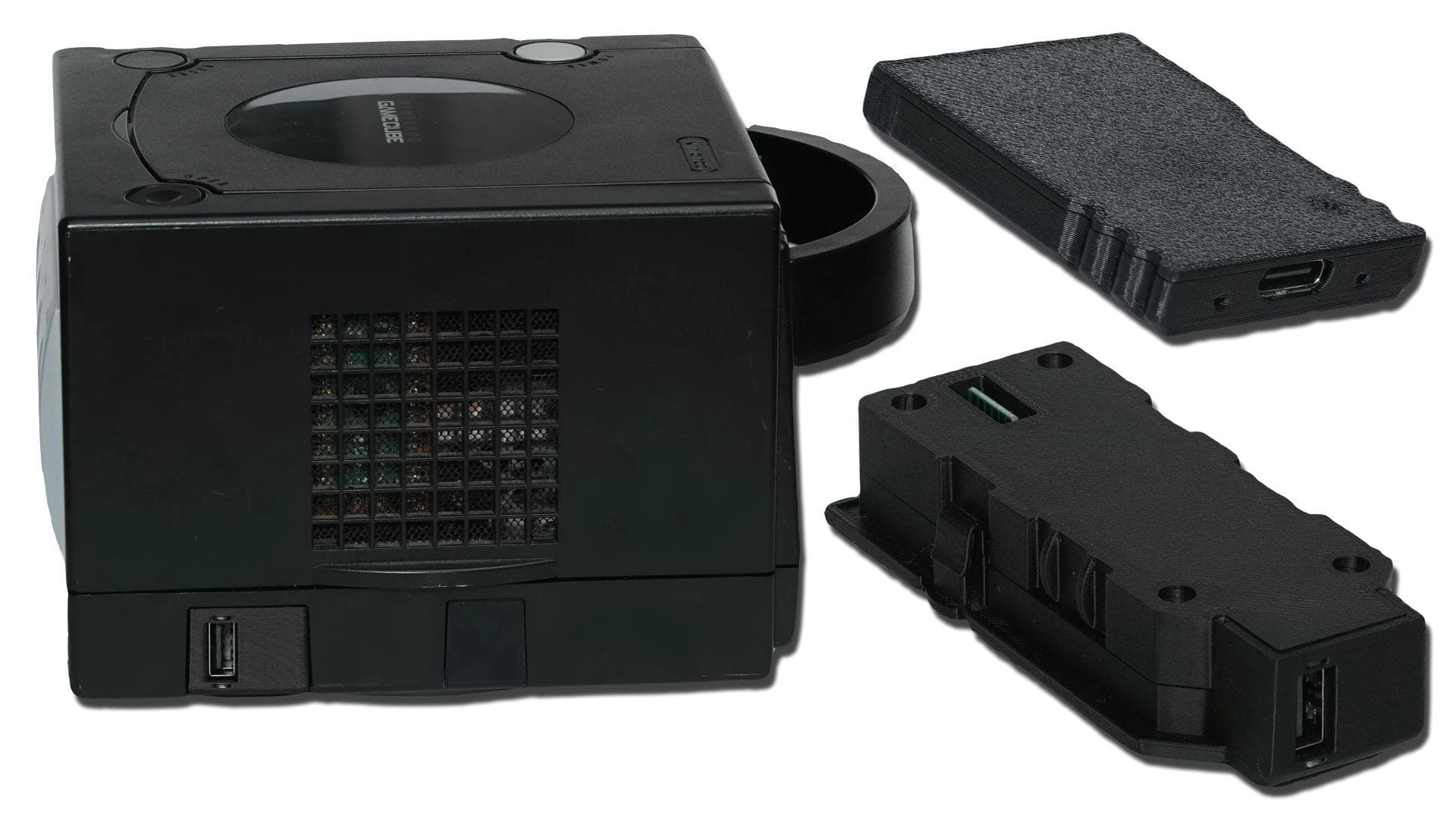
GameCube owners just got a fresh network-loading trick that reaches beyond novelty. Bob showed USB Dolphin pulling games from a RetroNAS server through a USB Ethernet adapter, and in his testing both a cheap dongle and Makeo’s own adapter handled the job well.
Makeo is selling two versions of USB Dolphin: one that plugs into the GameCube SP1 port on the bottom for a cleaner setup, and another that uses the memory card slot. The SP1 model stands out because it can be paired with a USB Ethernet adapter to load games from RetroNAS, which makes it more than a one-off demo for tinkerers. Bob’s coverage, posted on May 3, 2026, framed the appeal clearly: this is a path to network-loaded GameCube play without leaning on Nintendo’s original Broadband Adapter.
The setup is still very much a project, not a plug-and-play consumer feature. RetroNAS has to be running first, the GameCube needs to boot Swiss, the FSP service has to be installed in RetroNAS, and the games must be copied into the RetroNAS GameCube Swiss games folder. From there, Swiss has to be pointed at the RetroNAS server IP on port 2121 before selecting File Service Protocol. RetroNAS describes FSP as a lightweight UDP-based file-sharing protocol, and Swiss supports booting GameCube ISO images over FSP when the hardware and network path line up.
That hardware detail is where USB Dolphin becomes important. The RetroNAS FSP wiki had previously said genuine GameCube Broadband Adapter hardware was required because ETH2GC was too slow for FSP. Swiss v0.6r2041, released in 2026, also added recognition for USB Dolphin in SD mode and fixed FSP connection timeout behavior, which helps the new setup feel less experimental than it first sounds.
There are still caveats. Makeo’s readme says USB Dolphin currently supports devices with a 512-byte block size, and it warns that 100 Mbit/s Ethernet adapters may stutter during video sequences. It recommends RTL8153 or RTL8156 chipsets for better performance. That puts USB Dolphin in a different lane from ETH2GC, which uses the ENC28J60 chip and is aimed at online and LAN play, not streaming ISOs from RetroNAS.
The result is a clever workaround that lands somewhere between proof of concept and practical home setup. It does not erase the appeal of established loading methods, and it does not make every cheap adapter a good fit, but it does open a new route for GameCube network loading at a time when Nintendo’s DOL-015 Broadband Adapter has become a costly collectible.
Know something we missed? Have a correction or additional information?
Submit a Tip