Rust gets beginners started faster with Playground and rustup
Rust is cutting the first-15-minute setup grind with Playground and rustup, making it easier to test the language now instead of postponing it.
Rust’s biggest onboarding win is not a benchmark number. It is the fact that the official getting started page now pushes you toward a working Rust environment fast, with the blunt promise to “Quickly set up a Rust development environment and write a small app!” That matters because the first few minutes decide whether Rust feels approachable enough to explore tonight or like a project for later.
Start in the browser, not on your machine
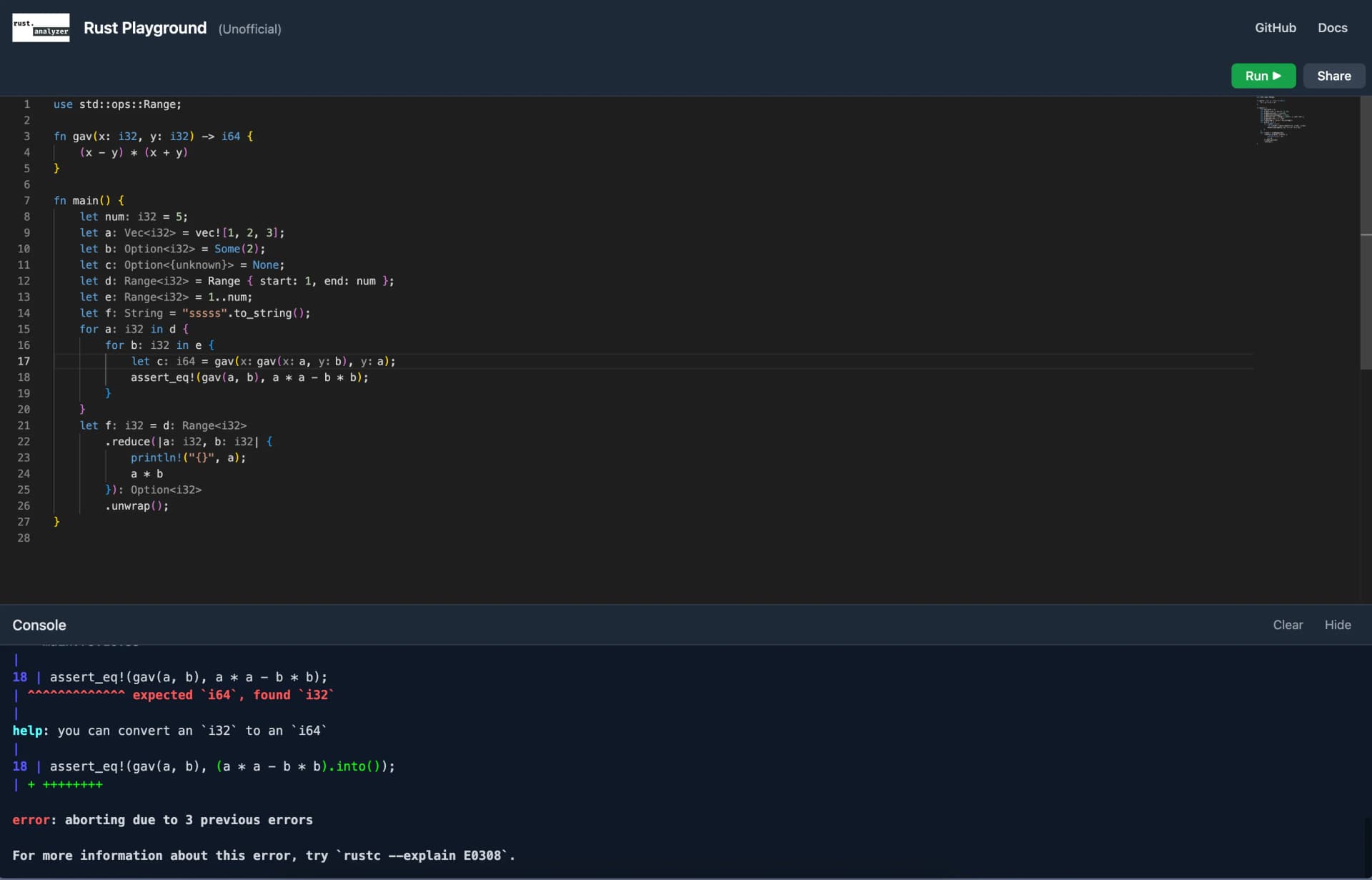
The Rust Playground is the easiest on-ramp in the whole path. It lets you try Rust online without installing anything locally, which removes the first hurdle for anyone who wants to see what the language feels like before committing to a toolchain. That immediate feedback loop is useful for curiosity, but it is also practical for tutorials, bug reports, and discussion threads, because everyone can run the same snippet in a browser.
That browser-first option changes the shape of the first 15 minutes. Instead of opening with package managers, PATH variables, or platform-specific setup, you can paste code, compare examples, and decide whether Rust fits the problem you have in mind. For educators and workshop organizers, that shortens the gap between introduction and actual code, which is exactly where a lot of language experiments lose momentum.
rustup is the real local setup path
When you are ready to install Rust locally, the official answer is rustup. The Rust project describes it as the Rust installer and version-management tool, and that second part is as important as the first. Rust developers often move between stable, beta, and nightly toolchains, so the installer is not just about getting Rust onto your machine once, it is about keeping the right compiler available for the work you are doing.
The rustup book says rustup installs Rust from the official release channels and lets users switch between stable, beta, and nightly compilers. It also says rustup runs on all platforms Rust supports, which helps keep the setup story consistent across different operating systems. The getting started flow then points users toward the right installation path for their platform, including the instructions shown for macOS, Linux, or another Unix-like operating system.
That kind of guided setup matters because a language can be technically elegant and still lose new users to friction before they compile anything. Rustup reduces that friction by handling the install path and the channel switching in one place, so the first local session is about writing code rather than untangling versions.
Why Rust’s channels shape the beginner experience
Rust’s release model is part of the setup story, not a separate technical detail buried in the background. The rustup book says Rust has three channels, stable, beta, and nightly. Stable releases arrive every six weeks, nightly releases are produced every night, and beta is the version that will become the next stable release. The Rust book also states that the language and compiler follow a six-week release cycle.
That cadence explains why version management is built into the official recommendation from the start. If you are learning Rust, you may only need stable today. If you are following an experimental crate, testing a compiler feature, or reproducing a bug, nightly may be the tool you need. Rustup makes that transition visible and manageable, instead of turning toolchain drift into a hidden obstacle that slows down first contact with the language.

Docs are part of the setup, not an afterthought
Rust’s documentation story reinforces the same low-friction pattern. The documentation overview says many resources are available offline through `rustup doc`, which means the learning path does not depend entirely on a browser connection. That is a quiet but important detail for anyone who learns in spots where connectivity is unreliable, or who simply prefers local references while coding.
The official docs also connect the getting-started flow to the wider Rust Bookshelf, the collection of official references and guides maintained by the Rust Organization. That matters because the first successful install is only useful if it leads somewhere. Rust’s setup experience is designed to move you from a small app into a larger documentation ecosystem without making you hunt for the next step on your own.
The first 15 minutes are now an adoption strategy
Rust’s onboarding choices line up with how many developers already learn. The 2024 Stack Overflow Developer Survey drew more than 65,000 responses, and Stack Overflow said online resources are the top choice for developers learning to code in 82% of responses. The Rust Playground fits that behavior directly: it lets you start online, compare examples, and share runnable code without any local setup at all.
That is also why the official flow feels more community-aware than a basic install page. If you are coming from systems programming, web tooling, or embedded work, the first question is rarely whether Rust is powerful enough. The real question is whether you can get to a first successful run without a half-hour detour through environment setup. Rust’s browser option, offline docs, and channel-aware installer answer that question in the first few clicks.
A mature language with an easier front door
Rust’s onboarding effort also reflects how far the project has come. Rust 1.0 was released on May 15, 2015, and the Rust Blog marked the 10th anniversary of Rust 1.0 in 2025. That timeline puts the current setup experience in context: Rust is no longer an experimental language asking early adopters to tolerate rough edges in exchange for promise. It is a mature ecosystem with a six-week release rhythm, a browser-based sandbox, and a standard installer that understands how people actually work.
The practical effect is straightforward. If you want to test Rust tonight, the Playground gets you moving without installation. If you want a local toolchain, rustup makes the path official and version-aware. If you want to keep learning after that first small app, `rustup doc` and the Rust Bookshelf keep the reference material close at hand. That is what shorter time-to-first-program looks like in Rust now: less setup, less guessing, and a much faster route from curiosity to a real project.
This article was produced by Prism’s automated news system from verified source data, official records, and press releases, then run through automated quality and moderation checks before publishing. The system is built and supervised by the people who set the standards it runs under. Read our full AI policy.
Did this article answer your question?