EA explains how to build and manage Residential Rentals in The Sims 4
Residential Rentals turn one lot into a real landlord setup, with up to six units, tenant rules, and a communal area. Here’s how to avoid the most common build mistakes.

What Residential Rentals actually change
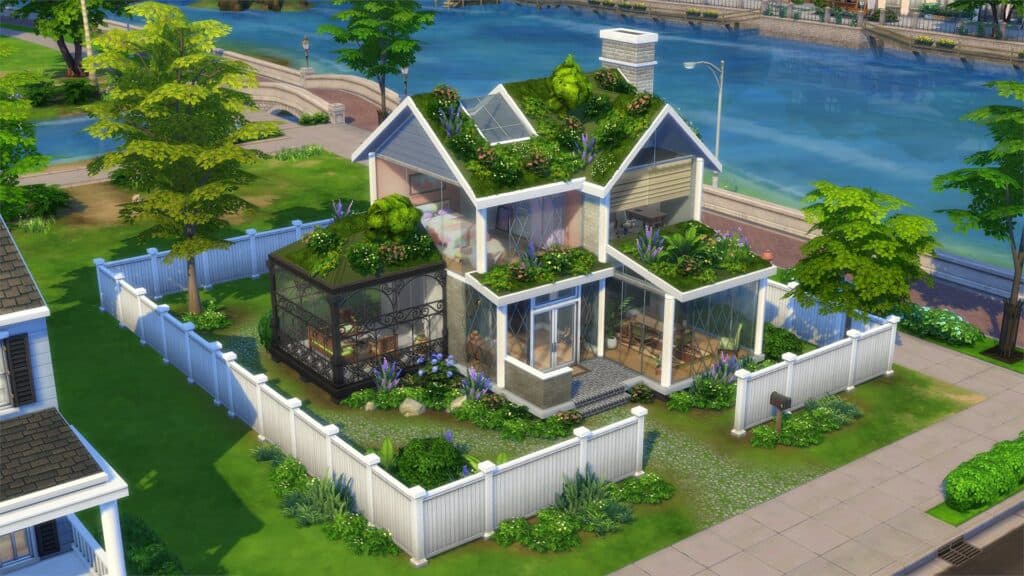
Residential Rentals are not just another apartment flavor in The Sims 4. They are a new lot type introduced with The Sims 4 For Rent Expansion Pack, and they turn a single property into a multi-unit home that can support one household owning, managing, or living alongside others. That means the lot is no longer just a place to build and move in, it becomes a housing system with rules, rent, and tenant relationships baked into the gameplay.
That difference matters right away because Residential Rentals are separate from the existing apartment systems in City Living and Eco Lifestyle. You can build basement suites, duplexes, townhomes, and full apartments with up to six units, plus a communal area, which gives builders far more control over how a property functions. For anyone planning legacy saves, rental income, or shared living stories, the real question is not whether the lot looks good. It is whether the structure you build matches the way the game will treat it.
Before you convert a lot
The first decision is simple: make sure the lot type fits the world and the build you want. EA’s setup rules make one restriction especially important, Residential Rentals cannot be built on penthouse lots. They can, however, be placed in worlds from other packs, so you are not limited to Tomarang even though that is the expansion’s featured world.
That opens the door to a useful planning checklist before you commit to a conversion:
- Decide whether the property should be a single-family home, a shared boarding house, or a multi-unit rental.
- Check that the lot is not a penthouse.
- Think about how many units you actually want, because the system supports up to six.
- Reserve space for a communal area if your story depends on shared living.
- Decide whether this lot should be landlord-run, tenant-run, or simply cohabited by one household and several neighbors.
The reason to pause here is that Residential Rentals are both a residence and a business. Once you build with that in mind, you avoid the common trap of making a beautiful shell that does not work as a functioning rental property.
How to turn a lot into a Residential Rental
EA gives you multiple ways to create the lot type, which makes the feature easier to use whether you prefer Build Mode or in-world management. You can change the lot type in Build Mode, use the phone, or open the Owned Businesses panel in Live Mode. That flexibility matters because it lets you set up a rental property before the story starts, or convert an existing household home into a managed building later.
Once the lot is converted, the real setup begins. Rooms can be assigned by unit, shared spaces can be marked, and the unit configuration tools let you rename units, adjust dimensions, set bedroom and bathroom counts, hide or delete units, and designate the current household’s home unit. In practice, that means the build is not finished when the walls go up. It is finished when the game can clearly understand which space belongs to which household.
This is where players can lose time if they are not careful. If unit boundaries are unclear, a room that should belong to one family can be treated like shared space, or a unit may not read the way you expected in Live Mode. The safest habit is to treat the configuration tools as part of the build itself, not an afterthought.
The easiest mistakes to catch before they become save problems
The most useful quality-of-life detail in EA’s guide is the unit outline system, including color customization. On a lot with multiple households, visual clarity is everything, and the outlines make it easier to see where one unit ends and another begins. Without that, wall placement, room assignments, and shared space planning can get confusing fast.
A smart builder checks for these issues before moving anyone in:
- Are all units clearly outlined?
- Does each unit have the right bedroom and bathroom count?
- Is the current household’s home unit set correctly?
- Are shared spaces marked so the game knows what stays communal?
- Did you rename units in a way that makes sense for your story?
- Did you delete or hide any unused units that might create confusion later?
These details do more than keep the build neat. They shape how the property behaves once tenants arrive, and they help prevent the kind of messy setup that can break the fantasy of running a real apartment building or boarding house.
Tenant agreements are where the landlord game begins
Residential Rentals are built around the Tenant Agreement system, and that is the biggest reason the lot type feels different from ordinary shared housing. This is not just about stuffing Sims into separate rooms. It is about creating a landlord-tenant relationship with rules, rent, lease length, and fines. If you want the property to function as a business, these settings are the real controls.
That changes how you play day to day. A landlord is no longer just decorating and collecting rent in the background. You are making decisions that affect who lives there, how long they stay, and what happens when rules are ignored. EA also frames the pack around social and management gameplay, which means issues like utilities and unruly neighbors are part of the loop, not side effects.
For storytelling, that is where Residential Rentals get interesting. One household can own the building, another can live on site, and several others can occupy their own units under different terms. The lot starts acting less like a static house and more like a neighborhood compressed into one property.
How Residential Rentals change a multi-household save
If your save already leans toward legacy gameplay or crowded family trees, Residential Rentals can make the world feel denser without forcing everyone into one household. You can separate families into different units while keeping them close enough for daily interaction, drama, and oversight. That makes the feature ideal for storylines built around inheritance, property ownership, roommate tension, or intergenerational housing.
The expansion’s setting in Tomarang reinforces that idea of proximity and community. EA positions the world around housing, neighborhood life, and the friction that comes from people living close together. Residential Rentals fit that structure perfectly because they let you control the building while still giving the households inside their own private lives.
The key decision is whether your current world plan needs flexibility or permanence. If you want a normal home, this system is more than you need. If you want rental income, shared living, or a building that can support multiple households without flattening them into one, Residential Rentals are one of the most useful systems The Sims 4 has added in years.
Why this feature matters for builders
EA wanted this system for a long time because players kept asking for it, and that shows in how much it does at once. It supports creative builds, landlord gameplay, and layered storytelling, while still letting you place rental properties in worlds beyond Tomarang. The launch on December 7, 2023, across PlayStation 4, PlayStation 5, Xbox One, Xbox Series X|S, Windows via EA app, Origin, Steam, and Epic Games Store made it a broad addition, but the real value is practical: it gives you a way to turn one lot into an active housing system.
If you are deciding whether to use it, ask one question first: do you want your lot to behave like a home, or like a business that houses Sims? If the answer is both, Residential Rentals are the right tool, and the setup steps matter as much as the build itself.
This article was produced by Prism’s automated news system from verified source data, official records, and press releases, then run through automated quality and moderation checks before publishing. The system is built and supervised by the people who set the standards it runs under. Read our full AI policy.
Did this article answer your question?