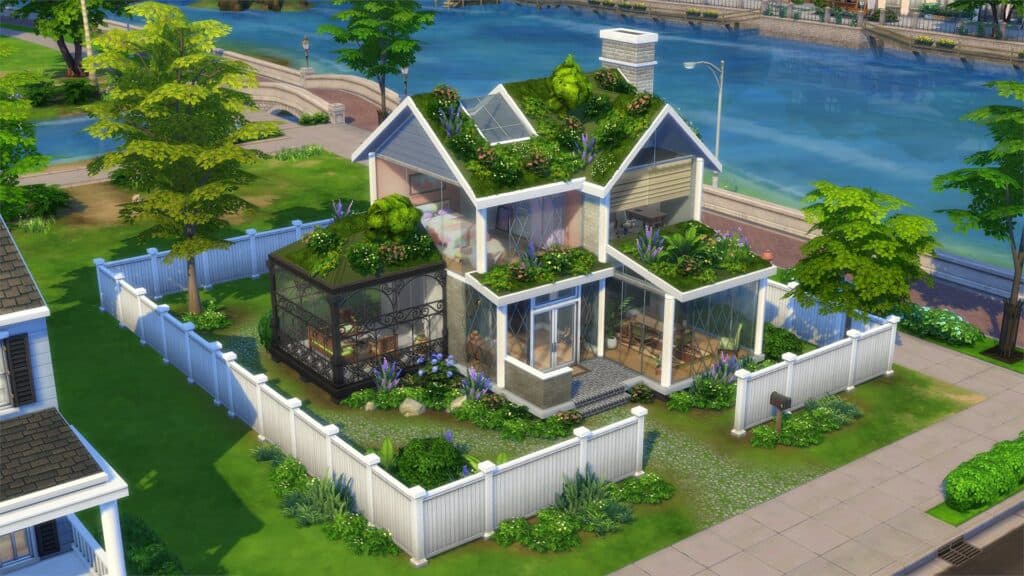
The Sims 4 overrides roundup cleans up visuals without changing gameplay
A Sims 4 overrides roundup shows how default replacements can sharpen screenshots, unify builds, and tidy everyday visuals without touching gameplay.

A cleaner look without a gameplay overhaul
We Want Mods’ Mixed Sims 4 Overrides roundup is built for the player who wants the game to look better fast, not for someone chasing a full mechanics overhaul. The collection leans on default replacements and overrides that swap out small but constantly visible pieces of the interface and world, including the plumbob, umbrellas, playground objects, child drawings, feet, toddler books, university homework, potion icons, and even phone wallpaper options. That makes it especially useful for saves that feel visually noisy after years of packs, patches, and custom content.
The appeal is simple: these are the details you see every session. A cleaner plumbob, a less clashing umbrella, or homework that fits the tone of a legacy household can change the feel of a save file without altering balance, skill gain, or the way Sims actually behave. For players who use The Sims 4 as a storytelling tool, that kind of polish is often more valuable than another script mod or gameplay system.
Why little overrides matter so much
The roundup works because it treats visual consistency as part of play, not as an afterthought. Seasonal umbrella replacements can make rainy-day scenes look more cohesive, while playground and homework overrides help family saves feel curated instead of patched together from different eras of content. Toddler books, child drawings, and potion icons may sound tiny on their own, but together they cut down on the visual clutter that can make a heavily played household feel messy.
That matters in The Sims 4, a game EA positions as a place to “make custom Sims, build incredible homes, and play with life.” Since the game launched on PC in North America on September 2, 2014, the community has spent more than a decade layering new packs, replacements, and storytelling tools on top of the base experience. Visual polish mods have become a steady niche because long-running saves often need the kind of cleanup that official content never fully addresses.
Plumbobs, occult styles, and story-first saves
The plumbob is the clearest example of how a small override can shape a whole save. It is one of the franchise’s most recognizable icons, so changing it immediately changes the tone of the game. Mod The Sims hosts a Medieval Plumbob that is meant for “historical gameplay needs,” and that idea captures the whole logic of this corner of modding: the replacement is not there to add new rules, it is there to make the world you are already playing feel more believable.
Plumbob overrides can also be tuned by occult type, which makes them unusually flexible for story saves. Players can match mermaids, spellcasters, aliens, vampires, fairies, werewolves, and robots with different ring designs, and one creator notes that separate files may be needed for different occult packs. That flexibility is a big reason these overrides stay popular. They let you keep the familiar Sims 4 structure while shifting the visual language toward medieval, occult, challenge-based, or legacy storytelling.
Family, university, and the everyday clutter problem
Some of the best changes in the roundup are the ones you notice only after they are gone. Playground object replacements, child drawing swaps, and toddler book overrides help family homes look intentional instead of overly bright or mismatched. University homework replacements do the same job for older Sims, especially in households that lean on Discover University and want their desks, folders, and school materials to fit a more realistic or stylistically unified save.
That connection to Discover University matters because EA still lists it among the game’s expansion packs, and it gives the roundup a concrete gameplay anchor. When a household moves from toddler books to child drawings to university homework, the visual throughline can either feel coherent or feel jarring. Default replacements solve that transition problem in a way that is subtle enough to preserve the game’s mood but noticeable enough to improve screenshots and day-to-day play.
Feet, texture quality, and hardware limits
The feet replacements included in the roundup show another side of the default-replacement scene: quality improvement. The Sims Resource describes default-replacement feet mods as changing all Sims’ feet globally, which makes them one of the broadest visual swaps you can install. That is attractive for players who want cleaner anatomy, better textures, or less dated-looking models across every age group.
There is a trade-off, though. Some high-poly feet replacements are warned to be too heavy for weaker computers, which is exactly the kind of caution players need before building a style pack out of random downloads. A prettier model is not always a better choice if it slows the game, clashes with other defaults, or creates a long load when your save already carries a lot of content.
How to build a coherent visual style
The safest way to use a roundup like this is to think in themes, not in single downloads. If your save leans realistic, then phone wallpapers, homework, feet, and potion icons should all sit in the same visual lane. If you prefer historical or occult storytelling, the Medieval Plumbob and occult-specific variants can set the tone while the rest of your overrides keep the interface from pulling you back into bright, modern clutter.
A simple approach works best:
1. Pick one visual direction, such as realistic, historical, soft pastel, or occult-heavy.
2. Check whether each override is global or pack-specific, especially for plumbobs and feet.
3. Watch for performance notes on higher-poly replacements.
4. Install a small batch, then load the same save and see how the pieces work together.
5. Keep the look consistent across the UI, household objects, and storytelling props.
That last step is the one most players skip. A single stylish override can look great alone, but a save file feels truly polished when the plumbob, umbrellas, homework, toddler items, and household details all speak the same design language.
Why compatibility matters more than ever
The Sims 4 is a live game, and that means overrides sit inside a patch cycle that never really stops. EA’s forums maintain recurring broken and updated mods and CC threads, and that alone tells you how active the maintenance culture has become. In March 2026, EA released multiple custom-content fixes after launch issues tied to CC, which is a reminder that even purely visual overrides need occasional attention after updates.
EA’s own official work also shows how much the game has leaned into visual harmony. On October 22, 2024, EA added cross-pack gravestone and urn choices for occult life states including aliens, vampires, spellcasters, merfolks, and werewolves. That is the same instinct the modding community is working with here: making different systems feel like they belong in the same world instead of looking like they were bolted on at different times.
The bottom line
We Want Mods’ roundup is valuable because it understands what a lot of Sims players actually want from customization: less visual friction, more cohesion, and no changes to the core experience. In a game that has been expanding since its North American launch in 2014, small default replacements can do the fastest work of all, especially when they are chosen with a clear style in mind.
This article was produced by Prism’s automated news system from verified source data, official records, and press releases, then run through automated quality and moderation checks before publishing. The system is built and supervised by the people who set the standards it runs under. Read our full AI policy.
Did this article answer your question?