Xureila’s nostalgic 3D CAS room brings warmer style to The Sims 4
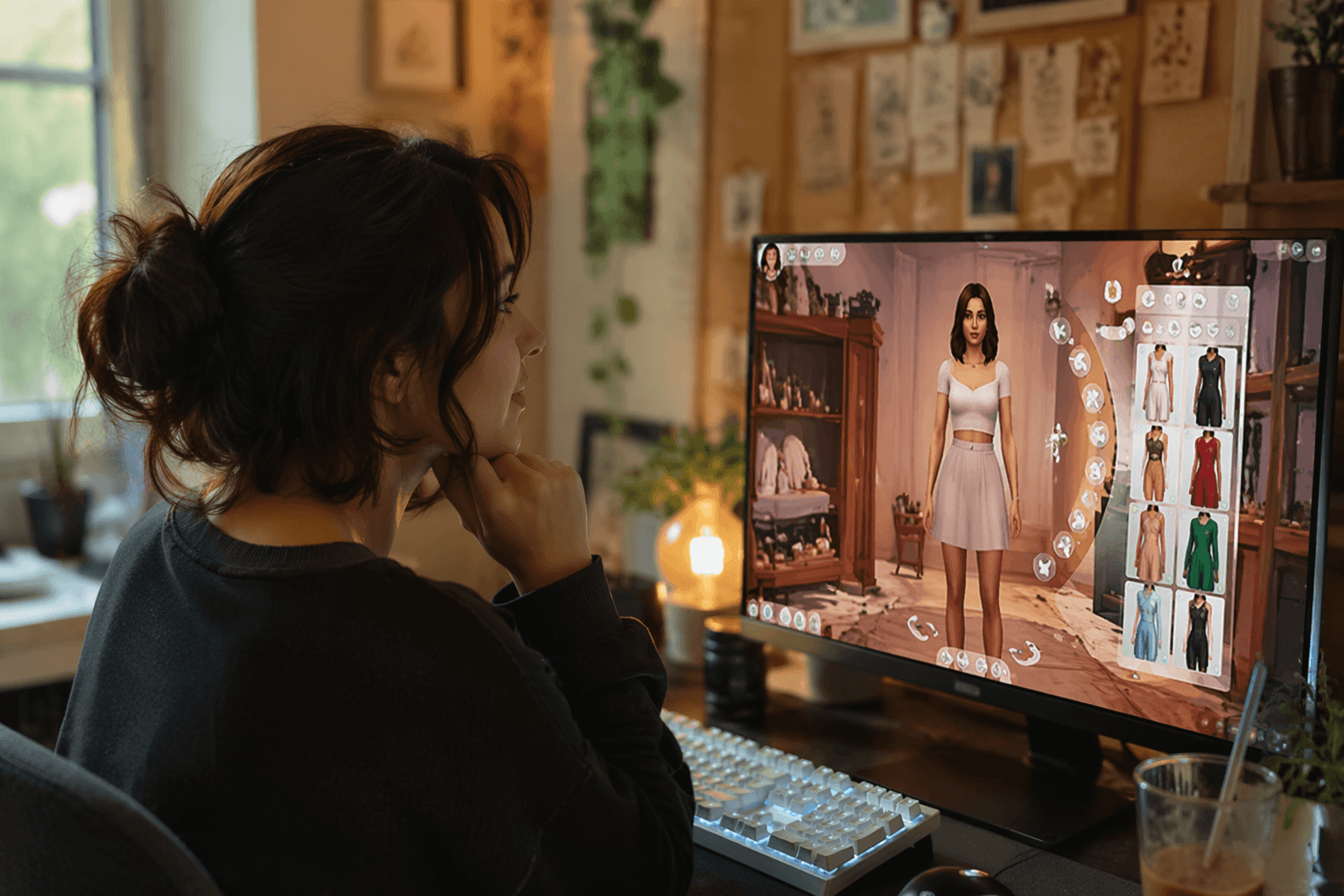
Xureila’s 3D CAS room swaps The Sims 4’s plain backdrop for a cozier dressing-room vibe, making long CAS sessions feel more staged and less sterile.

Xureila’s Nostalgic 3D CAS Room does something heavy Create-a-Sim players feel right away: it gives the editor a warmer place to live. Instead of the usual flat backdrop, the mod drops Sims into a cozy 3D room that leans nostalgic without feeling dated, which makes the whole character-building process feel more styled before a Sim ever hits live mode.
What this CAS room actually changes
This is a cosmetic override, not a gameplay mod, so it does not touch balance, progression, or how Sims are built. What it changes is the presentation, and that matters a lot in a part of the game where you spend time fine-tuning facial details, outfits, and personalities. The Patreon post lists two versions, White Mirror and Black Mirror, giving you a simple aesthetic choice without changing the underlying function.
There is one important limitation: only one CAS background can be installed at a time. Xureila also points players to the Documents, Electronic Arts, The Sims 4, Mods folder, which keeps the setup straightforward as long as you treat it like a default replacement and not something to stack with every other background you like.
Why this matters for lookbooks, storytellers, and long CAS sessions
The reason this mod lands for CAS-heavy players is that Create-a-Sim is not just a menu, it is where the character starts to take shape. EA’s own Create-a-Sim hub frames the space around choosing facial details, outfits, and even personalities, so the backdrop becomes part of the creative rhythm instead of dead space behind the Sim.
That is exactly where Xureila’s room has an edge. Sims Community has pointed out that many players find The Sims 4’s minimalist default CAS background boring, and plenty of Simmers still miss the dressing-room style from The Sims 2 and The Sims 3. Xureila’s setup leans into that nostalgia while still looking cleaner and more modern than a straight throwback, which is why it works especially well for lookbook makers and storytellers who care about presentation as much as the final Sim.
The nostalgia angle also has a clear anchor in franchise history. The Sims 3 arrived on June 2, 2009, and its CAS feel still has a strong hold on players who liked that more lived-in, room-like presentation. Xureila is tapping into that memory without simply copying it, which is why the room reads as a mood upgrade instead of a museum piece.
How to install it cleanly
The setup is simple, but the rules matter if you already use other visual mods. Because it is an override, keep only one CAS background or room installed at a time, and do not mix it with multiple CAS lighting replacements in the same setup if you want to avoid clashes. The mod is meant to sit in your Mods folder, and the point is to let the room replace the default editor view, not crowd it out.
The quick practical checklist looks like this:
- Pick one version, White Mirror or Black Mirror.
- Place the file in Documents, Electronic Arts, The Sims 4, Mods.
- Keep only one CAS background active at once.
- If you use a separate CAS lighting mod, make sure it is compatible with your setup before loading a save.
That last step matters because the appeal here is not just the room itself, but how cleanly it fits into a curated modded game. For players who already manage overlays, presets, and visual replacements, this is exactly the kind of mod that belongs in a polished CAS stack.
Best results come with the right visual effects
Xureila says the background looks best with ReShade or GShade, and that tracks with the kind of player this is built for. The room is clearly aimed at people who enjoy a more cinematic or stylized Sims look, where lighting and shadow detail help the scene feel finished rather than functional.
The creator also recommends turning off Edge Smoothing if you use MXAO and turning on FXAA in ReShade. That is useful because MXAO relies on depth-based shadow effects, and Edge Smoothing can interfere with the look you are trying to build. In practice, that means this CAS room is at its strongest when it is part of a broader visual setup, not just dropped into an otherwise untouched game.
A mature mod scene, not a one-off novelty
Xureila’s room is part of a wider CAS background scene that has been around for a while. The Sims Resource and Mod The Sims both host large catalogs of CAS background replacements, which says a lot about how established this niche already is. Players have wanted more control over the editor atmosphere for years, and this mod arrives in a space where there is clearly steady demand.
It also fits into an ongoing series from Xureila. The creator posted a separate Simtuber CAS Room on March 7, 2024, and the Nostalgic 3D CAS Room itself was posted on May 5, 2024, showing that this is an active design direction rather than a one-time experiment. The post’s visible engagement, 306 likes and 2 comments, suggests a modest but real audience for this style of CAS overhaul.
That broader context matters because it explains why the mod works. Xureila is not just dressing up a menu screen, but responding to a long-running player desire for a CAS space that feels less sterile and more like a place where a Sim is being introduced, not assembled.
Xureila’s Nostalgic 3D CAS Room succeeds because it understands the part of The Sims 4 that power players care about most: the feeling of making a Sim. It does not change the mechanics of CAS, but it changes the mood enough that long styling sessions feel warmer, more deliberate, and a little more like the dressing-room era players still miss.
This article was produced by Prism’s automated news system from verified source data, official records, and press releases, then run through automated quality and moderation checks before publishing. The system is built and supervised by the people who set the standards it runs under. Read our full AI policy.
Did this article answer your question?