Monroe County Building Department Issues Guide to Online Permits
How to use Monroe County’s online permitting portal to apply, pay, upload plans, and schedule inspections.
1. Role of the Monroe County Building Department
The Building Department manages permit intake, plan review, inspections, and enforcement for construction in unincorporated Monroe County and coordinates with municipal jurisdictions when required. That means whether you’re repairing a roof in Key West or adding a deck in Big Pine Key, the county’s office is the regulatory hub for permits, code compliance and final approvals. Knowing which projects fall under county versus municipal review saves time and prevents duplicated filings.
2. The county’s online permitting portal and platform names
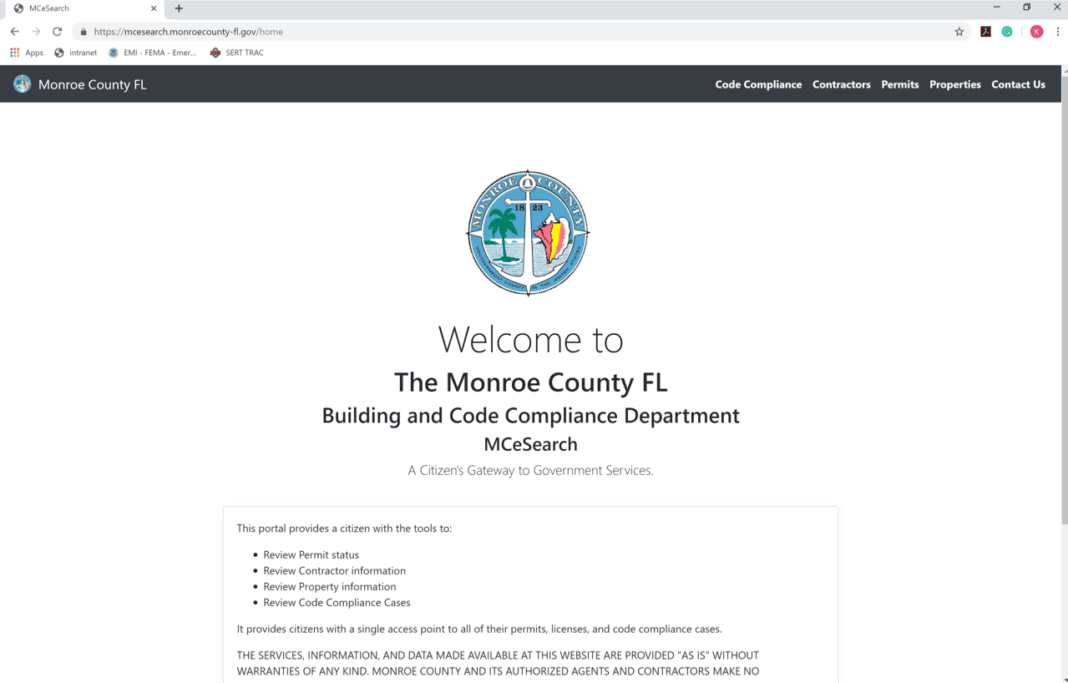
Monroe County now directs applicants to use an online permitting portal to submit applications, pay fees, upload plans, track reviews and schedule inspections. The county’s system may appear on the website under vendor names such as Oracle/OnBase, Fusion, ViewPoint, or simply the county online permitting system; the county site identifies the live portal and links. Expect an interface that stores your applications and permits, generates fee invoices, and records inspection results, like a digital permit folder for each job.
3. Step 1, create an account in the online system
Begin by registering a user account on the county’s permitting portal; you will need a valid email address and contact details for the property owner and contractor. The account creates a persistent profile that holds your permit history, uploaded documents and payment records, which speeds future applications. Keep login credentials secure and use an email you check frequently, review notices and plan-review comments are typically delivered electronically.
4. Step 2, choose the correct permit type
Select the appropriate permit classification for your work: common categories include residential alteration/repair, new construction, mechanical, electrical, roofing, demolition and specialized permits. Choosing the wrong type can delay review or require re-submittal, so read permit descriptions carefully and consult the Building Department if you’re unsure. Contractors should use their licensed business profile; homeowners doing work themselves should indicate owner-builder status where applicable and confirm licensing requirements for trade work.
5. Step 3, follow submittal instructions and upload required plans
Each permit type includes a checklist of required plans and supporting documents; follow those instructions exactly when uploading PDFs or CAD drawings. Typical submittal items include site plans, elevations, structural calculations, HVAC or electrical schematics, and flood-resilience details if your property is in a Special Flood Hazard Area. Properly formatted, clearly labeled files reduce back-and-forth: use a naming convention, include page indices, and incorporate seals/signatures when the code requires them.
6. Step 4, pay applicable fees online
The portal allows online payment of permit application fees, plan review fees and other assessments; fees are calculated based on permit type and project valuation. Paying promptly avoids hold-ups in the review queue and gives you access to scheduling inspections once permits are issued. Keep receipts and confirmation numbers, these are part of the project record and useful if you need to appeal or clarify fee calculations.
7. Step 5, monitor plan review and respond to comments
After submission, monitor the portal for plan review progress and electronic comments from reviewers; reviews may cover structural, electrical, mechanical, floodplain and zoning issues. Respond to plan-review comments in a timely, organized fashion: upload revised sheets with revision clouds or a response letter to show exactly how you addressed each item. Delays responding are the most common reason permits linger; set calendar reminders and assign a point person to manage reviewer communication.
8. Step 6, receive permit issuance and schedule inspections
Once the permit is approved and fees paid, the portal will issue the permit document and allow you to schedule inspections online. Read the permit conditions carefully, they will list required inspections, staging limitations and any special conditions tied to local code amendments. Schedule inspections with realistic lead time and confirm the inspector scope so you bring the right documentation and access for a smooth site visit.

9. Inspections: preparation, scheduling and on-site expectations
Inspection instructions and scheduling are handled through the portal; inspectors typically check that work matches approved plans and code requirements and will record results in the system. Prepare the site so the inspector can safely and quickly verify work: expose concealed work, provide access ladders or protective mats in high-tide areas, and have permit documents and approved plans on site. If an inspection fails, the inspector’s notes will appear in the portal; address the deficiencies, document corrective work, and request a re-inspection.
10. Staying current: news, system updates and code changes
Monroe County posts news, system updates and transitional guidance on its Building & Permitting page; check it regularly for announcements about outages, platform changes or new submittal procedures. Applicants are advised to contact building offices for appointments and to verify recent code changes, for example, recent or pending local amendments can affect details such as enclosed storage under elevated homes or other localized requirements. Staying current avoids surprises during plan review and ensures that resilience measures mandated after storms are reflected in your submittal.
11. Additional resources: floodplain, electrical and contractor licensing
The county’s permitting hub links to important program pages, floodplain management resources, electrical permitting and licensing requirements, and contractor licensing verification are all available through the official site. If your property is in a floodplain, include required flood elevation certificates and construction details up front; electrical or plumbing work done by unlicensed personnel may trigger stop-work orders or re-inspections. Use the county pages to confirm contractor licenses and to download any specialty checklists the department requires.
12. Contacting the Building Department and office procedures
Contact information, office hours and appointment procedures are posted on the official county page; applicants should use the listed phone numbers or online appointment scheduler when they need in-person assistance. The department encourages appointments for complex submittals or pre-application conferences that can streamline permitting for larger projects. When you call or visit, have your address, parcel number and portal account information ready to speed assistance.
13. Local impact and community significance
Moving permitting online increases transparency and reduces the time residents spend chasing paper, faster permitting can mean quicker repairs after storms and faster timelines for local builders. For the Keys, efficient permitting supports resilience, tourism recovery and safe rebuilding practices that protect neighborhoods and the economy. The portal also creates a public record that helps planners and community groups track trends, everything from roofing replacements to seawall repairs, informing local policy and investment.
- Read the submittal checklist before preparing drawings; it's the shortest path to approval.
- Label files clearly and include a revision history when submitting updated plans.
- Contact the Building Department early when projects are near flood zones or involve unusual structures.
- Use the portal’s notification settings so you don’t miss plan review comments or inspection results.
14. Practical tips for a smooth online permit experience
15. Closing practical wisdom
Treat the portal as your project’s filing cabinet: consistent account details, organized uploads and prompt responses cut weeks off the review cycle. Reach out to the Building Department for clarity on local amendments early, a short pre-application chat can prevent costly rework down the line and keep your project moving through Monroe County’s system.
This article was produced by Prism’s automated news system from verified source data, official records, and press releases, then run through automated quality and moderation checks before publishing. The system is built and supervised by the people who set the standards it runs under. Read our full AI policy.
Did this article answer your question?