5 USB-C Gadgets That Make Your New iPad More Versatile
USB-C turns an iPad into more than a tablet, but only a few accessories are worth your money. Storage, hubs, displays, and charging gear deliver the most everyday value.
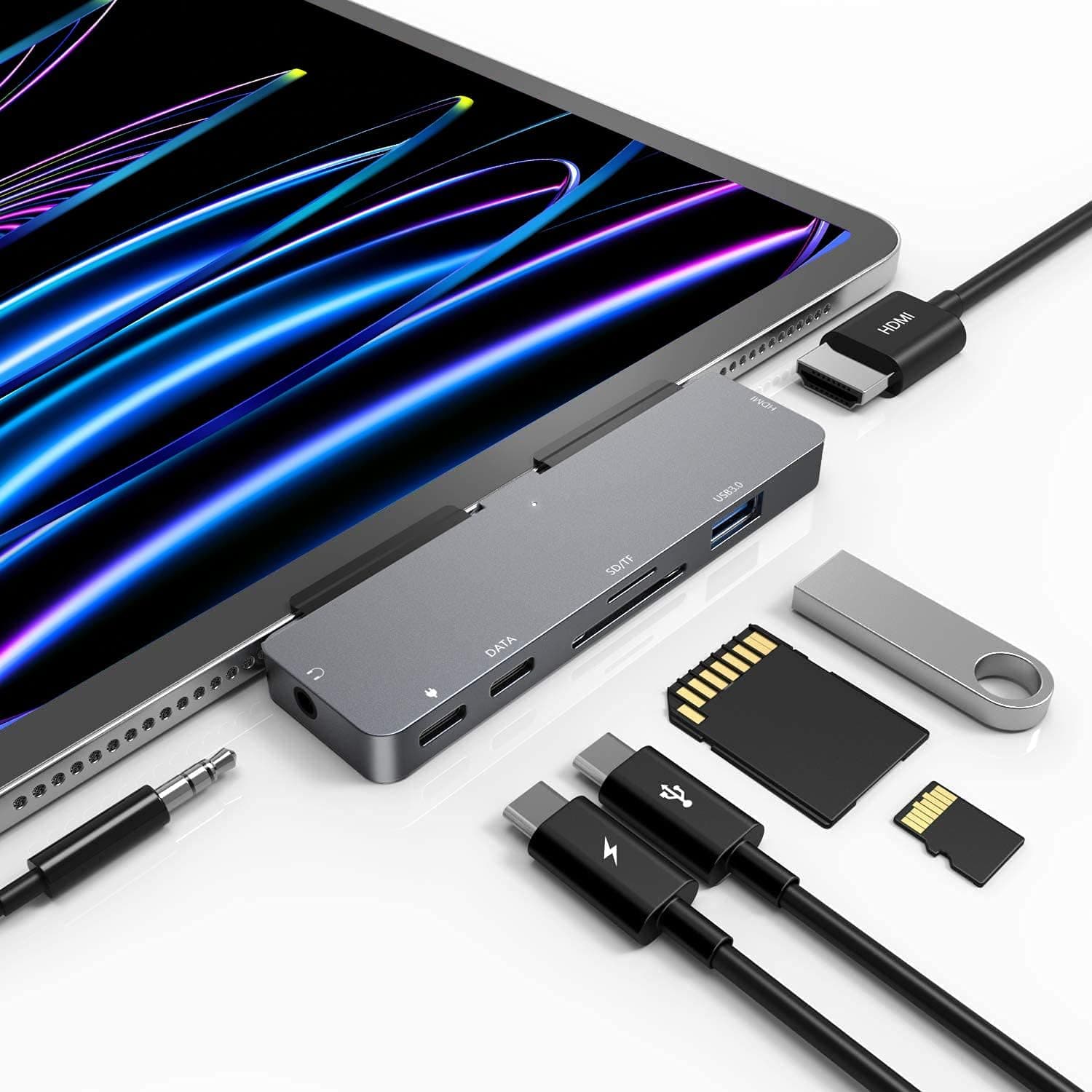
Apple’s move to USB-C made the iPad a much more capable machine, but the best accessories are the ones that solve real problems. For students, travelers, and remote workers, the goal is not to collect clever gadgets. It is to add storage, screen space, and charging flexibility without turning the tablet into a bag of adapters.
External storage that keeps files off the cloud
A compact USB-C SSD or flash drive is one of the most useful add-ons you can buy for an iPad. Apple says the iPad can access files on external USB drives and SD cards through the Files app and other supported apps, which makes local transfers far easier than bouncing everything through email or a cloud service. That matters when you are moving lecture notes, large photo libraries, video clips, or client files and do not want to wait on a slow connection.
This is the kind of accessory that earns its place quickly because it does one job well. A student can carry class projects on a pocket-sized drive, a traveler can offload camera footage on the road, and a remote worker can keep large presentations close at hand. If you buy only one accessory for storage, choose something that is fast enough to keep up with the iPad Pro’s USB-C port, especially since Apple’s current iPad Pro includes Thunderbolt / USB 4 support.
An SD card reader for quick camera-to-iPad transfers
If your iPad is part of a photo or video workflow, an SD card reader is still a smart buy. Apple says the iPad can connect to accessories like cameras, and that external storage and SD cards are accessible through supported apps, which means you can move media without needing a laptop in the middle of the process. For anyone who takes photos on a dedicated camera, this is far more practical than trying to wrangle wireless transfers in a hurry.
The value here is speed and simplicity. A traveler can back up a memory card after a day of shooting, a student journalist can review images on a bigger screen before filing, and a remote creator can start editing almost immediately. It is not a flashy accessory, but it saves time in exactly the moments when time matters most.
A USB-C hub that turns the iPad into a real desk setup
A good USB-C hub is the accessory that makes the iPad feel less like a single-purpose tablet and more like a compact workstation. Apple says the USB-C port can connect to accessories like external storage devices, cameras, and displays, and a hub is the easiest way to bring several of those connections together at once. With the right hub, one port can handle storage, a keyboard, a mouse, and a display without constant swapping.
This is where USB-C becomes especially useful for remote workers and students who move between desks. If you are writing, taking notes, or running spreadsheets, the ability to dock the iPad and immediately add more ports is a real quality-of-life upgrade. It is also one of the few categories where paying a little more can be worth it, because a cheap hub that drops connections or overheats quickly becomes dead weight.
A display cable or adapter that adds screen real estate
Apple says you can connect an iPad to a TV, projector, or computer monitor with the appropriate cable or adapter, and that is one of the cleanest examples of what USB-C changes. Instead of treating the iPad as a self-contained screen, you can use it as the source for a presentation display, a bigger editing canvas, or a more comfortable work setup at a hotel desk. The current iPad Pro’s Thunderbolt / USB 4 support gives you even more headroom for a serious external-display setup.
This accessory is easy to dismiss until you need it. A student can present slides in a classroom, a traveler can plug into a hotel TV for a larger viewing surface, and a remote worker can move a document or dashboard onto a monitor for better multitasking. The right cable or adapter is not glamorous, but it turns the iPad into something much closer to a portable computer.
A USB-C charger or power bank that cuts the cable clutter
The most practical USB-C accessory may be the least exciting one: a reliable charger or power bank. Apple says the USB-C port can not only charge the iPad but also power other devices, which is useful when your phone, earbuds, or another small gadget runs low and you do not want to hunt for a wall outlet. Apple also notes that, by default, you may need to unlock the iPad before USB or Thunderbolt accessories can connect, so the most dependable setup is the one that works cleanly once you are already unlocked and ready to go.
For everyday use, this is the accessory that keeps the whole system from breaking down. A student can make it through a long day of classes, a traveler can top up a phone during a layover, and a remote worker can keep a lightweight charging kit in a backpack instead of carrying separate bricks for every device. USB-C has become common across consumer gadgets, and that is exactly why a good charger or power bank now feels less like a backup plan and more like part of the core iPad kit.
This article was produced by Prism’s automated news system from verified source data, official records, and press releases, then run through automated quality and moderation checks before publishing. The system is built and supervised by the people who set the standards it runs under. Read our full AI policy.
Did this article answer your question?