Complete Hands-on Guide to Building Competitive FPV Drone Racers
This guide walks you step-by-step through assembling a competitive FPV quad from parts selection to first flight and long-term maintenance. You’ll get practical wiring, configuration, and flight-safety checks that prevent common mistakes and give clear upgrade paths for racing or freestyle goals.
1. Purpose and workflow overview
This article is a practical workshop manual that consolidates the full build workflow: parts selection, mechanical assembly, wiring, Betaflight setup, first-power checks, initial flights, tuning, and crash repair. Follow the sequence to avoid missed wiring, UART, or failsafe mistakes that commonly cause flyaways or component damage.
2. Parts selection and tradeoffs
Choosing parts is about tradeoffs between weight, durability, efficiency, and cost. Frames: lighter carbon frames favor racing agility while beefier frames increase crash survivability for freestyle; consider stack height and arm-repair options. Motors and KV: match motor size/KV to battery cells—typical guidance for 5" quads is around 2300–2700KV on 4S, 1400–1800KV on 6S, and 900–1200KV on 8S; adjust for prop size and desired top speed versus punch. ESCs: 4-in-1 boards save weight and simplify wiring but can mean replacing a whole board if one ESC fails; four separate ESCs increase repairability and sometimes cooling. Flight controllers: F4 boards are compact and sufficient for many builds while F7 boards offer extra processing headroom and UARTs for complex setups. VTX and Air Unit: the DJI O4 Pro Air Unit gives clean digital video and integrated OSD but adds weight and power draw; analog VTX alternatives are lighter and cheaper with different latency and reliability tradeoffs—this guide includes an analog-variant workflow. Cameras, props, and batteries: pick cameras with a field-of-view and aspect ratio that match your flying style; tri/quad-blade props tune thrust vs smoothness; battery cell count and capacity balance flight time and responsiveness—higher mAh gives longer flights but increases weight, and higher cell counts allow lower motor KV for efficiency.
3. Tools, consumables, and prep checks
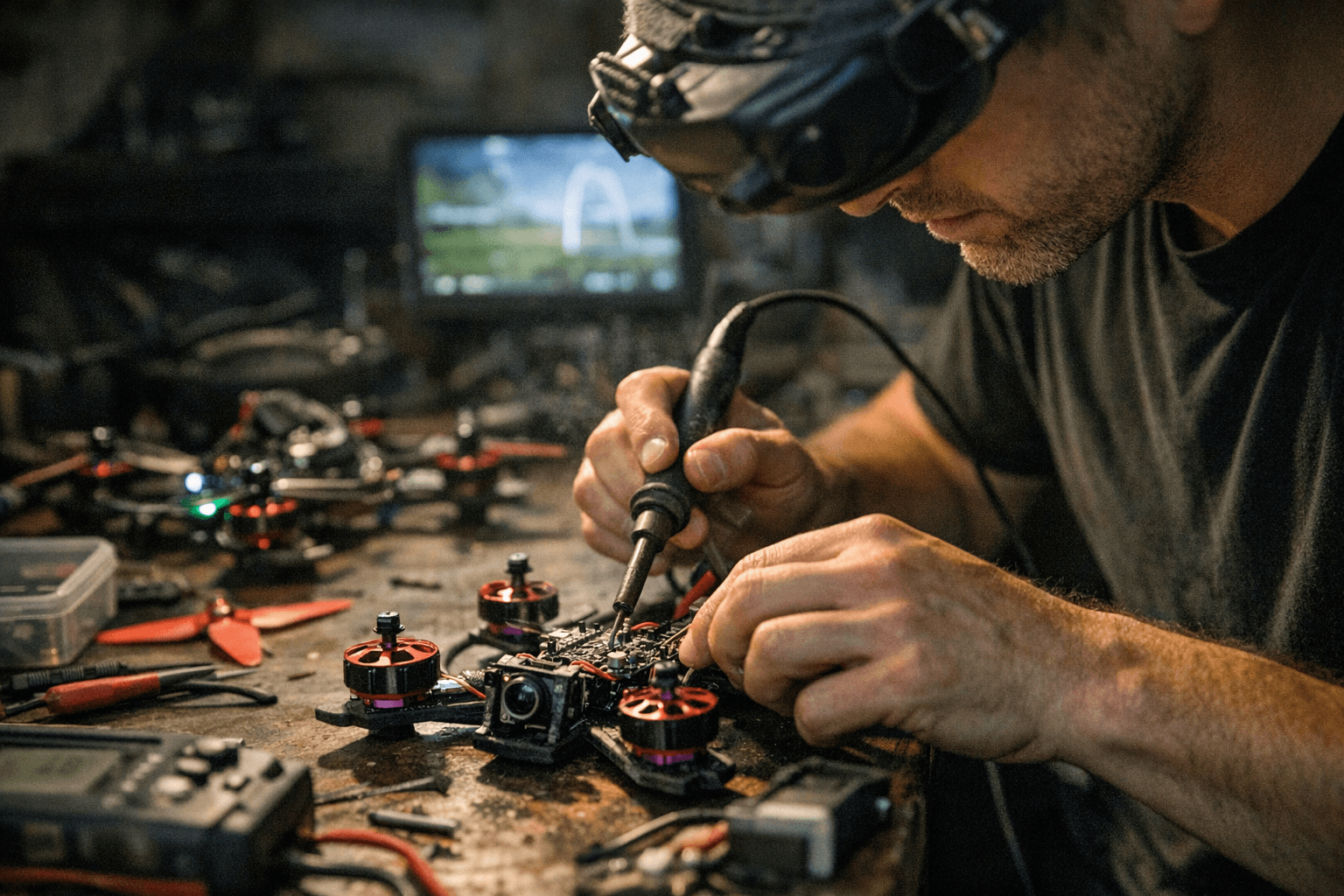
Prepare a solid bench toolkit before starting assembly: a temperature-controlled soldering iron, quality flux, solder, multimeter, small hex drivers, threadlocker (medium strength), heatshrink, zip ties and TPU mounts, and a smoke-stopper (battery simulator) for first power tests. Use the multimeter to confirm polarity on power leads before applying battery power and use flux with clean solder joints to prevent dry joints. Always work in a ventilated area and secure small screws and connectors in labeled containers.
4. Frame assembly and mechanical best practices
Mount motors using the correct screw length to avoid thread damage—screws should fully engage the motor bell threads without bottoming out into the stator. Apply a drop of medium threadlocker to steel screws on aluminum parts to prevent loosening, but avoid threadlocker on nylon inserts or bearings. Mount the stack using soft-rubber or silicone dampeners to isolate gyro vibration, and ensure the FC is oriented with the arrow pointing forward. Propeller installation: tighten prop nuts or bolts snugly but avoid over-torquing; test prop retainers after a gentle spin to confirm secure placement.
5. Wiring and power-distribution essentials
Route power and signal wires to minimize interference: keep high-current battery leads separate from tiny signal wires and avoid running them parallel for long distances. Place a low-ESR capacitor across the main battery input near the ESC to reduce voltage spikes and help stabilize the gyro signal against noise. Secure and heatshrink all solder joints, and use braided ground continuity and proper ground planes on the stack to maintain clean telemetry and OSD.
6. ESC and motor testing plus Betaflight basics
Before installing props, test ESCs and motor spin directions using motor tab testing in Betaflight (or BLHeli configurator if using individual ESCs). Flash firmware with the correct target for your FC and set ESC protocol to DShot (digital) or BLHeli protocols as appropriate; digital DShot avoids throttle calibration steps and gives better reliability. In Betaflight, configure serial receivers, enable VTX telemetry if supported, turn on OSD, and load a practical preset tuned for a new build—keep rates conservative and filters enabled for first flights.
7. Receiver binding and radio mapping
Bind your receiver (ExpressLRS or other) following the receiver’s binding procedure and confirm signal strength. In Betaflight’s Ports and Receiver tabs, verify correct channel mapping for throttle, yaw, pitch, roll, and switches; a bad map is a common source of odd behavior. Set a robust failsafe: if signal is lost, the craft should disarm or drop throttle to a safe value that prevents runaway motors.
8. First power-up checklist and smoke test
With props removed, perform a smoke-test and checklist: verify battery voltage on the FC/OSD, watch for smoke or hot components, check ESC and FC temperatures after a brief motor pulse, confirm receiver inputs move in Betaflight, and ensure the OSD/VTX produces video. Monitor current draw for sanity—anomalously high draw indicates wiring faults or shorted motors. Test failsafe behavior before any flight.
9. First flights and progressive tuning
Fly your initial test flights in a low-rate or angle-limited mode, or use a beginner tune with soft rates to learn handling. Progressively increase rates and remove angle limits once you’re comfortable, logging each change and flying a consistent test pattern to evaluate handling. Use baseline PIDs conservative values and change one parameter at a time; use Blackbox logs or OSD telemetry to inspect vibration, motor current spikes, and PID oscillations.
10. Maintenance, crash repair, and spares kit
Carry a minimal spares kit to the field: spare props, motor shafts, a spare ESC or 4-in-1 board if possible, extra screws, and a small soldering iron for field repairs. After a crash, diagnose quickly: check motor shafts/bearings for wobble, inspect ESCs and wiring for charring or hot spots, and assess frame arm cracks—repair small cracks with reinforcing plates but rebuild if load paths are compromised. Periodically tighten screws, inspect solder joints for cold joints, and rotate battery stock to maintain cell health.
11. Practical upgrade paths and community relevance
Decide whether you want to pursue racing (lighter frames, higher KV and cell counts) or freestyle (durable frames, heavier props, conservative batteries), then plan incremental upgrades: motors, ESCs, and FC next, VTX/Air Unit last. Share builds and flight logs with local clubs and online communities to get tuned advice and swap parts; community feedback accelerates learning and spares sourcing.
12. Wiring diagrams, parts lists, and analog variant note
Use wiring diagrams and a clear parts list tailored to your stack—this guide expects a digital option with DJI O4 Pro Air Unit but also includes an analog-system variant workflow for pilots who prioritize weight, latency, or cost. Keep a printed wiring map in your toolkit to help troubleshoot field swaps and repairs quickly.
Sources:
Know something we missed? Have a correction or additional information?
Submit a Tip