Facial recognition smart locks promise hands-free entry, raise privacy concerns
Facial recognition smart locks can make hands-free entry feel effortless, but the convenience only earns trust if face data stays local, secure, and recoverable when systems fail.
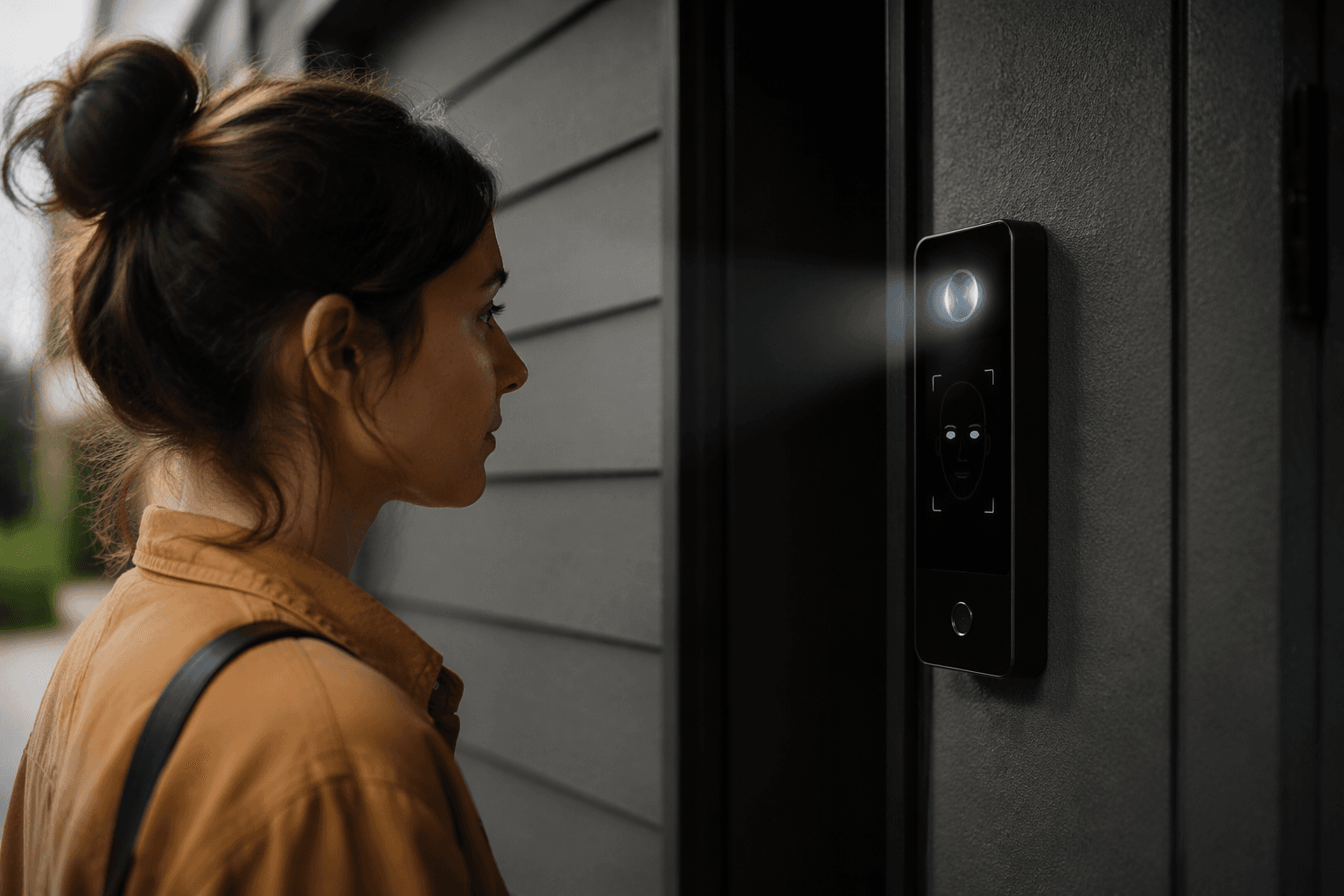
A Lockly model unveiled at CES 2024 can recognize your face to unlock the door, letting you walk in with groceries, kids, or packages without digging for keys, a phone, or a fingerprint. Hands-free entry is the selling point that could push smart locks from gadget status into everyday infrastructure.
What the newest facial-recognition locks actually do
Lockly introduced the Visage at CES on January 8, 2024, at an expected price of $350 when it went on sale in summer 2024. The lock also supports Matter and Apple Home Key, placing face unlock inside a broader home-automation stack rather than treating it as a one-off trick. The Visage Zeno works with Apple Home, Amazon Alexa, and Google Home, widening the appeal for households that already rely on one of those ecosystems.
Why privacy comes to the front of the conversation
A parent carrying a child, a renter juggling grocery bags, or an older adult with limited hand strength may find face unlock easier than a keypad or a phone-based routine.
But facial recognition also changes the privacy math because the lock is not just sensing a device, it is identifying a person. The National Academies warned in a January 17, 2024 news release that advances in facial recognition technology have outpaced laws and regulations, and it called for federal action on privacy, equity, and civil liberties concerns. At a front door, the data is intimate and the consequences of misuse can extend well beyond a failed unlock.
A July 3, 2024 Frontiers article examined the privacy, ethics, and regulation issues surrounding face recognition technology. For smart-lock buyers, the key question is not whether face unlock works in a demo. It is whether the system stores face data in a way that limits exposure, uses local processing where possible, and avoids creating a new biometric database on a doorframe.
What safeguards have to exist before broad trust is justified
Smart-lock makers point in the same direction: keep face data safe, minimize what leaves the device, and be explicit about storage choices. SwitchBot and other manufacturers emphasize local processing and privacy protections because biometric templates are far more sensitive than a PIN. If a passcode is stolen, it can be changed; if a face template is mishandled, the owner cannot simply replace a face.
That is why the details around data storage matter as much as the unlock speed. A product that processes facial data locally and stores only a protected template on-device presents a very different risk profile from one that routes image data through a cloud service. Consumers evaluating these locks should want plain answers on whether the camera images ever leave the device, whether templates are encrypted, how long data is retained, and whether enrollment can be deleted fully if the lock is sold, moved, or replaced.
The regulatory backdrop is already warning makers not to treat biometric data casually. The Federal Trade Commission published a biometric information policy statement in May 2023, and a 2024 article in PMC cited Rite Aid as an example of facial-recognition misuse. The problem is not theoretical: once facial recognition is used outside tight limits, the fallout can involve both consumer harm and enforcement risk.
Failure modes matter as much as convenience
A smart lock earns trust only if it behaves predictably when conditions are not ideal. Facial recognition can be thrown off by low light, glare, hats, masks, wet weather, aging, or changes in appearance, and the product has to have a reliable backup path for every one of those moments. If the lock is the only way in and it misses a face scan, the result is not a minor inconvenience, it is a blocked doorway.
That is where fallback options such as Apple Home Key, app access, and conventional credentials become essential. The best-case scenario is not a lock that works only with your face; it is a lock that uses face recognition as one of several secure methods, so a camera glitch or network issue does not strand you outside. The support structure matters too, because a biometric lock that is difficult to recover after setup failure can turn a premium feature into a daily headache.
Support and setup are already shaping early opinion
Early user reactions suggest the hardware may be winning interest faster than the service layer is winning confidence. A July 27, 2024 Reddit post in r/HomeKit included a comment describing the Lockly Visage as "pretty good" but its support as "laughable," citing repeated email problems. Buyers may accept the concept quickly, but they will not overlook weak help when a door lock is involved.
Lockly says the Visage includes SMART ASSIST onboarding service and priority support, meant to reduce the pain of installation and troubleshooting. That kind of offering is more than a marketing perk in a biometric product, because the average household is being asked to trust both the hardware and the company behind it. If onboarding fails, or if the lock needs recovery after a firmware update, the customer experience can sour fast.
By fall 2024, switching to a Wi-Fi-enabled smart lock with facial recognition left a ZDNET reviewer saying they "can’t go back." Terry Lee White reviewed the Lockly Visage Zeno on October 20, 2024, and TechMac posted a roundup on October 26, 2024.
What buyers should demand before trusting facial unlock
The most important questions are practical, not futuristic:
- Does the lock process face data locally, or is any part of identification sent to the cloud?
- Can the user delete biometric data completely if the device is reset, resold, or removed?
- What happens during an outage, low battery event, or connectivity failure?
- Is there a non-biometric backup, and is it easy enough for guests or family members to use?
- What support path exists if setup, enrollment, or recognition goes wrong?
This article was produced by Prism’s automated news system from verified source data, official records, and press releases, then run through automated quality and moderation checks before publishing. The system is built and supervised by the people who set the standards it runs under. Read our full AI policy.
Did this article answer your question?