How to Host an Engaging Virtual Baby Shower With Games and Activities
Virtual baby showers can match the warmth of in-person celebrations when you nail six decisions: platform, invites, theme, games, gifts, and food.
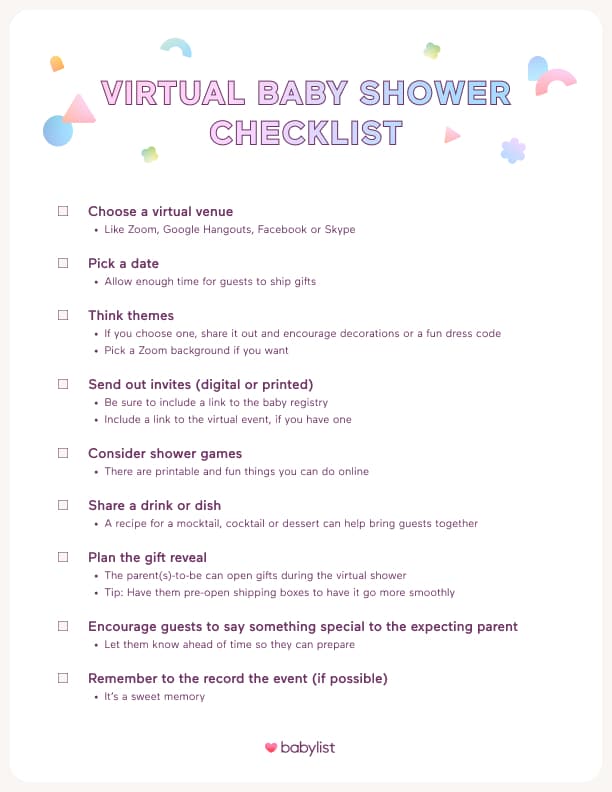
Hosting a virtual baby shower comes down to six decisions: choose a video platform, send digital invitations with the meeting link embedded, pick a theme, plan screen-friendly games, coordinate gift shipping in advance, and organize food or drinks for remote guests. Get all six right and the miles between guests become irrelevant.
Step 1: Choose Your Video Platform
The platform you pick sets your guest capacity, your feature access, and whether a timer will cut the party short mid-gift-opening. Here is how the leading options compare:
| Platform | Best For | Key Feature | Free Tier | Guest Limit |
|---|---|---|---|---|
| Zoom | Most virtual showers | Breakout rooms, polls, screen share | 40 min (3+ guests) | Up to 100 |
| Google Meet | Small, casual groups | Gmail integration, no account required for guests | No time limit for small groups | Up to 100 |
| Hopin | Large-scale events | Stage, networking rooms, expo areas | Limited free tier | 100+ |
| WebBabyShower | Dedicated shower platform | Built-in games, themes, emoji reactions, gender reveal screen capture | Paid plans | Varies |
Zoom is the most popular choice for virtual baby showers because it offers breakout rooms, screen sharing, polls, and reliable video quality. The free tier imposes a 40-minute time limit on calls with three or more participants; upgrading to the Pro account removes that limit and allows up to 100 users to join at once. Zoom Pro costs $14.99 per month and can be cancelled at any time.
Google Meet is free, simple, and easy to join with a Gmail account, making it ideal for smaller, more casual shower groups. For larger, event-style celebrations with hundreds of guests, Hopin provides a dedicated stage, networking rooms, and expo areas that no standard video call can replicate.
WebBabyShower is a purpose-built alternative with a mobile app, built-in games, matching themes, and emoji reactions, plus a screen capture option if you want to include a virtual gender reveal.
Step 2: Send Digital Invitations With the Meeting Link
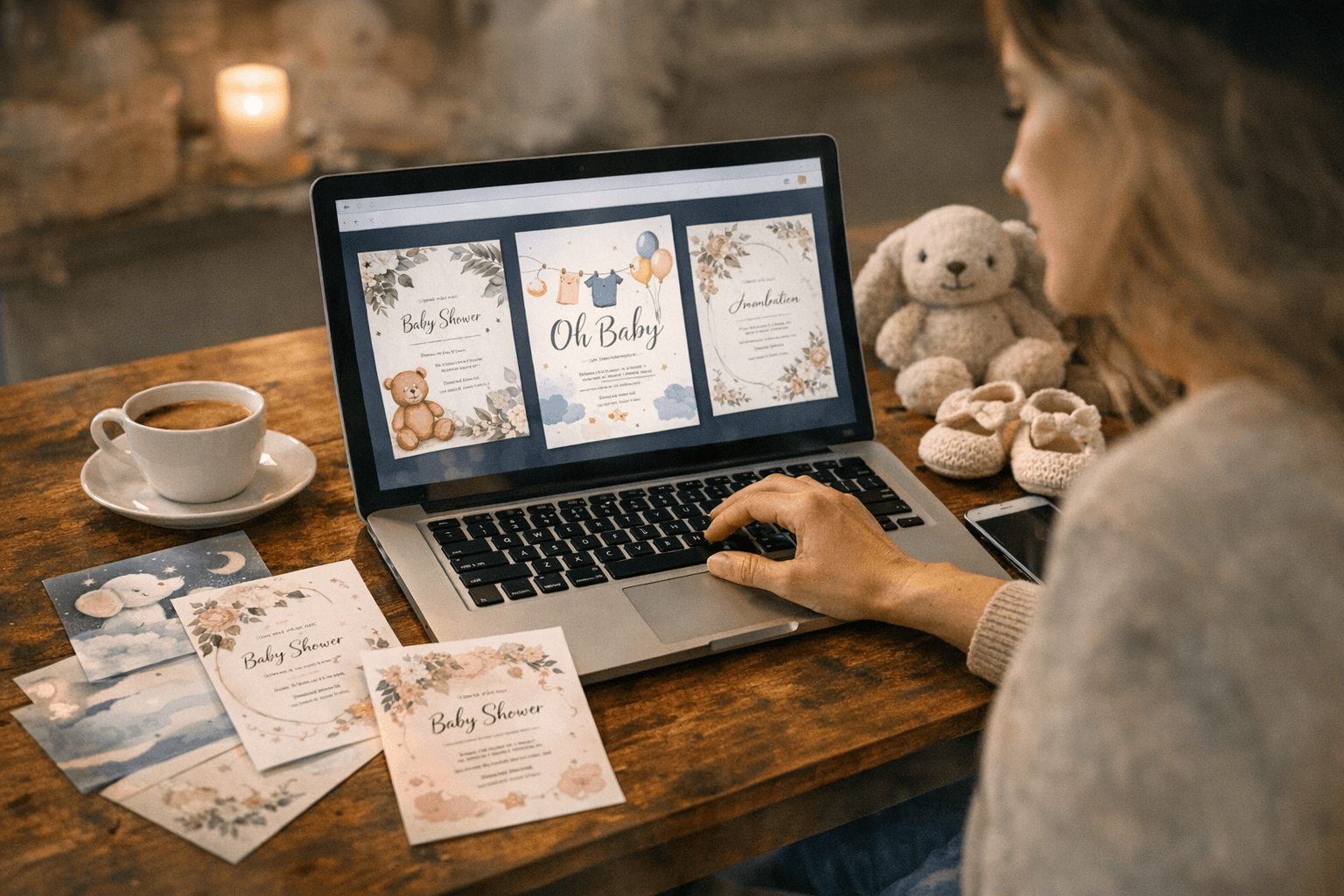
Embedding the meeting link directly in the invitation removes a step for guests and prevents last-minute URL scrambles. Platforms including Invitfull (completely free with no paywalls, no ads, and no premium tiers, supporting up to 500 guests with full RSVP tracking and AI-generated designs), Paperless Post (which lets you send via email, text, or a link while tracking RSVPs on a fully ad-free platform), Evite (free tier available, though the free version displays ads to your guests), and Partiful (100% free with custom backgrounds and built-in RSVP tools) all support embedded video links from a single dashboard.
Babylist recommends setting the shower date far enough in advance for guests to ship gifts before the party. Including the baby registry link in the invitation alongside the meeting link handles gift logistics at the very first touchpoint.
Step 3: Set a Theme and Build the Visual Scene
A theme is optional, but it creates cohesion across every guest's tile on screen. One host built a complete Dr. Seuss "Oh, The Places You'll Go" theme that extended to custom cookies mailed to guests, fabric-covered favor bags, mini party hats, and a bunting garland made from pages of the book itself.
Even without mailed props, you can encourage guests to use a matching virtual background on Zoom or Google Meet. Canva offers free, customizable virtual background templates that can be adapted to any color palette or motif in minutes. Asking guests to dress to a theme or display a decoration behind them adds visual energy without requiring any shipping logistics.
Step 4: Plan Games That Work on Screen
Screen-based games need instant participation mechanics and zero setup time from guests. These five translate particularly well to a virtual format:
- Baby Shower Gift Bingo: Share a bingo card before the party via Facebook group or email. Guests mark off squares as gifts are opened during the live video; the first to call "Bingo!" on the call wins.
- Name That Tune: Play clips of children's songs via screen share. The guest who identifies the most song titles wins. Use a custom playlist or pull from a music streaming service.
- Baby Faces: Guests submit their own baby photos in advance; everyone guesses which grown-up each baby became.
- Baby Animals: Send a list of baby animal names and have guests match them to the adult species using Kahoot or Google Forms for live scoring.
- Guess How Many: A classic jar-counting game works perfectly as an opening icebreaker during the welcome segment.
Vary the format by mixing trivia-style rounds with visual games to maintain energy across the full call.
Step 5: Coordinate Gift Delivery Before the Party
Unlike an in-person shower, gifts need to arrive at the expecting parent's home before the event rather than being carried in by guests on the day. Set the date at least two to three weeks out to accommodate standard shipping timelines; international guests may need considerably more lead time.

A digital registry on Babylist supports direct-to-home shipping from multiple retailers in a single list, which eliminates duplicate gifts and post-party return hassles. For tactile participation across screens, curate a shower-in-a-box package mailed to remote guests in advance so that everyone holds the same physical objects during the call.
Step 6: Handle Food and Drinks for Remote Guests
Food is the one element in-person showers have that virtual ones traditionally skip, but the gap is bridgeable. Asking each guest to have a drink on hand for a toast to the parent-to-be costs nothing and creates a shared ritual moment that lands on camera.
For a more coordinated experience, Hoppier organizes simultaneous food and beverage deliveries to every guest without requiring the host to plan, package, or ship anything individually. Alternatively, mailing a small treat and some branded napkins to guests in advance doubles as a keepsake favor and creates surprising visual consistency across the video grid.
Keep the Schedule Light
Zoom fatigue is a genuine concern: long, unbroken stretches of screen time drain energy quickly. A schedule that alternates games, a welcome segment, gift opening, and short pauses keeps momentum without exhausting anyone on the call.
A simple run-of-show might look like this: a welcome with introductions, one icebreaker game, gift opening with Bingo running simultaneously, a second activity, a toast, and a close. Build five-minute pauses between segments and guests will still be energized when the final confetti emoji flies.
Virtual Showers Are Eco-Friendly by Default
Eliminating venue travel, printed programs, and physical decorations removes a significant share of the carbon footprint associated with a traditional in-person celebration. Digital invitations from platforms like Greenvelope, Paperless Post, or Partiful replace paper stationery entirely.
If you do mail shower-in-a-box packages, choosing recyclable or compostable packaging keeps the environmental advantage largely intact, giving guests something tangible without the standard event waste.
Frequently Asked Questions
How do you host a virtual baby shower?
Choose a video platform such as Zoom or Google Meet, then send digital invitations that include the meeting link and the registry URL. Plan three to five games that work on a screen, confirm gift shipping timelines so presents arrive before the event, and build a light schedule that alternates activities and short breaks. Allow four to six weeks of lead time for comfortable planning and shipping coordination.
What platform is best for virtual baby showers?
Zoom is the most popular choice, offering breakout rooms, polls, and reliable video quality. The free plan caps calls at 40 minutes for three or more participants; Zoom Pro at $14.99 per month removes that limit. Google Meet is free, simple, and easy to join with a Gmail account, making it the best option for smaller, more casual groups. For large-scale events, Hopin provides a stage, networking rooms, and expo areas that standard video tools cannot match.
How do you send invitations for a virtual baby shower?
Digital invitation platforms let you embed the video meeting link and track RSVPs from a single dashboard. Invitfull is completely free with no ads or paywalls, supports up to 500 guests, and generates designs using AI from a text description. Paperless Post offers thousands of ad-free customizable templates on a fully ad-free platform. Evite has a free tier, though that version displays ads to guests. Partiful is 100% free with custom backgrounds and built-in RSVP management.
Know something we missed? Have a correction or additional information?
Submit a Tip