Minimal Techno Texture Guide Using Soundtoys Effects and Resampling
Learn hands-on techniques to craft tactile minimal techno textures using Soundtoys, covering resampling, EchoBoy and PrimalTap atmospheres, saturation, modulation, and percussive resampling.
1. Why texture matters in minimal techno
Minimal tracks live and breathe on subtle movement and surface grit rather than dense arrangement. You want percussion and FX that sound tactile and a little rough around the edges so each hit sits in the pocket without crowding the mix. Treat this guide as a practical toolkit: small processing chains, repeatable resampling steps, and clear mixing rules that you can adapt to any plugin set.
2. Preparing your source sounds for resampling
Start by picking clean raw hits or recorded objects—closed hats, weak kicks, room taps, or found sounds—and trim them tightly. Normalize levels and remove silence so resampling is consistent, then export or bounce short loops (0.5–2s) at your session sample rate. Label takes clearly; when you resample multiple iterations you’ll want to keep track of A/B results so you can compare before/after.
3. Pitch/time resampling to create percussive textures
Use small pitch shifts and time-stretching on transient material to make chimey, metallic or lo-fi percussion layers. Try ±1–7 semitones and short time-stretch factors, then resample the result to a new audio file—this process can convert a steady hat into a resonant click or a tonal pluck. When you resample, commit to the sound and treat it like raw percussion: add transient shaping or gentle compression after resampling to make it slot precisely with the kick and clap.
4. Resampling and processing methods for percussion and FX
Resample iteratively: process → bounce → re-import → process again to build complexity without CPU drain. Use band-pass filtering to isolate interesting harmonic regions before resampling; it’s amazing how a narrow slice of a synth sweep becomes a rhythmic texture after repro. Keep one dry copy for reference, and name files with version numbers so you can revert or layer multiple resampled takes.
5. Crafting evolving, dubby atmospheres with EchoBoy
EchoBoy is your Swiss-army delay for dub texture—choose tape or warm tube algorithms, set tempo-synced subdivisions (1/8, dotted 1/16) and dial feedback to taste (20–45% for movement, higher for washes). Soften highs with the built-in filter and add a hint of saturation on the delay repeats; pan delays slightly off-center and use subtle wow and flutter to avoid sterile digital repeats. Automate EchoBoy’s mix or wet send across long sections so the delay breathes rather than dominates.
6. Using PrimalTap to design shifting stereo ambiences
PrimalTap’s flanger-like repeats and stereo chaos shine for short, brittle textures and evolving atmospheres—start with short delay times (5–60ms) and moderate diffusion to blur edges without turning things into mush. Randomize the taps and use the stereo spread control to create a living wash that moves across the stereo field; combine PrimalTap with low-frequency modulation for slow, hypnotic shifts. Because PrimalTap can be more abrasive, use it on aux sends and blend with dry to taste.
7. Controlled saturation and distortion with Decapitator and Devil-Loc
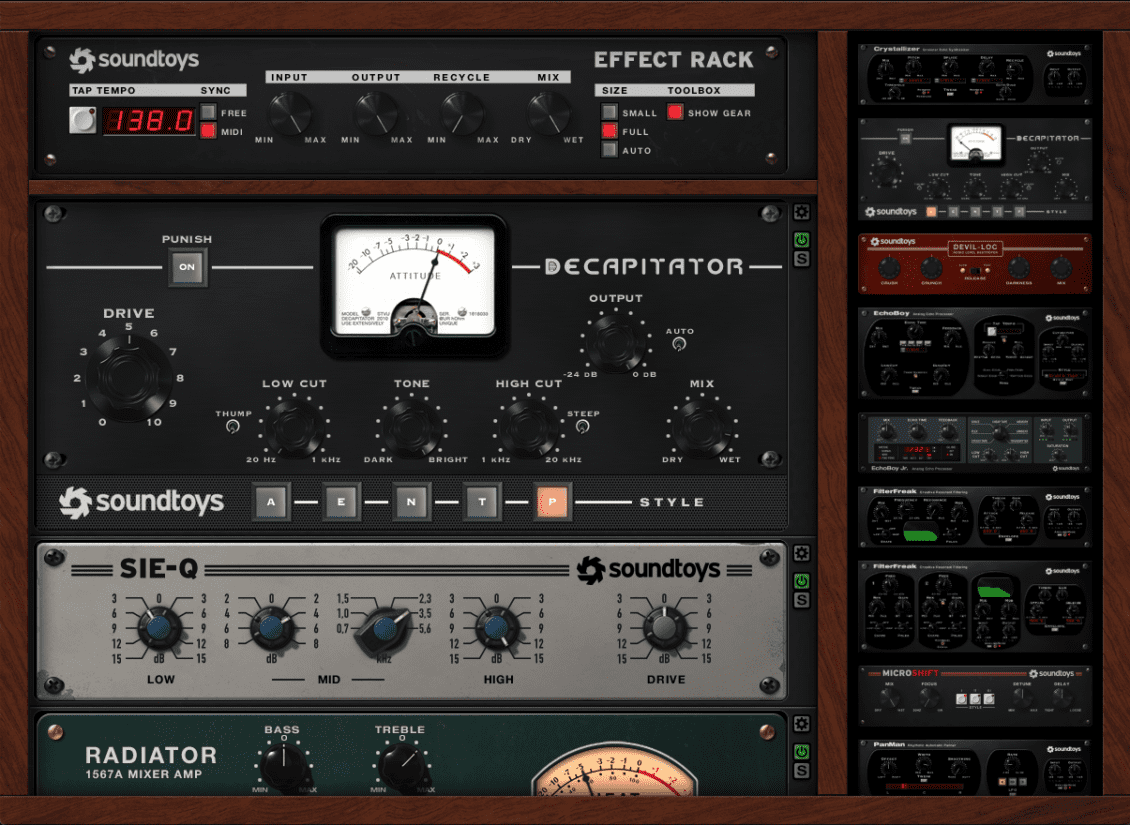
Use Decapitator for analog-style grit: choose A or E drive models for subtle harmonics, then set drive for coloration not destruction—aim for 1–6 dB of perceived gain. For more aggressive character, patch Devil-Loc in parallel: squash a duplicate of the hit heavily and mix it under the original to introduce texture without killing transient snap. Use high-pass filtering on the distorted channel to keep low-end clean and avoid masking the kick.

8. Modulation techniques: filter and pitch LFOs to impart life
Apply slow LFOs to filter cutoff or pitch to make static loops feel organic; small amounts work best—think tiny pitch wobble or a 0.1–1.0 Hz filter sweep. Sync or unsync LFO rates to match the groove: sync for rhythmic gating-style movement, free-running for drifting magnetism. Use multiple modulators at different rates for micro-variation—one LFO for fast tremolo and another for slow filter drift—to create layered motion that remains subtle in a minimal arrangement.
9. Practical signal chain examples and step-by-step settings
Try this starter chain for a resampled hat: resample → Decapitator (A, drive 2–4) → EQ (cut below 200 Hz, slight boost at 4–7 kHz) → EchoBoy (tape model, 1/8T, feedback 24%, lowpass 6 kHz, mix 20%) → PrimalTap send (short time, spread 30%). Bounce and import the processed file; now apply a pitch LFO (0.2 Hz, amount 5–20 cents) and lightly compress for glue. Use parallel distortion for more grit and always compare with the original dry sound to ensure the character enhances groove rather than distracts.
10. Before/after and mix-level tips to translate across plugins
A clean A/B will show you what to keep: before is tight and clinical, after should have texture, space and movement. Use sends rather than inserts for delays and PrimalTap to preserve transient clarity; set send levels so wet tails sit behind the main hit—typically -6 to -12 dB relative to the dry. When moving to other plugins, recreate the same signal flow: tape-delay emulation → diffusion/delay multitap → analogue saturation → modulation; the order and balance are what create the result, not the brand name.
11. Slotting textures into a minimal arrangement and performance tips
Treat resampled textures like instruments: assign them to their own group, control dynamics with subtle sidechain to the kick, and automate presence across sections. For DJ-friendly versions, keep stems dry and processed separate so you can drop in textures live or fold them into transitions. When playing with others or in a set, use slightly different resampled variants to keep continuity but avoid repetition—rotate similar textures every 32 or 64 bars.
Closing note Minimal techno rewards small details—tactile resampled hits, dub delays that live in the gaps, and saturation that feels like your hands on the console. Use these chains as starting points, commit to iterative resampling, and lean on aux sends to keep control. Tweak slowly, compare A/B, and remember: a little grit and motion can turn a spare loop into a hypnotic groove that holds a dancefloor.
Sources:
Know something we missed? Have a correction or additional information?
Submit a Tip