Protect your Social Club - essential GTA account security checklist
Quick checklist to secure your Rockstar Social Club and platform accounts and avoid theft, bans, and scams.
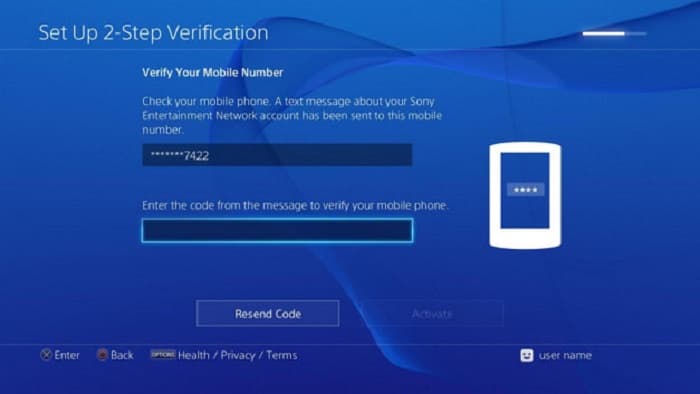
Account theft, phishing, and illicit account sales remain major risks for GTA players. Protecting your Social Club and platform logins is the single most effective step to safeguard progress, avoid bans, and keep crew members safe from spillover scams.
Enable 2‑Step Verification (2SV) as your first move. Turn on 2SV for your Rockstar account to require a second authentication factor — either a recovery email/phone or an authenticator app — for logins and any sensitive account changes. Two-step protection stops most credential-theft attempts in their tracks and is quick to set up.
Use unique, strong passwords across every service. Never reuse a password you use on other sites. Create long, memorable passphrases or use a password manager to generate and store complex credentials. If your email or console password is the same as your Social Club password, a single leak can cost you your whole account.
Guard your credentials and never hand your account to strangers. Do not share your Rockstar account, Social Club login, or platform credentials with boosters, sellers, or unknown players offering fast progress. Handing control to third parties violates Rockstar terms of service and risks permanent bans and account loss. Selling or buying accounts exposes both parties to scams and community harm.
Beware of phishing and scam tactics. Official Rockstar communications will come from rockstargames.com domains and verified Rockstar social accounts. Be suspicious of emails, DMs, or third-party pages that ask for passwords, promise account sales, or push you to enter credentials on an unfamiliar site. If a deal sounds too good to be true, it usually is.
Keep platform security up to date. Enable platform-level protections where available, such as two-factor authentication on PSN, Xbox, Steam, or Epic. Use unique email and password combinations for each platform account and your Rockstar account so one compromised service doesn't cascade into others.
Recover quickly and report suspicious activity. Add a recovery email and phone to your Social Club account so you can regain access fast. If you suspect a compromise, change passwords immediately and submit a ticket to Rockstar Support. Report boosters, account sellers, or suspicious in-game behavior to Rockstar so moderators can act and the community stays safer.
Practical next steps: enable 2SV, rotate to unique passwords with a password manager, add recovery contacts, check recent login activity, and flag suspects to Rockstar. Staying vigilant protects your vehicles, cash, and crew reputation — and helps keep the GTA Online economy and community cleaner for everyone.
Sources:
Know something we missed? Have a correction or additional information?
Submit a Tip