Step-by-Step Guide to Lubing Stabilizers with Krytox 205g0 for Quieter Typing
Learn the practical steps, tools, and best practices to lube keyboard stabilizers with Krytox 205g0 for less rattle and a smoother, quieter typing feel.
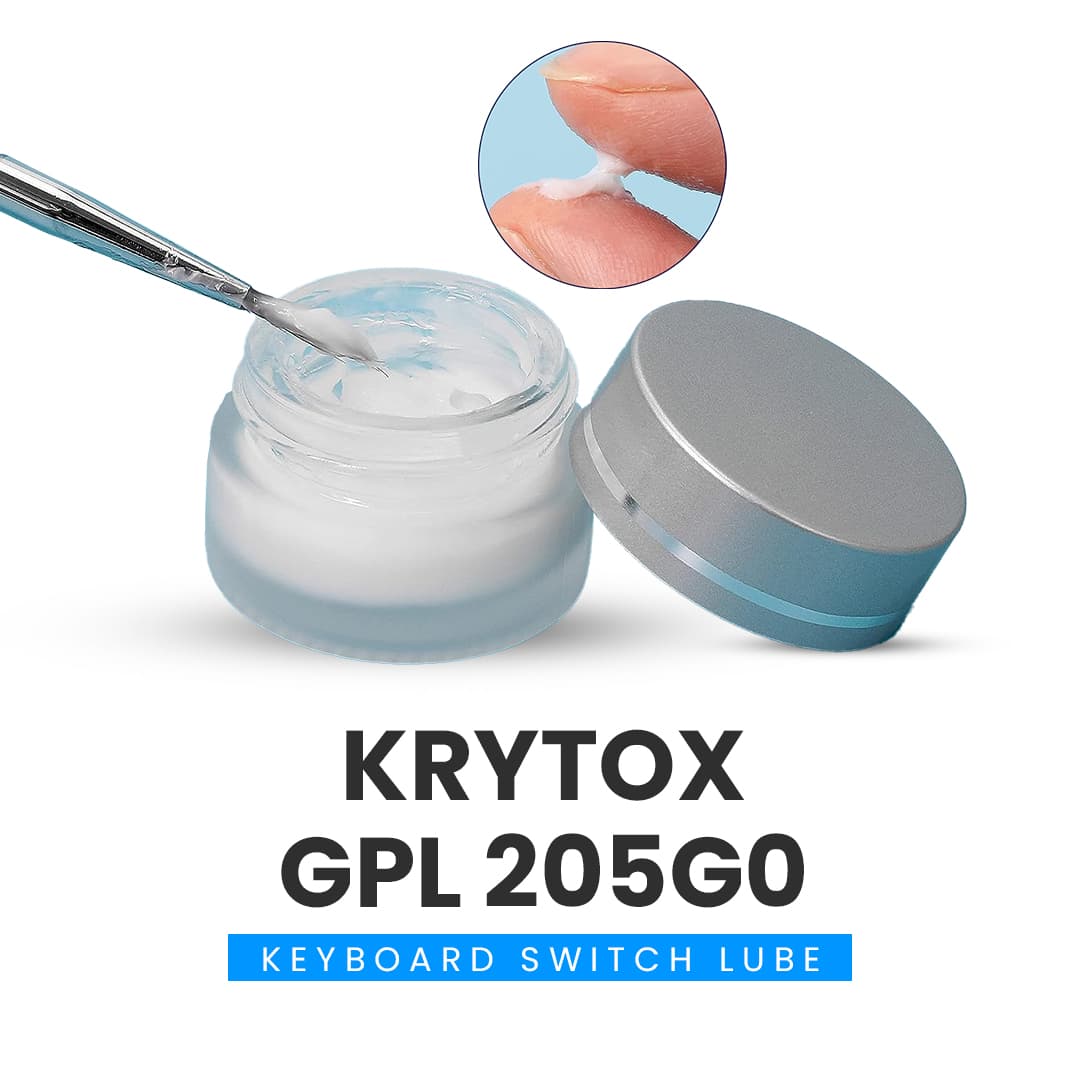
Start by understanding why stabilizer lubing matters: stabilizers create most of the large-key rattle and snap, and properly applied Krytox 205g0 can dramatically reduce wire-to-housing friction and the resulting noise while smoothing travel.
1. Why lubing stabilizers matters
Lubing stabilizers reduces the wire-to-housing friction that creates the characteristic snap, rattle, and uneven feel on larger keys. Krytox 205g0 is the industry-recommended thick grease for this purpose because its viscosity stays put under pressure, damping movement without gumming up. When you lube stabs correctly, the change is audible and tactile, expect fewer high-pitched clicks and a more solid bottoming feel that blends with your switches.
2. Tools and supplies you’ll need
Gather small brushes (fine synthetic or disposable), a keycap puller, a switch puller (if doing plate-mounted switch removal), a small Phillips or hex screwdriver for PCBs/plates, Krytox 205g0, and small plastic pads if you plan a band-aid mod. Have some lint-free cloths and isopropyl alcohol on hand for cleaning. A tray or magnetic mat keeps screws and tiny parts in order, and clear labeling of stabs (e.g., which row) saves headaches during reassembly.
3. Prep: workspace and keyboard teardown
Set up a clean, well-lit workspace with steady airflow and a soft mat to avoid scratches. Remove keycaps using the keycap puller, and if needed desolder or use a hot-swap switch puller to access plate-mounted stabilizers; keep screws and parts sorted. Take photos or a quick phone video of your stabilizer orientation and which stabilizer goes where, it’s an easy insurance policy during reassembly.
4. Remove and inspect stabilizers
Carefully unclip or unscrew stabilizer housings and lift wires out, inspecting housings, stems, and wire legs for wear, burrs, or excess factory grease. If you see burrs or rough edges on the wire, gently file or smooth them with fine sandpaper or a needle file; sharp burrs will still squeak even after lubing. Note whether your stabilizers are PCB-mounted, plate-mounted, screw-in, or clip-in, the installation type affects later reassembly and potential upgrades.
5. Clean existing grease and contaminants
If your stabilizers have factory grease or are dirty, clean housings and stems with a lint-free cloth dampened with isopropyl alcohol and allow parts to dry. Do not soak or use solvents that damage plastics; Krytox-friendly cleaning is limited to alcohol for surface contaminants. Proper cleaning ensures Krytox 205g0 bonds to the contact surfaces and prevents grit from being trapped under the grease.
6. Apply Krytox 205g0 to housings and stems
Use a small brush to apply a thin, even layer of Krytox 205g0 inside the housing rails and on stem rails where the stem contacts the housing. A light coat is key, too much grease will make the stabilizer sluggish and attract dust; too little won’t remove rattle. Work the grease into contact surfaces, then gently move the stem back and forth to spread the lubricant evenly and seat it correctly.
7. Lube the wire and contact points
Apply a thin stripe of Krytox 205g0 along the wire where it contacts the housing and the inner legs where they slide in the housing; avoid coating the entire wire in a heavy blob. Pay special attention to the bent legs and the areas that clip into the housing, these are the primary friction points that cause snap and rattle. After applying, run the wire through the housing several times so the grease distributes to any microscopic contact spots.

8. Reassemble stabilizers and check movement
Reinsert stems, housings, and wires, making sure everything sits flush and the wire orientation matches your photos. Press each stabilized key a few dozen times to work the grease in; you should feel smoother travel and hear less snap immediately. If the key feels wobbly or sticky, disassemble and inspect for excess grease, misaligned stems, or foreign material.
9. Test sound and compare before/after
Listen closely for a reduction in high-frequency snap and a cleaner, deeper thud; the difference is often dramatic on spacebars, shifts, and enters. Watching demo videos that show before/after comparisons can sharpen your expectations and technique, look for demonstrations that show careful application without over-lubing. Record your own before/after clips; community feedback on forums and Discord groups often helps fine-tune how much grease you actually need.
10. Combine lubing with complementary stabilizer mods
To chase a specific sound/feel, combine Krytox 205g0 with band-aid mods (small plastic pads under the PCB/plate), clipping the housing ears on certain stabilizers, or upgrading to screw-in stabilizers for a firmer mount. The band-aid mod dampens bottom-out impact and pairs well with a lube job to reduce hollow sound. Many builders report the best results come from a judicious combo: lube first, then add band-aid or screw-in hardware if you still want less flex or further tonal changes.
11. Troubleshooting and maintenance
If you still hear rattle after lubing, re-inspect for misaligned stems, insufficient grease on the wire legs, or worn wire legs that need replacement. Over time, Krytox 205g0 holds up well but attract dust if over-applied; plan for occasional checkups (every 12–24 months depending on use) to refresh grease. Share clips and photos with the community when you’re stuck, collective experience often reveals small fixes like repositioning the wire or trimming a problematic housing tab.
12. Practical community tips and etiquette
When you post lubing builds or ask for help, include clear photos, the stabilizer type, and whether you used Krytox 205g0; specifics get you better feedback faster. Respect local group norms about modding advice: some members prefer minimal mods for reversibility, others go full clip-and-band-aid, be upfront about whether you want reversible or permanent changes. Swap notes on quantities and brush techniques; small differences in application make big differences in outcome.
End with a hands-on mindset: start small, lube conservatively, and test frequently, Krytox 205g0 is forgiving but most sonic mistakes come from over-enthusiasm, not under-lubing. Quieting your stabilizers is one of the highest-impact, lowest-cost upgrades you can do; when you get it right, your keyboard will feel tighter, sound richer, and make every keystroke happier.
Know something we missed? Have a correction or additional information?
Submit a Tip