VertexMods Publishes Comprehensive txAdmin Guide for FiveM Server Administrators
VertexMods' txAdmin guide, published March 4, 2026, gives FiveM server admins step-by-step installation, first-run setup, recipe-driven deployments, and dashboard and logging best practices.
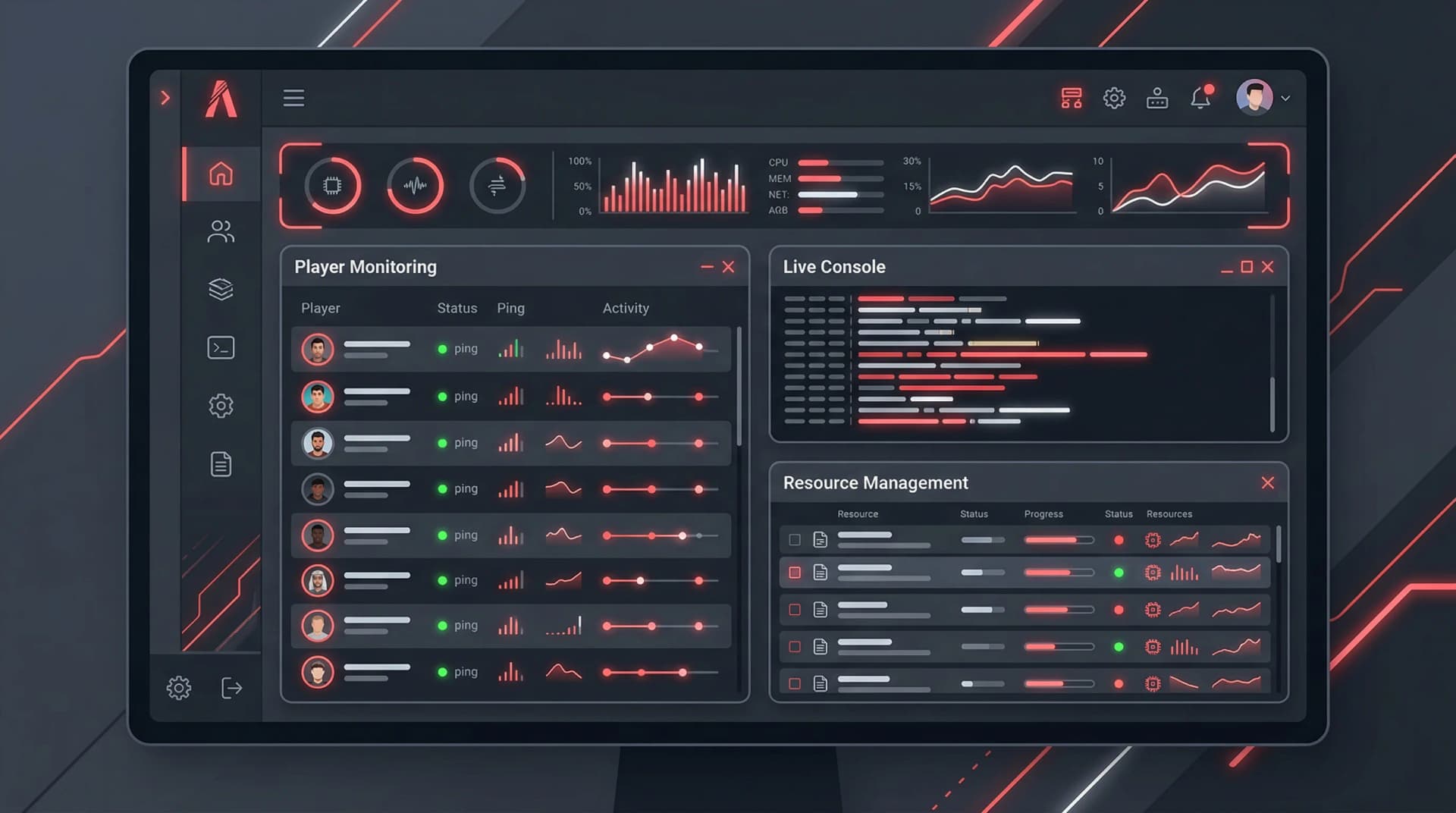
txAdmin, as featured in VertexMods' comprehensive guide published March 4, 2026, is presented as a one-stop reference for FiveM server administrators who want predictable installs and repeatable deployments. The guide promises concrete outcomes: follow the installation steps to get a working txAdmin instance, complete the first-run setup wizard without guesswork, and use recipe-driven deployments to reduce human error during updates. If you manage an FXServer, this guide is built around those concrete tasks and aims to cut admin setup time while improving operational visibility through the dashboard and logging features documented by VertexMods.
Installation: step-by-step and outcome-focused
VertexMods lays out the installation steps so you can produce a functioning txAdmin panel at the end of the process. The guide breaks implementation into clear tasks: prepare your server environment, install txAdmin files, and confirm connectivity to your FiveM server. VertexMods emphasizes outcomes for each step so you know when you are done: a reachable web dashboard, an active txAdmin service, and a validated connection between txAdmin and your server instance. The guide also flags common failure points and gives direct prompts to check ports, service accounts, and file permissions during the install sequence.
Follow these sequential prompts exactly as written in the guide to avoid common pitfalls: 1. Ensure your FXServer environment meets prerequisites and that you have a current backup of server configuration files. 2. Run the txAdmin installation steps from VertexMods' recipe, then confirm web dashboard access. 3. Complete the first-run setup wizard, validate API keys and server tokens, and run a test restart.
First-run setup wizard: what to expect and why it matters
VertexMods documents the complete first-run setup wizard so you do not skip critical configuration. The guide takes you screen by screen through the wizard, highlighting the fields that affect server visibility, admin accounts, and automatic restart behavior. VertexMods stresses that the wizard is not merely optional; it seeds your txAdmin data store with the settings that enable recipe-driven deployments and logging. The guide includes prompts to create an admin account, configure safe restart windows, and set initial logging levels so the dashboard receives usable telemetry from the first run.
Recipe-driven deployments: reproducible updates for FiveM servers
One of the headline features covered by VertexMods is recipe-driven deployments, which the guide frames as the path to reliable, repeatable server updates. Recipes in VertexMods' documentation are described as declarative bundles that capture plugins, config changes, and restart rules so an update applied today can be replayed tomorrow with identical results. The guide explains when to use a full add-on build versus a standard download and gives examples of recipes that automate common tasks like map packs and permission changes. VertexMods encourages storing recipes alongside versioned configuration so rollbacks and audits become straightforward parts of your deployment lifecycle.
- Tip: keep a copy of the active recipe in your repository and tag it with a version number before you apply changes in production.
Dashboard and logging features: actionable telemetry
VertexMods details the txAdmin dashboard and its logging features as essential tools for everyday server administration. The guide walks through dashboard panes that show player sessions, resource status, and scheduled tasks, and it emphasizes how txAdmin's logs feed these displays. VertexMods advises configuring multiple logging levels during the first-run wizard so the dashboard surfaces actionable alerts rather than noise. The guide also explains retention and export options so you can preserve logs for audits, dispute resolution, or diagnosing crashes.
- Practical point: configure logging to capture at least 24-72 hours of rolling data so you can correlate player reports with server-side events captured by txAdmin.
Player management and related controls
VertexMods includes coverage of player-related features in txAdmin, focusing on the controls you need most on a live FiveM server. The guide spells out how txAdmin integrates player lists, ban and kick workflows, and session inspection into the core dashboard experience. VertexMods frames these tools as operational levers: use them to reduce admin response time to griefing or to collect session evidence for appeals. By linking player actions to the txAdmin logs and to recipe-driven deployments, the guide shows how to make player management both reactive and auditable.
Backup checklist and installation warnings
VertexMods builds a strict backup checklist into the guide because txAdmin installs and recipe changes can be destructive if applied without a snapshot. The guide gives step prompts and explicit warnings: back up server.cfg and any custom resources, export txAdmin's data directory before applying recipes, and snapshot the host environment if you are deploying to a cloud instance. VertexMods recommends validating backups by restoring to a test environment so a rollback is not only possible but proven.
- Backup checklist from the guide:
- Export txAdmin data and server configuration
- Tag and store your current recipe in version control
- Snapshot or create an AMI of the host machine if applicable
- Validate the restore procedure in a staging instance
Operational best practices and daily workflows
VertexMods turns the guide into a practical playbook for daily FiveM server operations: schedule routine restarts through txAdmin, use recipe deployments for predictable updates, and monitor the dashboard for resource and player spikes. The guide pushes admins to automate where possible, including scheduled map updates or timed restarts, and to use logging both for trend analysis and for specific incident investigations. VertexMods' approach translates technical features into daily actions so the admin who reads the guide can walk away with a prioritized to-do list for the coming week.
Troubleshooting and recovery scenarios
VertexMods does not leave admins stranded after deployment: the guide includes common troubleshooting scenarios and recovery steps for txAdmin-related failures. For example, if the dashboard fails to load, the guide tells you which services to inspect and which ports to verify; if logs stop streaming, VertexMods points to likely culprits in resource configuration or permissions. These recovery scenarios are written as checklists with clear expected outcomes so you can confirm resolution before returning the server to live status.
Conclusion VertexMods' txAdmin guide, published March 4, 2026, is structured to take a FiveM server administrator from a blank host to an auditable, recipe-driven deployment pipeline with an operational dashboard and active logging. The guide’s emphasis on installation outcomes, a complete first-run wizard walkthrough, reproducible recipes, and a strict backup checklist makes it a practical manual for reducing downtime and improving daily admin workflows. If you manage a live FiveM server, VertexMods' documentation gives you the steps and prompts to make server operations repeatable and visible, not just hopeful.
Know something we missed? Have a correction or additional information?
Submit a Tip