Canva and Template Marketplaces Reshape Baby Shower Planning for Hosts
Design platforms like Canva have turned baby shower planning into a coordinated brand exercise, but hidden tradeoffs in print quality and guest-data privacy demand attention.
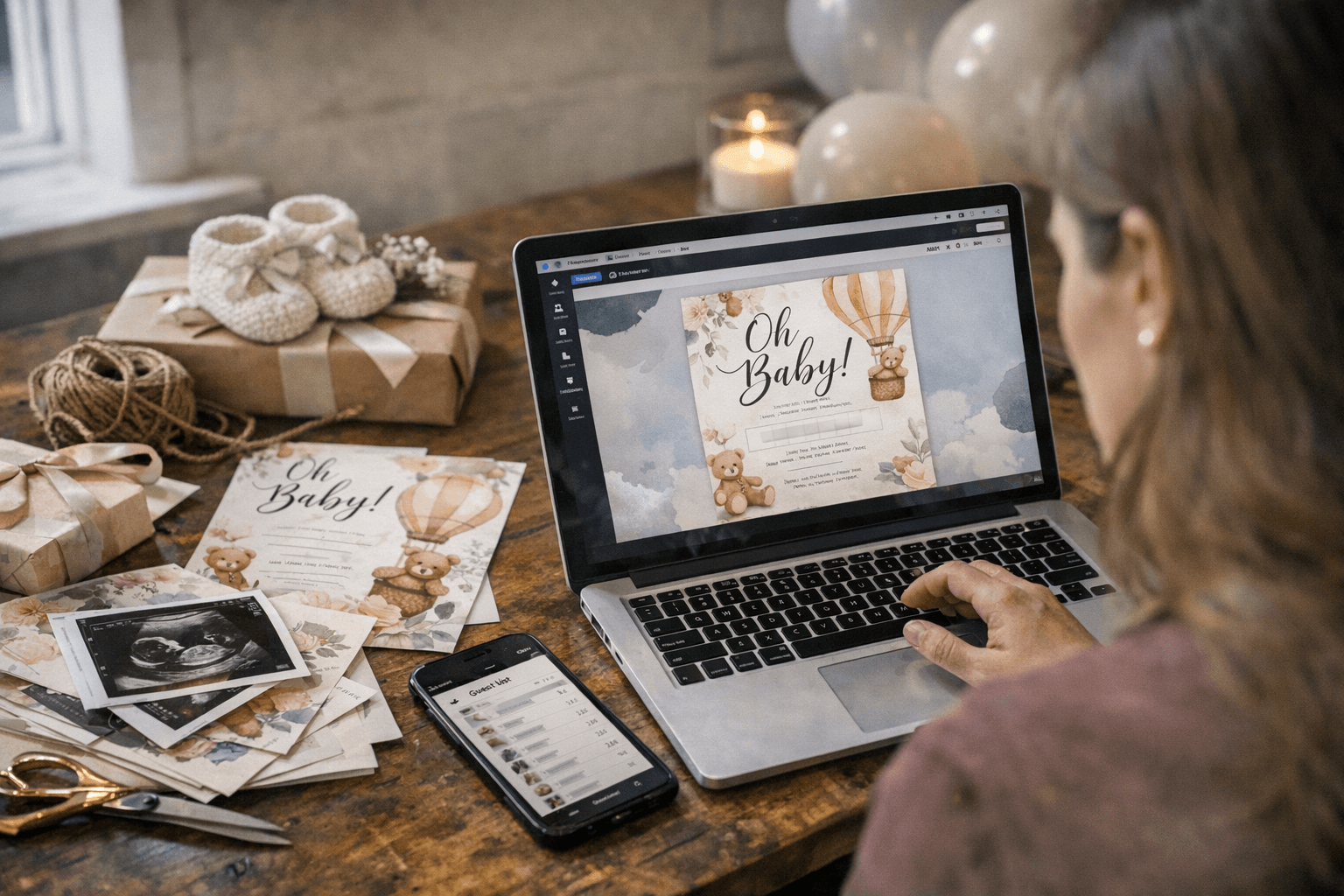
The invitation used to be the first thing you designed and the last thing you thought about again. Now it's the seed of an entire visual system. Over the last 18 to 24 months, self-service design platforms, led by Canva's curated baby shower collection, have compressed what once required a stationer, a print shop, and a graphic designer into a single browser tab. The result is a higher baseline for what hosts expect to pull off, and a sharper set of decisions they need to make before they click "send."
From a Single Invite to a Coordinated Brand
Canva's baby shower collection centralizes templates for invitations, menus, signs, and social posts under one visual roof. A host can open a color palette, set a font pairing, and apply both across a digital invitation, a printed welcome sign, an Instagram announcement, and a thank-you card without ever touching a second tool. That consistency, which once took a boutique stationery studio days to produce, now takes minutes.
Etsy's marketplace illustrates just how far the ecosystem has grown: a search for Canva baby shower templates surfaces more than 5,000 items, ranging from two-sided invitation bundles sold by shops like High Forest Designs to full game-pack collections with instant download. Creative Fabrica operates similarly, offering editable Canva packs aimed at hosts who want a polished, brandable look without hiring a designer. These template microbusinesses have created a new tier of the event industry, sitting between generic free tools and full custom design services.
The Step-by-Step Workflow: Invite Through Thank-You
The clearest operational shift is that hosts are now managing a multi-channel touchpoint system, not just mailing a card. A practical workflow looks like this:
1. Choose your design system. Lock in your template, color palette, and font combination inside Canva before producing any asset. Export a master style sheet or save your design as a brand kit so every subsequent piece stays consistent.
2. Build and send the invitation. Export your Canva design as a high-resolution PDF or JPG, then import it into a dedicated RSVP platform. Paperless Post allows hosts to upload custom designs, send via email, text, or shareable link, and track RSVPs with guest messaging built in, all without running ads to your guests. Evite supports up to 750 guests on its free tier and includes group chat, but it does collect guest email addresses for its own marketing, a tradeoff worth knowing before you import your contact list.
3. Produce your print collateral. Use the same Canva file to generate welcome signs, seating charts, menus, and favor tags. Canva's 2025 library includes templates tagged "Print-Ready" with CMYK color settings and bleed margins already configured. For physical output, on-demand printers like VistaPrint, Costco Photo Center, and FedEx Office accept direct uploads; for home printing, paper stock of at least 100 lbs is recommended to handle the ink load of saturated designs.
4. Close the loop with thank-yous. Return to your original Canva template, swap the headline copy, and produce a matching thank-you card in the same visual language. The guest list you captured during RSVP becomes the distribution list; some hosts export it directly into a mailing service to send digital thank-yous.
The Hidden Tradeoffs
The convenience of this ecosystem comes with friction points that are easy to overlook until they create problems.
*Print quality and color accuracy.* What looks vivid on a calibrated monitor does not always survive a home inkjet. Canva operates in RGB color space by default, and many of its stock graphics are optimized for screen display. When designs move to professional print, colors can shift noticeably unless the file is exported with CMYK conversion and correct DPI. Etsy sellers routinely flag this in their listing notes, warning buyers that "colors may not match exactly as there are variations in paper, monitors, and print settings." Sticking to Canva's Print-Ready tagged templates and ordering a single proof before a full print run eliminates most surprises.
*Guest privacy.* The multi-platform workflow means guest contact data moves across several services. Evite's advertising-supported model involves collecting guest emails for marketing purposes. If your guest list includes people who would object to that, Paperless Post's explicitly ad-free positioning is a meaningful alternative. For hosts who want full control, creating a private Google Form for RSVPs and keeping the guest list entirely off third-party event platforms is a low-tech option that keeps data minimization intact.
*Cultural and etiquette fit.* Template marketplaces optimize for visual trends, not cultural context. Designs heavy on gender-reveal color coding, Western florals, or specific religious imagery may not translate cleanly across guests from different backgrounds. Browsing Canva's collection by keyword rather than by "trending" filters gives hosts more control over tone; searching for "neutral," "minimalist," or "modern" returns results that tend to travel across etiquette contexts more gracefully.
What Vendors and Pro Planners Need to Adjust
For professional planners and baby shower studios, the template ecosystem has redrawn client expectations in two directions simultaneously. Clients arrive with more creative ambition (they've already browsed 200 Canva templates before the first meeting) but less patience for production timelines. The service packages that now resonate are ones that deliver editable source files, printable PDFs, social stills, and short video assets as a bundle rather than charging separately for each format.
On the vendor side, on-demand print shops and RSVP platforms face competitive pressure to integrate directly with Canva's ecosystem. Platforms that offer one-click "print pack" fulfillment and API-level import from Canva files reduce the friction that currently causes hosts to abandon the professional print option in favor of home printing. Interoperability is becoming a competitive lever: a host who designs in Canva, sends through Paperless Post, and tracks RSVPs on Evite is already stitching together three platforms manually, and the first provider to collapse that into a seamless handoff earns the relationship.
Licensing is a quieter issue that both hosts and vendors regularly overlook. Templates purchased from Etsy sellers and Creative Fabrica typically carry personal-use licenses: the buyer can produce physical copies for their own event but cannot resell the design or use it commercially. Planners who build client deliverables on top of third-party templates need to verify they hold a commercial license before including that work in paid service packages.
Design SaaS as Operational Infrastructure
The most significant shift is not aesthetic but structural. Canva and its template marketplace partners now function as the operational backbone of a modern baby shower: the design layer that connects the invitation to the RSVP platform, the RSVP platform to the print shop, and the print shop to the social share. Hosts who treat the platform choice as a one-time decision made at the invite stage, rather than a system selected at the start of planning, spend the rest of the process managing inconsistencies. The ones who build a coherent design system early, export consistent asset packages across every channel, and stress-test their print files before event week find that the technology genuinely delivers on its promise: boutique-quality aesthetics at a fraction of what custom design once cost.
This article was produced by Prism’s automated news system from verified source data, official records, and press releases, then run through automated quality and moderation checks before publishing. The system is built and supervised by the people who set the standards it runs under. Read our full AI policy.
Did this article answer your question?