Nintendo details Switch 2 updates, game compatibility, and support process
Nintendo’s Switch 2 guidance draws a clear line between automatic updates, game-by-game compatibility, and support triage. For QA and support teams, the real story is how much launch friction the documentation tries to prevent.
Nintendo turns Switch 2 support into an operations playbook
Nintendo’s Switch 2 guidance does more than explain a console feature. It lays out the rules of a live service environment: some Switch games get free updates, some do not, and compatibility is something Nintendo says it will keep testing rather than a promise it treats as fixed. For QA, customer support, and publishing teams, that is the important signal. The company is telling users how updates are delivered, what can change after launch, and where the edge cases still live.
Free updates are selective, not automatic across the catalog
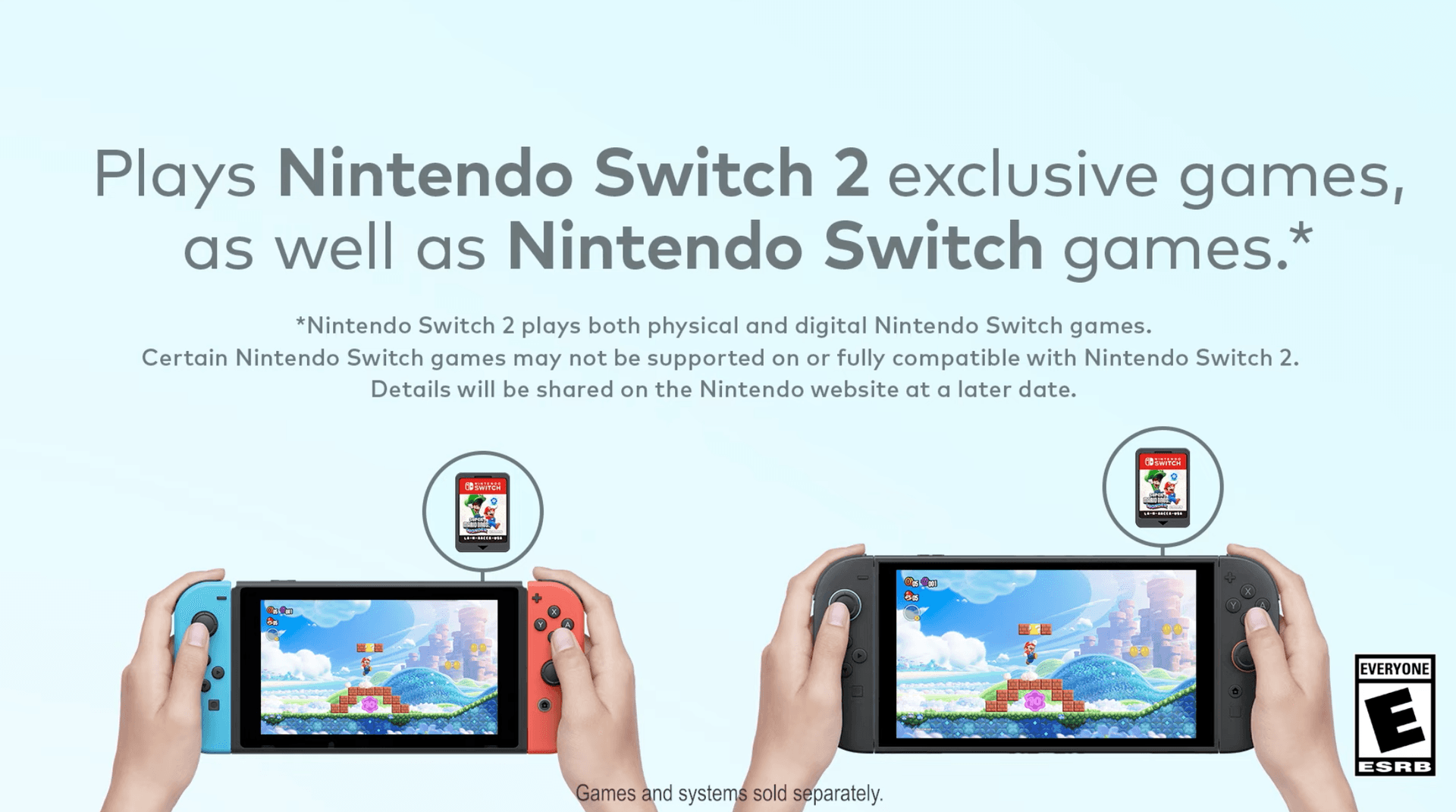
Nintendo says selected Nintendo Switch games will receive free updates on Nintendo Switch 2. Those updates are not simply waiting in the background by default. The console must be connected to the internet, and a system update has to be performed before the free game updates are downloaded.
That matters because it draws a straight line between basic setup and feature access. If a player expects a free enhancement but has not completed the system update flow, the game may appear unchanged. Nintendo also says the contents of those free updates differ by game, which means the label “free update” is only the start of the story. Some updates may improve graphics, while others add support for features such as GameShare.
For teams inside Nintendo, that creates a familiar support problem: the same message means different things to different players. A packaging, patch-notes, and customer support workflow has to make the distinction explicit so players understand whether they are looking for a visual upgrade, a feature unlock, or a compatibility fix.
Compatibility is managed, not assumed
Nintendo’s transfer guidance adds the other half of the equation. Players can move digital games, certain save data, and settings straight over to Nintendo Switch 2, and compatible Nintendo Switch games can continue to be played. But Nintendo is also clear that not every Switch game is guaranteed to work perfectly.
The company says some Nintendo Switch games may not be supported on or fully compatible with Nintendo Switch 2. Future testing and updates may increase the number of supported titles, but some games may take longer to become playable, may have partial functionality issues, or may not be supported at all.
That is a useful lens for publishing and QA. It shows Nintendo treating cross-generation support as an ongoing service layer, not a one-time launch checkbox. The practical implication is that compatibility matrices, regression testing, and store-facing messaging all need to stay synchronized. If a title is playable with caveats, the support path has to reflect that nuance before it becomes a ticket spike.
System updates are framed as a normal part of ownership
Nintendo’s system update support page gives a simple operational picture. In most situations, the console automatically downloads the most recent system update while it is connected online. Users can also verify their current menu version and manually start an update from System Settings if needed. If the update fails, Nintendo says to restart the console and try again.
That sequence sounds basic, but it is exactly the sort of detail that cuts down on avoidable launch-day confusion. It tells support staff what the first response should be when a player says a feature is missing or a game enhancement is not showing up. It also creates a predictable test path for QA: check whether the console is online, confirm the current version, trigger the manual update, and verify recovery behavior if the update fails.
Nintendo says these update efforts are part of an ongoing attempt to improve the functionality of its systems and services via the internet. In practice, that means Switch 2 is being managed like a platform that can change under the user without a full hardware refresh. For an organization built on quality-first expectations, that raises the bar on clarity as much as on code.
Update history shows how much a system patch can change
Nintendo’s Switch 2 update history makes the scope of those changes easy to see. The history includes friend notes, GameChat improvements, storage breakdown views, accessibility language additions, audio tests, Airplane Mode controls, and parental-control notifications. That list is not just housekeeping. It shows that a system update can touch social features, accessibility, storage management, and family controls in one pass.
The storage view update is a good example of a feature with direct support value. Nintendo says the system can now show a breakdown of storage capacity by data type for system memory and the microSD Express card. That kind of detail helps players understand where space is going, and it gives support teams a better starting point when a game will not install or a transfer seems stuck.
The same is true for the accessibility language additions and parental-control notifications. Those are not flashy features, but they shape how different households experience the machine. From an internal operations perspective, they also widen the test matrix. A patch that changes language behavior or notification flows is not a minor UI tweak, it is a support issue waiting to happen if the rollout is not checked carefully.
GameChat raises the stakes for online support
Nintendo says GameChat is brand new on Switch 2 and supports voice chat, video chat, screen sharing, and playing together. Up to 12 friends can chat in a group, and up to four people can use video chat with a compatible USB camera sold separately.
That is a lot of surface area for a first-generation social feature. It touches network stability, device compatibility, camera setup, and group behavior all at once. For QA teams, GameChat needs far more than a basic success test. It needs checks for group limits, camera recognition, voice quality, screen-sharing behavior, and how the feature behaves when users join, leave, or fail to connect.
For customer support, the challenge is equally clear. A player who cannot get video chat working may be running into one of several issues at once: the wrong camera, a missing accessory, a network problem, or an expectation mismatch about how many people can join. Nintendo’s own documentation helps narrow that field, which is exactly what a good support system should do before the tickets pile up.
Regional release notes double as a public change log
Nintendo’s UK materials also show how these free-update messages can function as a public-facing record of support. They include a May 6, 2025 release date for free-update content on titles such as Game Builder Garage and New Super Mario Bros. U Deluxe. That kind of date-stamped note is useful because it gives players and internal teams a clear reference point for when an enhancement became available.
For publishing teams, that is a reminder that update labeling is not cosmetic. It affects how a title is described, how expectations are set, and how quickly a support team can diagnose a complaint. A player who sees a game listed as eligible for a free update still needs to know whether the console is current, whether the game has been updated, and whether the feature they want is part of that specific patch.
Nintendo’s Switch 2 guidance is ultimately about friction management. It tries to keep players from mistaking a compatibility caveat for a bug, a missing feature for a broken install, or a delayed update for a permanent problem. For a company that stakes so much on polish, that kind of documentation is part of the product, not an accessory to it.
This article was produced by Prism’s automated news system from verified source data, official records, and press releases, then run through automated quality and moderation checks before publishing. The system is built and supervised by the people who set the standards it runs under. Read our full AI policy.
Did this article answer your question?
