OSHA workstation guidance highlights ergonomic risks for Nintendo employees
Nintendo’s screen-heavy jobs can wear on wrists, necks, and focus long before anyone files an injury report. OSHA’s workstation guidance points to small fixes that help protect quality and health.

What OSHA is really warning desk workers about
The risk in a computer-heavy workplace is often not a dramatic accident but a slow build of strain that gets normalized until it is hard to ignore. OSHA says most workstation-related injuries or illnesses are ergonomic in nature and may be difficult to diagnose, which is exactly why Nintendo teams should treat discomfort as an operational issue, not a personal nuisance.
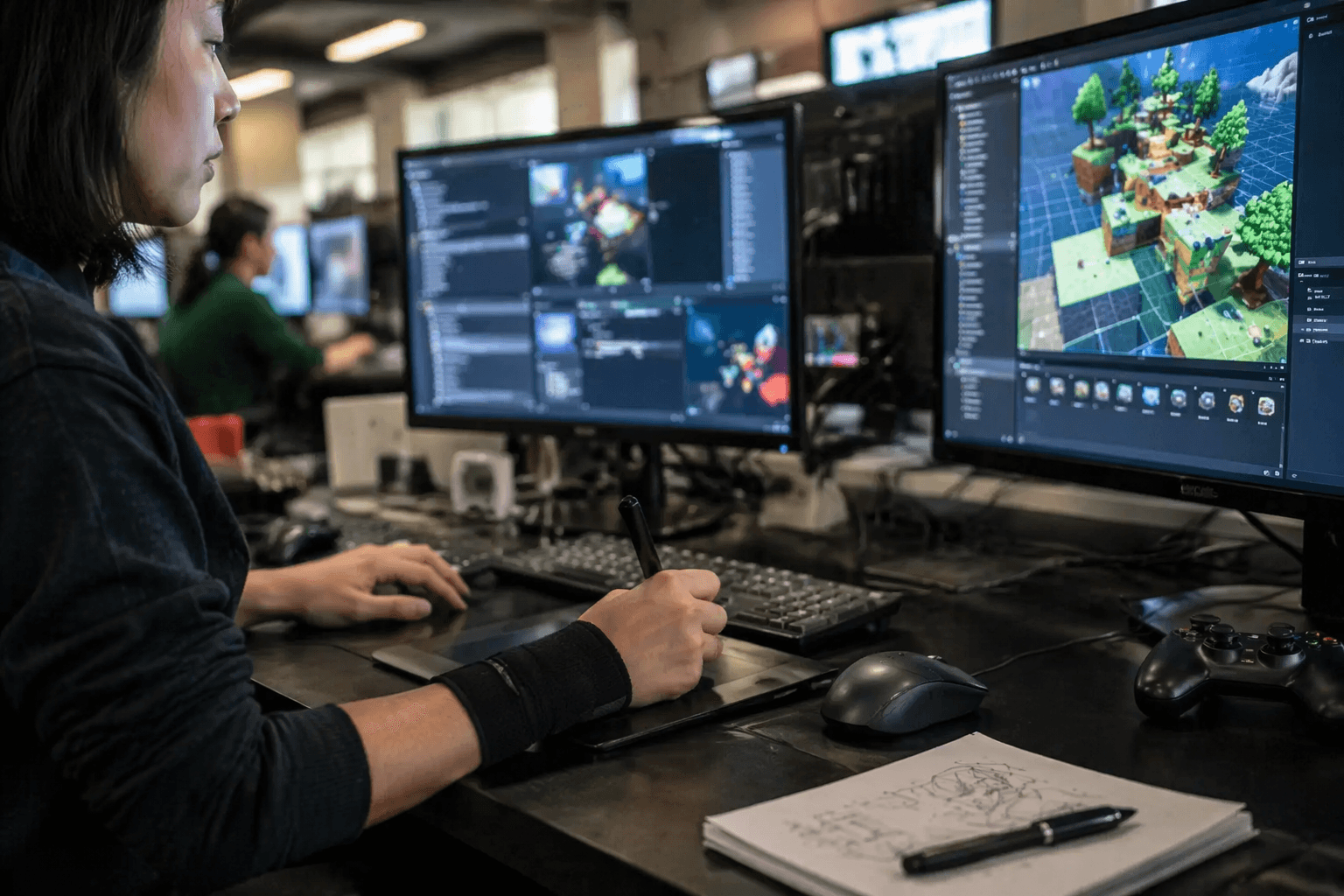
That matters in an environment where long hours can disappear into design reviews, debug sessions, localization checks, QA passes, compliance work, and production meetings. When the work depends on sustained concentration, small failures in setup can quietly erode attention, speed, and comfort long before they become formal health complaints.
OSHA also makes a point that is easy to miss: there are no specific OSHA standards that apply to computer workstations. Even so, existing standards on electrical safety, radiation exposure, and noise still apply to office environments, so ergonomics is not a free-for-all. It sits inside a broader duty to keep the workplace safe, even when the hazard is less visible than a machine guard or a spill.
What a better workstation looks like
OSHA’s core principle is neutral body positioning, which means joints are naturally aligned and the body is not reaching, twisting, or holding tension just to stay in place. In practical terms, that starts with keeping the monitor directly in front of you and at least 20 inches away, with the head and neck lined up rather than tilted forward.
The keyboard and chair matter just as much. OSHA says a well-designed, adjustable chair is an essential element of a safe and productive workstation, and the eTools guidance says to adjust chair height and work surface height so the elbows are about the same height as the keyboard. That reduces the urge to shrug the shoulders, bend the wrists, or lean into the screen to compensate for a bad setup.
For developers and designers, this is not just about comfort. A workstation that lets you sit neutrally makes it easier to sustain the kind of long review cycles Nintendo is known for, where precision and consistency matter as much as speed. In a quality-first culture, the workspace should support that standard instead of fighting it.
The hidden load on QA, localization, and support work
QA testers often pay the steepest price for repetitive input because the task itself can be mechanically narrow. OSHA warns that several uninterrupted hours of mouse use can expose the hand’s muscles and tendons to hundreds or thousands of repetitions, which helps explain why a wrist that feels merely tired at 11 a.m. can feel unreliable by late afternoon.
That same repetition shows up in localization and editorial work, where the physical motion may be lighter but the mental and visual load is relentless. Nintendo’s localization work involves ongoing coordination with Japanese development teams and upper management, along with detailed script development and voice recording coordination, which can mean long stretches of desk-based concentration with little movement built into the day.
For support staff, the problem is often cumulative rather than acute. Answering tickets, updating tools, and moving through stacked workflows can keep the body locked into the same posture for hours, which is why OSHA’s advice on micro-breaks and task alternation is so relevant to Nintendo’s office teams.
Why this is a management issue, not just an individual one
OSHA does not treat ergonomics as a personal preference; it treats it as a hazard-reduction exercise. Its workstation materials emphasize training, periodic review of workstations and work practices, and early reporting of musculoskeletal-disorder symptoms before they become more serious. That means managers should not wait for someone to ask for accommodations after the pain has already become a pattern.
Nintendo’s scale makes that even more important. The company’s annual report for the fiscal year ended March 31, 2025 lists 8,205 employees globally, which puts workstation design in the same category as other large-company operating decisions. A small adjustment that helps one developer at one desk can become a broad productivity gain when repeated across regions, teams, and job functions.
There is also a culture issue here. Nintendo’s CSR materials say the company is committed to building an environment where employees can realize their potential, and that promise rings hollow if the daily setup makes people fight their chair, screen, or mouse just to get through the day. In a company where software quality and franchise legacy carry real weight, the physical conditions of production should reflect the same seriousness as the products themselves.
Small fixes that reduce strain before it turns into downtime
OSHA’s workstation pages are useful because they turn ergonomics into a set of concrete habits. Micro-breaks, alternating tasks, and early symptom reporting are not glamorous ideas, but they are often the difference between a manageable ache and a longer absence. For Nintendo employees doing detail-heavy work, those habits are part of staying effective through an entire cycle, not just a single day.
- Is the monitor centered in front of you and far enough away to avoid leaning?
- Are your shoulders relaxed, with the elbows roughly level with the keyboard?
- Does your chair allow you to change posture instead of locking you into one position?
- Are you taking short pauses before fatigue turns into strain?
A practical workstation reset usually starts with a few questions:
OSHA’s materials also point users toward checklists, illustrated examples, and workstation-specific guidance for chairs, monitors, keyboards, and purchasing decisions. That matters in hybrid setups, where a home chair, a borrowed table, or a laptop dock can easily drift away from the standards a company would use in a controlled office.
Nintendo Australia offers a useful example of what this looks like when management takes the issue seriously. The company said that office was designed with employee health and well-being, accessibility, the environment, and comfort in mind, which shows that ergonomic design is not a luxury feature. It is part of building a workplace that can support long development cycles without grinding people down.
The larger lesson is straightforward. Nintendo’s work depends on careful hands, focused eyes, and teams that can keep pace with demanding, repetitive, highly collaborative labor. OSHA’s guidance is a reminder that protecting that work starts at the desk, where good posture, sensible equipment, and a little movement can prevent a lot of damage later.
This article was produced by Prism’s automated news system from verified source data, official records, and press releases, then run through automated quality and moderation checks before publishing. The system is built and supervised by the people who set the standards it runs under. Read our full AI policy.
Did this article answer your question?
