3DMakerPro Toucan 3D scanner works standalone without a laptop
The Toucan’s big trick is simple: it trims the laptop out of the scan session. For repair work and reverse engineering, that could mean a faster path from object to printable file.
The laptop comes out of the loop
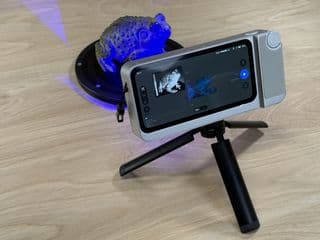
The 3DMakerPro Toucan is interesting for one reason first: it is built to work on its own. Instead of behaving like another scanner that lives and dies by a tethered desktop workflow, it is meant to capture a point cloud, turn that capture into a 3D model, and export the result directly from the device. For anyone who has tried to copy a broken clip, a replacement knob, or a cosplay prop without turning the workspace into a cable farm, that changes the feel of the job immediately.
This is the real workflow test. A scanner can be accurate on paper and still feel awkward on the bench if every session starts with booting a laptop, sorting drivers, and clearing space for a full computer setup. The Toucan’s appeal is that it aims to make scanning feel more like picking up a camera, doing the capture, and moving on. That kind of self-containment is not a luxury in a maker space, it is friction removed where friction usually hurts most.
What the hardware is trying to do
The Toucan is described as having a premium feel, which matters more than it sounds. A handheld scanner gets judged by how confidently it sits in the hand, how quickly it gets from object to point cloud, and whether it feels like it belongs next to the printer rather than beside an office desk. The Class 3R laser is part of that pitch, with the review noting that it can produce detailed point clouds quickly.
That combination points to a very specific kind of user benefit. Fast point-cloud capture helps when you are scanning small repair parts, awkward curves, or decorative pieces that need a decent shape before you ever worry about cleanup. A scanner that is pleasant to hold and quick to deploy can make a big difference when you are trying to reverse engineer something before a replacement part disappears into the scrap bin.
Why standalone matters in real hobby workflows
For 3D printing, scanning is only useful if the whole chain from capture to print stays manageable. The Toucan’s standalone setup matters because so many scanner workflows still feel like they belong to a more cumbersome era, one where the scanner is really just a peripheral waiting on a full computer. The fewer the cables, the shorter the setup, and the less fiddling required before the first pass, the easier it becomes to use scanning as a normal part of a build or repair session.
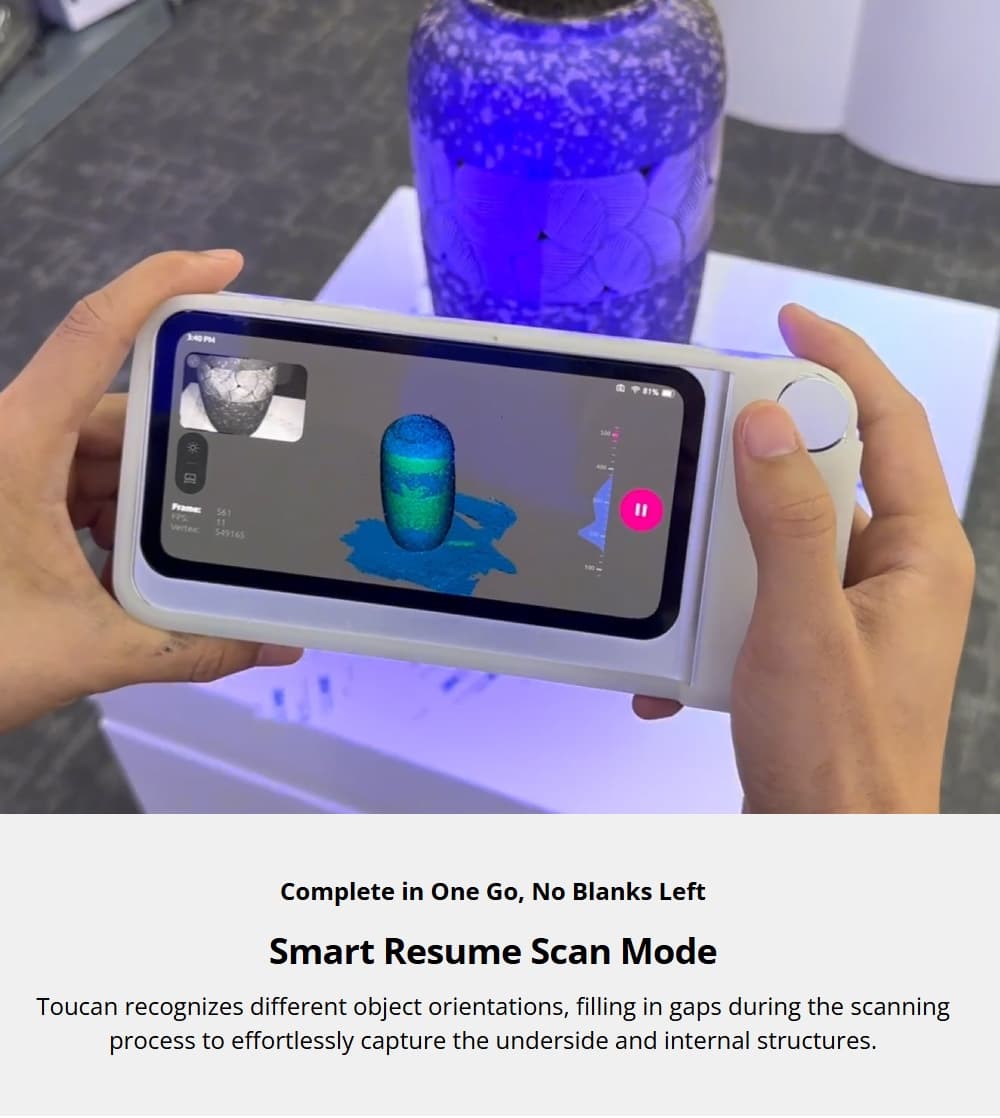
That convenience is especially valuable for jobs that sit between disciplines. Reverse engineering, model repair, cosplay fitting, and creating printable reference geometry all depend on getting a usable digital shape out of a physical object. If the scanner can take you from object to exported file without dragging in a laptop, the whole process becomes more plausible as a quick shop-floor task instead of a planned desktop project.
Where the software still decides the experience
The hardware is only half the story, and this is where the Toucan’s limits start to matter. The review flags software limitations, which is often where scanning hardware either becomes genuinely useful or quietly gathers dust. A scanner can capture a strong point cloud, but if cleanup, meshing, and export are clumsy, the user pays for that gap with extra time and frustration.
That is the part 3D printing people notice fast. A captured model still has to survive the handoff into whatever you use next, whether that is a mesh repair tool, a CAD package for rebuilding dimensions, or a slicer after export. If the scan data is clean enough, the process is straightforward: capture, tidy up the mesh, check scale, export to a common mesh format, then bring it into the rest of your modeling or printing workflow. If the software gets in the way, even good hardware starts to feel like a compromise.
The handoff from scan to printable part
In practice, the ideal path looks like this. You scan the part on the Toucan, review the point cloud, and generate the model directly on the device. From there, you want a file that can move cleanly into the tools hobbyists already trust for repair work and print prep.
A practical scan-to-print flow
1. Capture the object and make sure the scan covers the features you actually need, especially edges, mating surfaces, and reference holes.
2. Generate the 3D model on the scanner, then inspect it for holes, noise, and places where the surface may need cleanup.
3. Export the model into your usual hobby software for repair or refinement.
4. Use mesh cleanup or CAD tools to correct geometry, confirm dimensions, and add the tolerances your printer and material need.
5. Send the finished file to the slicer and move from scan to print without rebuilding the part from scratch.
That is where a standalone scanner earns its keep. If the device can do the first three steps without a laptop on the bench, the whole workflow feels lighter, and lighter workflows get used more often.
Why this is good news for repair culture
The Toucan’s best argument is not that it wins every technical contest. It is that it may reduce the distance between seeing a part and replacing it. That matters in repair work, where the difference between a project getting finished and a project stalling can be as simple as whether the scanning step feels annoying. A scanner that cuts down setup time, cable clutter, and desktop dependency can make scan-based repair more approachable for everyday use.
It also reflects where consumer scanning seems to be heading. Convenience and export simplicity are becoming selling points right alongside accuracy and scan speed. For makers, that makes sense. The machine on the bench is only half the story, because the real payoff comes when a captured object is already on its way to becoming a printable file.
The Toucan’s promise is not just that it can scan. It is that it can keep the whole job moving without forcing you back to a laptop in the middle of the workflow, and for a lot of bench-top repair work, that may be the difference between a scanner that sounds clever and one that actually earns a place next to the printer.
This article was produced by Prism’s automated news system from verified source data, official records, and press releases, then run through automated quality and moderation checks before publishing. The system is built and supervised by the people who set the standards it runs under. Read our full AI policy.
Did this article answer your question?