Custom touchscreen firmware lets BigTreeTech displays monitor Prusa fleets
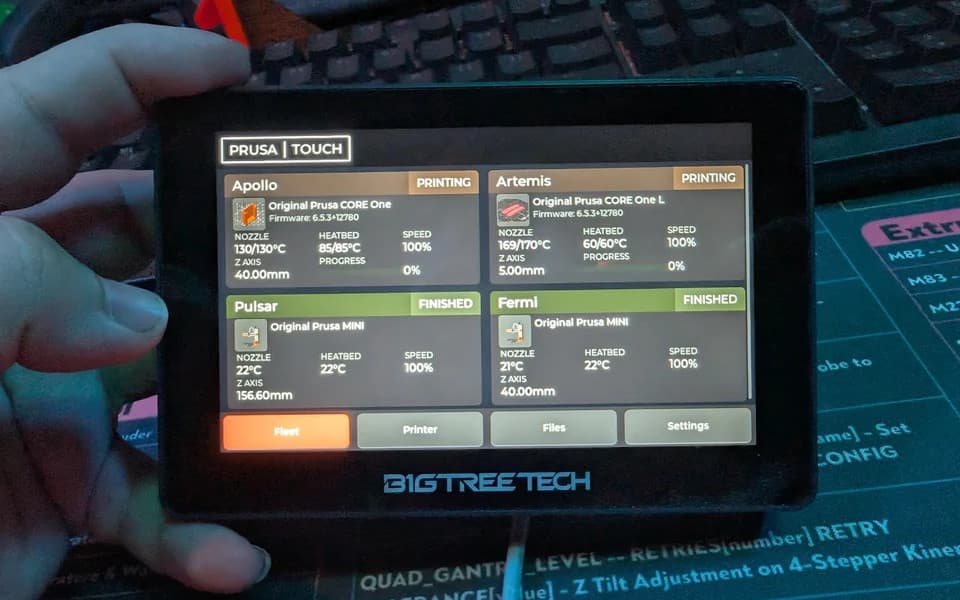
Custom firmware turns BigTreeTech's 5-inch K-Touch and Panda Touch into Prusa fleet dashboards. It works over LAN or Prusa Connect, so you can spot failures without the extra walks.

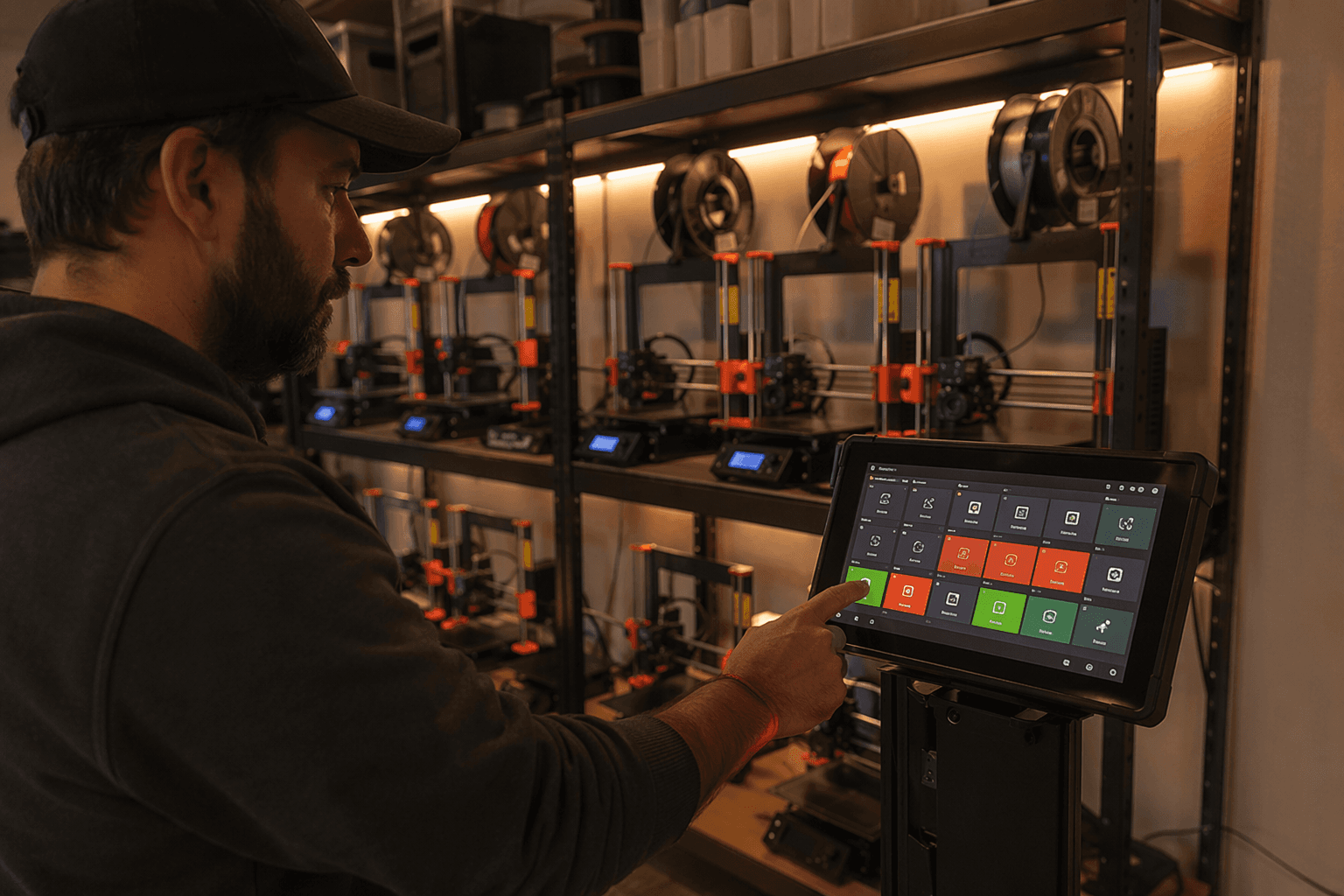
For anyone running two or more Prusa printers, the real upgrade here is not the screen itself. It is the chance to keep tabs on a small farm from one dedicated panel instead of bouncing between a phone, a browser tab, and the print room door. Nomads Galaxy’s Prusa Touch, also called Prusa-Connect-Touch, turns BigTreeTech’s K-Touch and Panda Touch into a glanceable fleet monitor that can catch stalled jobs sooner, cut down on unnecessary trips, and speed up the next job getting started.
Why this matters for a Prusa fleet
Prusa already gives you a lot of ways to watch a printer. Prusa Connect handles cloud-based remote monitoring and control, while PrusaLink stays on the local network and works as the printer-side bridge. That stack already covers a broad range of machines, from newer systems like CORE One to older MK2 and MK3 units that owners have upgraded over time.
The problem for fleet users is not availability, it is workflow. If you are juggling a couple of printers in a basement, garage, studio, or makerspace, the cost is rarely a single missed alert. It is the extra walk to check a machine that may already have failed, the idle time while a second printer waits for attention, and the slower turnaround that follows when a finished part sits unattended.
What the custom firmware adds
Prusa Touch is built for BigTreeTech’s K-Touch and Panda Touch displays, both 5-inch touchscreens originally aimed at Klipper-based printers. The custom firmware from Nomads Galaxy repurposes that hardware so it can talk to Prusa printers directly over your local network or sign in to Prusa Connect and pull your whole fleet into one dashboard.
That makes the display more than a novelty mount on the side of a printer. The interface is designed to resemble the official Prusa tools, which matters when you are checking status at a glance. A fleet monitor only earns its keep if you can read it fast enough to act on it before a failed layer ruins an overnight run.
The project’s README is also clear that this is an independent open project, not affiliated with or endorsed by Prusa Research. That distinction matters because the firmware is filling a real gap in the ecosystem rather than extending an official accessory line.
How it fits into the Prusa stack
Prusa Connect is the cloud piece of the system and is free for Prusa printer owners, with 1 GB of cloud storage for G-codes and telemetry. Prusa says the platform grew out of the management software used for its record-sized print farm at Prague HQ, which explains why the company frames it around controlling entire print farms and tracking each printer separately.
PrusaLink covers the local side and supports older 8-bit printers including the MK2.5, MK2.5S, MK3, MK3S, and MK3S+. In practice, that gives long-time owners a path to keep older machines visible in the same ecosystem as newer hardware, even if the printer itself is not the newest thing on the bench.
The software side is already deep enough that Prusa’s own mobile app advertises real-time monitoring of all printers in Prusa Connect, plus remote printer management, telemetry, notifications, team management, detailed technical and network information, and Buddy3D camera support. The custom touchscreen does not replace that stack. It gives the stack a dedicated physical front end.
What the hardware choice tells you
BigTreeTech’s K-Touch and Panda Touch are interesting here because they were built as general-purpose touch interfaces, not as Prusa-specific accessories. The firmware’s first public release, v0.3.0, landed on June 8, 2026, which shows this is still early but already usable enough to move from concept to deployment.
The hardware itself is also flexible beyond printing. Because the displays are based on ESP32 chips, they can be repurposed for other maker projects too. For a shop that already keeps spare parts, controllers, and displays around, that kind of reuse can make the upgrade feel less like buying another dedicated widget and more like putting existing hardware to work.
Who gains the most, and who can skip it
This is for serious Prusa owners first: the person running multiple MK3-era machines, a mixed fleet of older and newer printers, or a small print room where visibility is the whole game. It also makes sense in a home lab, studio, or makerspace where a single glanceable screen can save several laps across the room and keep turnaround tight.
If you only run one printer and already check it from a phone, browser, or the Prusa app, the benefit is much smaller. The project matters when missed failures are costly and every wasted walk adds friction to the day. That is the fleet-management angle: not a neat display hack, but a way to keep more printers under control with less movement and less delay.
The bigger picture behind the project
Prusa’s ecosystem is already built around scale. The company says it ships over 10,000 printers per month from Prague and Delaware and employs more than 1,200 people. Josef Prusa’s company bio also says the operation uses a farm of 700-plus printers to make parts for new printers, and Guinness World Records lists a 1,096-printer simultaneous run in Prague on August 16, 2019.
That history explains why a third-party dashboard like Prusa Touch feels timely. Prusa has spent years turning print-farm management into a core part of the platform, and this custom firmware pushes that idea onto a dedicated 5-inch screen. For anyone managing more than one machine, the payoff is simple: fewer blind spots, fewer unnecessary trips, and faster recovery when one printer stops doing its job.
This article was produced by Prism’s automated news system from verified source data, official records, and press releases, then run through automated quality and moderation checks before publishing. The system is built and supervised by the people who set the standards it runs under. Read our full AI policy.
Did this article answer your question?