Snapmaker U1 wins praise for speed, low waste and multicolor printing
The U1's praise comes from real gains, not just color count: tool-changing, fast swaps and low waste make multicolor printing feel practical.
Snapmaker’s U1 is getting unusually warm words because the praise is tied to problems multicolor users actually live with: wasted filament, slow swaps, and workflow friction. In VoxelMatters’ long-term hands-on review, the printer had already been running for weeks and had been compared with several other multicolor machines, which gives the reaction more weight than a launch-day first look.
Why this review landed differently
That matters because desktop multicolor printing has never really been judged on a spec sheet alone. The real test is whether a machine stays fast, consistent, and sane to use once the novelty wears off, and that is where the U1 seems to have made its case. The reviewer described it as fast, reliable, attractive, and notably frugal with filament during color changes, which is exactly where many other 4-color systems lose momentum.
The tone is striking because it is not built around empty checklist praise. Instead, the review leans on actual printing behavior, with the U1 measured against the everyday annoyances of purge towers, wasted time, and unpredictable multicolor setups. That is the context hobbyists care about: what comes off the bed, how long the machine takes to get there, and how much filament gets burned up along the way.
The hardware behind the workflow
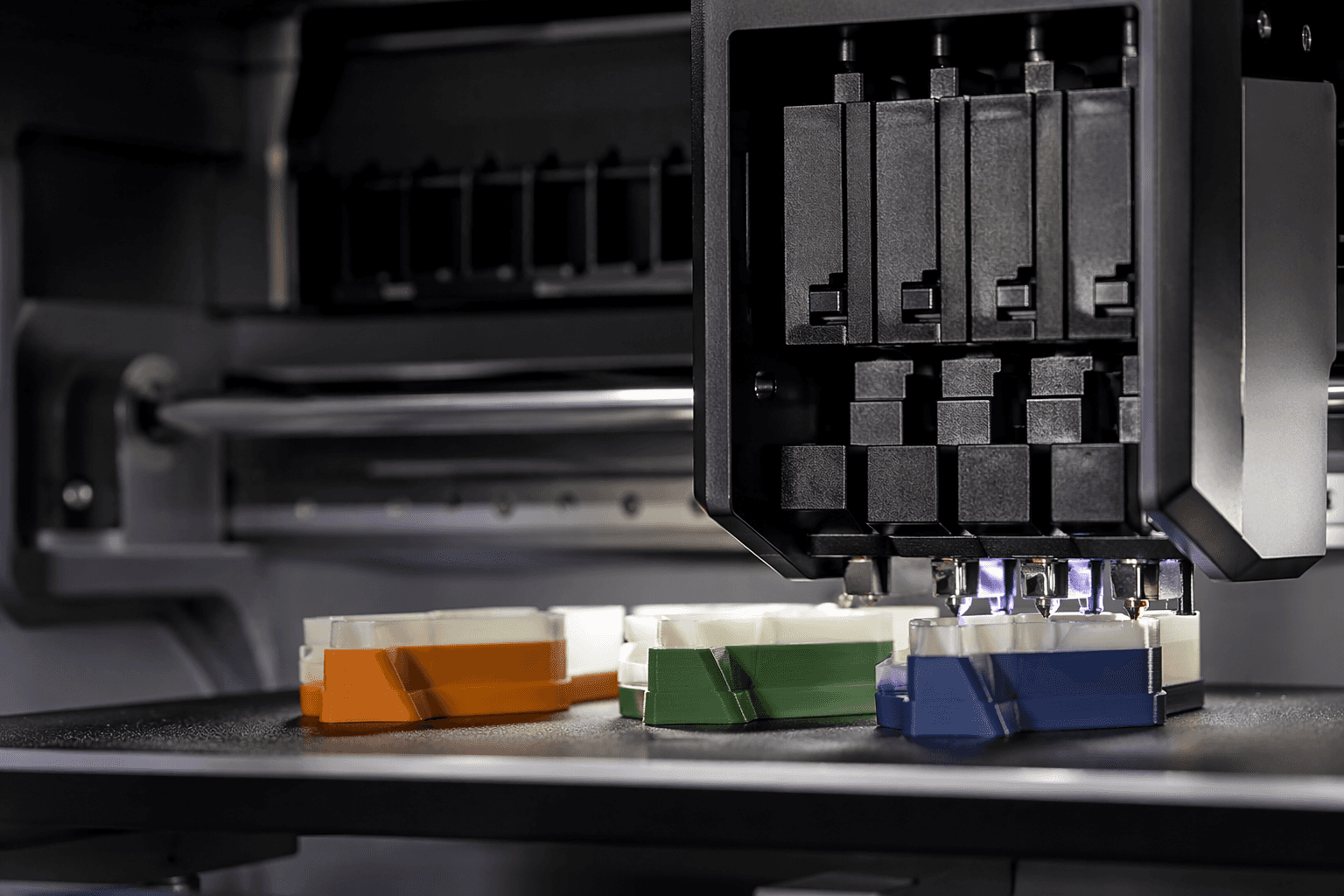
Snapmaker built the U1 around four independent toolheads on a CoreXY frame, with lightweight carbon-fiber rods on the X axis. The company’s SnapSwap tool-changing system is meant to make swaps happen in about 5 seconds, and that number is a big part of the machine’s appeal because it directly attacks the slow, waste-heavy part of traditional multicolor printing.
The speed claims are similarly aggressive. Snapmaker lists a top speed of 500 mm/s and maximum acceleration of 20,000 mm/s², numbers that put the U1 in the fast-printer conversation rather than the novelty-color category. Its build volume is 270 × 270 × 270 mm, which keeps it in a familiar desktop footprint while still giving enough room for practical parts and multicolor showpieces.
The workflow story does not stop at motion. Snapmaker also includes automatic calibration and built-in anomaly detection, both of which point to less setup friction and fewer babysitting moments once a job starts. The material list is broad too, with support for PLA, PETG, TPU, and PVA, while the top cover and hardened nozzle open the door to more demanding materials such as ABS, ASA, PA, PC, and fiber-reinforced polymers.
Why the waste claim hits a nerve
The headline feature for many multicolor users is not just the four toolheads, but what they replace. Traditional multicolor systems usually depend on purge-and-load cycling, and that means waste, time, and ugly purge towers that eat into both material and print length. Snapmaker says the U1 can cut filament waste by up to 80% versus those systems, and that is the sort of claim that changes the conversation from “how many colors?” to “how much does this cost me every time I switch?”
That is also why the review’s enthusiasm reads as more than launch-day sugar. A printer that switches cleanly and wastes less filament is not just nicer to own, it is easier to use for real projects where multicolor is part of the design rather than the whole point. In that sense, the U1’s value is not cosmetic. It is operational.
3D printing comparison culture makes that distinction important. The U1 is being discussed alongside Bambu Lab’s AMS ecosystem, Prusa’s MMU3, and Creality’s CFS, but the core difference is the same one the review keeps returning to: true mechanical tool changing instead of purge-heavy cycling. That is a meaningful shift because it changes the rhythm of the machine, not just the number of colors it can hold.
What the launch numbers say about demand
The market response was strong before retail launch even arrived. Snapmaker’s Kickstarter ran from August 19, 2025 to September 30, 2025, and the campaign page says it raised $20,614,548 from 20,680 backers. Later reporting described it as the most funded 3D printer project in Kickstarter history, which fits the scale of attention around the machine.
Snapmaker then moved the U1 into global retail launch on April 10, 2026, with pricing starting at $899. The company’s product page also pairs the printer with 30 curated models and the tagline “5X More Speed. 5X Less Waste.” VoxelMatters’ hands-on price snapshot, which placed the machine around €899 to €999 depending on configuration, plus a top cover and filament bundle, reinforces that this is being sold as a real purchase, not a lab demo.
For a lot of buyers, that price puts the U1 in a much more serious conversation than the usual multicolor experiment. It is not cheap, but it is within reach for people who want a dedicated machine for actual output, not just a curiosity with extra hotends. That is a big reason the praise feels different from the typical launch cycle.
The bigger shift the U1 points to
The U1 also matters because it marks a strategic turn for Snapmaker itself. 3Dnatives describes the company as moving away from its all-in-one roots, the Snapmaker 2.0 and Artisan era, and toward dedicated printers, with the U1 as the clearest sign of that change. That shift matters because it shows Snapmaker is no longer treating printer versatility as the main story. It is betting on a focused machine built for one job done well.
Make: places that move in a wider community context, noting that tool changers have been a long-running goal in desktop 3D printing. The U1’s significance, then, is not just that it prints in four colors. It is that it may normalize a different expectation for consumer printers, where speed, waste reduction, and workflow are the real differentiators.
That is why the unusually enthusiastic review language does not feel empty here. The U1 sounds exciting because it attacks the pain points multicolor users know best, and it does so with concrete hardware choices, not just a bigger feature list. For the multicolor desktop race, that is the first sign of a machine that may actually change the habits around it.
This article was produced by Prism’s automated news system from verified source data, official records, and press releases, then run through automated quality and moderation checks before publishing. The system is built and supervised by the people who set the standards it runs under. Read our full AI policy.
Did this article answer your question?