Warzone performance guide fixes stutter, frame drops, and low FPS
Stutter is costing Warzone fights fast, and the quickest fixes are the ones that actually move FPS, latency, and stability back in your favor.
The fast fixes that matter first
When Warzone starts stuttering, the damage is immediate. Activision groups stuttering with rubber banding and hit-marker delays as core in-game performance problems, which is why even small PC instability can feel game-breaking in a fast shooter. CharlieIntel’s performance guide gets the framing right: this is not about chasing one magic slider, it is about removing the biggest sources of lost frames and late reactions as quickly as possible.
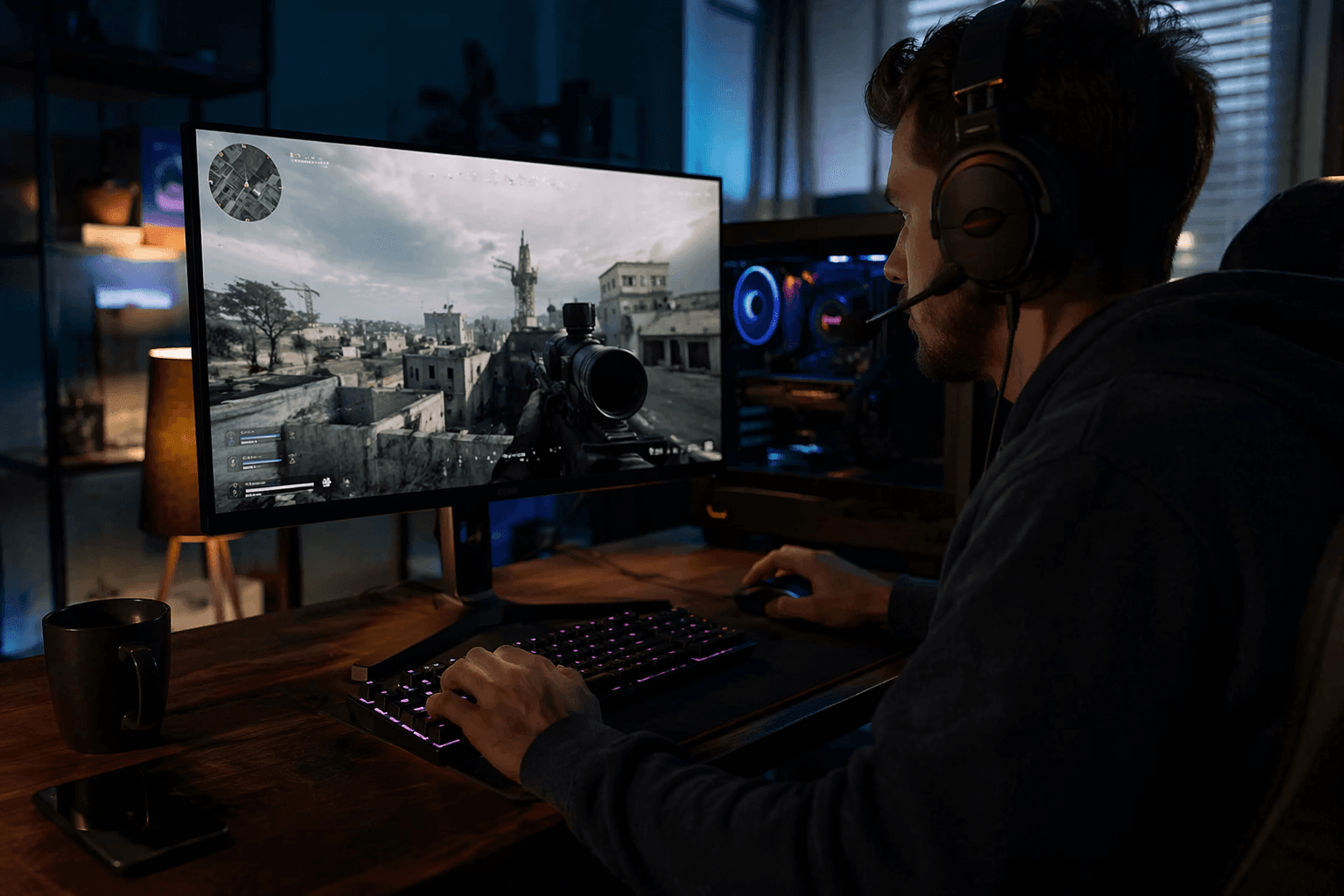
The first move is simple and high value: run Warzone in Fullscreen Exclusive, not Borderless. That recommendation matters because the guide is aimed at players who want results fast, and display mode is one of the easiest variables to change when the game suddenly feels heavy, delayed, or inconsistent. If your symptoms are frame drops, sluggish tracking, or that uneasy feeling that shots land half a beat late, this is one of the first places to check.
Tighten the video path before chasing hardware
Once the game is in the right display mode, the next step is to push the PC settings that improve FPS and visibility at the same time. The point is not to make Warzone prettier, it is to make fights easier to read and movement easier to track, because low FPS and stuttering both ruin the feel of gunfights. In practice, that means focusing on settings that keep the image clear and the frame rate stable, especially after major updates when performance can suddenly slip.
One counterintuitive option in the guide is Weapon Motion Blur. A lot of players turn motion blur off on instinct, but the recommendation here is to switch it on if it helps judge movement better in Warzone’s fast engagements. That is the kind of detail that matters in a match where losing sight of a target for even a moment can cost a duel.
When the problem looks like a driver issue, treat it like one
If the frame drops started after a fresh NVIDIA driver update, rolling the driver back is one of the most practical fixes in the stack. The guide treats new driver instability as a real possibility, not a rare edge case, and that lines up with the way Warzone can react badly when the PC environment changes underneath it. For players who see sudden stutter after everything was fine the night before, this is a strong clue that the problem is not skill, it is software conflict.
Hardware-accelerated GPU Scheduling is another setting worth testing, but it should be treated as machine-specific. The guide’s advice is to toggle it on or off depending on the system, because the same feature can help one PC and aggravate another. That makes it a useful mid-tier fix for symptoms like inconsistent frame pacing, weird micro-stutter, or a game that feels less responsive than the FPS counter suggests.
Windows updates matter here too. Activision’s current PC troubleshooting guidance says Warzone supports Windows 10 and Windows 11, and it specifically recommends keeping both fully updated. The same support material says the latest Windows 11 version greatly improves NVIDIA stability, which gives this advice real weight for players running GeForce hardware on Windows PCs.
Use RTX tools when the hardware can benefit
If the system has GeForce RTX hardware, NVIDIA DLSS should be part of the conversation. NVIDIA says DLSS boosts frame rates in Call of Duty: Warzone on GeForce RTX systems, and later said DLSS 3 can increase frame rates by up to 55% on average on GeForce RTX 40 Series GPUs. That is a huge swing for players whose main complaint is low FPS, especially when the goal is not just higher numbers but smoother fights and less visual hesitation in close-range encounters.
NVIDIA Reflex is just as important for the players who care about feel, not only raw frame rate. NVIDIA says Reflex can reduce system latency by up to 28% in Warzone, which directly addresses the kind of delay that makes aim feel floaty and response time feel off. If your issue is not just stutter but the sense that you are always a fraction late to the fight, DLSS and Reflex together can make the game feel noticeably sharper.
When instability keeps coming back, repair the game itself
If the easy fixes do not hold, move to maintenance. Scanning and repairing game files is one of the least glamorous steps, but it can catch corruption or broken assets that show up as stutter, crashes, or unexplained performance dips. In a live game like Warzone, where patches and background changes can trigger a fresh problem overnight, file integrity checks are not overkill, they are part of basic triage.
Reinstalling the game sits at the far end of that same logic. It is not the first move, but it is a rational one when the symptoms keep returning and the rest of the system looks clean. Activision’s own support setup reinforces that approach: it maintains a dedicated improving lag and in-game performance guide, and it also runs a live Known Issues in Call of Duty: Warzone page that was updated on May 29, 2026, showing that performance and bug tracking are ongoing, not hypothetical.
Why this triage still works
That is why this guide works better than a random settings roundup. It starts with the changes most likely to fix stutter fast, then moves through drivers, Windows stability, RTX boosts, and file repair in a way that matches the way Warzone actually breaks down on PC. The latest Activision support update, posted March 11, 2026, and NVIDIA’s performance claims both point to the same conclusion: the biggest gains come from cutting instability before it can turn into lost gunfights.
When Warzone starts stuttering, you do not need a theory, you need a clean path back to smooth fights and stable sessions. This is that path, and it is built around the problems players actually feel the moment the match goes wrong.
This article was produced by Prism’s automated news system from verified source data, official records, and press releases, then run through automated quality and moderation checks before publishing. The system is built and supervised by the people who set the standards it runs under. Read our full AI policy.
Did this article answer your question?