Free Open-Source FiveM Tool Lets Players Tune FPS Settings In-Game
F5_Studio released F5 Boost, a free open-source FiveM FPS tool with an in-game NUI menu, directly countering paid scripts charging for the same functionality.
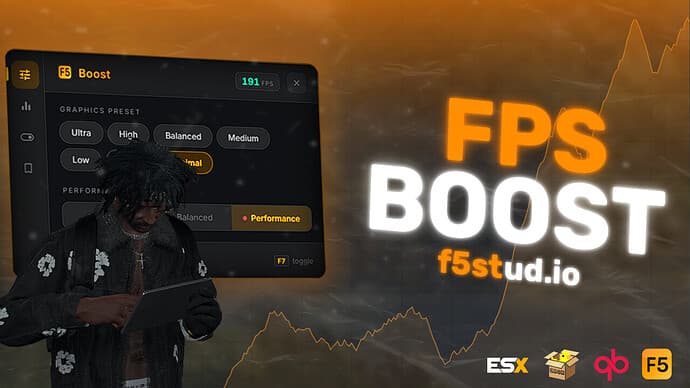
F5_Studio dropped F5 Boost on the Cfx.re Releases board on March 30, and the timing couldn't be more pointed. The tool does exactly what a handful of paid scripts have been charging for: an in-game NUI panel that lets players pull draw distances, LOD scaling, and visual effect toggles without ever leaving their server session or digging through config files.
The creator was direct about the motivation. "We noticed people were selling scripts like this, so we figured we'd just put it out there for free," F5_Studio wrote in the release post. "It's a simple concept done right, no reason to charge for it." The resource landed on Cfx.re first, then got mirrored quickly to VertexMods and VFivem threads alongside a YouTube preview showing the NUI interface in action.
What's actually inside the package matters as much as the price. F5 Boost ships with preset modes, individual sliders for draw distance and LOD scaling, toggles for extra visual effects, and a custom profile system that lets players save and reload their preferred configuration. Because it's standalone and non-escrow, there's no Keymaster dependency; admins drop it into the server resources folder and it runs. More importantly for anyone cautious about opaque paid scripts, the full source is inspectable before a single player connects.
That open-source angle is the real trust play here. Roleplay servers running heavy MLOs and high player counts are exactly where FPS degradation hits hardest, and those same server operators have historically been the most burned by obfuscated paid resources that break silently after a FiveM artifact update. With F5 Boost, if something breaks, you read the code. If you want a tweak, you fork it.

The compatibility caveats are worth flagging before deployment. F5_Studio positions F5 Boost as a client-side tuning layer, not a fix for underlying server performance problems. A server hemorrhaging resources from a poorly optimized MLO interior or three hundred addon car spawns won't be saved by any client menu. Admins should run the resource in a staging environment first to confirm it plays cleanly with their framework, whether that's ESX, QBCore, or a bare standalone build.
Early community response picked up on the UX straightforwardness and the zero cost, though some voices in the VFivem thread echoed the same caveat: players on genuinely struggling machines will see a meaningful lift, but F5 Boost is an on-ramp, not a silver bullet.
Where this goes next is the more interesting question. A standalone, open-source base with save/load profile support is exactly the kind of repo that attracts forks fast. Expect community-tuned presets built around specific server types, RP configurations that prioritize NPC density over draw distance, drift server profiles that kill ambient effects entirely, and PvP builds stripped down for competitive frame consistency. The paid optimization tools still on the market will need to justify their price with something F5 Boost doesn't include, whether that's per-server automation, analytics, or deeper integration hooks. For now, F5_Studio handed the community a free baseline, and that baseline is already on VertexMods with a working demo link attached.
This article was produced by Prism’s automated news system from verified source data, official records, and press releases, then run through automated quality and moderation checks before publishing. The system is built and supervised by the people who set the standards it runs under. Read our full AI policy.
Did this article answer your question?


