pdComp Asset Collection v2 adds realistic police computer wallpapers for LSPDFR
pdComp Asset Collection v2 gives LSPDFR a cleaner MDT look with agency wallpapers and three eras of driver’s licenses. It is a drop-in immersion upgrade that leaves core gameplay untouched.
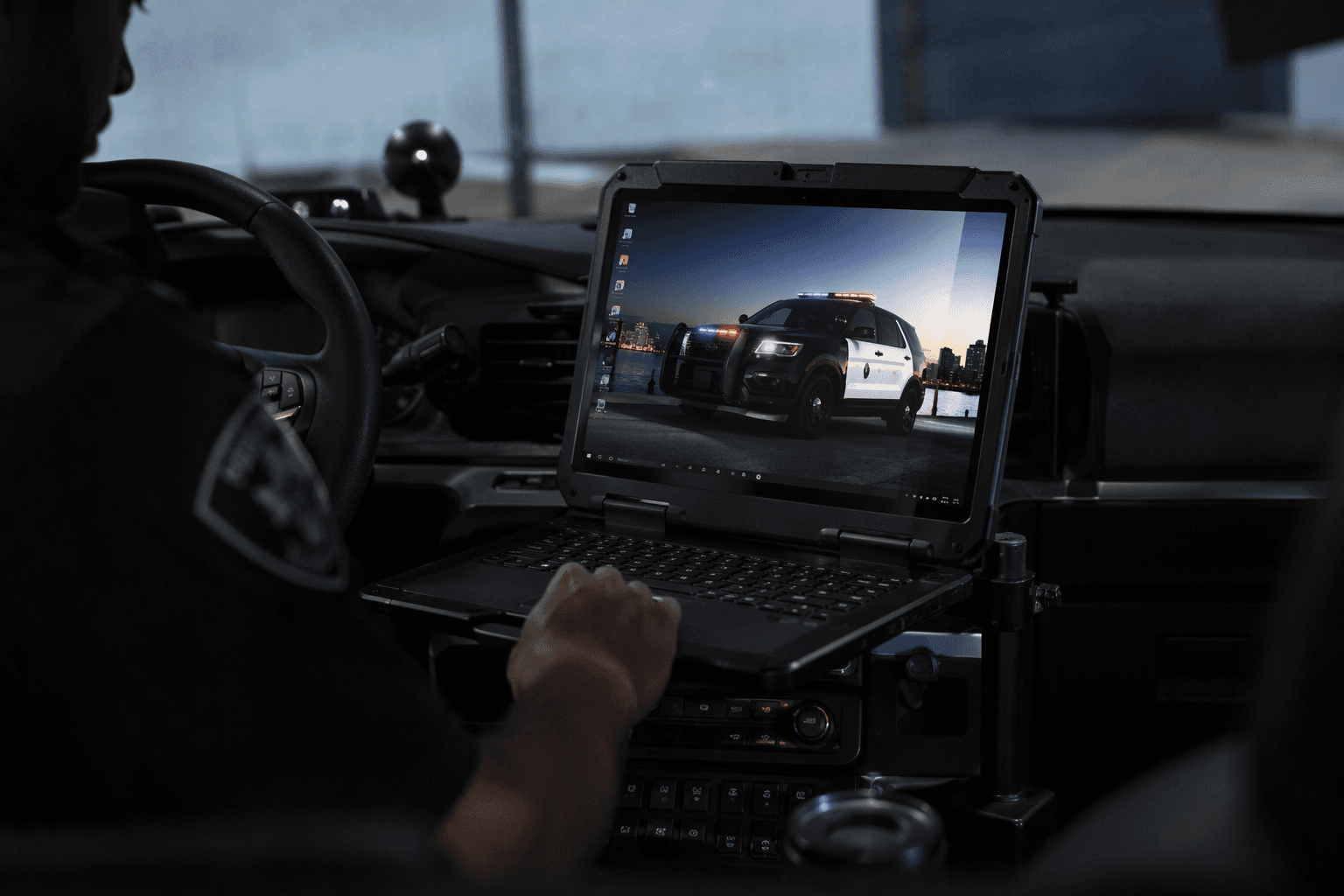
pdComp Asset Collection v2 is the kind of LSPDFR add-on that changes the feel of a patrol computer without changing the patrol itself. If your setup already runs pdComp, this pack gives you a more believable MDT-style presentation with agency wallpapers, blank overlay zones, and driver’s license art built for everyday use inside the plugin.
That matters because pdComp is not just a skin-deep menu. It is an in-game police computer for LSPDFR with citations, arrest reports, court hearings, persistent records, and support for records backends like Policing Redefined/CDF or Stop The Ped, so the interface has to hold up under real roleplay use. Asset Collection v2 is aimed squarely at that layer of the stack.
What this pack is designed to do
The release is built as a presentation upgrade for players who want their police computer to look like part of a working law-enforcement ecosystem. It bundles professional-style artwork with space for overlays, which makes it useful when you are building a clean dashboard rather than a cluttered screenshot prop.
The pack also sits in a very specific sweet spot: it is useful for daily patrols, scene documentation, and screenshot work, but it does not ask you to rework callouts, physics, or any other core systems. That makes it especially attractive for MDT-focused roleplay setups where polish matters as much as function.
A few of the key pieces stand out immediately:
- Wallpaper sets for multiple agencies
- License art in three different eras
- Layout support for name, date of birth, and status fields
- Visual details such as holographic security strips and a handwritten TRUGAMING signature
The mod page also says the author disclosed that AI tools were used for the images, which makes the overall finish more important. In a space where visual authenticity is part of the appeal, spacing, typography, and clean composition decide whether an interface feels immersive or obviously artificial.
Why pdComp makes this style of add-on worth installing
pdComp gives these assets a purpose that goes beyond cosmetic framing. Because the plugin handles citations, arrest reports, court hearings, and persistent records, the computer is already acting like a real station-side workhorse inside the game. Once that foundation is in place, wallpapers and license templates stop being fluff and start becoming part of the rhythm of the shift.
It also helps that pdComp is built to work with records frameworks such as Policing Redefined/CDF or Stop The Ped. That means the look of the interface can match the seriousness of the data behind it, which is exactly why realistic branding, department-specific colors, and clean license templates feel so at home here.
The wider pdComp ecosystem reinforces that point. Other related downloads are already expanding the computer with larger charge and citation packs, including one that advertises 175 charges and 90 citations, so there is clearly a growing audience for deeper documentation and more polished interface layers. Asset Collection v2 fits neatly into that same mindset.
Agency wallpapers that make the MDT feel local
The wallpaper set is one of the strongest parts of the release because it gives different departments their own identity instead of forcing one generic backdrop across every patrol. The collection includes minimalist designs for the Los Santos Police Department, Los Santos Sheriff’s Department, San Andreas Highway Patrol, Blaine County Sheriff’s Office, LSPD K-9 Unit, SAHP Special Operations, and LSCSO.
Each wallpaper uses its own color treatment and a ghosted badge or star motif, which keeps the look restrained enough for an MDT while still giving each agency its own visual language. That is the right balance for police RP, where you want the computer to feel official without stealing attention from the actual records you are working through.
This also lines up with the broader trend on the platform, where custom police and sheriff wallpapers are being marketed as realistic MDT assets and optimized for pdComp builds. The demand is not just for pretty backgrounds. It is for interface pieces that make the computer feel like a department-issued tool rather than a modded menu.
Driver’s licenses built for different roleplay eras
The license set is where the pack becomes more flexible for different server styles. Instead of locking you into one timeline, it provides three eras of ID styling: modern San Andreas, a retro 90s or early 2000s look, and a 2026 Real ID-compliant version with QR code and embedded chip graphics.
That range gives you room to tailor your environment to the department you are running. A modern county setup can lean into the current San Andreas styling, a nostalgic state-police build can use the retro pass, and a near-future or highly standardized department can use the Real ID version without breaking immersion.
There are five variations for each era, giving you 15 total license variants. The details are not just cosmetic either, since the licenses include proper NAME, DOB, and STATUS layout support, along with holographic security strips and the handwritten TRUGAMING signature that helps the cards feel like actual document assets instead of plain image swaps.
How to install it cleanly
The install process is straightforward, which is part of the appeal. The files go into Plugins LSPDFR pdComp Assets, and the mod page notes that you can rename the image you want so it matches the existing filename.
That makes the pack accessible even if you are not deep into modding. If you have already been swapping pdComp assets or testing other interface packs, this fits the same workflow, and if you have not, it is still simple enough to drop in without making your whole setup feel fragile.
The cleanest approach is to treat it like a replacement layer for your current computer art. Keep your original files backed up, place the new assets in the pdComp Assets folder, and use the versions that match the department or era you want to portray that day.
Why it is a strong fit for police RP stacks
The reason this release lands is that it understands how immersion actually works in GTA roleplay. Most players notice the vehicle, the uniform, or the callout package first, but the computer is where the paperwork happens, and paperwork is what makes a patrol feel legitimate. A believable MDT screen, a polished license card, and a department-specific wallpaper can do more for a scene screenshot than a dozen unrelated add-ons.
That is also why visual authenticity keeps coming up in the community around pdComp assets. A recent wallpaper download drew criticism for AI-created imperfections, which shows that players are paying attention to the small stuff. In that environment, a pack like Asset Collection v2 succeeds when it looks deliberate, organized, and ready for regular use.
If your goal is a safer, cleaner immersion layer for LSPDFR, this is exactly the kind of upgrade to install. It keeps the core gameplay intact, improves the presentation where you see it most, and gives your pdComp setup the kind of authority that makes every citation, arrest report, and license check feel like part of a real department workflow.
This article was produced by Prism’s automated news system from verified source data, official records, and press releases, then run through automated quality and moderation checks before publishing. The system is built and supervised by the people who set the standards it runs under. Read our full AI policy.
Did this article answer your question?


