Vehicle Thumbnail Generator automates GTA V screenshots for modders and creators
Vehicle Thumbnail Generator turns screenshot prep into a 10 to 15 minute batch job, giving car pack makers and showcase creators clean GTA V images with almost no manual staging.
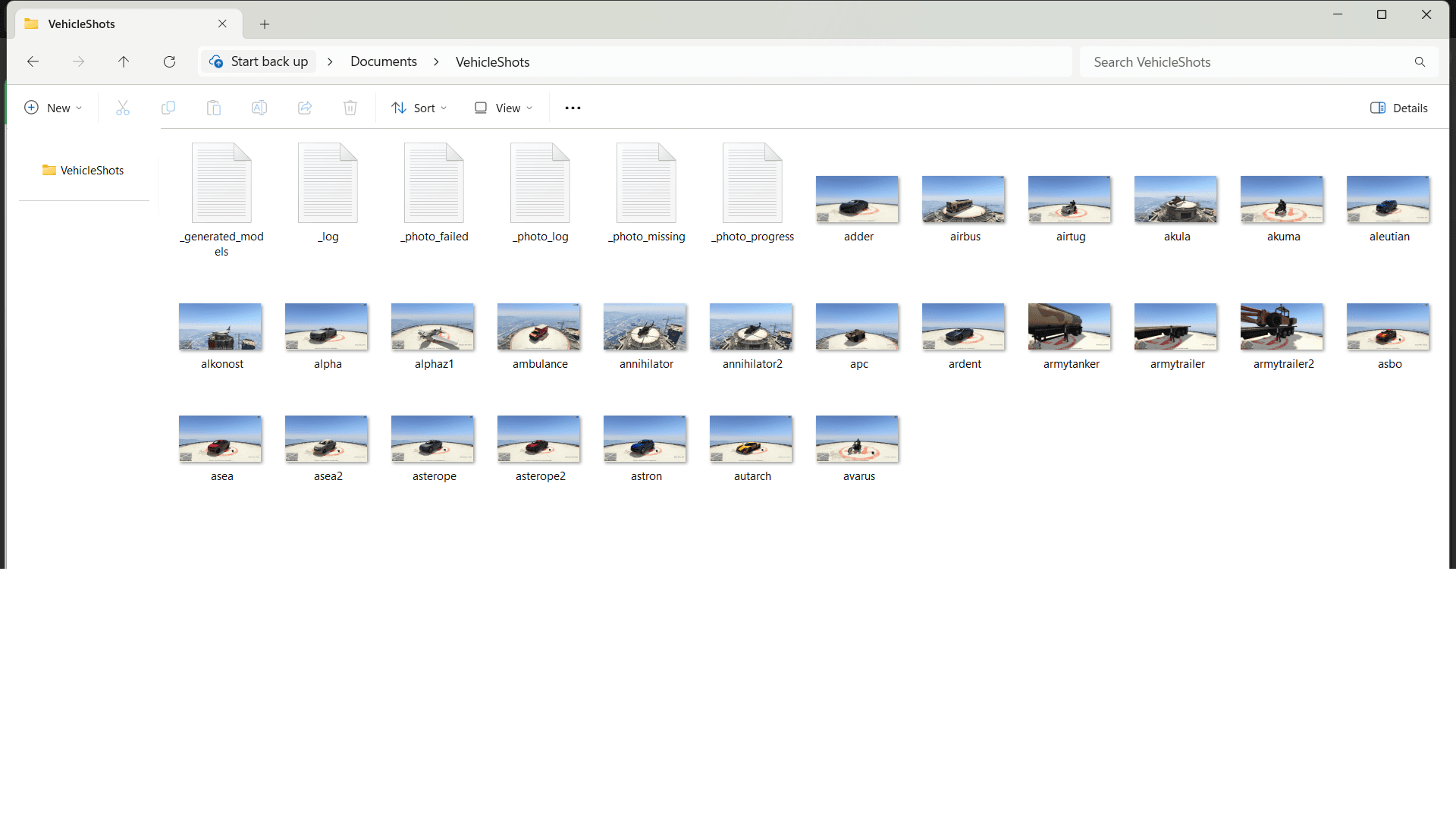
A screenshot job that used to eat the whole evening
Vehicle presentation has always been part of the grind in GTA modding. If you release add-on cars, replacement packs, or a garage-ready fleet, the vehicle itself is only half the package. The other half is the thumbnail wall, the image set that tells people whether the mod is worth a download, whether the proportions look right, and whether the car belongs in their collection.
Vehicle Thumbnail Generator cuts straight into that repetitive work. Instead of moving the camera, changing the weather, reloading vehicles, and repeating the same setup over and over, the tool spawns vehicles one by one, applies custom weather and time settings, and automatically captures screenshots. The whole process takes about 10 to 15 minutes, which is exactly why it reads less like a camera script and more like a batch production tool.
How the workflow actually runs
The appeal here is speed, but the deeper value is consistency. Once the setup is in place, the generator handles the staging loop for you: spawn, frame, capture, repeat. That means the images in a pack or catalog come from the same controlled conditions instead of a dozen slightly different manual sessions.
Installation is simple, but it does ask you to follow the steps precisely. The VehicleShots folder goes in Documents, while VehiclePhotoFactory.ini and screenshot.dll go into the scripts folder. After GTA loads, you press L in-game to trigger the process. The uploader says it was tested on the PC Enhanced version, which matters because utility mods can break quickly when players move between different GTA builds and editions.
For a tool like this, that compatibility note is not a footnote. It is the difference between a useful creator shortcut and another half-working script sitting in the mod folder.
Where it fits in the modder’s pipeline
Vehicle Thumbnail Generator makes the most sense when you are not dealing with one car, but with many. That is the real time saver. A single showcase shot might only take a minute to stage by hand, but a release page for a full pack can demand dozens of images, and every extra angle means another round of weather, time, and camera adjustment.
That is why the biggest productivity boost goes to vehicle modders and pack curators. They are the ones who need to produce large, consistent image sets for release pages, readmes, and download listings. YouTube or showcase creators benefit too, especially when they want clean, uniform vehicle shots for intros, thumbnails, or catalog-style videos, but their needs are usually more selective. A curator assembling a 30-car pack feels the automation more than a creator grabbing five dramatic angles for a feature video.
Why it pairs so well with add-on vehicle tools
The generator is built to work alongside Add-On Vehicle Spawner, and that pairing makes the whole workflow feel much less tedious. Add-On Vehicle Spawner automatically looks for add-on vehicles and puts them in a menu so you can spawn them, which is already a major convenience when you are working through a long list of cars. It also detects vehicle information automatically, supports custom thumbnails, and includes search, sorting, and model info.
That matters because screenshot creation is only one part of the pipeline. First you need to find the right vehicle, then you need to stage it, then you need to document it. When the spawner and thumbnail generator are used together, the workflow moves from file hunting to production. OpenIV’s release page says Add-On Vehicle Spawner supports GTA V v1.0.877.1 or later and ScriptHookV, so it sits comfortably inside the modern GTA V utility ecosystem.
The release history also shows how long this kind of tool has had to keep pace with Rockstar’s updates. Notes mention support updates for b3095, The Chop Shop, b2944, San Andreas Mercenaries, b2802, Los Santos Drug Wars, b2699, The Criminal Enterprises, b2612, Expanded and Enhanced, and later Enhanced and Money Fronts support. That long tail of version maintenance is exactly why modders lean on utilities that already live in the same compatibility lane.
The real tradeoff: control versus variety
Automation is a gift, but it comes with a stylistic cost. Vehicle Thumbnail Generator can give you clean, repeatable results, yet that same repeatability can flatten the personality of a release if every image uses the same mood, angle, and lighting. The tool is built for efficiency and presentation, not for cinematic improvisation.
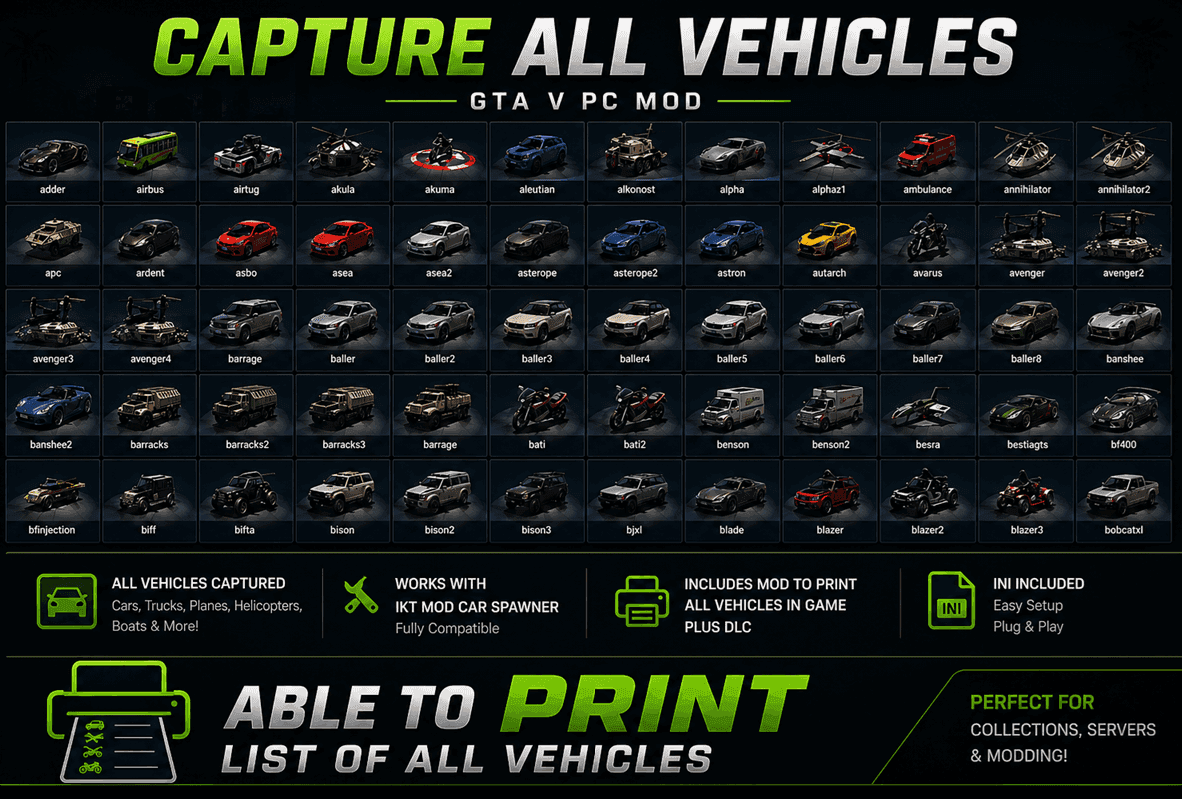
That does not mean the screenshots look generic by default. The custom weather and time settings let you shape the tone, and the output is described as high-quality. The tradeoff is subtler: once you automate the process, you are choosing consistency over hand-tuned variety. For a mod page, that is often the right decision. For a video thumbnail or a hero image meant to stand out emotionally, you may still want to step in and create a few custom shots by hand.
Who gets the biggest payoff
The clearest winner is the vehicle modder who ships often and ships in volume. If you are building add-on cars, replacement packs, or garage-compatible fleets, screenshot prep can become one of the most repetitive parts of the entire release process. Vehicle Thumbnail Generator turns that into a short, controlled batch run instead of a series of manual scene setups.
Pack curators come next, because they live and die by visual organization. A neat set of thumbnails helps users compare vehicles, browse by model, and make a download decision faster. Showcase creators benefit as well, especially when they need polished visuals without spending an afternoon setting up each frame, but the deepest time savings still belong to the people managing multiple vehicles at once.
A better fit for the current GTA mod workflow
The strongest case for Vehicle Thumbnail Generator is not that it replaces creativity. It is that it removes the part of the job nobody misses. In a mod scene where first impressions drive attention, the difference between a manual screenshot routine and a 10 to 15 minute automated pass is huge.
Paired with Add-On Vehicle Spawner and the newer GTA V build support in the broader add-on vehicle ecosystem, it gives creators a faster way to keep their releases clean, readable, and current. That is not just convenience. It is production infrastructure for a part of GTA modding that has always been important, always been tedious, and finally has a tool built to treat it that way.
This article was produced by Prism’s automated news system from verified source data, official records, and press releases, then run through automated quality and moderation checks before publishing. The system is built and supervised by the people who set the standards it runs under. Read our full AI policy.
Did this article answer your question?


