Adafruit One Key turns a single switch into a customizable Bluetooth keyboard
A single Kailh switch, an ESP32 QT Py, and BLE HID firmware make One Key a tiny macro tool with outsized utility. It is the kind of build that can pull you deeper into custom keyboards.
One switch, many jobs
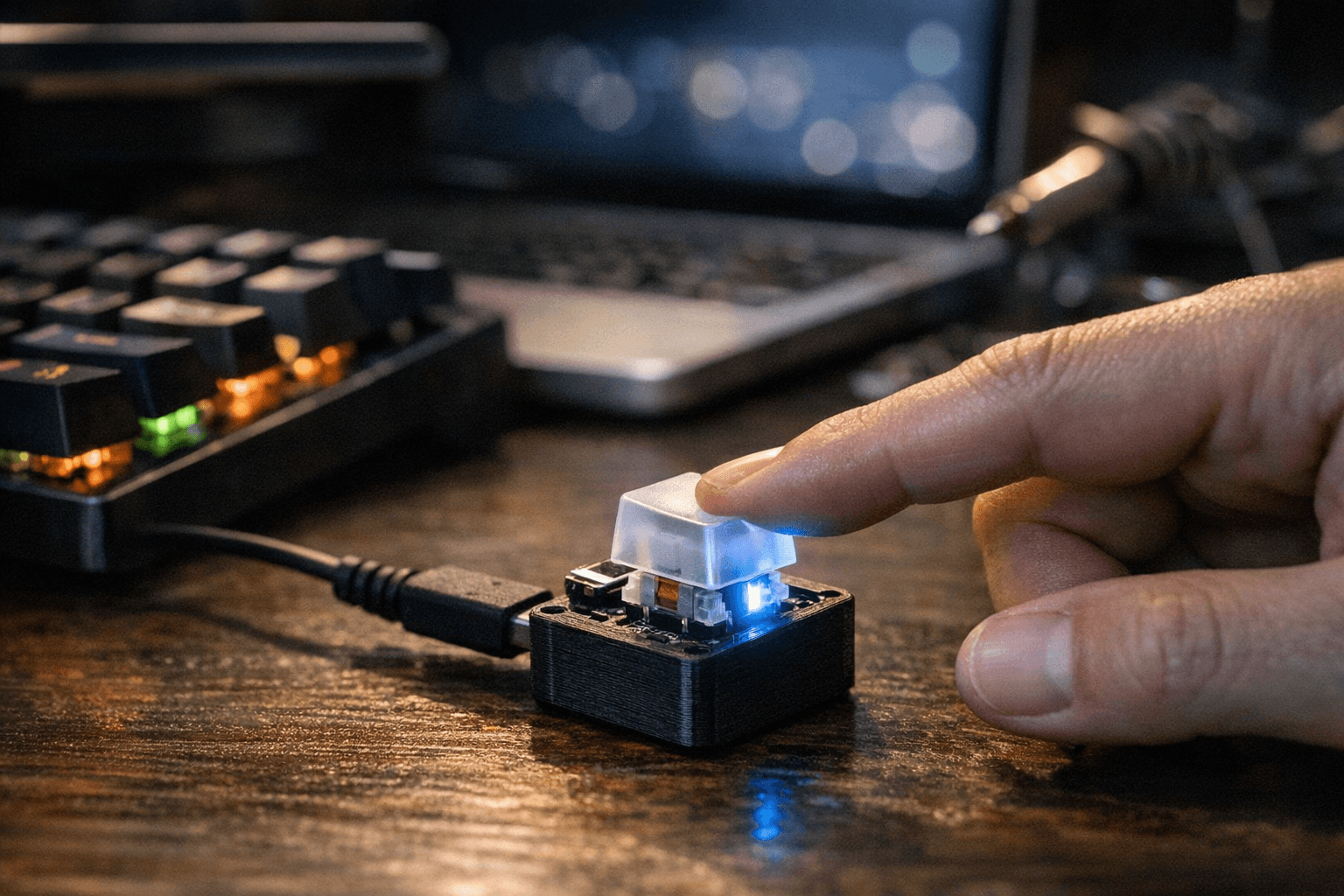
Adafruit’s One Key lands in the sweet spot between novelty and utility: it turns a single mechanical switch into a battery-powered Bluetooth keyboard that can do one job extremely well. The build is explicitly pitched as an intermediate project, but the payoff is easy to understand right away, because that one button can become a mute key, shutter release, emoji macro, wireless undo key, presentation clicker, or a shortcut that types a long custom phrase.
That matters in the mechanical-keyboard world because not every useful input device has to be a full board. One Key is really a micro-control surface, the kind of project that makes you think about workflow instead of layout, and that shift is often what turns casual curiosity into deeper keyboard hobby interest. Once you see a single switch doing something useful all day, the jump to macros, layers, and custom firmware starts to feel natural.
What goes into the build
The hardware stack is refreshingly maker-friendly. Adafruit built One Key around the QT Py ESP32 Pico - WiFi Dev Board with STEMMA QT, paired it with the Adafruit NeoKey BFF for Mechanical Key Add-On for QT Py and Xiao, and topped it off with a Kailh mechanical switch. That combination keeps the project in the off-the-shelf parts category, which is part of its appeal: you are assembling a practical device, not fabricating a one-off prototype.
The guide is broken into a proper build flow, with separate sections for setup, 3D printing and assembly, wiring the boards together, and loading the code. That structure lowers the intimidation factor without dumbing the project down. If you have already built a keyboard or macro pad, the parts list will look familiar; if you have not, the steps still read like a realistic first hardware build rather than an abstract electronics exercise.
The real value is in the firmware
One Key earns its keep in software. Adafruit says the project supports BLE HID keyboard functions, key combos, strings, media keys, NVS persistence for saved settings, customizable connected and pressed colors, auto sleep, and a WebSerial-based settings interface. That is a lot of capability for a single switch, and it is exactly why the project feels more like a flexible input device than a gimmick.
The WebSerial interface is especially important because it means you can customize the device from a web page instead of treating firmware as a dead end. The code guide also points you toward an Arduino workflow, including the correct board target and upload settings, and even calls out the need to install the right USB-to-serial driver for the chip. In practical terms, that makes One Key a genuine on-ramp to custom wireless HID hardware, not just a finished gadget you admire and set aside.
Why this matters to keyboard people
The mechanical-keyboard hobby has always had room for small, focused projects like this. A one-switch Bluetooth device might not replace a 65-percent board or a split ergonomic layout, but it solves a different problem: it gives you a dedicated physical control for a task you hit constantly. That can be a mute toggle for calls, a media key for a desk setup, a camera trigger, or an accessibility button that removes friction from a repetitive action.
This is also where One Key stands out as a maker-onramp story. You get a switch, firmware behavior, RGB states, battery power, and wireless input in a package small enough to understand in an afternoon. For a lot of builders, that kind of compact success becomes the first step toward more ambitious macro pads, custom controllers, or a full dive into QMK-adjacent thinking about how hardware should behave.
The Monokey connection gives it context
Adafruit says One Key is inspired by Monokey from Kickstarter, which helps explain the project’s shape and the enthusiasm around it. The Monokey idea sits in the same broader category of small, single-purpose desk devices that blur the line between keyboard, macro pad, and accessory, and Adafruit notes that the Monokey was made in a limited run and is not currently available.
The numbers behind Monokey make the interest look even more real. BackerKit tracking shows the Kickstarter campaign ran from August 21, 2024 to October 4, 2024, drew 349 backers, and raised $22,914 against a $5,000 goal, which came out to 458% of goal. BigBadCult says the First Edition Monokey was produced in only 500 pieces, used an Arduino-compatible ESP32C6 chip, and advertised battery life of 10 to 30 days depending on usage. That combination of scarcity and utility is exactly why a DIY reinterpretation has traction now.
A compact build with a bigger hobby payoff
Adafruit’s recent coverage reinforces that One Key is being treated as more than a cute demo. The company’s April 17 round-up described it as a compact introduction to custom wireless HID devices powered by a LiPo battery with an onboard charging circuit, and that framing fits the build perfectly. You are not just wiring up a button; you are learning how a tiny wireless control surface can persist settings, sleep intelligently, reconnect cleanly, and behave like a polished product.
That is the real reason One Key matters to the mechanical-keyboard community. It compresses a lot of the hobby’s most compelling ideas, switch feel, firmware behavior, macro logic, and personal workflow, into one approachable afternoon project. If you want a single button to do one highly specific job well, this is the kind of build that shows how far a small switch can take you.
This article was produced by Prism’s automated news system from verified source data, official records, and press releases, then run through automated quality and moderation checks before publishing. The system is built and supervised by the people who set the standards it runs under. Read our full AI policy.
Did this article answer your question?