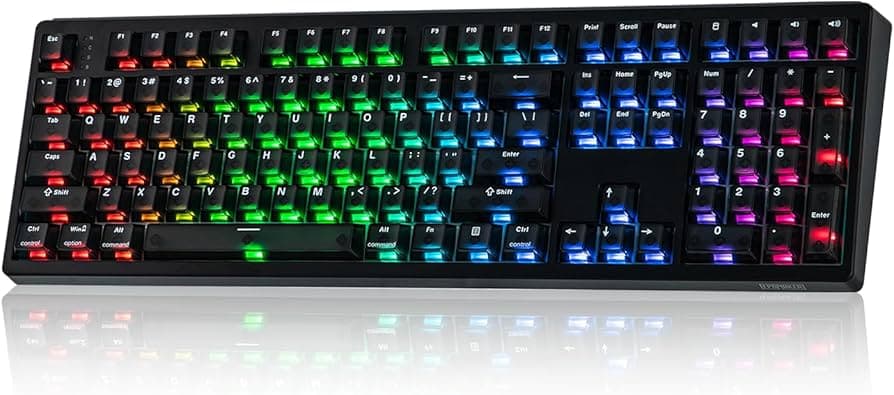
Akko says Rapid Trigger is best for FPS, not everyday typing
Rapid Trigger can be a real edge in FPS, but Akko’s point is the part buyers need: the same feature can make typing feel twitchy and harder to trust.

The Wooting 60HE put Rapid Trigger into the mainstream in 2022, but Akko is right to treat the feature as a specialist setting with a narrow sweet spot. It shines when you are hammering repeated directional inputs in competitive FPS play, and it can become a nuisance the moment your keyboard is doing office duty, coding, or spreadsheet work.
What Rapid Trigger actually changes
Rapid Trigger lives inside the broader wave of analog-switch keyboards, including Hall effect, optical, tunnel magnetoresistance, and inductive designs. Those boards can support adjustable actuation, which means the key does not have to behave like a simple on-off switch, and Rapid Trigger lets the board reset or re-register based on travel rather than a fixed release point. RTINGS calls modern Rapid Trigger excellent, but no keyboard hits its advertised actuation setpoint with perfect accuracy in software.
In practice, a 0.1 mm setting is still an approximation, and RTINGS uses the most sensitive actuation and Rapid Trigger settings in its latency testing to measure the lowest possible latency.
Why competitive players adopted it first
Wooting introduced Rapid Trigger in 2019 on the Wooting two Lekker Edition. Its timeline puts the feature’s first embrace in the osu! community, then among Valorant players, and then among Counter-Strike players, which explains why Rapid Trigger is so tightly associated with games built around movement precision and rapid counter-strafing.
Wooting’s 80HE bundles Rapid Trigger with 8kHz polling and Rappy Snappy, while Razer markets Rapid Trigger Mode and adjustable actuation on the Huntsman V3 Pro line, including 8KHz models.
Where the tradeoff gets real
Akko does not pretend faster is always better. For FPS play, Rapid Trigger can make repeated taps feel immediate, which is exactly what you want when movement resets matter. For emails, coding, and spreadsheets, the same sensitivity can create accidental actuation, less stable key travel, and a constant feeling that the board is waiting to jump before you are done pressing it.
If your day is split between ranked shooters and everything else, the question is whether you want that reactivity following you through every keystroke. A keyboard can be excellent at one job and annoying at another, especially when the feature is tuned for tiny motion and fast resets rather than calm, repeatable typing.
How to make one board serve two jobs
The practical advantage of the current magnetic-board crop is that many of them let you tune the behavior instead of living with one global preset. The 60HE+ supports per-key tuning and up to four onboard profiles, which makes it possible to keep a gaming setup on one profile and a quieter productivity setup on another. Rapid Trigger and customizable actuation can be set globally or per key on Glorious Gaming boards, and the same feature is available on Corsair MGX Hall effect keyboards and can be customized in iCUE or Web Hub.
If you are jumping between play and work, per-key tuning lets you keep movement keys hyper-responsive while leaving the rest of the board less twitchy. If you mostly live in documents and code, turning the feature down or disabling it entirely avoids that extra sensitivity.
What to look for before you pay the magnetic-board premium
Magnetic boards can be worth the extra money when you are buying for fast shooters, fine-grained actuation control, and profile-based tuning, but the premium is much harder to justify if you only want a stable typing board. The feature set now often arrives bundled with Rapid Trigger, SOCD-style behavior, and 8kHz polling, yet none of those are automatic upgrades for plain text entry.
Wooting added Rappy Snappy and Snappy Tappy in 2024 and pointed to CS2 controversy around SOCD, while Valve’s fair play guidance says players should never use automation on official servers. Razer’s Snap Tap prioritizes the latest input between two selected keys without requiring a release of the previous key.
This article was produced by Prism’s automated news system from verified source data, official records, and press releases, then run through automated quality and moderation checks before publishing. The system is built and supervised by the people who set the standards it runs under. Read our full AI policy.
Did this article answer your question?