Corsair Vanguard Air 99 Wireless packs features, but price sparks backlash
Corsair’s $259.99 low-profile board loads on features, but the real question is whether its wireless speed, screen, and Stream Deck extras justify the premium.

Corsair’s new $259.99 keyboard is trying to be three things at once: a fast gaming board, a productivity tool, and a desktop centerpiece. That ambition is exactly why the backlash landed so hard.
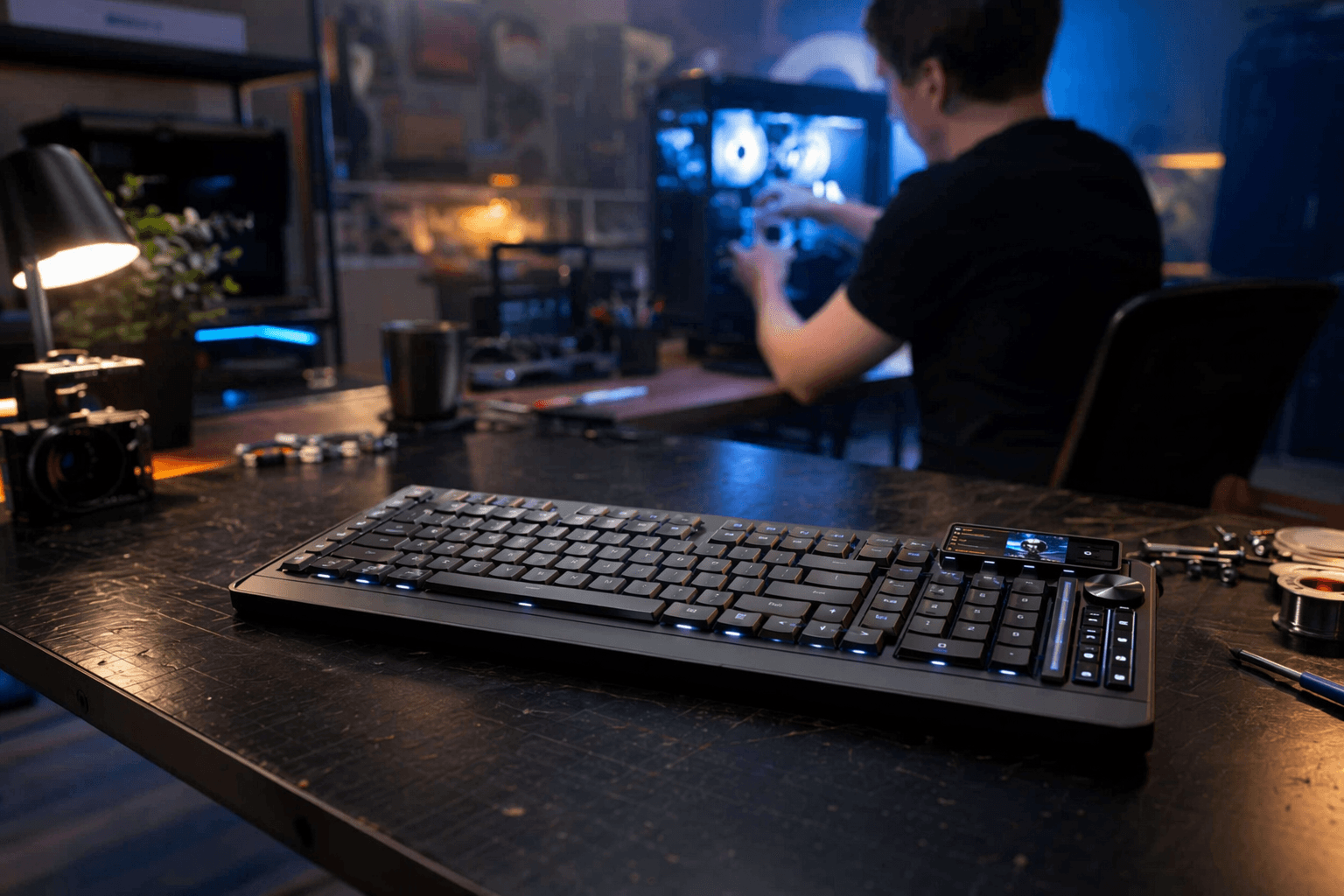
At first glance, the VANGUARD AIR 99 WIRELESS looks like Corsair throwing the whole premium playbook at a single low-profile keyboard. It is a 99% layout with an aluminum frame, gasket mounting, five layers of sound dampening, a rotary dial, a 1.9-inch IPS color LCD, six dedicated Stream Deck keys, and tri-mode connectivity. Corsair is clearly not selling a bare-bones typing slab here. It is selling a highly specified desk device and asking buyers to pay accordingly.
What Corsair thinks the premium covers
Corsair’s pitch is straightforward: the VANGUARD AIR 99 WIRELESS is meant to replace multiple devices and still feel fast enough for gaming. The board supports 2.4GHz Slipstream wireless, Bluetooth, and USB-C wired mode, plus 8,000Hz wired and 8,000Hz wireless report rates. Corsair also leans hard on the Elgato and Stream Deck connection, with six dedicated Stream Deck keys and Stream Deck integration built in.
That combination matters because it tells you who this board is really aimed at. It is not just for people who want a low-profile mechanical keyboard. It is for buyers who want onboard controls, a customizable display, wireless flexibility, and enough speed to keep it in the conversation for competitive play. In other words, Corsair is pricing in convenience, not just switches.
Wireless performance is one of the strongest arguments for the board
If you care about cutting the cord without giving up responsiveness, the spec sheet is genuinely aggressive. Corsair says the board supports 8,000Hz wireless polling over Slipstream, which is the kind of number usually used to signal that a board wants to live in gaming circles, not just office setups. Bluetooth is there for easy device switching, and USB-C gives you the safety net of a wired fallback when battery life or latency concerns matter more than freedom.
The battery numbers are a little more grounded than the headline specs. Corsair lists about 29.1 hours in 2.4GHz mode with the LCD and keyboard LEDs at 20% brightness, and up to 57.53 hours in Bluetooth mode with the backlight off. That is usable, but not exactly class-leading once you factor in the power draw of a bright LCD and the kind of always-on lighting people expect from a premium gaming board. The wireless story holds up best if you value switching between devices and modes more than sheer endurance.
Typing feel is where the board tries to justify its mechanical identity
Corsair’s OPX optical switches are the heart of the experience. They are low-profile, pre-lubed, and built around a 1.5 mm actuation distance, 2.5 mm total travel, and 45 g actuation force. That puts the board in a familiar sweet spot for people who like a fast, light linear switch but do not want the full height and travel of a traditional mechanical keyboard.
The low-profile design is also part of the appeal. Corsair frames the switches as a bridge between mechanical feel and a slimmer, laptop-adjacent posture, which matters if you are trying to reduce wrist lift or ease the transition from a notebook keyboard. For hybrid work and office use, that can be a real quality-of-life advantage. The tradeoff is that the value here depends heavily on whether you actually prefer low-profile linears over a taller switch with more travel and a more traditional sound and feel.
Software and ecosystem are a bigger part of the price than they first appear
This is where the board starts behaving less like a keyboard and more like a control surface. Corsair’s product and quick-start materials point to per-key programmability, on-board profiles, the LCD screen, the game-mode button, and the six Stream Deck keys as part of the package. The screen itself can hold up to 350 static images or 20 GIFs depending on file size, which makes it more than a status window and less than a full productivity display.
That makes sense if you already live inside Corsair and Elgato hardware. Stream Deck integration is not a minor add-on here. It is one of the main reasons this keyboard exists in this price tier. If your desk already revolves around macros, live controls, or creator workflows, the board is offering a built-in shortcut layer that cheaper low-profile rivals usually cannot match. If you never touch those features, a lot of the premium becomes decorative very quickly.
Build quality is the most defensible part of the package
The case, layout, and damping treatment make the board feel like a serious flagship attempt rather than a gimmick with a screen attached. Corsair’s aluminum frame, gasket mounting, and five layers of sound dampening give it the kind of hardware vocabulary enthusiasts tend to trust, especially when the company is trying to sell a low-profile board as something more refined than a typical gaming peripheral.
The 99% layout is also practical. It keeps a numpad, trims some bulk, and leaves room for a rotary dial and the extra control cluster without turning the board into an oversized desk monument. That said, the physical quality only gets you so far. A premium chassis can make the board feel substantial, but it cannot by itself erase the fact that the asking price puts it in direct competition with excellent mechanical alternatives that cost less.
Portability and daily use are a mixed bag
This is not a travel keyboard in any normal sense, but it does have some portability advantages over heavier full-size boards. The low-profile build makes it easier to toss in a bag than a tall enthusiast board, and the wireless modes help if you move between a laptop, desktop, and work setup. The tradeoff is that the LCD screen, control keys, and premium frame make it feel more like a desk fixture than a lightweight companion.
For someone who switches between systems all day, the convenience is real. For someone who wants a clean, low-burden board to carry between home and office, the price and feature density may feel excessive. The board is portable in a practical sense, not in a minimal one.
So who can actually justify $259.99?
The answer is narrower than Corsair’s feature list suggests. A buyer who lives in the Elgato and Stream Deck ecosystem, wants low-profile linear switches, uses wireless and wired modes interchangeably, and values the LCD plus onboard controls as part of a daily workflow can make a serious case for this board. Gamers who want high polling, hybrid workers who want device switching, and creators who want dedicated controls in the keyboard itself are the clearest fit.
If you do not care about Stream Deck integration, if the LCD is mostly novelty to you, or if you just want a great low-profile mechanical typing experience without the hardware extras, the value equation gets shaky fast. Tom’s Guide’s review makes that tension plain: the keyboard is powerful for gaming and typing, but its drawbacks are serious enough to overshadow the good. Corsair has built an ambitious low-profile flagship, but at $259.99, ambition is only worth paying for when every extra feature genuinely earns its place on your desk.
This article was produced by Prism’s automated news system from verified source data, official records, and press releases, then run through automated quality and moderation checks before publishing. The system is built and supervised by the people who set the standards it runs under. Read our full AI policy.
Did this article answer your question?