Tiwaz split keyboard adds dual joysticks for gaming and macros
Dual joysticks push Tiwaz beyond a split board, turning it into a keyboard, one-handed controller, or macropad for builders who want more from every half.
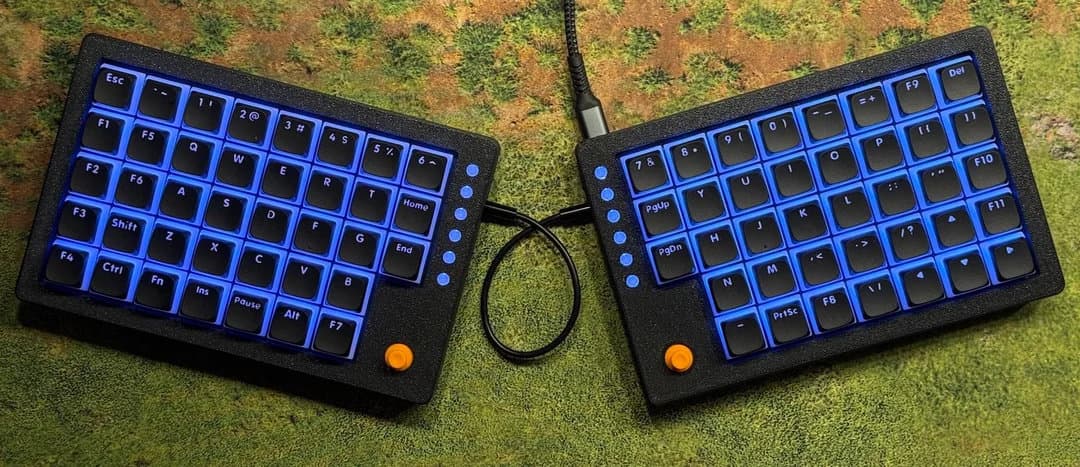
Tiwaz is asking the right question for split-board fans: what if each half did more than typing? With dual joysticks, standalone half-board operation, and a compact ortho layout, Timo’s project lands squarely in the space where keyboard hobby meets input experiment. It is not trying to be a novelty slab. It is trying to be the kind of board that can cover gaming, navigation layers, macros, and desk ergonomics without forcing you back to a full-size keyboard.
What Tiwaz is
Tiwaz is an ortholinear split keyboard built around a gasket-mounted plate and hot-swappable switches. The published spec set points to a 76-key 7x5+3 layout, an on-board RP2040 controller, per-key RGB, a 3D-printed case, and QMK/Vial support. That mix matters because it keeps the board in familiar mechanical-keyboard territory while still leaving room for experimentation.
The project is also positioned clearly as a gaming-adjacent board. Its GitHub repository is titled “Split gaming keybaord with joysticks,” which makes the intent obvious: this is not a pure typing tool pretending to be something else. It is designed to sit at the overlap of split ergonomics, desk control, and game input.
Why the joysticks change the use case
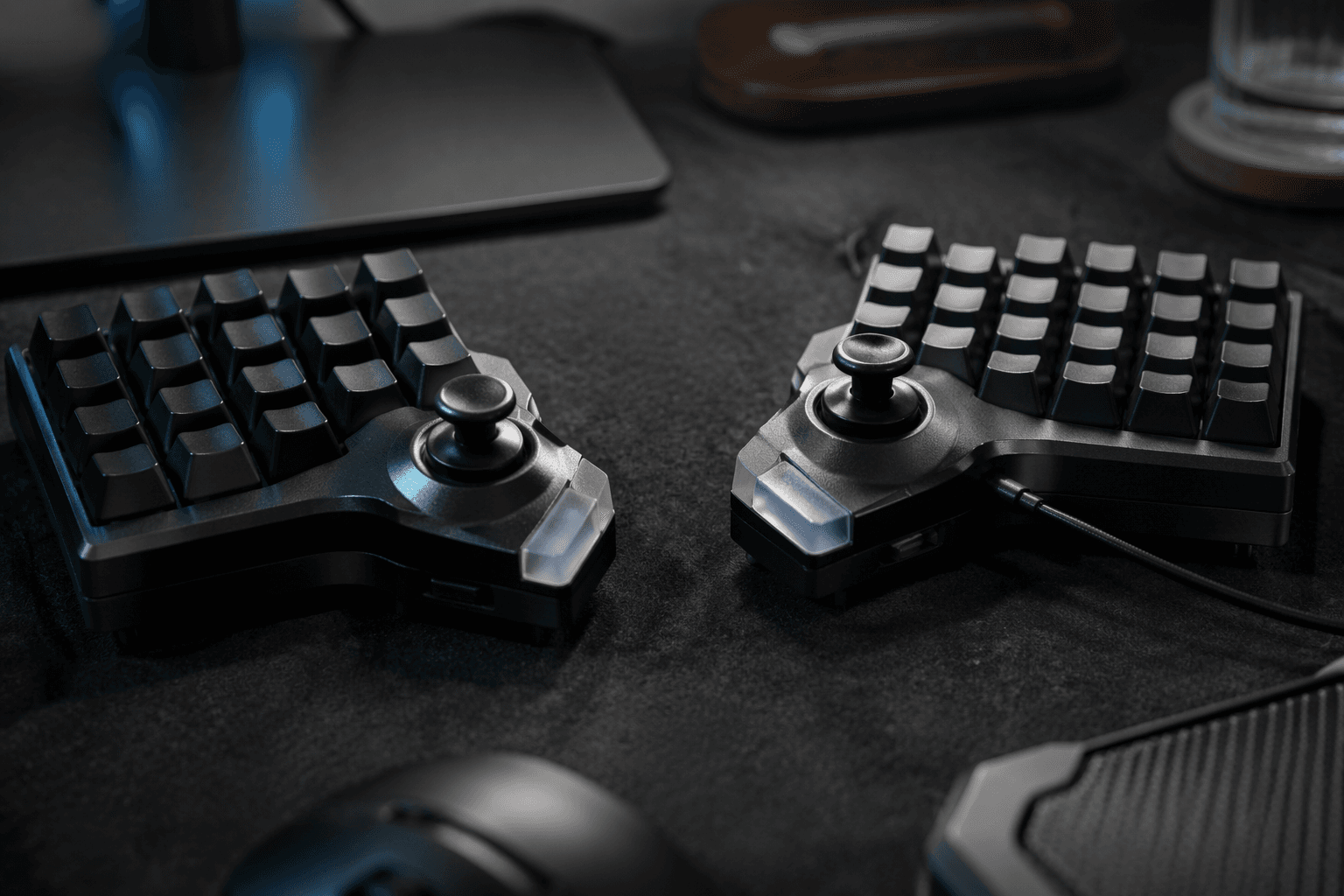
The defining feature is the dual joystick setup. Timo says the sticks can work as standard analog gamepad inputs, digital buttons, or mouse input, which gives the board a broader range than a typical split build. That flexibility is the whole point. Instead of treating pointing control as an add-on, Tiwaz makes it part of the core layout idea.
- one-handed game control on a single half
- cursor or camera input without reaching for a separate mouse
- navigation layers that keep the other hand free
- macro-heavy desktop use where the sticks help replace extra peripheral movement
For people who already live inside layers, tap-holds, and custom firmware, that opens practical workflows fast:
The connection method also shows that this is a modder-friendly design. The joysticks connect to the PCB with ribbon cables, and there are solder pads for custom access to joystick pins. That means the hardware is not locked into one behavior. Builders can extend it, re-route it, or repurpose it instead of waiting for a single intended mode to do everything.
Why split-board users will care
The most interesting part of Tiwaz is not simply that it has joysticks. It is that both halves can also work on their own. That makes the board more than a split typing platform. It can become a one-handed controller or a macropad depending on configuration, which is exactly the kind of crossover that gives split keyboards their strongest appeal.
That standalone-half capability also makes the learning curve easier to justify. Split layouts often ask for retraining muscle memory, but the payoff can be real if the board reduces shoulder reach, supports a more relaxed wrist angle, or lets you keep one side parked while gaming or controlling media. Tiwaz leans into that value proposition by making each half useful even when the other is out of the picture.
Where Tiwaz sits in the current split-keyboard trend
Tiwaz also fits a broader movement in the community. Keyboard Builders’ Digest has recently highlighted split keyboards with trackballs, trackpoints, knobs, encoders, and other modular input devices. That pattern matters because it shows Tiwaz is part of a larger push toward hybrid input systems, not an isolated one-off concept.
In that landscape, dual joysticks make sense. Trackballs and trackpoints solve pointing in different ways; knobs and encoders improve control density; Tiwaz adds gamepad-style input without giving up the split format. It is a good example of how the split scene keeps drifting away from pure text entry and toward boards that can act like small desktop control surfaces.
What makes the build practical, not just flashy
A lot of experimental keyboard designs look clever on paper and awkward in the hand. Tiwaz avoids that trap by stacking practical choices throughout the build. Hot-swap sockets reduce friction for switch tuning. QMK and Vial support give it a familiar firmware path. The RP2040 controller gives it a modern core. The 3D-printed case keeps the project accessible to builders who want to reproduce it rather than admire it from a distance.
The assembly video from Timo is another important signal. It suggests the project is being documented for other makers, which usually means the design is intended to be built, adjusted, and iterated on instead of treated like a sealed prototype. For a community that values shared files, firmware options, and hands-on modification, that kind of reproducibility is often as important as the feature set itself.
Who benefits from a board like this
Tiwaz will make the most sense for builders who want more than a clean split typing experience. If you like the idea of using a single half for one-handed play, if you need faster macro access, or if you want pointing and control inputs closer to the home row, this project hits a very specific sweet spot. It is especially appealing if you already enjoy the mechanical-keyboard side of the hobby and want your board to behave more like a programmable desk instrument.
That is why Tiwaz stands out among the current crop of experimental split designs. The joysticks are not there just to look different. They are there to answer a real enthusiast problem: how do you make a split keyboard earn its desk space when you are not only typing on it?
Tiwaz’s answer is simple and ambitious at the same time. Keep the split ergonomics, keep the hot-swap, keep the firmware flexibility, then add controls that make each half useful on its own. That is the kind of idea that turns a keyboard build into a genuine input workflow experiment.
This article was produced by Prism’s automated news system from verified source data, official records, and press releases, then run through automated quality and moderation checks before publishing. The system is built and supervised by the people who set the standards it runs under. Read our full AI policy.
Know something we missed? Have a correction or additional information?
Submit a Tip