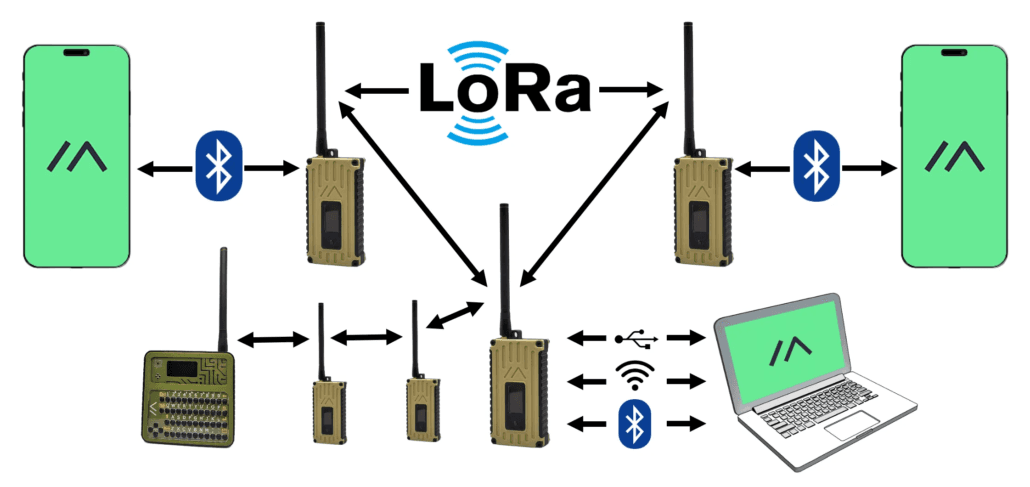
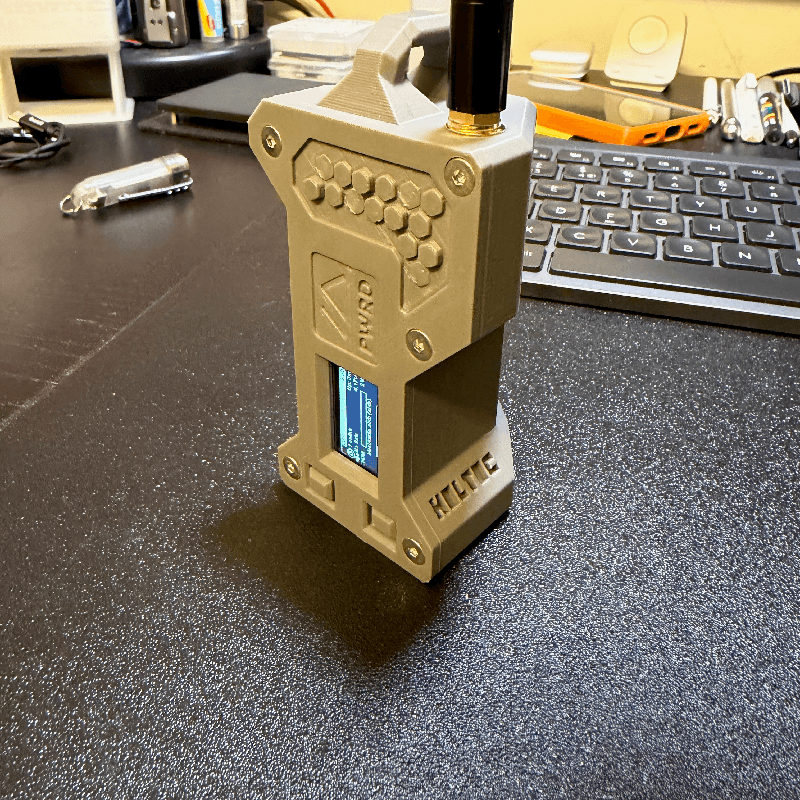
Meshtastic beginners guide covers regions, firmware, antennas, and first message
The fastest Meshtastic win is a clean first connection: pick the right region, match the mesh settings, and avoid the mistakes that kill contact before it starts.
The quickest route from unopened node to first successful Meshtastic contact is not chasing range, antennas, or fancy features. It is getting the radio into the right region, on the right preset, and on the same channel pattern as everything else around it. Meshtastic rewards people who set the basics correctly first, because one wrong choice can make a perfectly good device look dead on arrival.
Start with the setting that can block everything
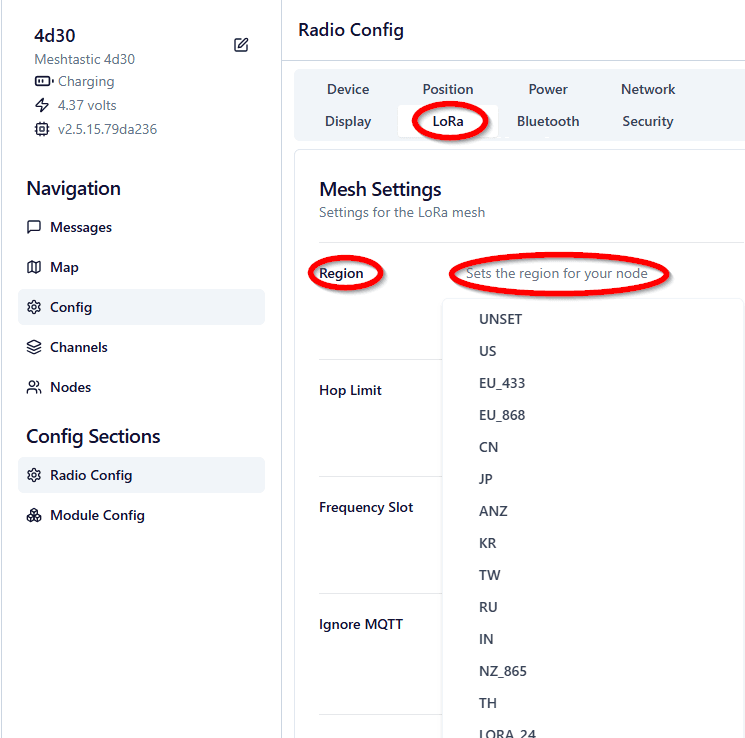
Before you worry about firmware tricks or antenna upgrades, lock in the region. Meshtastic’s own setup guidance is blunt about this: you must set your region before a node will communicate over the mesh, and that setting controls the frequency range your device uses. That is the first checkpoint because if the node is legally and electronically in the wrong region, nothing else matters yet.
The region table is not a generic suggestion sheet. It maps countries to specific LoRa parameters, including the United States on US regional settings, Canada also on US LoRaWAN regional parameters, much of Europe on EU_868 or EU_433, Australia and New Zealand on ANZ, and Japan on JP. Meshtastic is not LoRaWAN, Helium, or The Things Network, either. It uses the full LoRa spectrum allocated in each region, which is why the U.S. alone has many possible frequency slots and why “close enough” settings so often fail.
Match the mesh, not just the device
A lot of early frustration comes from assuming the radio is broken when the mesh settings are simply mismatched. Meshtastic says devices in the same mesh must have identical Region and Modem Preset settings, or identical custom modem settings, if they are going to communicate fully. That means the node on your desk can be working exactly as designed and still refuse to talk to the node next to it.
The default modem preset is unset, which equates to LONG_FAST. All Meshtastic devices also start on the default LongFast channel with a public encryption key. That default makes onboarding easier, but it does not rescue a mesh where one side is on the wrong region or a different modem preset. The practical lesson is simple: shared channel names are not enough if the core radio settings do not line up.
Use the region numbers as your sanity check
The concrete numbers make the stakes obvious. Meshtastic’s LoRa configuration page lists the U.S. region at 902.0 to 928.0 MHz with a 30 dBm power limit. EU_433 is listed at 433.0 to 434.0 MHz with a 10% duty cycle and a 12 dBm power limit, while EU_868 is 869.4 to 869.65 MHz with a 10% duty cycle and a 27 dBm power limit. LORA_24 sits in the 2400.0 to 2483.5 MHz band with a 10 dBm power limit.
Those numbers are not trivia. Meshtastic also says EU_433 and EU_868 transmissions are limited to a 10% hourly duty cycle on a rolling one-hour basis, and the device will stop transmitting until it is allowed again. If your first contact fails in Europe, it may not be a dead radio at all. It may be a region or duty-cycle issue that needs fixing before you send another packet.
Treat firmware and connection method as part of first contact
The firmware conversation is really a workflow conversation. Meshtastic’s initial configuration docs say getting started depends on how you connect, with support across serial, Bluetooth, web, Android, iOS, and Python CLI. That matters because the path you use to configure the node can change how much of the setup you can do from the app versus from a computer or browser.
One more constraint keeps beginners from going down the wrong road: network-based configuration is supported only on ESP32 devices. If you are expecting to push settings over the network and the board is not ESP32-based, that assumption will stall you before you ever get to the first message. Meshtastic is open source, built around inexpensive LoRa radios for off-grid communication, so the ecosystem is broad, but the setup path still depends on the hardware in your hands.
Do not let antennas become a false explanation
Antenna questions usually show up after the first failed attempt, but the bigger issue is usually upstream. Meshtastic’s docs make clear that preset choices directly affect speed and range, and that faster settings reduce airtime while slower settings can extend range. The project also notes that spreading factor changes affect airtime and link budget, which is another reminder that range is a system problem, not just a hardware shopping problem.
That is why antenna expectations need to stay realistic. A better antenna can help, but it cannot correct a bad region, a mismatched modem preset, or a mesh that is simply configured differently on each node. The safest beginner move is to get a clean baseline first, then judge antenna performance against a known-good configuration instead of using it as the explanation for everything that goes wrong.
Send the first message on purpose
Once the region matches and the modem preset is aligned, your first message should be a confirmation test, not a full deployment plan. The point is to prove the node can actually participate in the mesh on the settings you intend to use. If that works, you have a working baseline, and every later change becomes easier to diagnose because you know the core radio path is alive.
That baseline matters even more in a volunteer-driven project like Meshtastic, where support is 100% volunteer based and the documentation has kept evolving through community maintenance and GitHub work. A clean first contact saves you from having to debug five variables at once. It also gives you a mesh that behaves predictably when you start tuning for longer links, denser traffic, or more ambitious off-grid use.
The fastest path is still the simplest one: pick the correct region, keep the preset aligned, respect the limits of your band, and do not blame the antenna before the basics are right. Once those pieces are in place, the first Meshtastic message stops being a guessing game and becomes the first proof that your mesh is actually on air.
This article was produced by Prism’s automated news system from verified source data, official records, and press releases, then run through automated quality and moderation checks before publishing. The system is built and supervised by the people who set the standards it runs under. Read our full AI policy.
Did this article answer your question?