New GMs Run Pathfinder 2E Efficiently on Foundry VTT
Community-tested module setups and simple workflows make running Pathfinder Second Edition on Foundry VTT faster and less intimidating for new GMs.
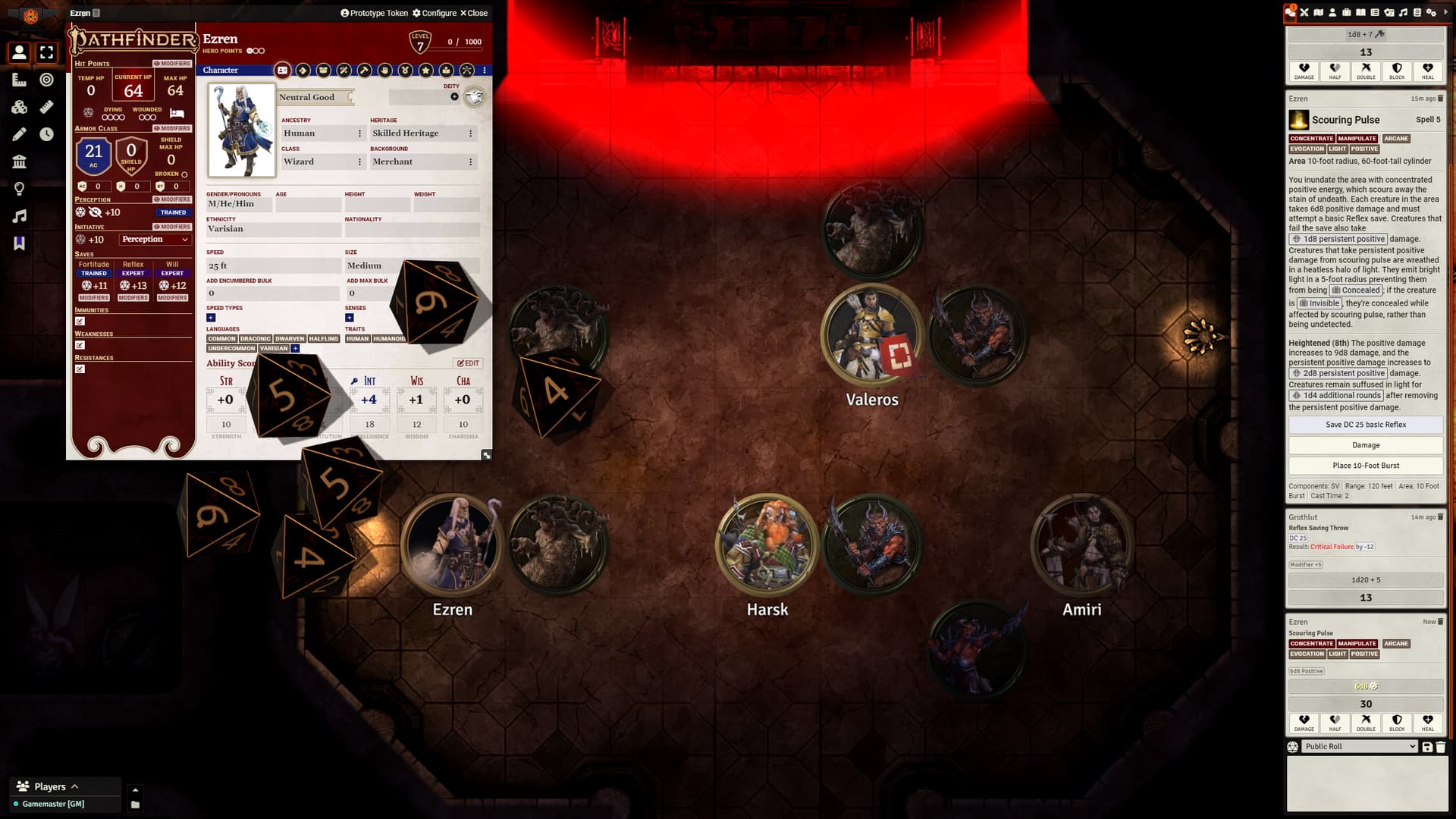
Community recommendations and ready-made workflows are helping new GMs cut prep time and run smoother Pathfinder Second Edition sessions on Foundry VTT using the PF2e game system package. Players and GMs report that a small, focused set of modules and a few automation patterns - Tile Triggers, Item Piles, and character-sheet buttons - deliver the biggest practical gains during play.
Start with the PF2e system package installed in Foundry, then add a light toolkit rather than an avalanche of modules. As one community comment put it about Spotlight Omnisearch or Quick Insert, "Absolutely essential as a GM. I agree with most people saying you don't want too many modules until you know what you need, but this lets you search for anything and drag it into play, and that level of streamlining is so important when you're juggling things." Spotlight or Quick Insert speeds table prep and on-the-fly NPC or item placement, which reduces interrupted pacing during scenes.
For tactile interaction and table presence, several community favorites stand out. Dice Tray supports drag-and-drop rolling functionality; as one user noted, "You didn't show how you can just click and drag a die into the Dice Tray to auto roll one!" Pointer and Pings! replaces the default cursor with map pings that players actually use - "How about Pings? That's about as essential as it gets. Cause the default mouse pointer thing will drive you insane." Dice So Nice! and Automated Animations add visual flourish that helps communicate action and spell effects, while FX Master provides environmental layers such as "rain clouds leaves, magic effects etc."
Practical workflows built by Redditors translate directly into tabletop mechanics. Invisible Tile Triggers can play sounds and reveal hidden Item Piles when a token moves into a space: "When they move their token around the map, I have (invisible) Tile Triggers that play a sound and then reveal hidden Item Piles full of stuff/loot that they can collect." Levels paired with a Tile Trigger that calls a macro can gate vertical movement by checking whether every player token is standing on a staircase before allowing ascent or descent. On the character sheet, Mastercrafted exposes build or crafting options via a single button so players "can click on a single button in their character sheet and be presented with a full list of 'things' they can build."

For tutorials and troubleshooting, the community points to Recall Knowledge Steve’s videos as a starting place; the poster who raised first-session jitters also cited Encounter Library and Stunty Dm but observed those resources "seem to specialize in 5E." The community also recommends real-time help: "Honestly looking and asking on the Discord is a great idea."
These practices matter because they prioritize reliable mechanical automation and visible feedback over one-off aesthetic mods, which preserves session flow and reduces GM stress. Verify each module against your Foundry version and PF2e setup, test Tile Trigger and macro combos in a short practice run, and start with the spotlight/quick-insert and dice tools before expanding your toolkit. Expect smoother combat turns and more cinematic scenes once core modules and a couple of tested macros are in place, and plan a trial session to confirm performance and compatibility before running your first full table.
This article was produced by Prism’s automated news system from verified source data, official records, and press releases, then run through automated quality and moderation checks before publishing. The system is built and supervised by the people who set the standards it runs under. Read our full AI policy.
Did this article answer your question?