IBIS, OIS, and EIS Explained: How Each Stabilizes Photos and Practical Trade-Offs
Know which stabilizer moves the sensor, the lens, or the pixels, and why that matters for lenses, autofocus, and final image/video workflow.
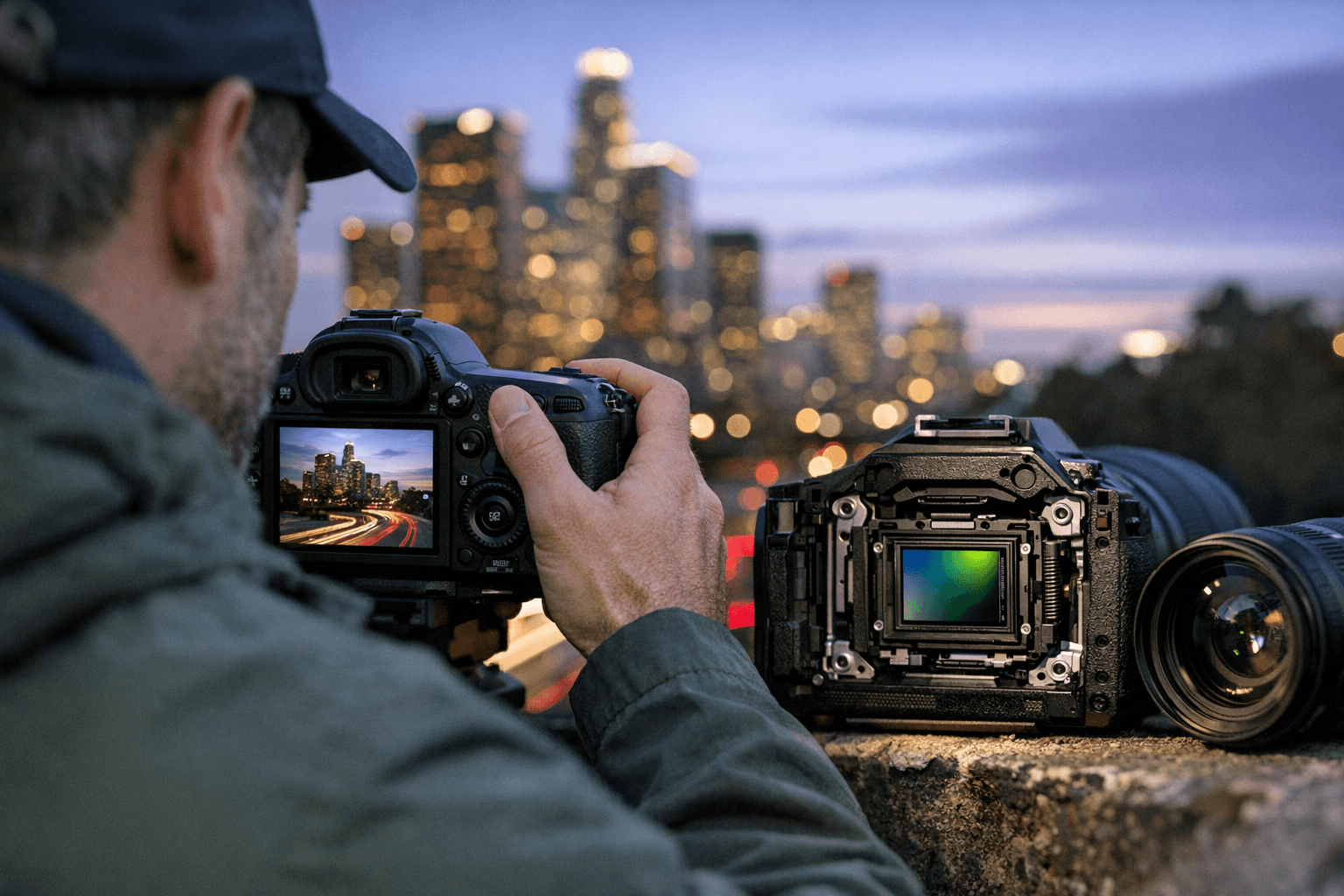
Stabilization falls into three practical camps: IBIS (sensor motion), OIS/IS/VR (lens element motion), and EIS/gyro (software/pixel motion). Below I explain how each works, the everyday trade-offs for hobby photographers, when to combine systems, and quick setup rules you’ll actually use in the field.
1. In-Body Image Stabilization (IBIS)
IBIS moves the camera’s sensor to compensate for shake along multiple axes. That mechanical motion corrects angular and small translational movement so any mounted lens, native or legacy, gets stabilization even if the lens has no built-in mechanism. Practically, that means you can keep older primes usable at slower shutter speeds and avoid spending more for stabilized lenses when you want flexibility across a lens collection.
IBIS is hardware inside the camera body and interacts directly with autofocus systems and metering because the sensor itself is being shifted. That interaction is mostly seamless on modern cameras, but expect menu options to disable IBIS for tripod use or when a lens provides its own stabilization; those options prevent the body from trying to correct when no handheld shake exists. Hobbyists should check their camera’s stabilization menu and learn whether the body automatically detects a static situation or if manual disable is required.
When to favor IBIS: use it when you want stabilized results with many lenses, especially wide-to-normal primes and zooms without OIS. IBIS is particularly useful for low-light stills, handheld macro, and walkaround shooting where you swap lenses often. Downsides to be aware of include slightly more power draw and the need to confirm compatibility with long-tele lenses, some very long or extreme-tele lenses still rely on lens stabilization for peak performance.
- Tip: If you pair IBIS with a stabilized lens, check for a “sync” or “lens priority” mode in the menu so the body and lens don’t fight.
- Tip: Turn off IBIS if you mount the camera on a solid tripod or use long-exposure mode to avoid unnecessary sensor motion.
2. Optical/Lens Image Stabilization (OIS / IS / VR)
OIS moves specific optical elements inside a lens to counteract motion; it’s implemented per-lens and often branded as IS, OIS, or VR depending on the manufacturer. Because correction happens at the optical plane, OIS can be especially effective for long-tele and extreme-zoom lenses where small angular shake causes large framing shifts. That makes OIS the go-to for handheld telephoto wildlife, sports, and action at focal lengths where sensor shifts alone may be insufficient.
Because OIS is built into the lens, stabilization performance varies lens-by-lens: some telephotos are tuned for subject-tracking and can suppress blur more effectively at long focal lengths than body-only systems. However, relying on OIS locks stabilization to the lens: you lose that benefit when you switch to another lens that lacks it. Also, OIS can complicate tripod use and some autofocus modes if the lens continues to correct for motion the camera perceives differently; many lenses include an OIS on/off or tripod mode to address this.
When to favor OIS: choose lenses with OIS if you shoot handheld at long focal lengths or if you need stabilization that’s optimized for that particular optical design. If your primary telephoto has OIS, you may gain better reach and steadiness for distant subjects than with IBIS alone. The trade-off is cost, added weight, and dependence on lens-specific firmware and behavior.
- Tip: If your lens has an OIS “tripod” or “panning” mode, use it to avoid the lens fighting steady tripod shots or to retain stabilization only on one axis for smooth panning.
3. Electronic/Image Stabilization (EIS / gyro / digital)
EIS uses electronic processing, often driven by gyro data from the camera or phone, to shift and crop the image digitally to smooth motion. For stills that are stabilized after capture, EIS can reduce micro-jitter and correct rolling-shutter artifacts in video. Because it’s software-based, EIS works with any lens and often operates in tandem with IBIS or OIS as a final layer of stabilization.
The main trade-offs for EIS are image crop and reliance on processing: to create room for pixel shifts, EIS typically crops the frame slightly, so effective focal coverage is reduced. That crop can be acceptable for video or social-frame delivery but matters for hobbyists who need full-frame pixels for large prints or tight compositions. EIS also introduces potential artifacts, like warping or reduced sharpness in high-frequency detail, if over-applied, so most cameras let you choose strength levels or turn it off for static, high-resolution stills.
When to favor EIS: use electronic stabilization for video handheld at walking speeds, for mobile workflows where you don’t have access to IBIS/OIS, or when you need to smooth gimbal-like motion without extra hardware. Combine EIS with IBIS/OIS for a layered approach, hardware for large corrections, electronic for fine-tuning, when your camera supports hybrid stabilization.
- Tip: If you shoot video for editing, record with the least aggressive EIS setting that still stabilizes motion to preserve maximum image area and flexibility in post.
4. Combining systems: practical synergy and conflicts
Modern cameras and lenses often allow IBIS + OIS + EIS to work together, but that’s not universally automatic. When combined properly, IBIS handles general multi-axis shake, OIS provides lens-specific long-tele correction, and EIS polishes leftover motion in software. That layered approach gives the best chance of sharp hand-held stills and buttery video without adding weight.
Conflicts appear when multiple systems attempt the same correction without coordination: the body and lens might “fight” if each assumes primary control, leading to micro-oscillation or unexpected framing shifts. Check your gear’s menu to choose priority modes (lens-priority, body-priority, or hybrid) and test critical combos, especially with long focal lengths or specialty lenses. For tripod work, disable IBIS and OIS when instructed; EIS is usually off for highest-quality stills.
5. Practical setup rules for everyday shooting
1. For walkaround stills with mixed lenses, enable IBIS and disable lens OIS only if the camera recommends it; otherwise use lens priority for long lenses.
2. For long telephoto handheld work, favor lenses with OIS and set the body to coordinate or defer to lens stabilization.
3. For handheld video, enable hybrid stabilization (IBIS + EIS) if available, but test crop and artifacts before critical shoots.
4. On a stable tripod or gimbal, disable hardware stabilization unless your camera explicitly supports fixed-tripod IBIS modes.
5. For legacy or manual lenses, IBIS gives immediate stabilization without needing lens modules, use it to avoid upgrading every lens.
Each rule reflects the functional roles of sensor motion, optical element motion, and software correction and maps them to everyday shoot choices in the field.
6. Who benefits and who can skip it, quick take
If you own many lenses, especially older primes, IBIS delivers the most immediate value; you get stabilization across that collection without replacing glass. If you shoot long focal lengths or zooms for wildlife or sports, invest in lenses with OIS for better reach and control. If video and mobile delivery is your main goal, EIS is a practical, low-cost layer to smooth motion but expect small crops and potential processing artifacts.
Conclusion Understanding whether stabilization is happening in the body, the lens, or in software changes how you buy gear, set menus, and shoot in the field. Use IBIS for broad lens compatibility, OIS for telephoto precision, and EIS as a final polish for video or devices without mechanical stabilization. Learn your camera’s stabilization priority settings, test combinations before important shoots, and pick the approach that fits the lenses you already own and the type of images you most often capture.
This article was produced by Prism’s automated news system from verified source data, official records, and press releases, then run through automated quality and moderation checks before publishing. The system is built and supervised by the people who set the standards it runs under. Read our full AI policy.
Did this article answer your question?


