Why Log video raises minimum ISO, and what cameras are really doing
Log is not your camera hiding base ISO. The higher floor is usually the log curve doing exposure math, and that changes how cleanly you can shoot.
Why Log looks like it blocks base ISO
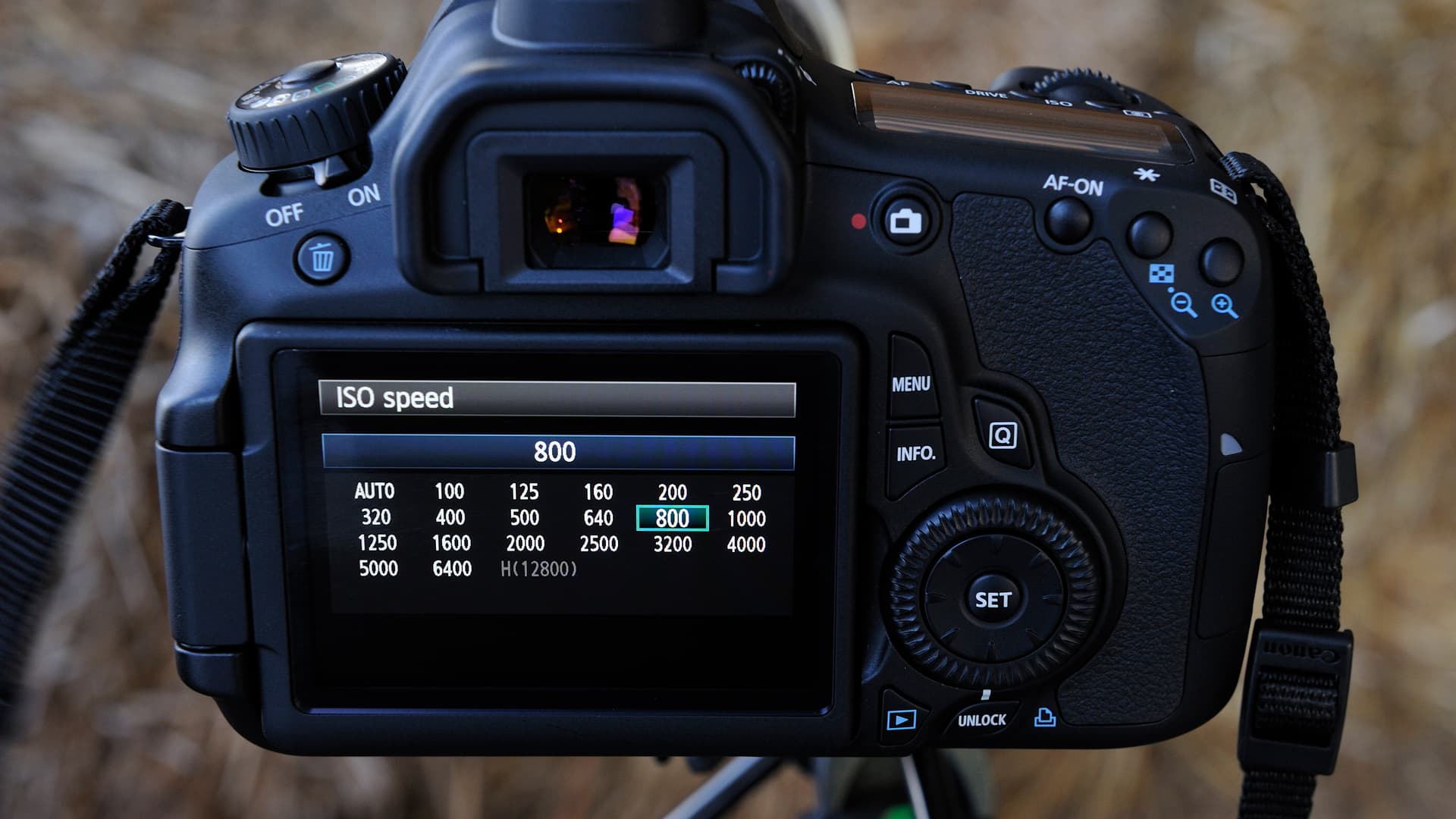
The first time you switch a hybrid body into Log, the ISO number can feel like a prank. You expect your camera’s normal base ISO, then suddenly the menu jumps to 640, 800, or even 1250. That is where a lot of stills shooters get annoyed and, honestly, a little suspicious: it looks like the manufacturer is just withholding the good setting.
That is not the real story. In DPReview’s explainer, Abby Ferguson and Richard Butler make the key point plainly: the camera is not necessarily hiding the sensor’s true base sensitivity. It is changing how the image is encoded for Log recording, and the ISO display is reflecting that workflow, not just a raw sensor limit. Once you understand that, the whole argument around “why won’t my camera let me use base ISO in Log?” starts to make more sense.
What the camera is actually doing
Log is built to protect highlights and preserve more grading latitude in post. To do that, the camera maps the signal differently than it does in a standard video profile, which is why the apparent minimum ISO rises. Sony’s own help pages spell out the underlying logic: base ISO is the lowest ISO with no added gain, it gives the least noise and the widest dynamic range, and when recording with Log shooting, base ISO is necessary for the highest flexibility.
Sony also says the minimum available ISO becomes higher in S-Log2 or S-Log3 because the camera controls exposure differently to achieve wide dynamic range. That is the part people miss when they assume the menu is just being restrictive. The camera is not losing sensitivity; it is prioritizing the log curve’s headroom and tonal placement.
This is why the number on the screen can be misleading if you treat it like a still-photo ISO setting. In Log, the display is part exposure tool, part encoding guide. The real question is not “why can’t I choose ISO 100?” but “what ISO does this profile need so the signal lands where the curve expects it?”
Why this matters when you actually shoot
This is not abstract menu trivia. If you misunderstand Log ISO, you can make footage noisier than it needs to be or make bad exposure choices chasing a number that looks cleaner on paper.
Here is the common mistake: a photographer sees a minimum Log ISO of 800 and thinks, “Fine, I’ll expose darker to compensate, then lift later.” That usually backfires. Log is designed for a specific exposure strategy, and underexposing it just to force a lower-looking number can leave you with lifted shadows, thinner color, and more noise in post.
Sony’s support guidance is blunt about the practical side too: S-Log2 and S-Log3 require technical knowledge for grading, and they recommend test shooting because noise can be visible at high ISO. That is exactly the kind of warning stills shooters need when they jump into hybrid work. The clean file comes from matching the profile’s expectations, not from gaming the menu.
The brand baselines are different, but the logic is the same
Once you start comparing systems, the numbers vary, but the principle stays constant. Each maker has picked a base ISO that suits its sensor, processing pipeline, and log implementation.
Nikon’s N-Log manuals say the format is intended to preserve detail in highlights and shadows and for post-production color grading. On the Z f and Z 9, ISO 800 is listed as the lowest ISO sensitivity for N-Log recording in the relevant modes. Nikon’s Z6III manual says N-Log gives about 13+ stops, or 1300%, at ISO 800, while the Z f reference guide lists 12 stops, also described as 1300%, at ISO 800. Those are not random numbers; they are the tradeoff you accept for more grading room.
Canon lands in the same neighborhood. Canon says Canon Log 2 and Canon Log 3 are based around ISO 800, and that shooting lower than 800 is possible on some models but narrows dynamic range. The EOS R6 Mark II manual says Canon Log offers about 1600% dynamic range at ISO 800 or higher. Canon’s phrasing matters: yes, you can sometimes dip below that floor, but you are paying for it in latitude.
Panasonic’s Lumix S9 manual sets the lower ISO limit for V-Log at 640, or 320 with Extended ISO. Fujifilm’s X-M5 manual puts F-Log at ISO 640 to 12800, while F-Log2 runs from ISO 1250 to 12800. Different brand, different number, same underlying deal: the log curve wants a certain exposure baseline so it can keep highlights and shadows where the profile expects them.
The pitfall for stills shooters moving into hybrid work
Stills shooters are used to treating ISO as a straightforward noise dial. Log video makes that mental model too simple. In video, the profile, the sensor’s gain structure, and the grading target all matter at once, so the “lowest ISO possible” instinct can be the wrong instinct.
That confusion shows up in two bad habits:
- Chasing a lower ISO than the profile wants, then underexposing and rescuing the image later
- Assuming a higher minimum ISO automatically means worse image quality, when the profile is often trading that floor for wider dynamic range and better highlight handling
The practical consequence is easy to see: if you fight the profile, you can end up with footage that looks flat, noisy, and stubborn in post. If you work with it, you get a file that grades more predictably and holds detail better where Log is meant to help, especially in bright skies, specular highlights, and high-contrast scenes.
How to think about Log ISO without getting lost
The simplest way to read these menus is this: the camera is not asking for a favor, it is asking for a starting point. That starting point is tied to how the log curve is built, not just to the sensor’s raw ability to see in low light.
Keep this in mind when you switch brands or switch profiles:
1. Check the base ISO for the exact Log mode you are using, not just the camera’s normal stills ISO.
2. Assume the profile’s minimum ISO is there for a reason, usually dynamic range and highlight protection.
3. Expose with the grade in mind, because Log expects you to do more of the look-building later.
4. Run test clips before a real shoot, especially if you are new to that camera’s log implementation.
That is the real lesson behind the ISO jump. Log does not magically block base sensitivity; it reshuffles how the camera uses it. Once you stop reading the number as a simple ceiling or floor, the whole system becomes a lot less mysterious, and a lot easier to use without making noisy, overthought mistakes.
This article was produced by Prism’s automated news system from verified source data, official records, and press releases, then run through automated quality and moderation checks before publishing. The system is built and supervised by the people who set the standards it runs under. Read our full AI policy.
Did this article answer your question?


