AYN Odin 2 Portal setup guide highlights premium Android emulation power
The Odin 2 Portal turns a powerful Android handheld into a better everyday emulator with its 7-inch OLED screen, Hall controls, and setup path that favors real play over busywork.
A handheld that changes the feel before it changes the specs
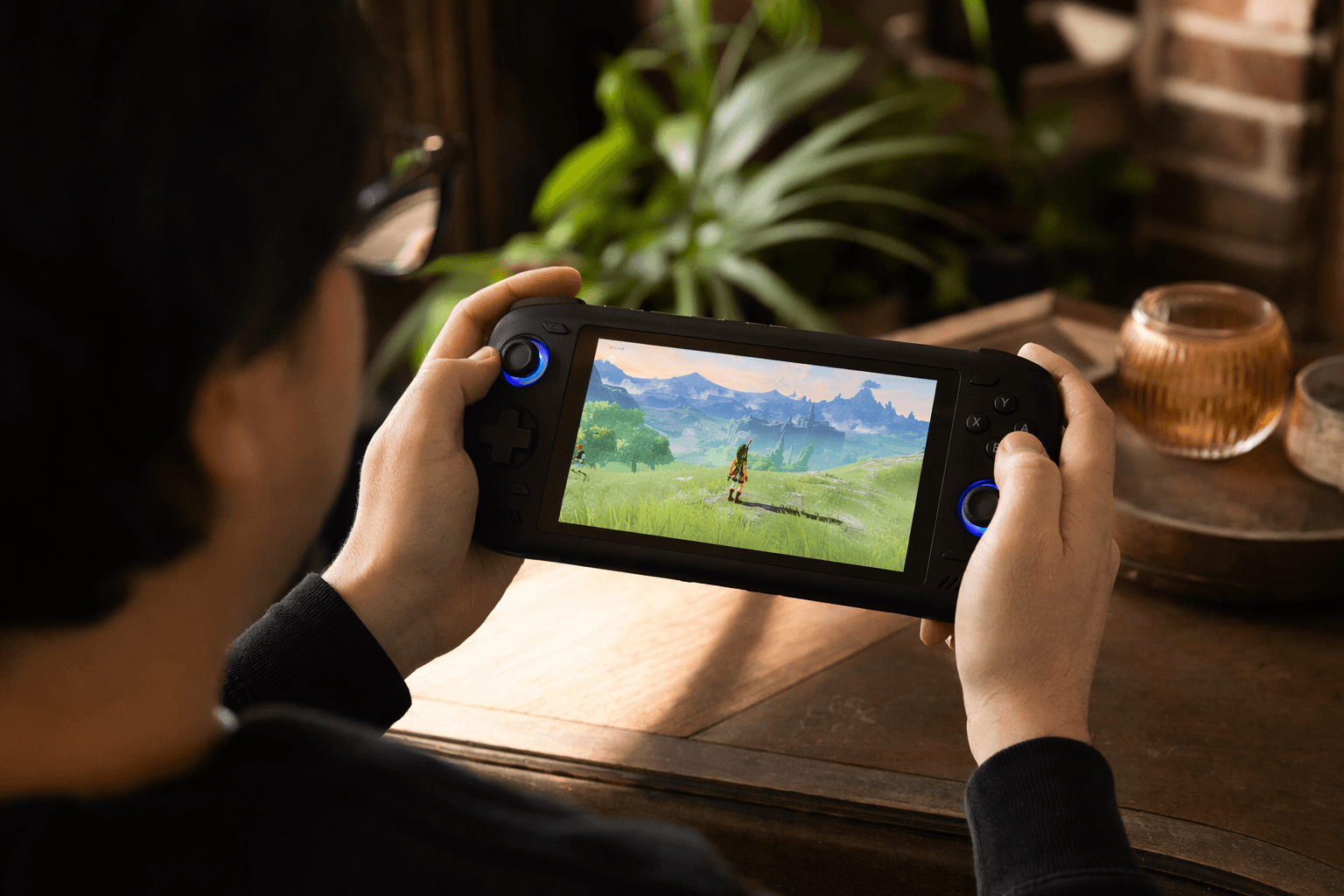
The AYN Odin 2 Portal is the kind of machine that makes you stop talking about raw horsepower and start talking about how games actually look and feel in your hands. It keeps the Snapdragon 8 Gen 2 platform that made the original Odin 2 a scene favorite, but wraps it in a 7-inch, 120Hz OLED panel that gives retro games, streaming, and even desktop-style use a more premium edge. That screen is the story here, but the larger win is what it does to the whole setup experience: the Portal is built for people who want a powerful Android emulator without spending their evenings chasing tiny fixes.
That framing matters because the Odin 2 family already established a reputation for strong value. Retro Handhelds places the original Odin 2’s release in December 2023 and notes that it undercut competitors like the Razer Edge and AYANEO Pocket Air while delivering stronger performance for the money. The Portal arrives as the refinement pass, not the first draft, and it makes sense as a successor for anyone who wanted Odin 2 muscle with a display that finally feels special.
Pick the model that matches your library, not your wishlist
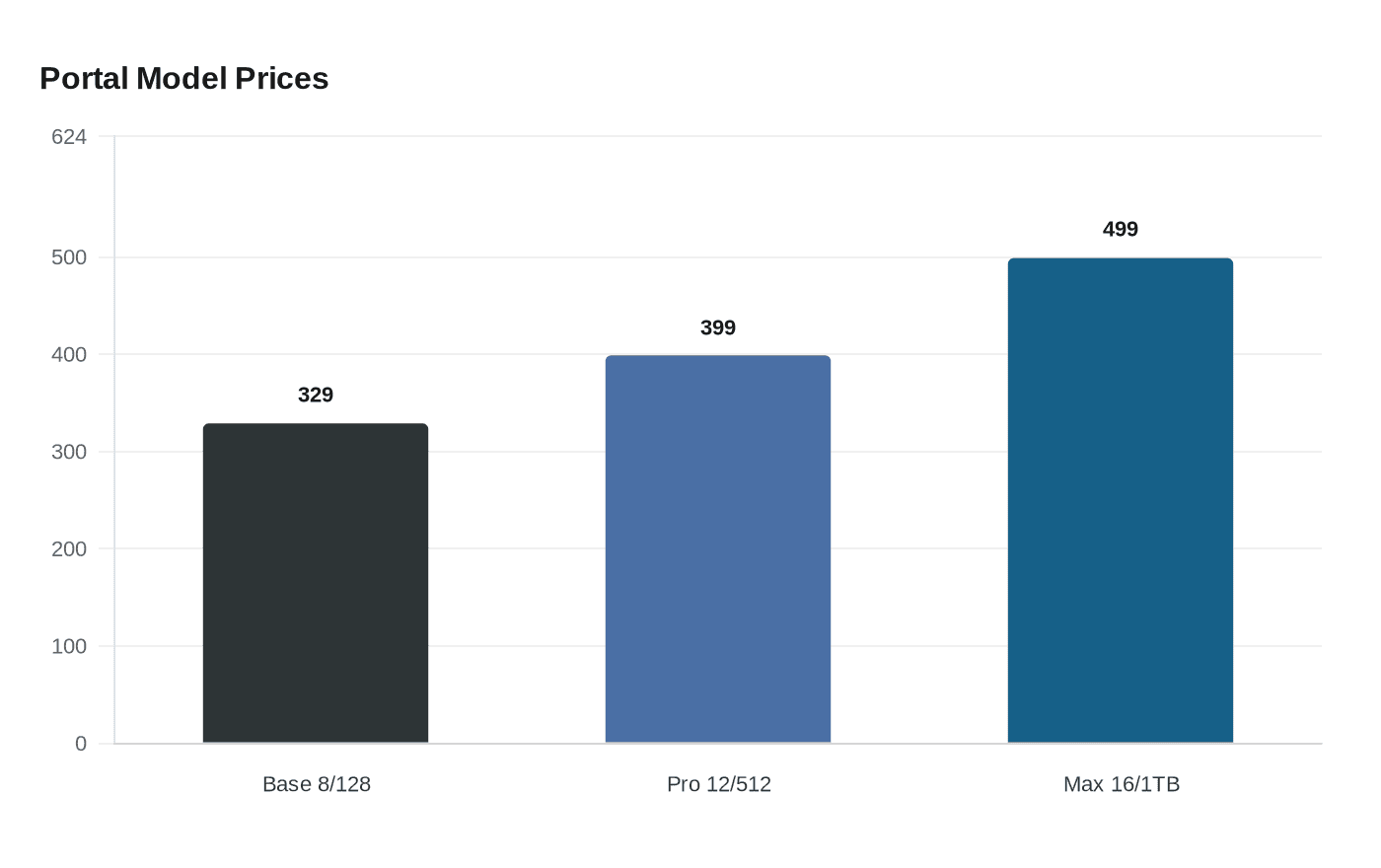
AYN Technologies split the Portal into three configurations, and the pricing tells you exactly where the line sits between “more than enough” and “absolute overkill.” The Base model comes with 8GB of RAM and 128GB of storage for $329. The Pro moves to 12GB and 512GB for $399, while the Max steps up to 16GB and 1TB for $499. Retro Handhelds calls the Pro the sweet spot, and that tracks with the way the device is positioned: it has enough headroom for almost any emulation target short of the most demanding Switch and PC workloads.
Color also matters more than it usually does on a handheld this polished. The Portal ships in Black, White, and Indigo, and the device’s look matches the rest of the pitch: this is not a bare-bones tinkerer’s slab, but a premium Android handheld that wants to sit on a desk or in a travel bag without apologizing for itself. The hardware list backs that up with an 8000mAh battery, Wi-Fi 7, Bluetooth 5.3, Hall-effect sticks and triggers, and USB-C video output.
The setup guide starts where the real time savings begin
Retro Handhelds built its setup guide around the parts that matter after the unboxing glow fades. Instead of treating the Portal like a generic Android tablet, the guide walks through the choices that determine whether the device becomes a great emulation machine or a cluttered one: emulator installs, BIOS handling, launcher and frontend choices, streaming apps, PC emulation, device settings, and file transfer through Solid Explorer. That sequence is useful because it mirrors the way most people actually use a handheld like this, building from system access outward to the library and then to the daily shortcuts that keep things smooth.
The biggest lesson is that the hardware only solves part of the problem. The Snapdragon 8 Gen 2 and the fast OLED panel give you an enormous ceiling, but the lived experience still depends on how cleanly the software stack is assembled. A good launcher can make the Portal feel like a console instead of an Android device with a controller attached. A sloppy frontend can make even excellent hardware feel fiddly. The guide’s real value is that it turns those decisions into a deliberate workflow rather than a weekend of trial and error.
Build the stack around the games you actually boot
For retro players, the most important setup choice is not theoretical performance. It is deciding which emulators deserve the prime slots on the home screen and which systems are good enough to leave on standby. The Portal’s Snapdragon 8 Gen 2 gives it comfortable room for classic systems, 2D handheld libraries, and plenty of 3D-era emulation, while the Pro and Max configurations add the storage and memory cushion needed for bigger libraries and more aggressive multitasking.
That is also where the guide’s emphasis on frontends pays off. A good frontend workflow is what turns a strong Android handheld into something closer to a living-room console, with your library organized, your favorite systems pinned, and your launch process trimmed down to a few taps. Solid Explorer fits into that same philosophy by making file transfers less annoying, which matters more than people admit when you are moving BIOS files, box art, saves, or full ROM sets between devices.
Use the display as an advantage, not just a spec
The Portal’s 7-inch 120Hz AMOLED screen is not just a luxury item. It changes how sharply older games present themselves and how convincing modern handheld-scale UI work feels when you are switching between apps, frontends, and streaming services. Indiegogo describes the unit as a 7-inch 120Hz AMOLED handheld with Hall sticks and an 8000mAh battery, and that combination is the core of its appeal: responsive controls, a vivid panel, and enough battery to keep the machine from feeling tethered to a charger.
That said, a bright modern display can expose the same old retro problem, which is that many classic games still look wrong without thoughtful visual treatment. The Portal’s premium panel gives you an excellent canvas, but the best results still come from emulator settings that respect aspect ratio, scaling, and authenticity. The device rewards users who spend a little time tuning visuals instead of assuming a high-end screen will solve presentation on its own.
Battery, thermals, and the kind of portability that actually lasts
An 8000mAh battery is one of the Portal’s quiet advantages, especially once you factor in how often Android handheld owners bounce between emulators, streaming apps, and launcher layers. The point is not just raw runtime. It is keeping the system usable without constant battery anxiety, and the Portal’s hardware balance makes that more realistic than on smaller, more compromised devices.
The other part of the portability story is how the Portal fits into a wider handheld ecosystem that keeps growing beyond Android alone. Retro Game Corps added support information for the Odin 2 Portal in its March 2025 Linux guide, which is a useful signal that the device had become important enough to matter in cross-platform experimentation. That kind of attention rarely lands on a machine that feels disposable. It lands on one that has enough hardware credibility and community interest to be worth adapting.
Why this one resonated in the scene
The Portal’s launch also carried a bit of surprise. Retro Handhelds framed it as a surprise announcement from AYN after a quieter stretch following the Odin 2 Mini announcement, which helped the device land as a genuine moment rather than just another incremental refresh. The campaign numbers tell the same story from a different angle: Indiegogo reports 2,556 backers and HK$9,185,803 in total funding, a strong show of confidence for a handheld whose pitch was essentially that the right screen could make excellent silicon feel newly relevant.
That is the most useful way to think about the Odin 2 Portal setup guide. It is not really a box-opening checklist. It is a playbook for making premium Android hardware behave like a polished retro machine, with the screen, controls, software stack, and file flow all pulling in the same direction. For anyone building a serious handheld rotation, that is the difference between owning a powerful device and actually enjoying it every day.
This article was produced by Prism’s automated news system from verified source data, official records, and press releases, then run through automated quality and moderation checks before publishing. The system is built and supervised by the people who set the standards it runs under. Read our full AI policy.
Did this article answer your question?

