Mac emulation is thriving on Apple Silicon, RetroArch leads the way
RetroArch’s native Metal build gives Apple Silicon Macs the broadest retro reach with the fewest compromises. OpenEmu still shines for a clean Mac feel, but it is no longer the default.
RetroArch is the practical default on Apple Silicon
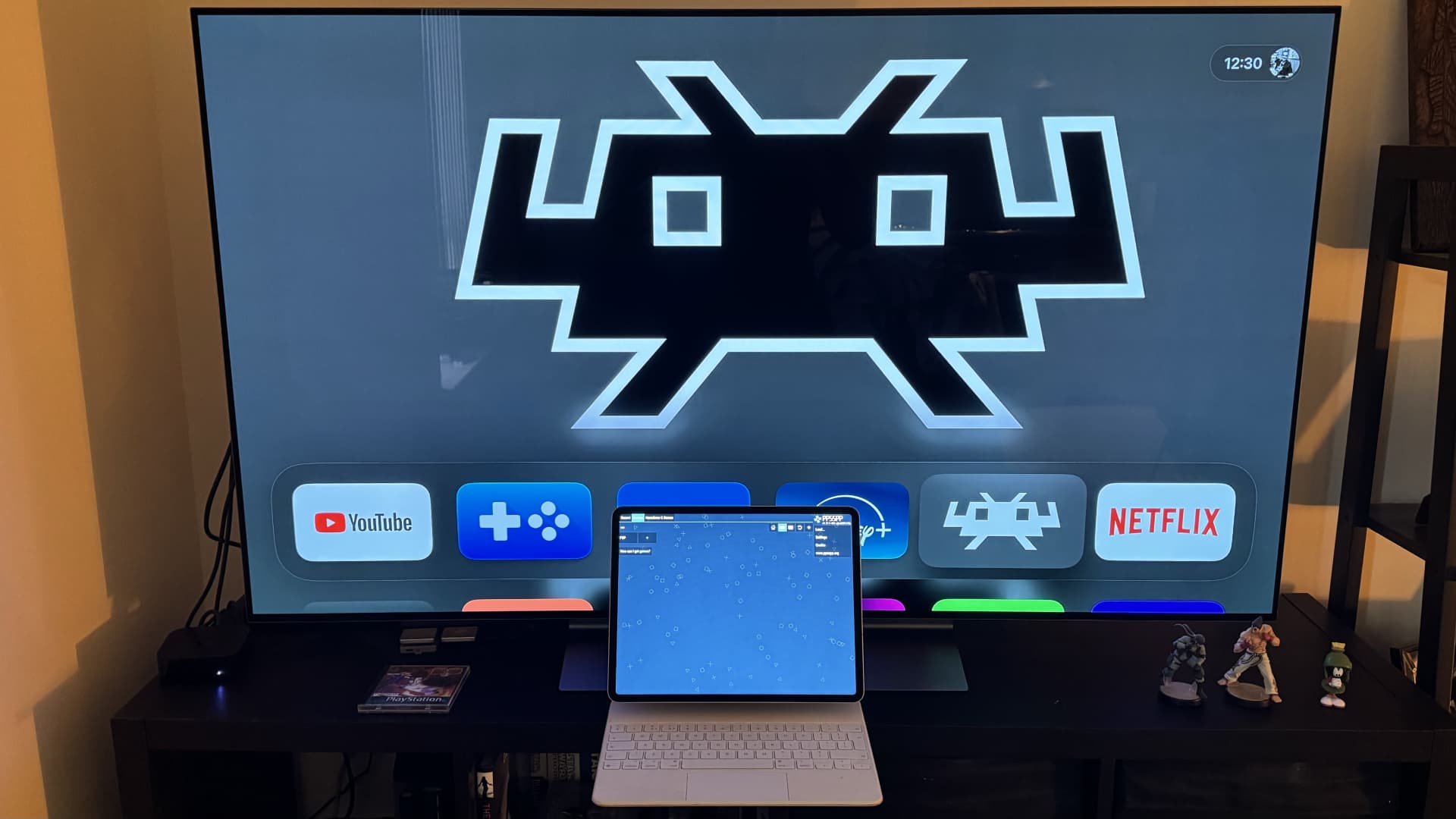
RetroArch’s Mac story changed the moment its macOS Metal build became a Universal binary. On an M-series Mac, that means native support without translation, and in practice it removes one of the biggest headaches that used to shadow emulation on modern Apple hardware. Libretro’s macOS documentation also makes clear that this same path spans Intel, Apple Silicon, and even older PPC Macs, which is why RetroArch now looks like the broadest single front end for people who want one install that can stretch across an entire retro library.

The important detail is not just speed. A native build means fewer compatibility surprises, less friction when launching cores, and a more predictable setup when you want a single app to handle everything from 8-bit consoles to later systems. Libretro still calls the downloadable Mac build “Metal” for historical reasons, but the label hides a very current reality: this is the version that fits modern Macs best.
Where OpenEmu still fits
OpenEmu remains the Mac-like option in this space, and that still matters. The project describes itself as a macOS-focused, open-source, multi-system emulator built around Cocoa, Metal, and Core Animation, so the whole experience is designed to feel like a proper Mac app rather than a general-purpose gaming shell. It is also the easiest way to get from download to gameplay if you mainly want an attractive library and drag-and-drop simplicity.
That said, OpenEmu is not the same open-ended answer that RetroArch has become. Its return in December 2023 came as a quick fix for Apple Silicon launching issues, but the v2.4.1 release notes still described the build as Intel-only and said it required Rosetta 2 on Apple Silicon. OpenEmu’s own site still lists v2.4.1 as the macOS download for machines running macOS 10.14.4 or later, and Homebrew’s formula index also continues to point to 2.4.1 as the current version. For Apple Silicon users, that makes OpenEmu feel more like a polished companion app than the broad compatibility default.
Why the two tools solve different problems
OpenEmu and RetroArch are often treated like rivals, but they are better understood as different answers to the same question. OpenEmu is the Mac-native, library-first choice. It automatically pulls metadata from OpenVGDB, which helps the collection feel organized without much manual work, and it excels when the goal is simply to browse, launch, and play older systems with minimal setup.
RetroArch is the power-user path. It brings shaders, netplay, RetroAchievements support, run-ahead latency reduction, rewind, save-state sync, and support for systems OpenEmu does not cover as fully. That wider feature set is why RetroArch now leads the conversation for Apple Silicon users who want one frontend to do the heavy lifting. If the priority is broad compatibility, customization, and future-proofing, RetroArch gives you the deeper bench.
The privacy angle is part of the setup now
A modern emulation setup is not just about cores and BIOS files anymore. Metadata databases, achievement servers, cloud sync APIs, and netplay lobbies all introduce network activity that older Mac emulation guides often ignored. That means the cleanest setup is also the safest one, especially if you want to keep your library private and avoid unnecessary online connections.
RetroAchievements is a good example of how much the landscape has changed. Libretro describes it as a trophy and achievement mechanism for retro games, and RetroAchievements’ own documentation makes clear that it is a custom achievement platform, not a ROM source. In other words, it adds community features, but it also adds another account and another online service to think about. RetroArch’s cloud sync takes privacy-conscious design seriously too: its documentation says it uses iCloud Drive and hides synced files from the Files app by design, specifically because manual editing could corrupt the sync state.
The simplest safe configuration on a modern Mac
For most Apple Silicon users who want the broadest compatibility with the least friction, the cleanest answer is RetroArch Metal, kept local and stripped to the essentials. That gives you the native Universal build, avoids Rosetta, and keeps the setup aligned with Apple Silicon instead of fighting it.
A good baseline looks like this:
- Install RetroArch’s macOS Metal build.
- Leave RetroAchievements off unless you specifically want online tracking.
- Skip cloud sync unless you have a real need for iCloud-based save sharing.
- Keep netplay disabled until you are ready to use it.
- Add shaders, rewind, and latency tools only when you know what you want from a system.
That setup stays private by default, but it still leaves room for RetroArch’s strongest features when you actually need them. It is also the best fit if you care about compatibility across more than one generation of Mac hardware, because the same path covers Intel, Apple Silicon, and even PPC in Libretro’s documentation.
Where OpenEmu still earns a place
OpenEmu is still worth installing if you value presentation and simplicity over absolute reach. Its metadata system, OpenVGDB integration, and Mac-first interface make it a natural fit for older consoles and for anyone who wants a tidy game library without much configuration. On the right machine and with the right expectations, it is still the easiest way to make a Mac feel like a console front end.
But for Apple Silicon users asking the most practical question, the answer has shifted. The simplest safe configuration with the broadest retro compatibility is no longer the polished fallback. It is RetroArch’s native Metal build, running locally, with the network extras added only if and when they earn their place.
Know something we missed? Have a correction or additional information?
Submit a Tip