RetroArch netplay brings lag-free online play to retro games
RetroArch netplay leans on replay and perfect sync, so classic games can stay responsive online when cores, content, and settings all match.
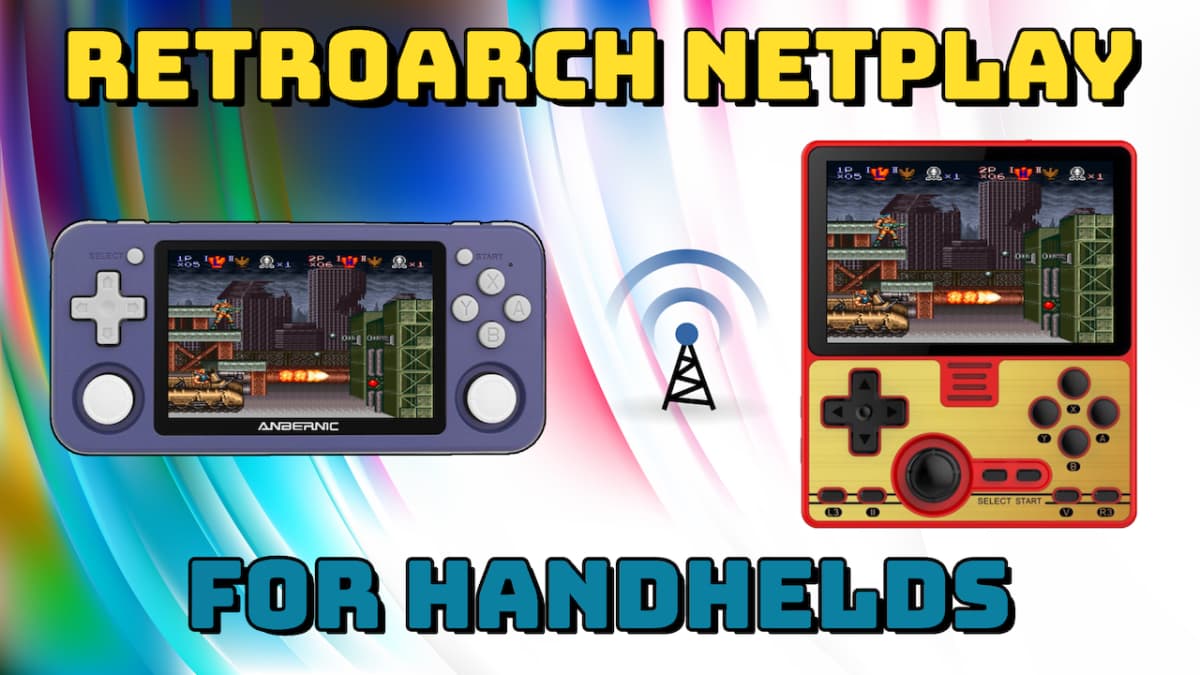
RetroArch netplay can feel unusually playable because it is built around synchronization, not wishful thinking. In its default configuration, Libretro’s documentation says the system is designed to provide netplay over unreliable networks free of input latency, which is a very different promise from the usual “just send the button presses and hope” approach. That design is why a classic game can stay crisp online, but it also explains why the wrong core, ROM, or setting can break a session fast.
Why RetroArch’s netplay model works
RetroArch’s netplay code is based on replay, so the session is not just a stream of inputs drifting through the internet. The whole point is to keep every machine aligned through serialized state and synchronized simulation, which is much closer to rollback thinking than to a simple peer-to-peer relay. That is also why RetroArch’s documentation says netplay is guaranteed to work with perfect synchronization, a phrase that matters because emulation sessions do not forgive even tiny differences.
That same logic is what makes the feature feel good when it works. Classic console games were built around deterministic local hardware, so a late input, a slightly different core build, or a mismatched game image can throw the machines out of step. RetroArch tries to avoid that by treating sync as the foundation, not an afterthought, and by making the replay model do the heavy lifting whenever the network is noisy.
How hosting, joining, and spectating actually fit together
RetroArch’s own netplay feature is meant for real sessions, not just technical demos. You can host or join a network gaming session, use the built-in lobby browser to find hosts, and switch into spectator mode to watch other people play. That makes the feature flexible enough for a one-on-one match, a couch-party-style session spread across handhelds, or a larger room where some players are active and others are watching.
The scale is part of the appeal. RetroArch netplay supports up to 16 players and many spectators, which is far beyond what most hobbyist emulation setups handle cleanly. That ceiling is one reason the feature keeps getting attention in community threads, where people are interested not only in playing, but also in tournament testing, audience participation, and group sessions that feel closer to a local arcade setup.
What has to match before a session will hold together
The practical rule with RetroArch netplay is simple: if the machines are not speaking the same language, the game will drift. Matching versions, the same core, and the same content are repeatedly cited as necessary for reliable play, because serialization only works when every client is running the same logic and loading the same data. A core can be excellent for solo use and still be a bad netplay fit if it cannot capture and restore state reliably.
A good setup usually comes down to a short checklist:
1. Use the same RetroArch version on every device.
2. Use the same core on every device.
3. Load the exact same game content on every device.
4. Keep compatibility settings aligned before the first match.
5. Test a small session before opening the room to a larger group.
That last step matters because the early warning signs are usually subtle, then sudden. One frame of divergence can turn into a desync, and once that happens, the session stops feeling like a game and starts feeling like a debugging exercise.
Why rollback-style thinking keeps coming up
The community has been unusually consistent on one point: rollback-style netcode is the right model for emulation. In a Libretro forum discussion, one user said, “GGPO/rollback-style is definitely the way to go for emulation,” which matches the logic behind RetroArch’s replay-centered approach. That kind of feedback matters because it comes from people using the feature in the exact environment it was built for, where latency, sync, and state consistency all matter at once.
That confidence did not appear overnight. RetroArch has been around since 2012, and a 2017 LaunchBox Community Forums post described netplay as “coming along nicely.” Those points show a feature that has had time to mature, while still being shaped by ongoing experimentation across cores, devices, and handheld setups. A Retro Game Corps guide updated on 12 January 2021 also makes the same practical point in plain language: RetroArch has a neat feature that lets you play multiplayer games on different handheld devices, but the setup is more complicated than it first looks.
Where the rough edges still show
RetroArch netplay is capable, but it is not frictionless. Community and issue-tracker discussions have shown that some builds or cores can desynchronize or regress after changes, which is the tradeoff for relying on strict synchronization instead of loose tolerance. When that happens, the problem is usually not the concept of netplay itself, but the exact combination of core behavior, content, and configuration.
That is why the feature rewards careful preparation. A stable core with reliable serialization can make a classic game feel almost local, while a marginal core can make the same room fall apart even on a decent connection. The distinction is important, because in retro emulation the network is only one piece of the puzzle, and often not the hardest one.
RetroArch netplay works when it respects the old rules of the hardware instead of fighting them. Match the core, match the content, keep the settings in sync, and the replay-based model can turn a brittle online session into something that still feels like classic play. When those pieces line up, the surprise is not that retro games can work online, it is how close they can come to the original feel.
This article was produced by Prism’s automated news system from verified source data, official records, and press releases, then run through automated quality and moderation checks before publishing. The system is built and supervised by the people who set the standards it runs under. Read our full AI policy.
Did this article answer your question?