Why Original Consoles Feel Smoother, Emulation’s Frame-Pacing Problem Explained
Original consoles often feel smoother because timing is steadier, not because they push more frames. The fix is usually frame pacing, latency, and display setup, not just raw FPS.
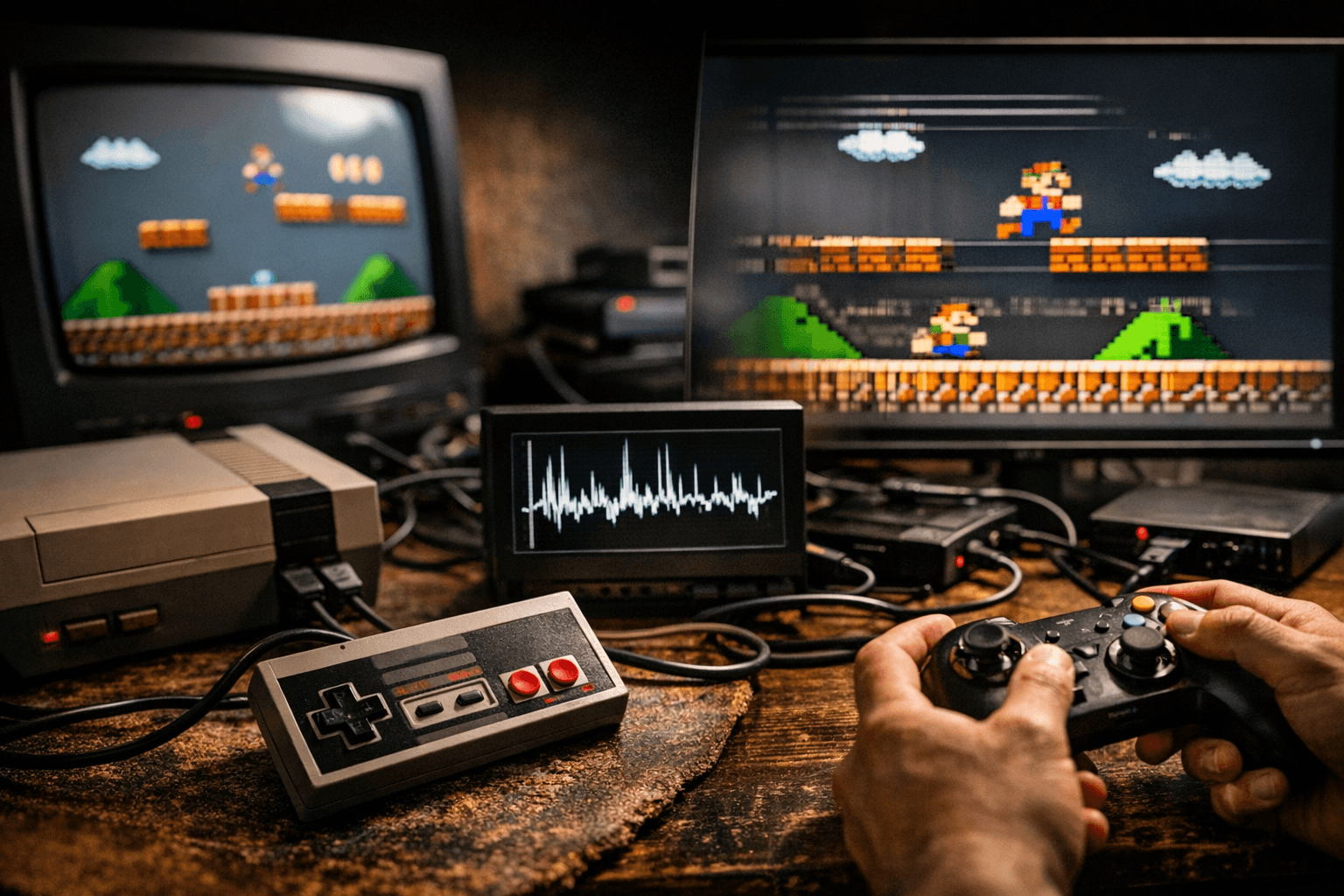
Why the original machine still feels right
LaurieWired’s point lands because it explains a feeling retro players know instantly: an emulator can post higher FPS and still feel less natural than a real console. The missing piece is not just speed, but timing, especially how frames are spaced and how input reaches the screen. That is why frame pacing has become such a big deal in emulation circles, right alongside accuracy and hardware recreation.
When a game runs on original hardware, the whole chain is built around a single rhythm. The console, display, and controller behavior all line up in a way that can feel strangely effortless, even when the technology underneath is older and more limited. Emulators have to recreate that rhythm while also dealing with modern operating systems, window managers, wireless controllers, triple buffering, and displays that are often slower or more variable than a CRT.
Frame pacing is not the same as frame rate
This is the part that trips up a lot of setups. A high FPS counter does not automatically mean the motion will look even or that your inputs will feel immediate. Frame pacing is about the spacing between frames, and if that spacing jitters, the game can look and feel uneven even when the raw speed looks fine.
Dolphin’s own performance guidance makes that distinction plain. Its documentation says skipping duplicate frames can help on very weak devices running 30 or 25 FPS titles, but on more powerful graphics cards, leaving that option unchecked can improve frame pacing because the duplicate frames help keep presentation steady. In other words, the emulator may be working harder not to produce more motion, but to produce better-timed motion.
Dolphin also showed how subtle the problem can be in practice. A June 4, 2025 progress report said frame presentation had been fixed after the team realized it was centering output based on pre-blanking time without accounting for post-blanking timing. That kind of correction does not sound flashy, but it is exactly the sort of change that turns a game from technically playable into something that finally feels aligned.
Why smooth can still mean laggy
Smooth animation and low latency are related, but they are not the same problem. You can make a game look clean while still making the controls feel late, and that distinction matters when you are trying to match original hardware instead of just chase pretty output. Dolphin’s performance guide even notes that some settings affect latency more than speed, which is a useful reminder that responsiveness and performance need separate attention.
Dolphin’s December 22, 2025 progress report pushed that idea further by saying new options were added to reduce latency and smooth out games with bad frame pacing. That is the modern emulator reality in one sentence: if the timing is off, the team may need to solve both the feel and the presentation path, not just the rendering cost. Dolphin also noted that the GameCube and Wii used double-buffered V-Sync by default, and that on a CRT, an optimized 60 FPS title could land at roughly 60 ms of final input latency.
That number is important because it shows how much delay can exist even in a very good setup. Once you add the emulator layer, the OS, the display, and the controller, the total can grow quickly. Dolphin’s documentation is blunt about the stack of delays emulators face, including window managers, triple-buffer V-Sync, wireless controllers, and slower displays.
Why Dolphin is the useful contrast case
Dolphin stands out because it is not pretending the problem is simple. It has already moved into the territory LaurieWired is talking about, where better architecture recreation has to be paired with better presentation logic and lower latency. That makes it a strong contrast case for what “good enough” optimization looks like in real emulation work.
The useful lesson is that a well-tuned emulator should not be judged by one metric alone. If the duplicate-frame path, presentation timing, and latency options are tuned properly, the result can feel much closer to original hardware even when the system is not perfectly identical underneath. Dolphin’s progress reports show that this kind of tuning is ongoing, not a one-time fix.
- Use a modern display with low processing delay.
- Avoid unnecessary buffering in the graphics chain.
- Test latency-related settings separately from speed settings.
- Do not assume more FPS means better feel.
For players, the practical takeaway is straightforward:
PCSX2 shows the harder side of the problem
LaurieWired’s comments also make more sense when you compare them with PCSX2, because PlayStation 2 emulation exposes a different set of pain points. PCSX2 describes itself as using MIPS CPU interpreters, recompilers, and a virtual machine that manages hardware states and system memory. That is a reminder that emulation is not a single program trying to “run a game”; it is a machine model rebuilding another machine’s behavior piece by piece.
PCSX2’s performance documentation also warns that ISO access can create substantial speed penalties because it mirrors the PS2’s small, fast disc-transfer patterns onto ISO files. That is a very specific kind of mismatch, and it helps explain why some games can behave well in one part of the emulator while still stalling or stuttering in another. The emulator is trying to preserve the original system’s habits, but the modern storage path does not always cooperate.
Latency complaints reinforce that the issue is not just theoretical. In a PCSX2 GitHub issue, a user reported high input lag in 3D games, sometimes not dropping below 6 frames of lag. For a lot of players, that is exactly the difference between a game feeling sharp and feeling detached, even when the image itself looks cleaner than it ever did on old hardware.
What actually brings emulation closer to original hardware
The best setups do not chase one magic switch. They combine accurate timing, sensible display choices, and emulator options that reduce avoidable delay without breaking the original game’s rhythm. LaurieWired’s critique is valuable because it shifts the conversation away from “does it run?” and toward “does it behave like the console did?”
- Favor frame pacing fixes over raw speed boosts when the game is already fast enough.
- Treat latency and frame pacing as separate problems.
- Use emulator options that match the game’s timing model instead of forcing every title into the same pipeline.
- On systems like PS2, be aware that storage access patterns can matter almost as much as CPU emulation.
If you want the closest feel, the priorities usually look like this:
That is why the current wave of emulator development matters so much. The goal is no longer just to boot games or push higher internal resolution. It is to recreate the architecture well enough that the motion, the timing, and the controller response feel like the original machine, and that is where the real preservation value lives.
This article was produced by Prism’s automated news system from verified source data, official records, and press releases, then run through automated quality and moderation checks before publishing. The system is built and supervised by the people who set the standards it runs under. Read our full AI policy.
Did this article answer your question?

