Scarlet's Realm Launches Mod List Guide With New Compatibility Tools for Patch 1.122
Scarlet's Realm launched a Mod List Guide on March 28 with interactive Patch 1.122 tools, as the old Mod List Checker stopped receiving updates on March 20.
Scarlet's Realm rolled out its new Mod List Guide on March 28, arriving at the tail end of a bruising stretch for mod users: a Patch 1.122 rollout that broke CC and triggered launch crashes, compounded by a March 1 malware incident in which compromised Mod The Sims accounts were used to upload malicious script files directly to unsuspecting players.
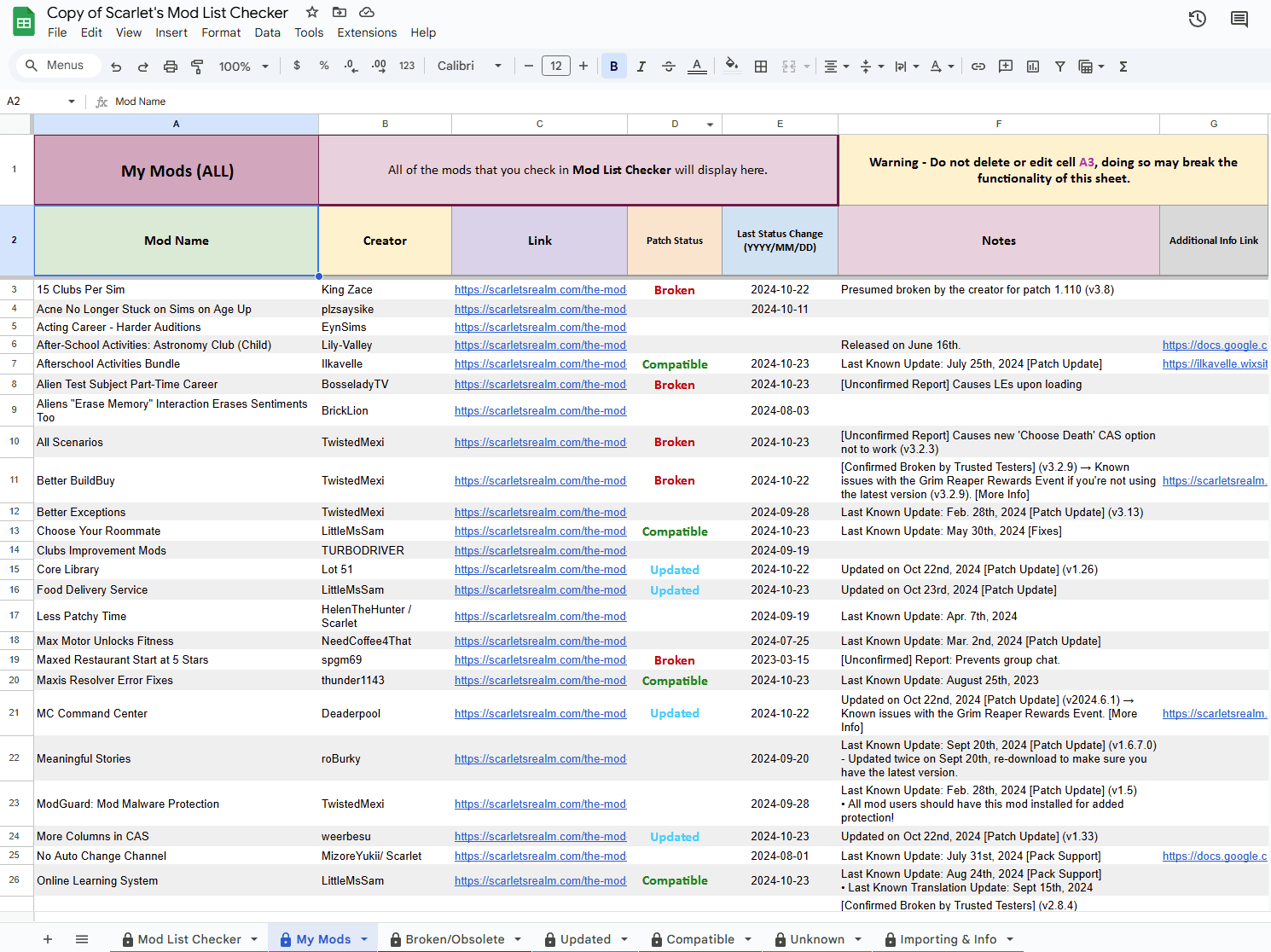
The new guide, published at scarletsrealm.com, comes with two headline additions: a "Your Mods" button that lets players check compatibility statuses for their selected mods in one view, and an import mechanism for anyone who has been tracking their collection in a spreadsheet. A mod-folder scan feature is also in the pipeline, with early access already noted on the site.
The Mod List, which Scarlet has long maintained as one of the community's primary broken/updated/compatible trackers, now explicitly covers Patch 1.122 across both its SFW and NSFW editions. That dual-edition structure has always reflected the full range of the community's needs, and bringing both editions in line with the current patch cycle means no corner of the mod ecosystem gets left behind.
One practical housekeeping note: the old Mod List Checker stopped receiving updates on March 20. Players still relying on the legacy tool are not seeing current compatibility data, which makes migrating to the new guide a necessity rather than a preference.

The workflow Scarlet recommends is direct: export your existing mod list, import it into the new tool, and use the "Your Mods" view to pull up per-mod compatibility at a glance. From there, the standard triage sequence applies: update the game, clear localthumbcache.package, and check individual creators' pages for their own patch notes. The site is candid that maintaining a list at this scale is time-consuming work and asks for patience and community support in return.
The timing of these improvements is hard to overstate. When Patch 1.122 landed in March, players racing to identify broken mods had little choice but to rely on community curators to prevent the spread of outdated or compromised files. The malware incident earlier that same month, where bad actors exploited Mod The Sims accounts to distribute malicious script files, only raised the stakes for tools that help players verify what they are actually running. Adding folder-scan functionality and direct compatibility lookup cuts out the manual cross-referencing that made post-patch recovery so tedious for less technical users.
With EA's update cadence showing no sign of slowing, the fact that Scarlet built an import-friendly, interactively searchable system rather than another static spreadsheet suggests community infrastructure is maturing to match it.
This article was produced by Prism’s automated news system from verified source data, official records, and press releases, then run through automated quality and moderation checks before publishing. The system is built and supervised by the people who set the standards it runs under. Read our full AI policy.
Did this article answer your question?