Essential NBA 2K PC modding workflow and safety checklist
This practical guide condenses community-tested steps and precautions for modding NBA 2K on PC. Follow these to reduce risk, protect saves, and keep mods working after patches.
Modding NBA 2K on PC can transform graphics, rosters and player faces, but it also brings real risks to saves, stability and online access. The clearest way to protect your game is a repeatable workflow: know the limits, back up everything, use community tools, and test methodically.
Only PC versions support traditional file-based mods. Console installs and online multiplayer are different beasts; many online features and third-party tooling may violate Terms of Service. Before touching files, understand the risk to online access and be prepared to play offline or revert to a clean install if needed.
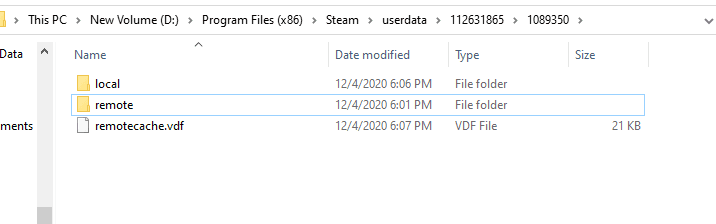
Back up your entire game folder and any save files before any change. Keep a pristine, unmodded copy of the game and a separate folder for saves so you can restore everything quickly. Corrupt saves and broken hooks are the most common outcomes of rushed installs.
Install community-trusted tools to simplify work and reduce error. Mod managers and file explorer utilities, along with hook and fixer tools for specific NBA 2K releases, are widely used to automate placements and resolve conflicts. Community downloads typically include these utilities; use them rather than manually moving dozens of files when possible.
Download mods from trusted hubs and creators. Established sources such as NLSC downloads/forums, ModdingWay and well-known creators are safer choices. Read comments and installation notes before running anything. Prefer zipped archives with clear author notes, scan executables and avoid pirated content.

Follow the installation order and folder structure exactly. Many mods rely on a specific layout, 'waigua' folders, designated Mods folders, exact paths for cyberfaces, courts and roster files. If a bundle includes an essentials pack or a README, follow step-by-step. Misplaced files are the usual cause of invisible players or missing courts.
When problems appear, think hook and config mismatches first. Invisible players, missing textures and courts usually stem from outdated hook configs after a patch. Community threads frequently publish updated hook configs or fixer tools to restore compatibility; keep an eye on recent posts after any official update.
When troubleshooting, enable one mod at a time and test in isolation to find the culprit. Keep your mods and tools updated: after an official patch the community commonly releases quick fixers or tool updates to get mods working again. That chain of updates is how the modding scene stays healthy.
The takeaway? Backup, scan, and test. Stay legal, prefer reputable downloads, and keep a clean install ready to swap back in. Our two cents? Treat modding like a roster update: do it carefully, verify each change, and you’ll keep your MyCAREER running and your online access intact.
Know something we missed? Have a correction or additional information?
Submit a Tip