Foundry VTT Lists Paizo's Season of Ghosts; Activation Required, Level Range Unclear
Foundry VTT lists Paizo’s Season of Ghosts as a Paizo-produced Foundry module with activation required; the module’s level cap is inconsistent across product text, leaving 1–12 vs 1–13 unclear.
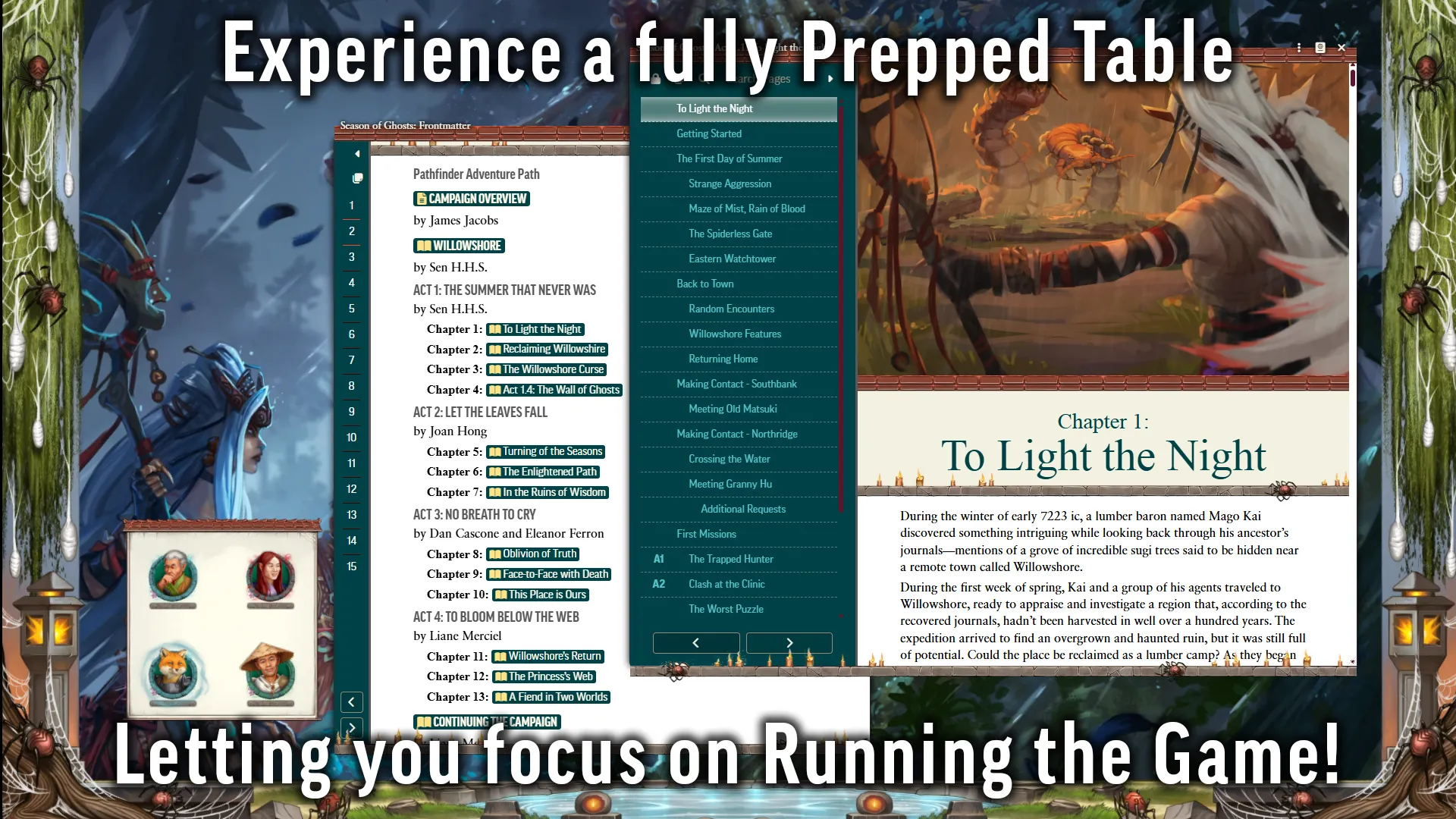
Foundry Virtual Tabletop now lists "Pathfinder Adventure Path: Season of Ghosts" as a Paizo-produced Foundry module and shows recent activity on the package page, but buyers should be aware the product requires activation and that Paizo and Foundry copy disagree on the campaign's level cap.
Paizo's store copy describes Season of Ghosts as "a complete Pathfinder campaign for character levels 1–12" and markets it as "adjusted to work perfectly with the Pathfinder Second Edition remaster" with "maps, tiles, tokens, sounds, and much more." The Foundry module listing breaks the campaign into four parts with explicit part ranges: Season of Ghosts 1 of 4: The Summer That Never Was, levels 1-4; Season of Ghosts 2 of 4: Let the Leaves Fall, levels 4-7; Season of Ghosts 3 of 4: No Breath to Cry, levels 7-10; and Season of Ghosts 4 of 4: To Bloom Below the Web, levels 10-13. That same module table lists a "Complete Adventure Path" as 1-13, creating a direct discrepancy with the 1-12 language elsewhere in the product text.
Activation and installation require extra steps beyond purchase. Paizo copy explains, "Upon completing this purchase, you will receive an activation code in your Paizo account Library. Enter this code in your Foundry VTT account page to unlock the content. You will then be able to install the 'Pathfinder Adventure Path – Season of Ghosts' module on the setup screen." After installation, the module "must be activated within a Game World," though the module UI and manifest are the places Foundry users will manage final activation.
Early community reports show at least one buyer encountering dependency problems during activation. Forum poster Radiant Oath (AceofMoxen) reported buying the four volumes, installing monster tokens first, and seeing the modules appear purple in the modules list. Mousing over the entries produced the message, "Cannot be enabled due to issues in required dependencies." The poster noted their environment as Foundry Virtual Tabletop Version 13 Stable, 13.351, and Game System pf2e 7.7.4, and contrasted Season of Ghosts with other modules that provide clickable lists of missing dependencies.

For GMs and players planning to run the campaign in pf2e, the practical implications are immediate. Confirm activation codes in your Paizo account Library and enter them on your Foundry account page before attempting to install. After installation, open the module manifest in Foundry and check for required dependency packs or a "basis" pack that some community modules reference. The Season of Ghosts package highlights Foundry-specific assets such as pre-configured scenes optimized for fantasy gaming, which can speed table setup once the module is fully activated.
The inconsistent level-cap language matters for campaign pacing and milestone planning. If your group expects to hit 13th-level threats in part four, verify whether the final tier scales to 12 or 13 before committing to endgame choices. Monitor the Foundry package page for the package "Last Updated" timestamp and module version entries listed in the package (Version 13.0.1, Version 12.0.0, Version 1.3.0), and check community threads for dependency fixes. Verify activation and dependency status before scheduling sessions so your tokens and compendia are ready at the table.
Know something we missed? Have a correction or additional information?
Submit a Tip