Google Now Lets Users Change Gmail Addresses Without Losing Any Data
Google opened Gmail address changes to all U.S. users this week, the first such flexibility in the service's 20-year history, with the old address locked as an alias no one else can claim.
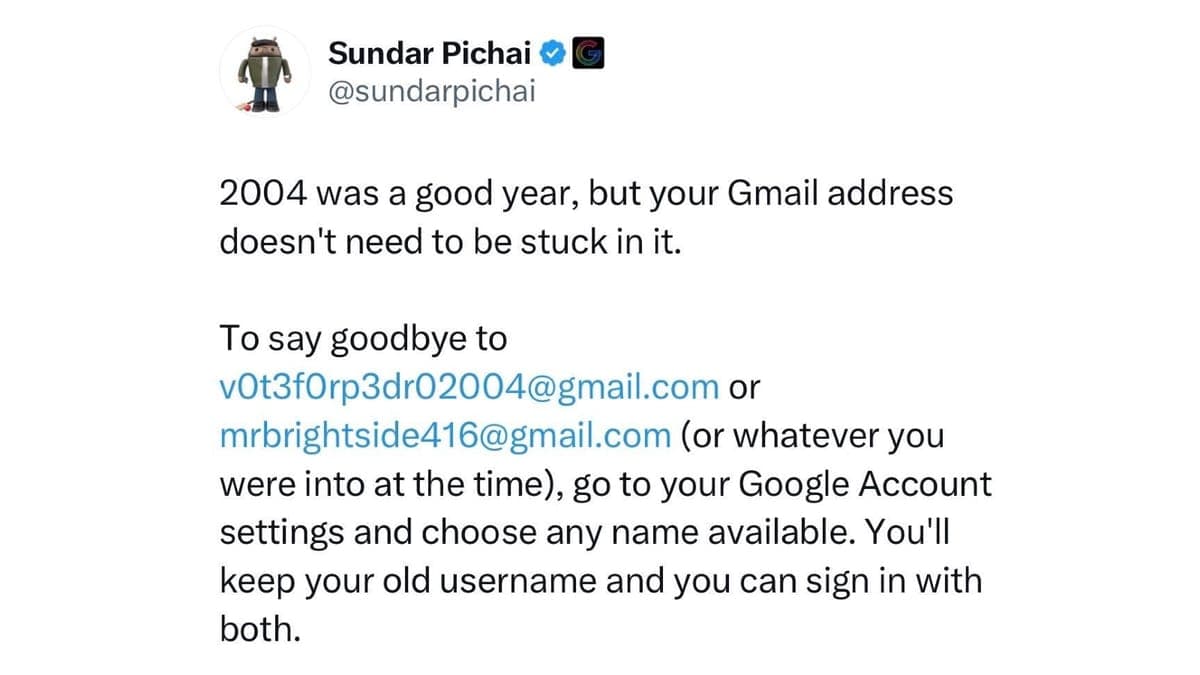
After two decades of locking users to whatever username they chose at signup, Google officially extended the ability to change a Gmail address to all U.S. account holders as of late March 2026, with a global expansion now underway.
The core mechanic is more nuanced than a simple rename: the old address does not vanish. It converts into an alias on the same account, and mail sent to both addresses lands in the same inbox. Users can continue to log in with either address to access Gmail, YouTube, Google Drive, Maps, and the Play Store, and all account history, messages, photos, and files remain untouched.
One specific safeguard carries implications that extend well beyond personal convenience. The old address stays tied to the account and cannot be claimed by anyone else, a crucial protection against impersonation or accidental loss of important communications. For small business owners who rely on a personal Gmail for client invoices or vendor correspondence, the risk of vacated handles is real: a released address could be re-registered by bad actors who exploit existing sender recognition to solicit payments or credentials from trusting contacts. Google's alias model eliminates that attack surface entirely.
Users can change their address once every 12 months. Reverting to a previous address is permitted at any time, but doing so consumes that year's change allowance, meaning no new address can be created for the following 12 months. Any new address created through the process cannot be deleted afterward. Google has also imposed a lifetime cap of three address changes per account, a structure that signals this was engineered as a deliberate correction tool rather than a revolving door for casual experimentation.
The feature applies only to personal @gmail.com accounts. Google Workspace and school accounts are excluded from the consumer rollout. Chromebook users, whose device login is tied to their Google Account, may also need to take additional steps to ensure a smooth transition.
Because the change is confined to Google's ecosystem, every external service storing the old address requires a manual update. Bank login credentials, two-factor authentication enrollments, subscription billing portals, and employer payroll systems all hold that address independently and have no mechanism to detect the switch automatically. Treat a Gmail address change as a full credential audit: update financial accounts, healthcare portals, utilities, and professional services one by one. For two-factor authentication specifically, confirm that verification codes remain functional after the switch, since some services tie authentication to a registered email address rather than a phone number. Subscription receipts are worth auditing too; auto-renewals that have been emailing the old address will continue to reach the inbox via the alias, but if the subscription ever requires re-authentication, the login field may reject the new address until it is updated.
Google has also previewed a complementary "shielded email" feature that would allow users to generate temporary, disposable aliases for signups, adding a further layer of privacy against the marketing databases and breach exposure that accumulate around long-established addresses. Together, the two features represent the most significant shift in Gmail's identity management model since the service launched as an invitation-only product in April 2004.
This article was produced by Prism’s automated news system from verified source data, official records, and press releases, then run through automated quality and moderation checks before publishing. The system is built and supervised by the people who set the standards it runs under. Read our full AI policy.
Did this article answer your question?