Open Emulation Ecosystem Fuels Malicious Builds, Adware and Privacy Risks
Unofficial emulator builds can contain adware or phone home; verify the build source, checksums and outgoing connections before you install.
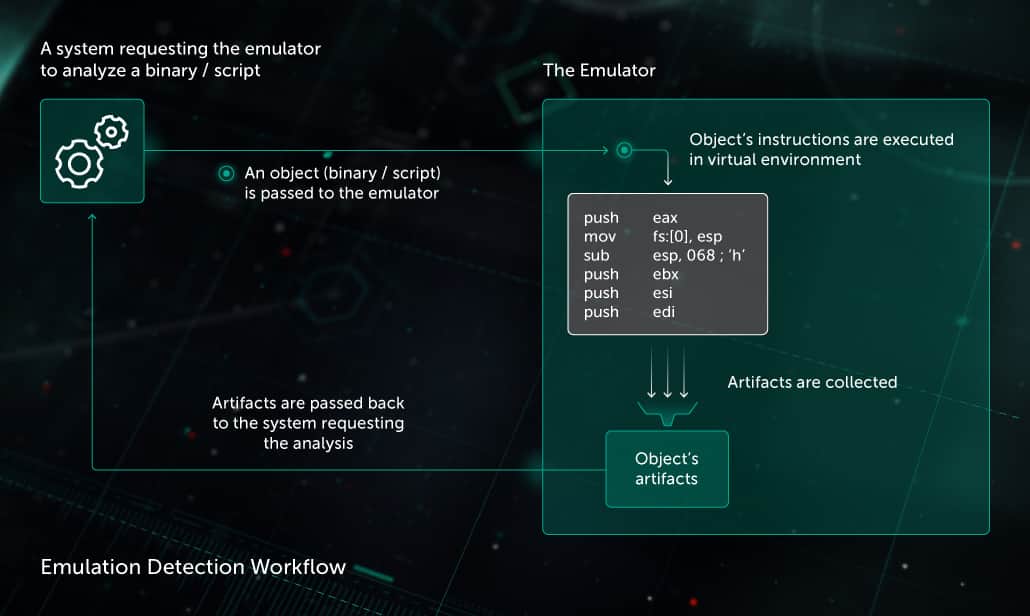
If you treat the emulation ecosystem as a download buffet—official projects, community forks and third‑party builds—you need to treat each plate as potentially poisoned. Openness is what made emulation thrive, but it also creates three concrete risk vectors: malicious or poorly built binaries, shady distribution channels that bundle adware, and builds that quietly phone home. Below I break each of those problems down and give the exact, practical steps I use to keep my collection intact and my network clean.
1. Malicious or poorly built binaries
Because the ecosystem mixes official projects, community forks and third‑party builds, binaries compiled and redistributed by strangers can be modified, broken, or weaponized. That can look like an otherwise normal emulator executable that includes hidden payloads, or a hastily repackaged fork that crashes on specific ROMs, corrupts saves, or drops a coinminer. In practice you'll see symptoms like unexplained CPU spikes, new processes running at startup, or save files that suddenly disappear — the same signs whether the issue is incompetence or malice.
2. Shady distribution channels that bundle adware
Shady distribution channels exist because third‑party builds are easy to repackage; these distributors will bundle adware installers or PUPs (potentially unwanted programs) into the installer so the download remains free or monetized. That bundle may add browser toolbars, background updaters, or ad injection components that survive uninstallation. If you grabbed a build from an aggregation site or a repackaged installer and then noticed popups or a changed homepage, that’s likely because the build was bundled with adware at distribution.
3. Builds that quietly phone home
Some builds include telemetry, analytics or outright back‑channel code that calls home to a server outside your control. A build that "phones home" can leak IP addresses, a hardware fingerprint, or a list of the games you run, which is a privacy risk even when the intent isn’t obviously malicious. Because open builds can be forked and recomposed, a previously benign fork can gain telemetry or networking code with no centralized vetting.
4. How to spot risky builds before you click install
Because the problem starts upstream with who compiled and distributed the binary, the fastest way to reduce risk is vetting before installation. Look for a clear source: an official project release page, a linked source tarball, or a commit hash. Check for digital signatures or checksums provided by the project and verify them against what you downloaded. If an installer asks for unrelated system permissions, adds toolbars, or tries to run extra executables during install, treat it as suspicious; don’t move forward until you can confirm the package matches the project's official release.
- Prefer official releases: Download from the project's official release page or a known, trusted repo whenever possible. If a build claims to be "patched for performance" but doesn’t point to source, skip it.
- Verify checksums and signatures: When a project provides a SHA‑256 or GPG signature, verify it. If the release lacks any checksum, consider that a red flag and avoid installing.
- Use sandboxing or VMs for unknown builds: Run suspect builds inside a VM or sandbox so they can’t touch your main install or home folders. I keep a Windows VM and a lightweight Linux VM specifically for testing new forks.
- Block outbound traffic initially: Before running a new build, create a firewall rule to deny outbound connections for that binary. Only open the rule after you’ve confirmed the build behaves.
- Inspect installer behavior: Use tools that monitor file and registry changes during install. If an installer writes to odd locations or schedules background tasks, cancel and delete it.
5. Concrete steps to hard‑lock your emulation installs
Because openness means you’ll inevitably download third‑party things, lock down the environment where you run them:
6. Network monitoring and telemetry controls
Because some builds phone home, you should verify a build’s network behavior before trusting it. Start with a live network monitor or application firewall and watch for DNS lookups, unexpected IP connections, or traffic to countries you don’t normally connect to. If you see repeated connections from an emulator to an external host, treat that as a privacy incident: block the binary, capture the traffic for analysis, and report the build to the official project page. Turn off any nonessential telemetry in emulator settings and prefer builds that document exactly what telemetry (if any) they collect.
7. Tradeoffs between preservation and security
Because preservation often requires running old or patched builds that may lack modern signing or vetting, you’ll face tradeoffs. A curated, signed official release is safer but may drop features that preservationists need; community forks add compatibility but increase risk. Decide case‑by‑case: for rare or archival builds, run them in an isolated environment and keep a vetted copy in cold storage. For everyday play, favor signed, checksum‑verified releases from official project channels.
8. Community hygiene: how to push the ecosystem toward safer builds
Because the open model is only as healthy as the community around it, we all have leverage: favor projects that publish reproducible builds, checksums and source links; report repackaged installers and adware bundlers to the original authors; and document suspicious behavior in issue trackers. When a project provides a release with a clear commit hash and verification instructions, promote that practice. Over time, projects that care about user safety will be easier to adopt, and shady distributors will lose traction.
9. Quick practical checklist you can use right now
Because you should have a short, repeatable process for any new build, use this checklist before you run anything:
1. Confirm the release came from an official project page or a linked source tarball.
2. Verify the checksum or GPG signature if provided; if not provided, treat the build as suspect.
3. Inspect the installer flow for extra permission requests or bundled apps.
4. Run the build in a sandbox/VM or with outbound traffic blocked until you trust it.
5. Monitor process, file and network behavior for at least one test session.
6. Archive the verified installer and checksum offline for future use.
Conclusion The open emulation ecosystem lets us preserve, extend and enjoy vintage software—but the same openness lets malicious actors and careless packagers ship adware, unstable binaries, and privacy‑leaking builds. Treat every non‑official build like a potential risk: verify the source, checksums and network behavior, use sandboxing for unknown builds, and prefer releases that document reproducible builds. Do that and you keep the advantages of openness without paying the price in malware, ads or leaked data.
Know something we missed? Have a correction or additional information?
Submit a Tip